
Use ID badge templates to design an authorized identification badge that is readable and does not overstate access or official status. This page contains layout examples and links to original sources, rather than a hosted editable Word or Excel file.
Layout examples and source links
These are layout previews and links to original sources, rather than hosted editable downloads. Check each source’s current availability, format and terms.
Template previews and source links
Employee ID Badge Template
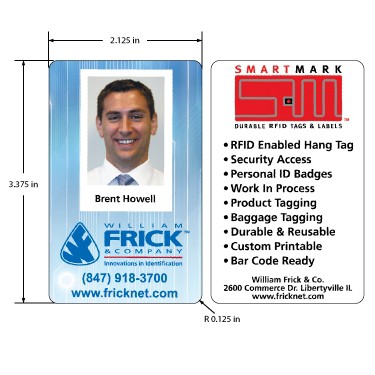 View original source for Employee ID Badge Template
Doctor ID Badge Template
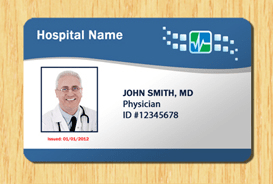 View original source for Doctor ID Badge Template
Blank ID Badge Template
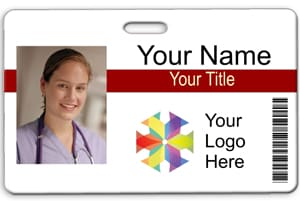 View original source for Blank ID Badge Template
ID Badge Template Example
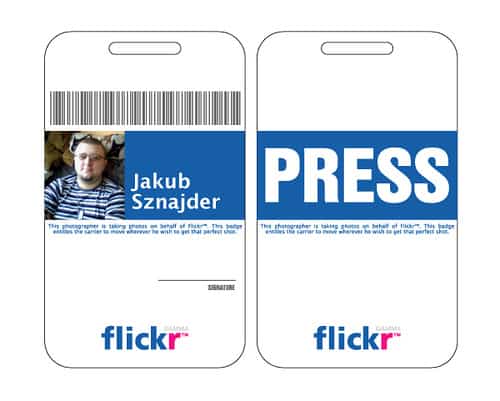 View original source for ID Badge Template Example
Compnay ID Badge Template
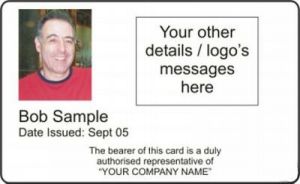
An ID badge helps identify a person within an organization’s genuine process. A design template alone does not verify identity or grant access. Use only authorized branding and roles, and never imitate government credentials or an unrelated organization’s identification.
Choose a suitable template
Choose a design by its practical use, audience, and final size. Readability and accurate information should lead the layout. A sample’s artwork, logo, or text may not be authorized for your purpose, so check permitted use and replace inappropriate elements. Inspect the actual resource format rather than assuming that a displayed preview is an editable file.
Important details to prepare
Organization
Use the correct authorized organization name and logo. Make visitor or event badges visibly distinct where appropriate. Choose the purpose and audience before refining the appearance. The layout should make the intended use clear rather than rely on decoration to explain it.
Person
Confirm the display name and role against the approved roster. Avoid adding unnecessary sensitive identifiers. Set the relevant dimensions or identity details accurately. Errors at this stage can affect every printed copy and are easier to fix before production.
Photo
Use an appropriate, authorized photograph that remains recognizable at the printed size. Obtain and handle images under the organization’s policy. Keep the essential text readable at the finished size. A design that looks balanced on a large screen may become difficult to use in print.
Badge reference
Assign a reference linked to the actual issue record. Avoid exposing confidential account numbers or private personal data. Use authorized artwork and inspect its quality. Stretched or low-resolution images can reduce clarity even when the underlying design is attractive.
Validity
State relevant event dates or expiry where the process requires it. Access permissions must come from the organization’s controls, not decorative wording. Check the practical production details, including margins, references, and any date or validity information. A small proof can prevent a costly batch of incorrect copies.
Issue and return
Record who issued the badge and how lost, replaced, or returned badges are handled. Remove access through the proper system when necessary. Retain the approved version and follow the actual issue or finishing process. A template provides a layout, while the organization or maker remains responsible for how it is used.
How to complete the template
Set the page or finished dimensions before arranging text and images. Establish a clear visual hierarchy with the essential information easiest to find. Use adequate spacing and avoid shrinking important text to fit an overcrowded design. Keep a separate working copy and use authorized images or branding. If the design carries identification or access information, follow the organization’s real issue process.
Worked example
An event organizer creates badges with distinct attendee and staff designs. Each badge has a readable name, role, event date, and issue reference. The staff badge does not claim unrestricted building access; actual access follows the venue’s process. A lost badge is replaced with a new reference and the original is marked invalid in the issue record.
Check accuracy before use
Review the finished piece at actual size. Check names, references, dates, contrast, image quality, and cutting or print margins. A screen preview at high magnification can hide tiny type or awkward line breaks. Produce a single proof before printing a batch, and inspect the exported copy as well as the editable source.
Related resources for the next step
Use sign-up sheet templates to build an approved event roster.
Use contact information templates to maintain authorized organizer contacts.
Use event program templates to coordinate badge design with the event’s materials.
