
Keeping track of every team member’s background, skills, and contact details becomes much easier with a ready-made employee profile template that you can fill in and customize on your own computer. Instead of building a record sheet from scratch, a pre-formatted document gives you an organized layout for capturing the personal and professional details HR teams rely on every day. Below you’ll find 3 free, downloadable employee profile templates suitable for small businesses, growing companies, and any organization that wants to keep employee records consistent and easy to access.
Separate essential employee profile data from private records
An employee profile can support HR administration by storing job title, department, work contact, start date, supervisor and relevant skills. Sensitive health or identity data should be managed separately with stricter access.
Worked example: For a new customer-service hire, an internal profile may capture assigned team, training completion and approved work contact. There is rarely a need to expose home address or personal identification in a staff directory.
Check before use: Set appropriate access rights and retention periods, and ensure information matches authorised HR records. Remove outdated or excessive personal details.
For related resources, see 18+ Sample Employment Certificate Templates WORD and 11+Useful Contact Info Templates [PDF, EXCEL, WORD].
What’s Included in the Employee Profile Template
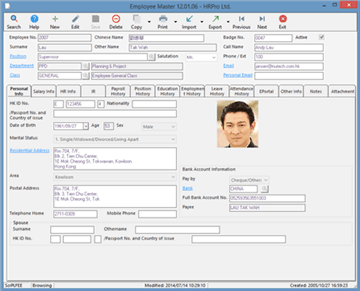
Each template includes space for the employee’s name, employee code, and a photograph, along with fields for their educational background and professional qualifications. There’s room to list professional expertise and specific skills relevant to their role, plus a section describing their responsibilities under their current job title. Most templates also include space for personal interests, blood group, and leave history, giving HR staff a well-rounded record for each team member.
Who Should Use These Templates?
HR managers use these templates to build a standardized record for every employee across the organization. Small business owners who don’t have dedicated HR software rely on them to keep basic staff information organized without extra cost. Department heads use employee profiles to quickly reference the skills and background of team members when assigning projects, and recruiters use similar formats to document new hires during the onboarding process. Any organization that wants a simple, professional way to track staff details can benefit from these templates.
How to Start Using the Template in 3 Simple Steps
Step 1 is to browse the 3 options below and choose the layout that best fits your organization’s needs. Step 2 is to fill in the employee’s personal and professional details in each of the designated fields. Step 3 is to save the completed profile in your employee records and update it whenever the employee’s role, skills, or contact information changes.
Employee Profile Templates vs. HR Software
While both aim to organize employee information, a document-based profile template and dedicated HR software serve different scales of operation. A template is free to use and requires no setup, making it ideal for small businesses or organizations just starting to formalize their record-keeping. HR software, on the other hand, typically offers centralized databases, automated reminders, and integration with payroll systems, but comes with a subscription cost and a learning curve. Many small businesses rely on simple profile templates until their team grows large enough to justify the investment in dedicated software.
Customizing the Template for Your Organization
These templates are designed to be a flexible starting point rather than a fixed format. You can add fields specific to your industry, such as certifications or security clearances, remove sections that don’t apply to your organization, or adjust the layout to match your company’s branding. Since the templates are provided in an easily editable format, most adjustments take only a few minutes and let you tailor the profile to fit your particular business needs.
Choosing the Right Format
With 3 different templates available, choosing the right one depends on how much detail your organization needs to capture and how the profile will be used. A simpler layout works well for smaller teams that just need basic contact and role information, while a more detailed template suits organizations that want a comprehensive record including skills, education, and leave history. Reviewing each option before committing to one can help you find the format that best fits your employee record-keeping needs.
Common Mistakes to Avoid
Leaving fields incomplete when an employee is first hired can create gaps that are difficult to fill in later, so it’s worth collecting all necessary information upfront. Forgetting to update profiles when an employee’s role or skills change can lead to outdated records that no longer reflect reality. Storing profiles inconsistently, such as some in digital files and others on paper, makes it harder to locate information quickly when it’s needed. Not restricting access to sensitive personal details can also create privacy concerns, so it’s important to store completed profiles securely.
Tips to Get the Most Out of Your Employee Profile Template
Collect all necessary information at the time of hiring so the profile is complete from day one. Store completed profiles in a secure, organized location, whether digital or physical, so they can be retrieved quickly when needed. Review and update each employee’s profile periodically, especially after a promotion, role change, or new certification. Consider using a consistent naming convention for saved files so profiles are easy to locate, and limit access to sensitive personal information to authorized staff only.
Protecting Employee Privacy in Profile Records
Because employee profiles often contain personal details like blood group, contact information, and family emergency contacts, handling this information responsibly is an important part of maintaining trust with your team. Storing completed profiles in a password-protected folder or a secure filing cabinet, rather than leaving them accessible to anyone in the office, helps safeguard sensitive details from unauthorized access. It’s also worth periodically reviewing who has access to employee records and removing access for staff who no longer need it, such as former managers or employees who have changed departments.
Using Employee Profiles During Onboarding
A well-organized employee profile can serve as a helpful tool during the onboarding process, giving new hires a clear format for sharing their background and qualifications with the company. Asking new employees to complete their own profile as part of onboarding paperwork not only saves HR staff time but also ensures the information comes directly from the source and is more likely to be accurate. Pairing the profile with a short welcome conversation, where a manager reviews the new hire’s skills and interests, can also help identify how the employee’s strengths might best be put to use early on.
Using Employee Profiles for Succession Planning
Beyond day-to-day record keeping, a collection of well-maintained employee profiles can become a valuable resource when planning for future leadership needs within an organization. Reviewing profiles across a department can help managers identify employees whose skills, experience, and expressed interests make them strong candidates for growth into more senior roles. Keeping this information current, rather than relying on outdated impressions of an employee’s capabilities, ensures that succession planning decisions are based on an accurate picture of what each team member actually brings to the table.
Maintaining Consistency Across a Growing Team
As an organization adds new employees, maintaining a consistent profile format across the entire team becomes increasingly important for keeping records usable and comparable. Assigning one person or a small team the responsibility of reviewing new profiles for completeness before they’re filed helps prevent gaps or inconsistencies from accumulating over time. Establishing a simple checklist of required fields, and referring back to it whenever a new profile is created, is a straightforward way to keep every employee’s record equally thorough regardless of who filled it out.
Get Free Employee Profile Templates Here
Sample Employee Profile
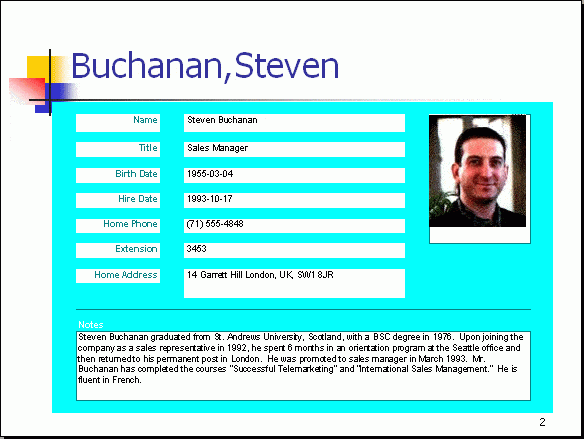

Employee/Staff Profile Example
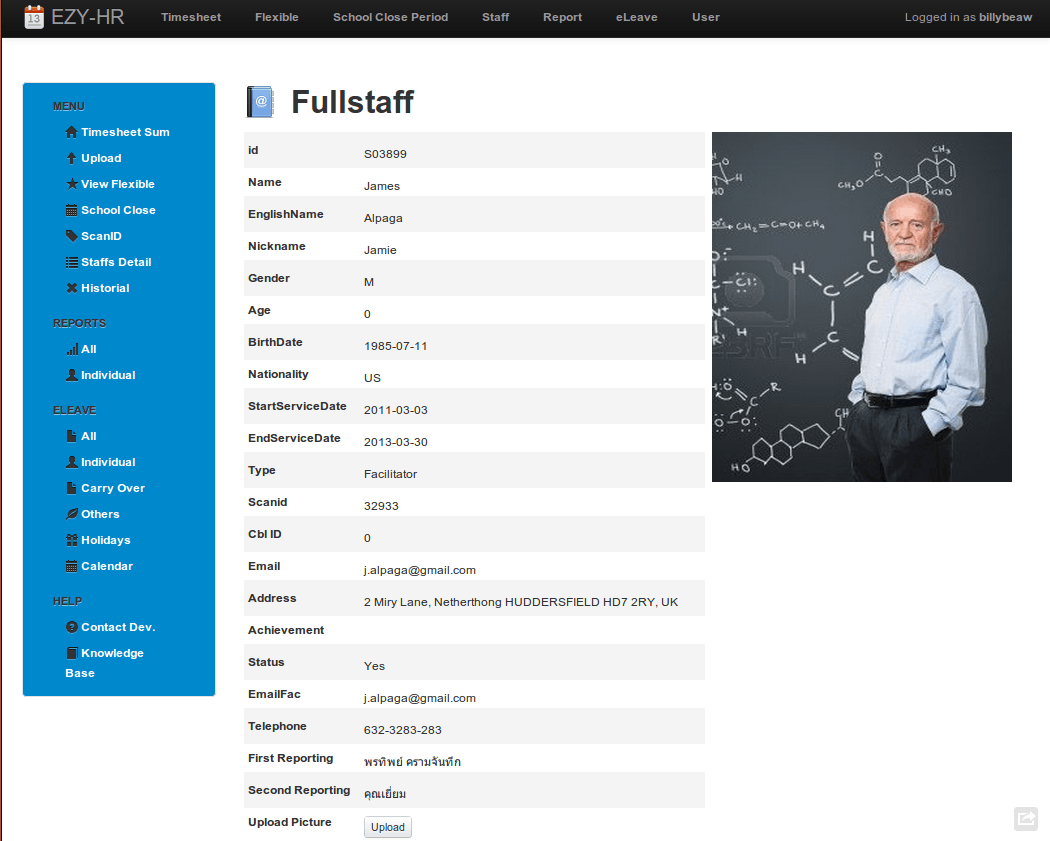
Employee Profile Generator
Frequently Asked Questions
Are these employee profile templates free to download?
Yes, all 3 employee profile templates on this page are free to download and use.
Can I customize these templates for my organization?
Yes, the templates are editable so you can add or remove fields to match your organization’s needs.
What information should be included in an employee profile?
A typical profile includes the employee’s name, photograph, job title, education, skills, and contact details.
How is an employee profile different from a resume?
A resume is prepared by the candidate for job applications, while an employee profile is created and maintained by the employer for internal record-keeping.
How often should employee profiles be updated?
It’s best to update a profile whenever an employee’s role, skills, or contact information changes, or at least once a year.
Who should have access to employee profile records?
Access should generally be limited to HR staff and relevant managers to protect employees’ personal information.
Can these templates be used for small businesses without HR software?
Yes, these templates are a simple, free way for small businesses to keep organized staff records without investing in dedicated software.

You must be logged in to post a comment.