
Getting a clear picture of exactly how much you owe, and how quickly you could be debt-free, becomes far easier with a debt calculator template already structured and ready to use. Instead of building a repayment tracker from scratch, a ready-made template gives you a clean, organized framework where you simply plug in your balances, interest rates, and monthly payment amounts. Below you’ll find 8 free, downloadable debt calculator templates in Excel, suitable for credit cards, loans, mortgages, and any other type of debt you’re working to pay off.
What Is a Debt Calculator Template?
A debt calculator template is a pre-formatted Excel spreadsheet used to organize and calculate a repayment plan for one or more debts, whether personal or business-related. Rather than designing a calculator from scratch, a ready-made template gives you a structured framework already built to capture balances, interest rates, minimum payments, and target payoff dates. These templates are used by individuals, families, freelancers, and small business owners who need a clear, organized way to see exactly how their debt will shrink over time based on the payments they make.
Why You Need a Debt Calculator Template: Key Benefits
- Saves calculation time: A ready-made spreadsheet with built-in formulas means you don’t have to manually calculate interest and payoff timelines.
- Keeps every debt organized: Clearly labeled fields for each balance, rate, and payment let you track multiple debts in one place.
- Shows a clear payoff timeline: Seeing exactly how many months remain can be a powerful motivator to stay consistent with payments.
- Reveals the impact of extra payments: Quickly see how much time and interest you could save by increasing your monthly payment amount.
- Works for various debt types: Templates are suitable for credit cards, car loans, mortgages, student loans, and personal loans.
- Free and reusable: Download once and reuse the same template structure as your balances change month to month.
What’s Included in the Debt Calculator Template
- Debt name and type: A field to identify each debt, such as a credit card, auto loan, or mortgage.
- Current balance: Space to record the total amount currently owed on each debt.
- Interest rate: A field for the annual interest rate applied to each balance.
- Minimum and planned payment: Space to log both the required minimum payment and the amount you actually plan to pay.
- Payoff timeline: Some templates calculate the estimated number of months until the debt is fully paid off.
- Total interest paid: A running calculation showing how much interest will accumulate over the life of the debt.
Who Should Use These Templates?
- Individuals working to pay off credit card or personal loan balances.
- Families managing multiple household debts on a shared budget.
- Freelancers and small business owners tracking business loans and lines of credit.
- Recent graduates managing student loan repayment schedules.
- Homeowners tracking mortgage balances alongside other debts.
- Financial coaches and advisors helping clients build a repayment strategy.
How to Start Using the Template in 3 Simple Steps
- Step 1 — Choose a template style: Browse the 8 options below and select the format that best fits your needs.
- Step 2 — Enter your debt details: Fill in each balance, interest rate, and planned monthly payment.
- Step 3 — Review your payoff plan: Check the calculated timeline and adjust your payment amounts if you want to pay off debt faster.
Debt Calculator vs. Budget Spreadsheet
While both tools relate to managing money, a debt calculator and a budget spreadsheet serve different purposes. A budget spreadsheet tracks all of your income and expenses across categories to show where your money goes each month. A debt calculator, by contrast, focuses specifically on your outstanding balances, calculating how payments reduce what you owe over time and how much interest you’ll pay along the way. Many people use both together: a budget to control monthly spending, and a debt calculator to plan and monitor the payoff of specific balances.
Customizing the Template for Your Debts
These templates are designed to be a flexible starting point rather than a fixed format. You can add rows for additional debts, adjust the layout to prioritize certain balances first, or include extra columns for due dates and account numbers. Since the templates are provided in editable Excel format, most adjustments take only a few minutes and let you tailor the calculator to fit your specific financial situation.
Choosing the Right Format
With 8 different templates available, choosing the right one depends on how many debts you’re tracking and how detailed you want the calculation to be. Simpler templates work well if you’re focused on a single balance, while more detailed templates with multiple debt rows are better suited for households managing several loans and credit cards at once. Reviewing a few options before committing to one can help you find the layout that’s easiest for you to maintain.
Common Mistakes to Avoid
- Entering outdated balances: Update each debt’s current balance regularly so your payoff calculations stay accurate.
- Ignoring interest rate changes: Variable-rate debts can change over time, so revisit the interest rate field periodically.
- Only paying the minimum: Relying solely on minimum payments significantly extends your payoff timeline and increases total interest paid.
- Forgetting smaller debts: Include every balance, even small ones, for an accurate full picture of what you owe.
- Not revisiting the plan: Review your debt calculator regularly to track progress and adjust your strategy as needed.
Tips to Get the Most Out of Your Debt Calculator Template
- Update balances monthly right after your statements arrive to keep the calculator accurate.
- Experiment with extra payments to see how much faster you could become debt-free.
- Prioritize high-interest debts first to minimize the total interest you pay over time.
- Track your progress visually by noting how your total debt balance decreases each month.
- Celebrate milestones such as paying off an individual debt in full to stay motivated.
Understanding the Debt Snowball and Avalanche Methods
Two popular strategies for paying off multiple debts are the snowball method, which focuses extra payments on the smallest balance first for quick psychological wins, and the avalanche method, which targets the highest-interest debt first to minimize total interest paid. A debt calculator template can support either approach by letting you reorder your debts and see how the payoff timeline changes depending on which strategy you choose. Testing both methods side by side in your template can help you decide which approach fits your motivation style and financial goals best.
Using a Debt Calculator Alongside Your Monthly Budget
A debt calculator works best when it’s reviewed alongside your overall monthly budget, since the amount you can realistically put toward debt repayment depends on your income and other expenses. Setting a fixed, sustainable debt payment amount each month, rather than an overly ambitious figure you can’t maintain, leads to more consistent progress over time. Revisiting both your budget and debt calculator together after any income change, such as a raise or a new expense, helps ensure your repayment plan stays realistic.
Planning for Credit Card Debt Specifically
Credit card debt often carries some of the highest interest rates of any common debt type, which makes an accurate calculator especially valuable for planning a payoff strategy. Because credit card interest typically compounds daily or monthly, even small increases in your payment amount can significantly shorten the payoff timeline and reduce the total interest charged. Tracking multiple credit cards in the same template makes it easier to decide which balance to prioritize based on both the interest rate and the remaining amount owed.
Tracking Loan Payoff Progress Over Time
For longer-term debts like auto loans or mortgages, a debt calculator can help you visualize progress that might otherwise feel slow month to month. Recording your balance at regular intervals, such as quarterly, lets you see meaningful reductions over time even when the monthly change seems small. Some borrowers use their debt calculator to test the effect of occasional lump-sum payments, such as a tax refund or bonus, on their overall loan payoff timeline.
Debt Calculators for Business Loans and Credit Lines
Small business owners often juggle multiple forms of financing, including term loans, lines of credit, and equipment financing, each with different interest rates and repayment schedules. A dedicated debt calculator helps business owners see their total financing obligations in one place, which is useful both for day-to-day cash flow planning and for conversations with lenders or investors. Keeping business debt tracked separately from personal debt, even when using a similar template structure, helps maintain clear financial records for tax and accounting purposes.
Staying Motivated Through the Payoff Process
Paying off debt can take months or even years, so keeping your debt calculator updated and visible can play an important role in staying motivated throughout the process. Watching your total debt figure decrease with each update provides a concrete, visual sign of progress that can be easy to lose sight of when focused only on individual monthly payments. Sharing your progress with a trusted friend, partner, or financial coach, using the same calculator as a reference point, can also add a layer of accountability that helps many people stay on track.
Download Debt Calculator Excel Templates Here
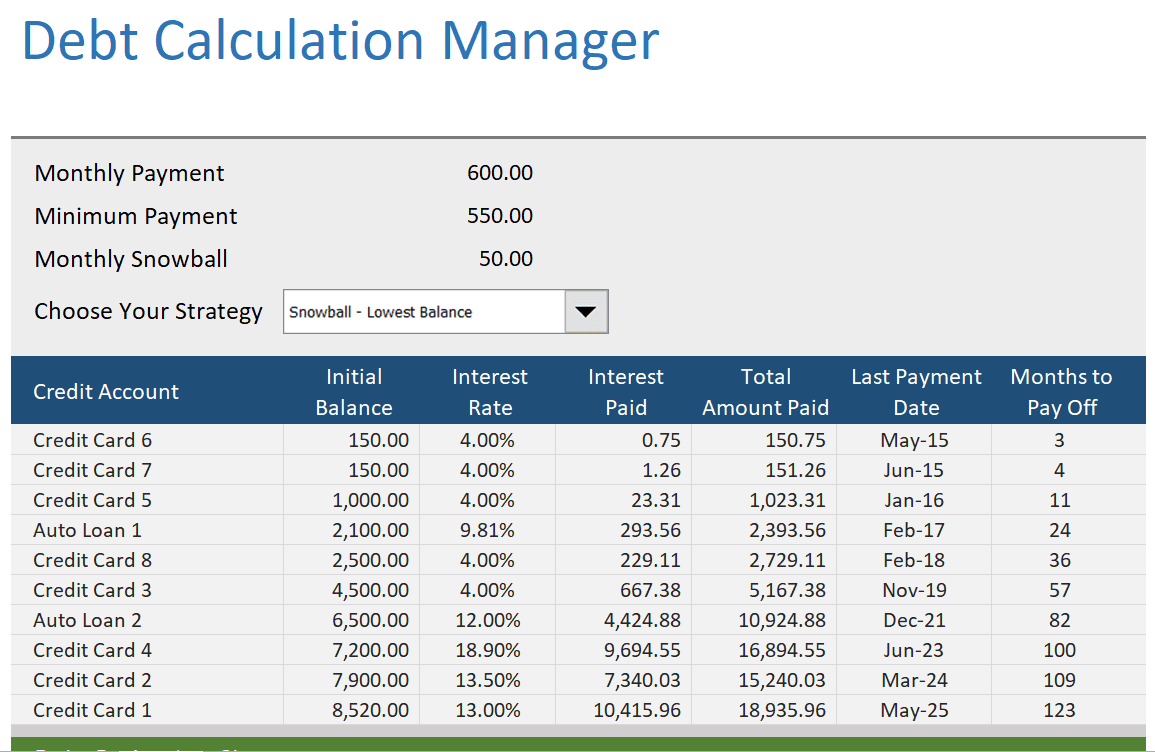
Practical Debt Calculator Manager Template
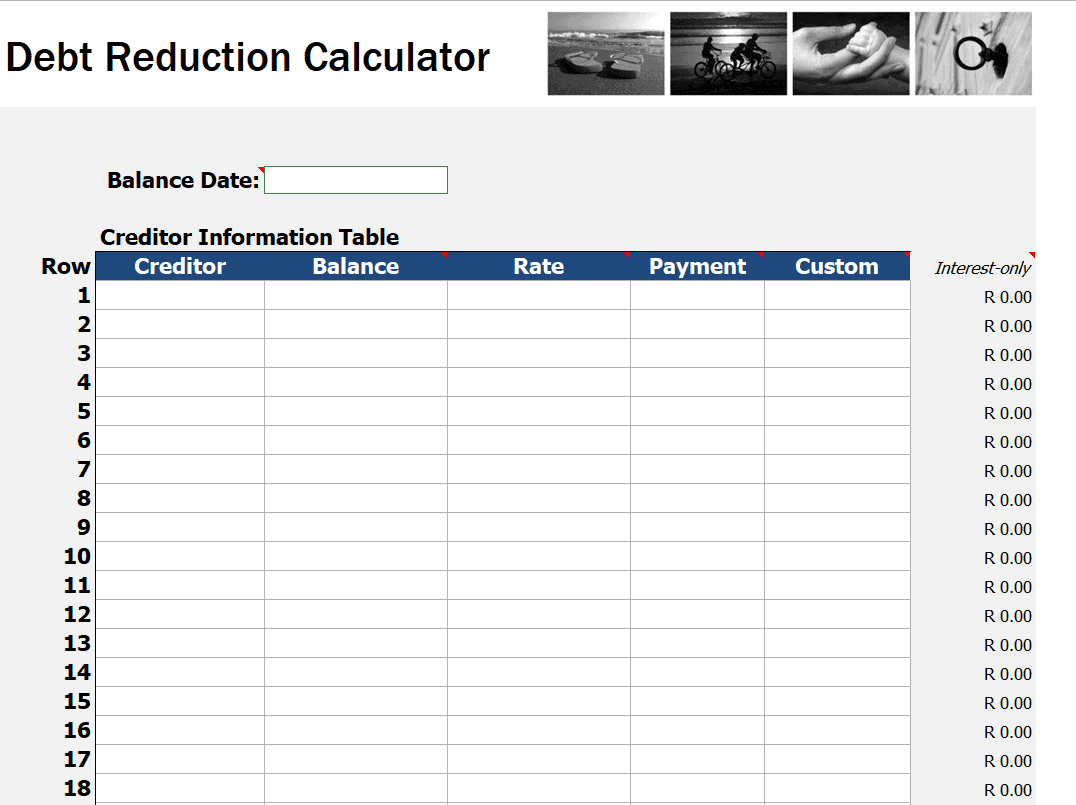
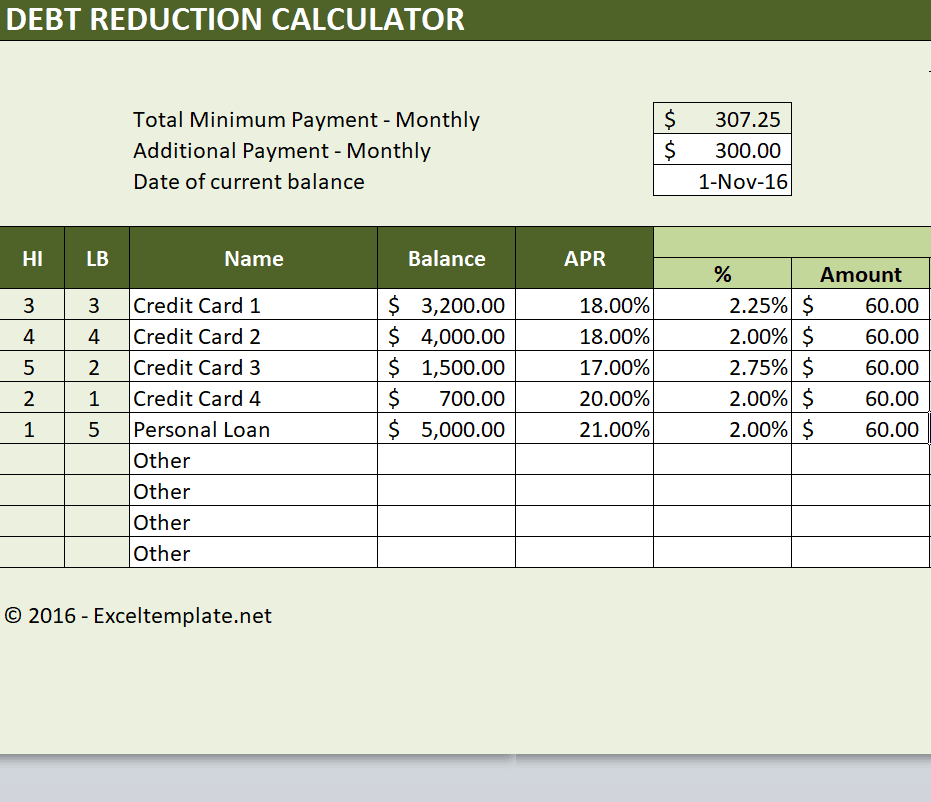
Blank Debt Reduction Calculator Template
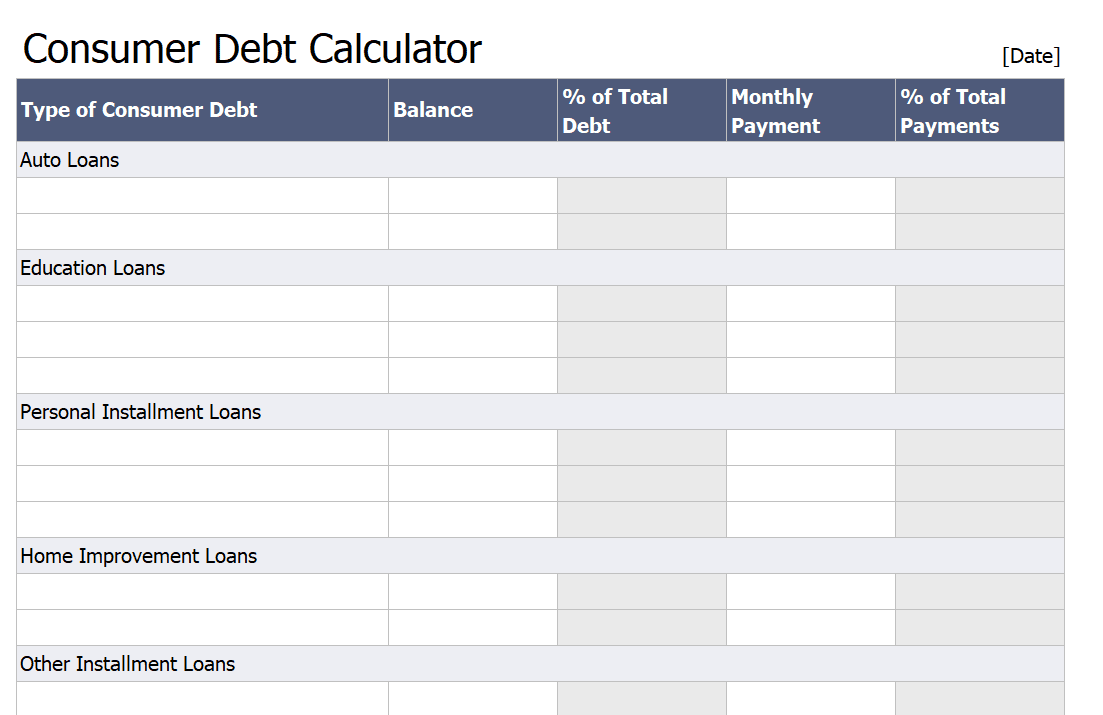
Consumer Debt Calculator Template
Printable Debt Reduction Calculator Template PDF
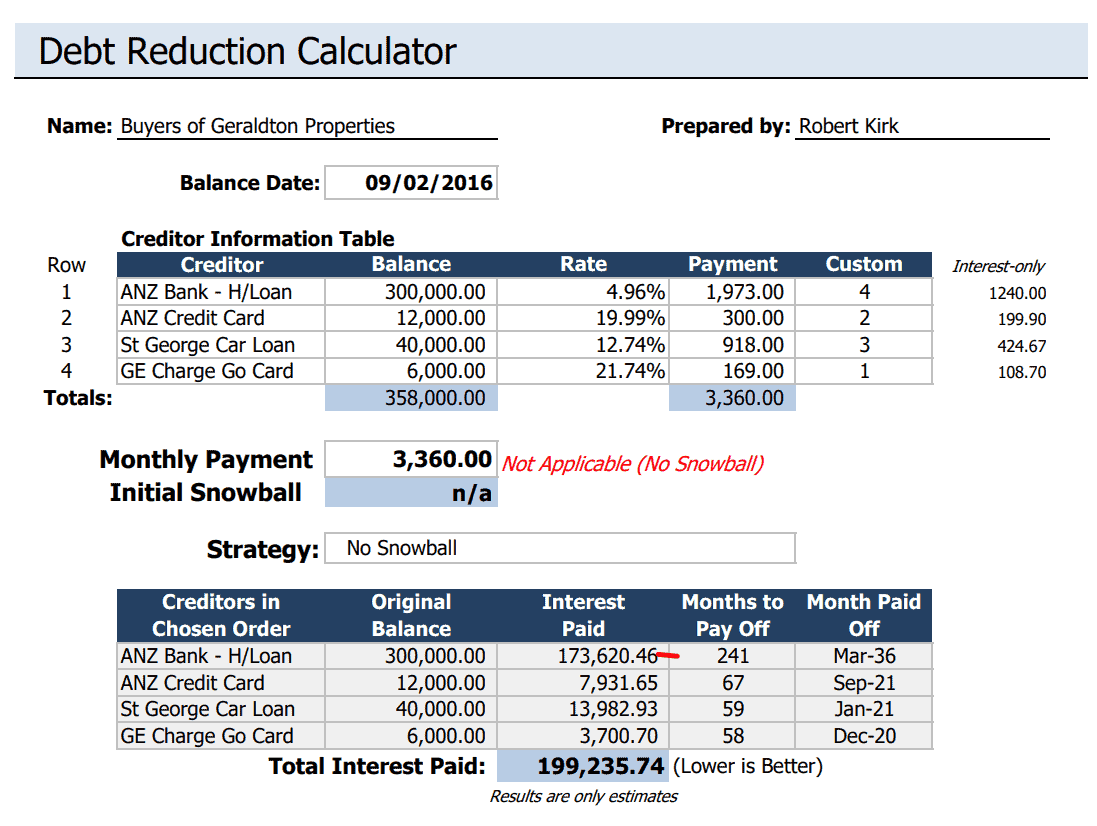
Sample Debt Reduction Calculator Template
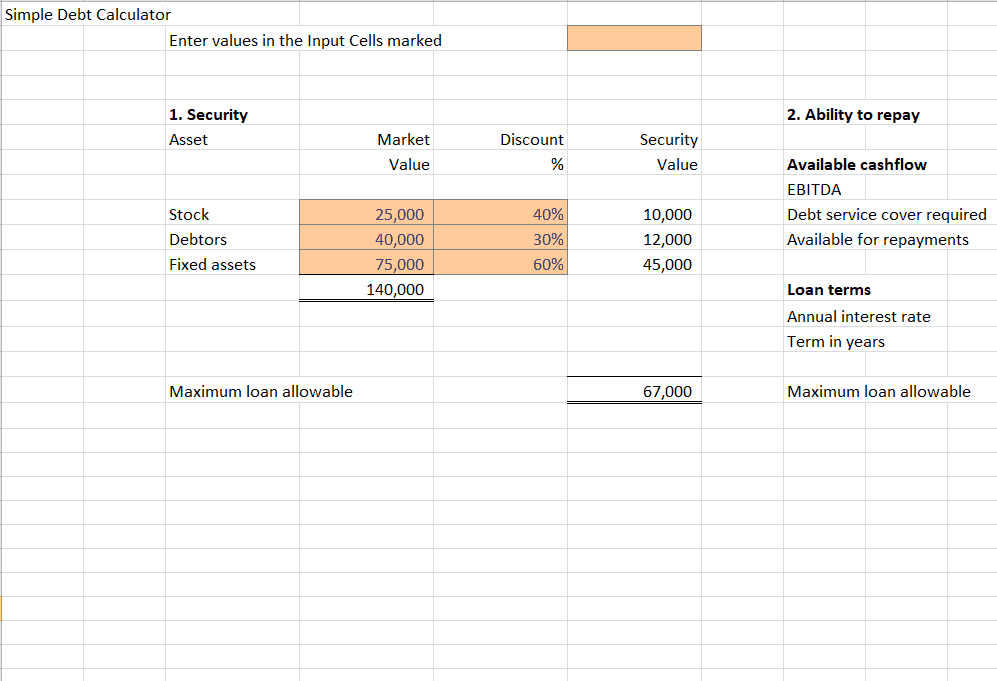
Simple Debt Calculator Template
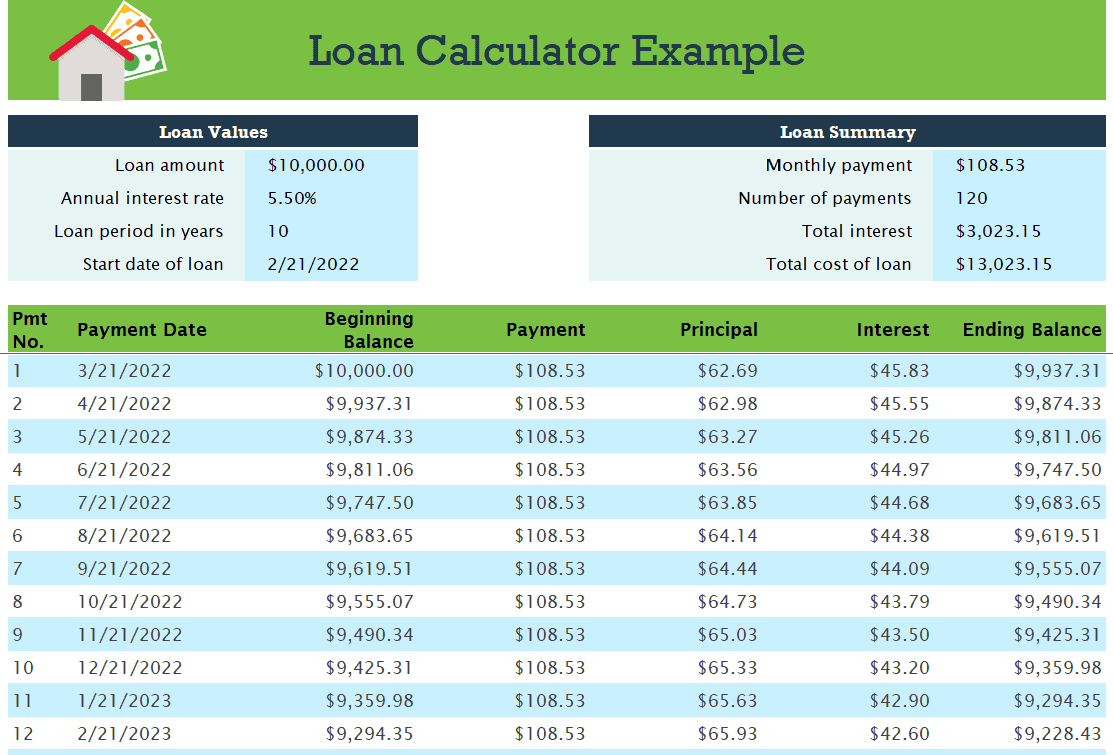
Loan Calculator Example Template
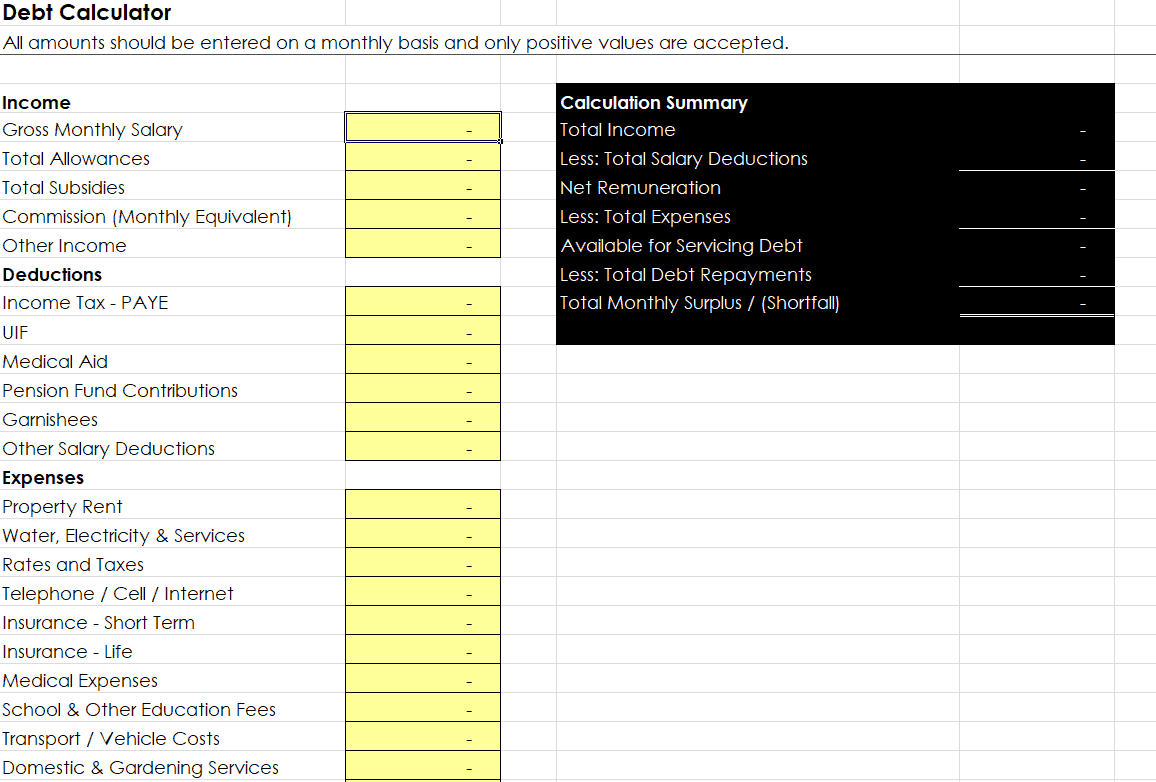
Standard Debt Calculator Template
Frequently Asked Questions
Are these debt calculator templates free to download?
Yes, all 8 debt calculator templates on this page are free to download and use.
Which file format are these templates available in?
These templates are available in Microsoft Excel format.
Can I customize the fields on these templates?
Yes, since the templates are fully editable, you can add or adjust fields to match your specific debts and tracking needs.
Is a debt calculator the same as a budget spreadsheet?
No, a budget spreadsheet tracks overall income and expenses, while a debt calculator focuses specifically on paying off outstanding balances.
Can these templates handle multiple debts at once?
Yes, several of the templates are designed to track multiple debts, such as credit cards and loans, in one spreadsheet.
Do these templates support the debt snowball or avalanche method?
Yes, you can reorder your debts within the template to test either the snowball or avalanche payoff strategy.
How often should I update my debt calculator?
It’s best to update your debt calculator each month after your statements arrive to keep your payoff plan accurate.

You must be logged in to post a comment.