
A no-objection certificate should identify the issuing organisation, applicant, request and specific activity to which there is no objection. Its wording and authorisation depend on the country and intended recipient.
Bonus template: No-objection letter scope checklist and wording
A no-objection letter should identify exactly who is issuing it and what activity it covers. Use this as a drafting outline for the authorized issuer, then check the recipient’s required format.
Download the editable Word template
Download No objection letter (.docx)
Open in Microsoft Word and replace the placeholders. Text and tables are editable; customize the colors and wording for your needs.
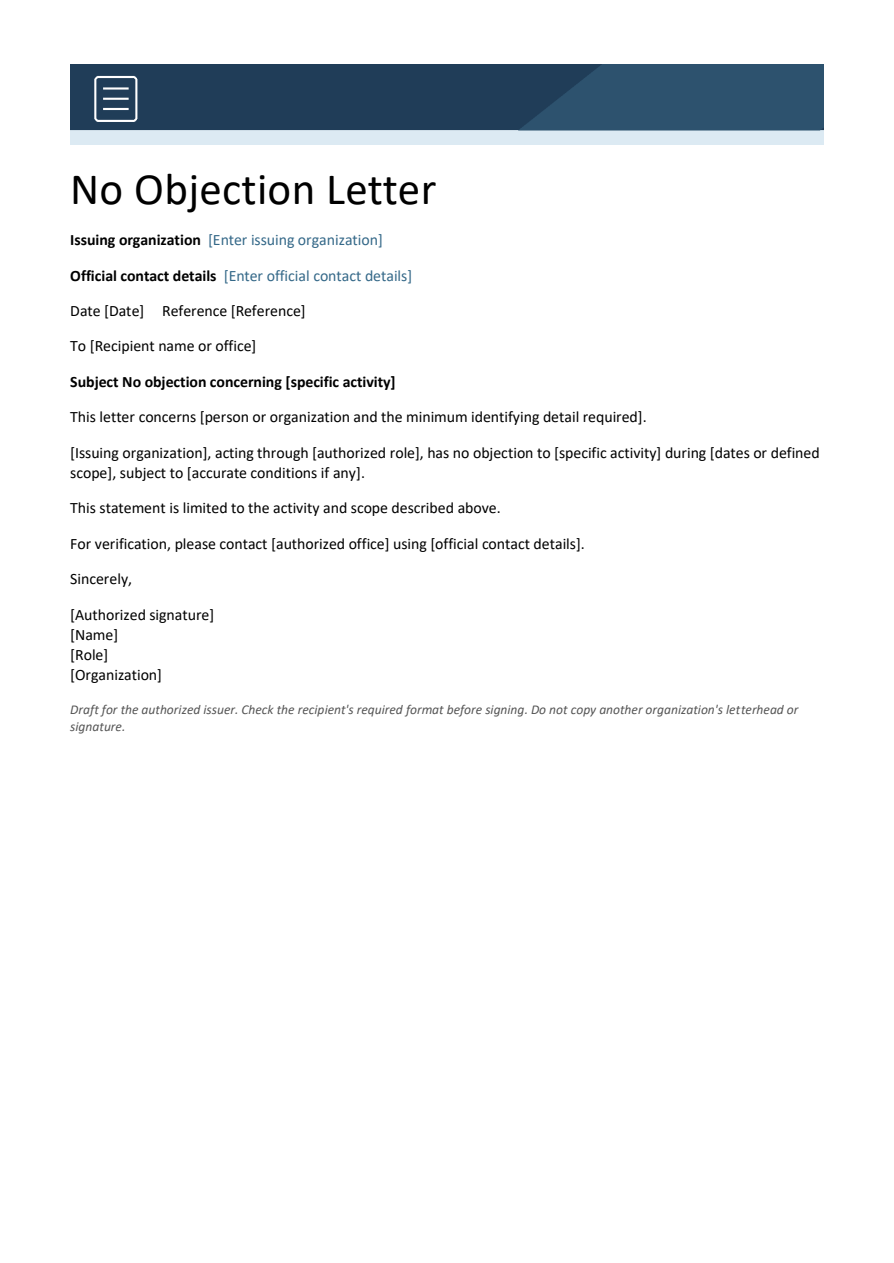
Copy and personalize this wording
[Issuing organization's letterhead, if authorized]
Date: [date]
Reference: [reference]
To: [recipient]
Subject: No objection concerning [specific activity]

This letter concerns [person or organization, with the minimum identifying detail required].
[Issuing organization], acting through [authorized role], has no objection to [specific activity] during [dates or scope], subject to [accurate conditions, if any].

This statement is limited to the activity and scope described above.
For verification, contact [authorized office using official contact details].

[Authorized signatory]
[Name and role]
How to use this template
- Confirm which organization has authority to issue the letter.
- Identify the activity, relevant dates and any genuine conditions precisely.
- Check the receiving organization’s current instructions before obtaining the authorized signature.
Worked example: An employer’s letter about an employee attending a named training course should identify the course and dates; it should not imply that another authority has approved travel or immigration status.
Check before use
- Do not copy another organization’s letterhead or signature.
- Avoid an unlimited ‘no objection to anything’ statement.
- Use the recipient’s required identifiers and protect unnecessary personal details.
Draft a no-objection certificate for a defined purpose
Worked example: For an employee seeking permission to attend an outside training programme, a properly authorised letter may state the programme and dates without making broader guarantees about employment or immigration status.
Check before use: Verify whether the receiving authority has its own mandatory format, signature or stamp requirement. A sample document does not substitute for official consent or legal review.
- Saves drafting time: A ready-made layout means you can focus on entering the relevant details instead of writing a formal letter from scratch.
- Ensures a professional tone: Pre-written formal language reduces the risk of an awkwardly worded or informal-sounding letter.
- Speeds up approvals: A complete, properly formatted NOC helps recipients process requests faster, since all expected information is already in place.
- Reduces errors and omissions: Clearly labeled fields for names, dates, and reference details help ensure nothing important is left out.
- Works for various purposes: Templates are suitable for employment, education, property, travel, and organizational needs.
- Free and reusable: Download once and reuse the same template structure for every future NOC request.
For related resources, see 18+ Sample Employment Certificate Templates WORD and 13+ Editable Professional Email Templates.
What’s Included in the No-Objection Certificate Template
- Issuing party details: Space to record the name, title, and organization of the person or entity issuing the certificate.
- Recipient information: A field identifying who the certificate is being issued to or on behalf of.
- Statement of no objection: The core formal language confirming that the issuing party has no objection to the stated matter.
- Purpose or reason field: Space explaining what the certificate is being issued for, such as a job change, travel, or share transfer.
- Date and validity: A field noting when the certificate was issued and, where relevant, how long it remains valid.
- Signature and stamp area: Space for an authorized signature and, where applicable, an official seal or stamp.
Who Should Use These Templates?
- Employers issuing NOCs to employees for outside job offers, higher education, or personal matters.
- Employees requesting a formal no-objection letter from their current employer.
- Educational institutions issuing NOCs for students transferring programs or applying elsewhere.
- Property owners and landlords confirming no objection to a tenant’s request or a share transfer.
- Organizations issuing NOCs for permits, events, or partnership arrangements.
- HR departments and administrators managing formal documentation for staff requests.
How to Start Using the Template in 3 Simple Steps
- Step 1 — Choose a template style: Browse the 15 options below and select the format that best fits your needs.
- Step 2 — Enter your details: Fill in the issuing party’s information, the recipient’s details, and the reason for the certificate.
- Step 3 — Review and sign: Double-check all details for accuracy before signing and issuing the certificate.
No-Objection Certificate vs. Reference Letter
While both documents involve a formal statement from one party about another, a No-Objection Certificate and a reference letter serve different purposes. A reference letter typically speaks to a person’s character, skills, or performance, offering a subjective endorsement based on the writer’s experience with that person. An NOC, by contrast, is a formal statement confirming that the issuing party has no objection to a specific action or arrangement, without necessarily commenting on the person’s abilities or character. Many processes, such as a job change or program transfer, may require both documents together, each serving a distinct role in the overall application.
Customizing the Template for Your Situation
These templates are designed to be a flexible starting point rather than a fixed format. You can adjust the wording to match your specific situation, add reference numbers or conditions relevant to your organization, or modify the layout to fit your letterhead. Since the templates are provided in editable Word, PDF, and PowerPoint formats, most adjustments take only a few minutes and let you tailor the certificate to fit the exact circumstances of the request.
Choosing the Right Format
With 15 different templates available in Word, PDF, and PowerPoint formats, choosing the right one depends on how you plan to use it. The Word-based templates work best when you need to edit the wording and personalize the content before issuing. The PDF templates are better suited as ready-to-print or ready-to-share documents once all details are finalized. The PowerPoint-based template offers a short, visually clean layout suitable for quick, presentation-style certificates.
Common Mistakes to Avoid
- Leaving out key details: Always include the full names, dates, and purpose to avoid the certificate being rejected as incomplete.
- Using vague language: State the no-objection clearly and specifically rather than using ambiguous wording.
- Forgetting a signature or stamp: An NOC without proper authorization may not be accepted by the receiving party.
- Not specifying validity: Include a validity period when relevant, since some organizations require a recently issued certificate.
- Skipping proofreading: Review names, dates, and reference numbers carefully before issuing the final certificate.
Tips to Get the Most Out of Your No-Objection Certificate Template
- Keep a copy on file after issuing or receiving an NOC for future reference.
- Use official letterhead when issuing on behalf of a company or institution.
- Confirm requirements in advance with the receiving party to make sure your NOC includes everything they expect.
- Keep the tone formal throughout, even when the request itself is informal in nature.
- Double-check spelling of names and reference numbers, since small errors can cause delays in processing.
Using NOCs for Employment and Career Changes
One of the most common uses of a No-Objection Certificate is in employment settings, where an employee may need formal confirmation from their current employer before accepting a new position, pursuing further education, or applying for a visa tied to work. Employers who maintain a clear, consistent process for issuing these certificates help employees avoid delays in their career plans, while also protecting the organization by keeping a documented record of what was approved and when. Employees requesting an NOC should give their employer reasonable notice, since larger organizations may require internal approval from multiple departments before the certificate can be signed and issued.
NOCs in Educational and Academic Settings
Students transferring between institutions, applying for part-time programs, or seeking permission to enroll in an additional course of study often need an NOC from their current school or department confirming there is no objection to the change. Academic institutions that streamline this process with a clear template reduce administrative back-and-forth and help students meet application deadlines at their new institution. Because academic transfers frequently involve strict submission windows, students should request their NOC well ahead of any deadline to account for internal review and signature processes.
Property and Share Transfer NOCs
In property and financial matters, a No-Objection Certificate is often required to confirm that an owner, co-owner, or relevant authority has no objection to a transfer of shares, a change in property use, or a similar transaction. These certificates protect all parties involved by creating a clear paper trail showing that the transfer or change was formally acknowledged and not disputed at the time it occurred. Because property and share transactions can carry legal weight, it’s worth keeping signed copies of any NOC involved in such a transfer in a secure, easily retrievable location alongside other transaction documents.
Organizational and Permit-Related NOCs
Organizations frequently issue or request NOCs as part of permit applications, event approvals, or partnership arrangements with other businesses or agencies. A neighboring business, for example, might issue an NOC confirming they have no objection to a proposed construction project or event taking place nearby. Keeping a standardized template on hand for these situations helps organizations respond quickly to partner or vendor requests, rather than drafting a new formal letter each time a similar situation arises.
Digital Signing and Sharing NOCs Electronically
Many organizations now issue and accept No-Objection Certificates electronically, using digital signature tools to speed up the approval process without sacrificing the document’s formal validity. Saving a certificate as a PDF after signing helps preserve its formatting and prevents accidental edits once it has been finalized and shared. When emailing an NOC, including a brief cover note referencing the request it relates to can help the recipient quickly confirm the document matches what they were expecting, especially in organizations that process a high volume of similar requests.
Keeping Records of Issued and Received NOCs
Whether you’re issuing NOCs regularly as part of an HR or administrative role, or occasionally requesting one for a personal matter, keeping an organized record of past certificates can save time and prevent confusion down the line. A simple folder system, organized by year or by recipient, makes it easy to retrieve a past NOC if a similar request comes up again or if a receiving party asks for a duplicate copy. Businesses that issue a high volume of NOCs may also benefit from logging each certificate in a simple tracking sheet, noting the recipient, date issued, and purpose, to maintain a clear audit trail over time.
No-Objection (NOC) Certificate Formats:
No-Objection Certificate Format for Transfer of Shares
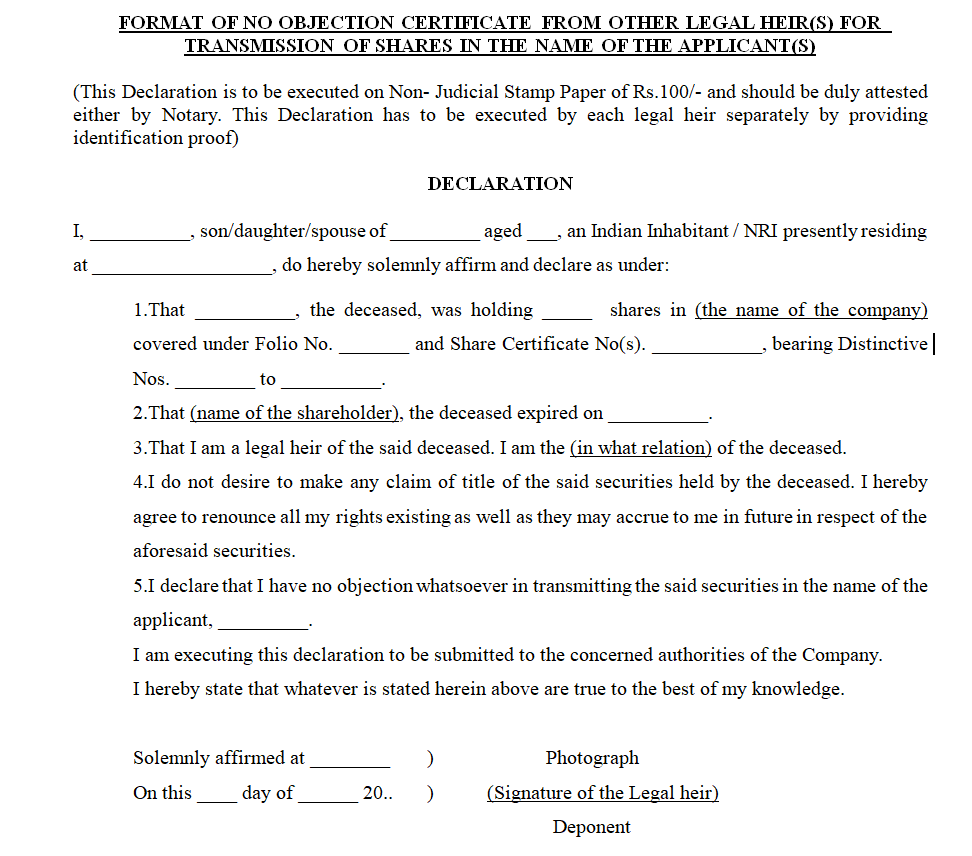
Sample No-Objection Certificate Template
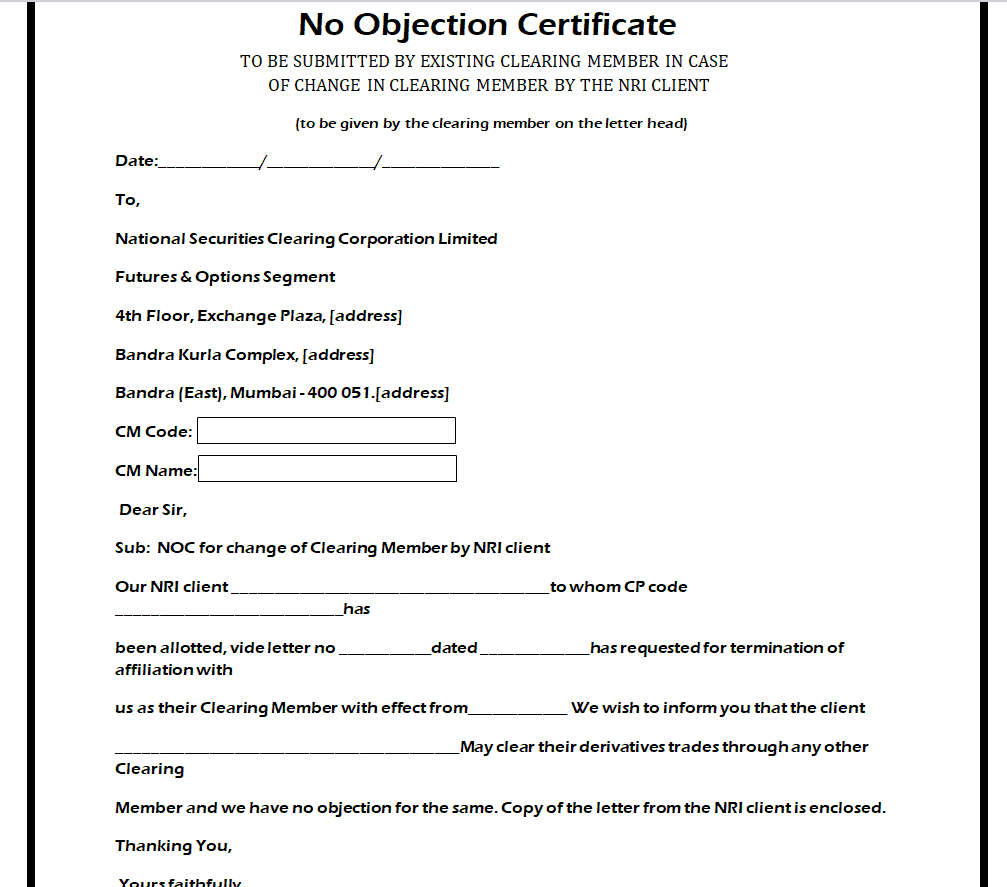
Employee’s No-Objection Certificate Format
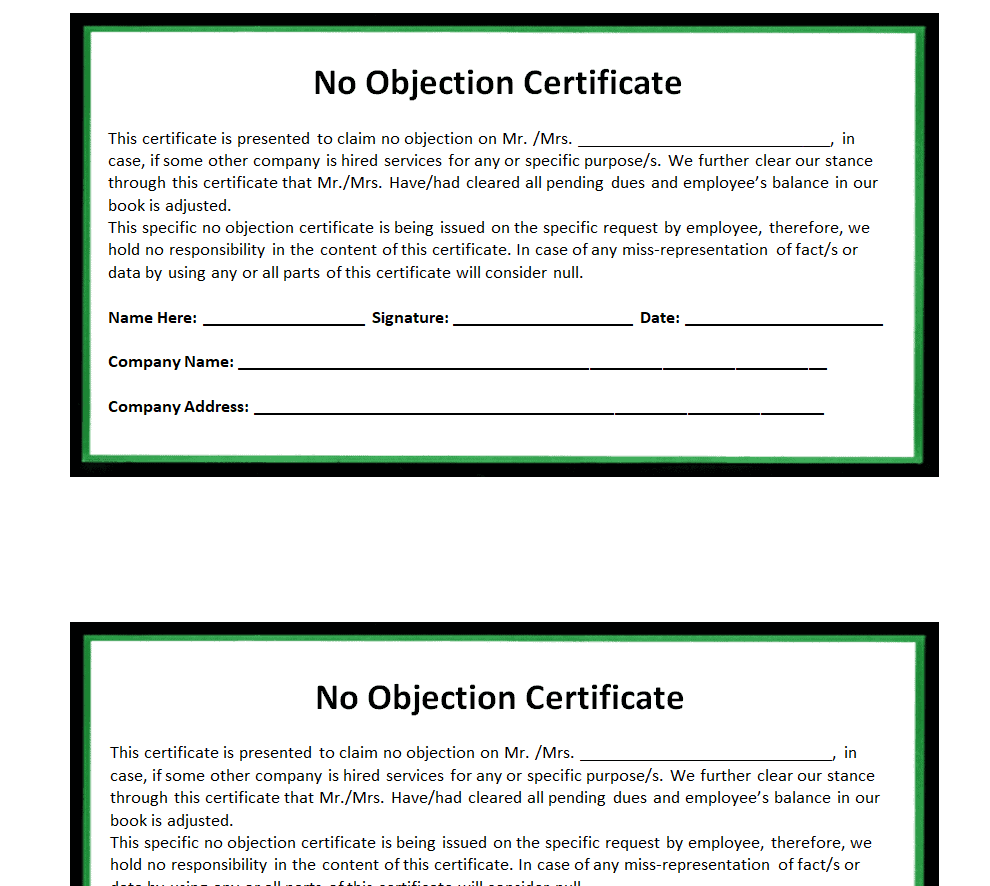
Blank No-Objection Certificate Format PDF
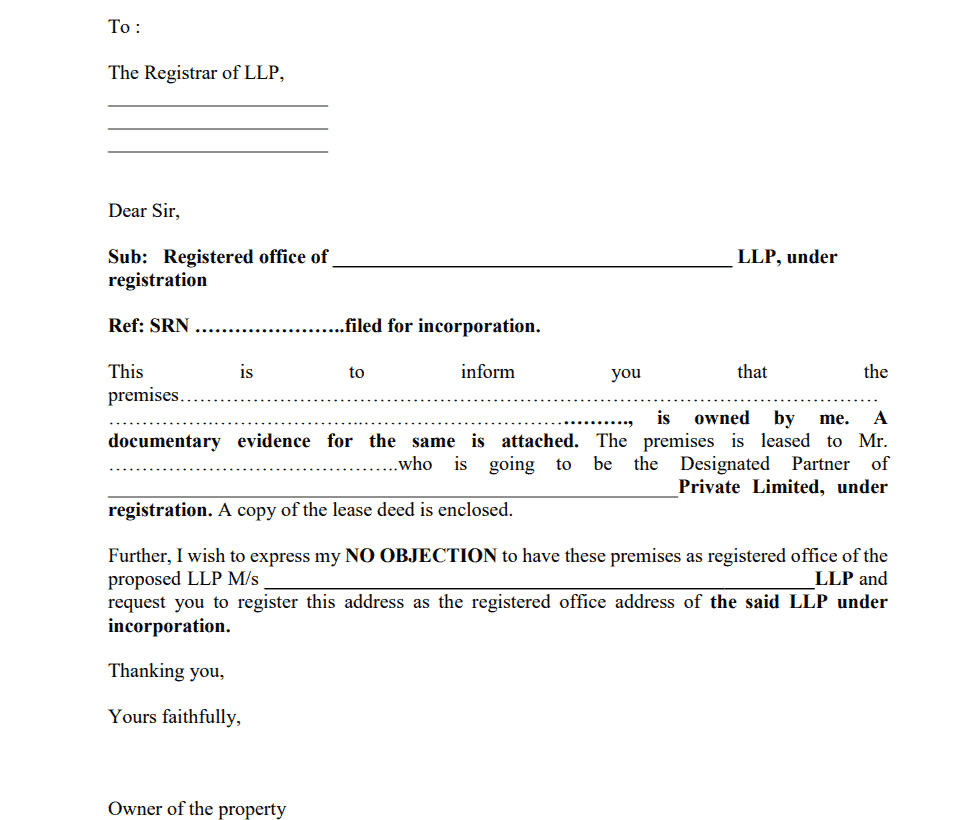
Property Owner’s No-Objection Certificate Template
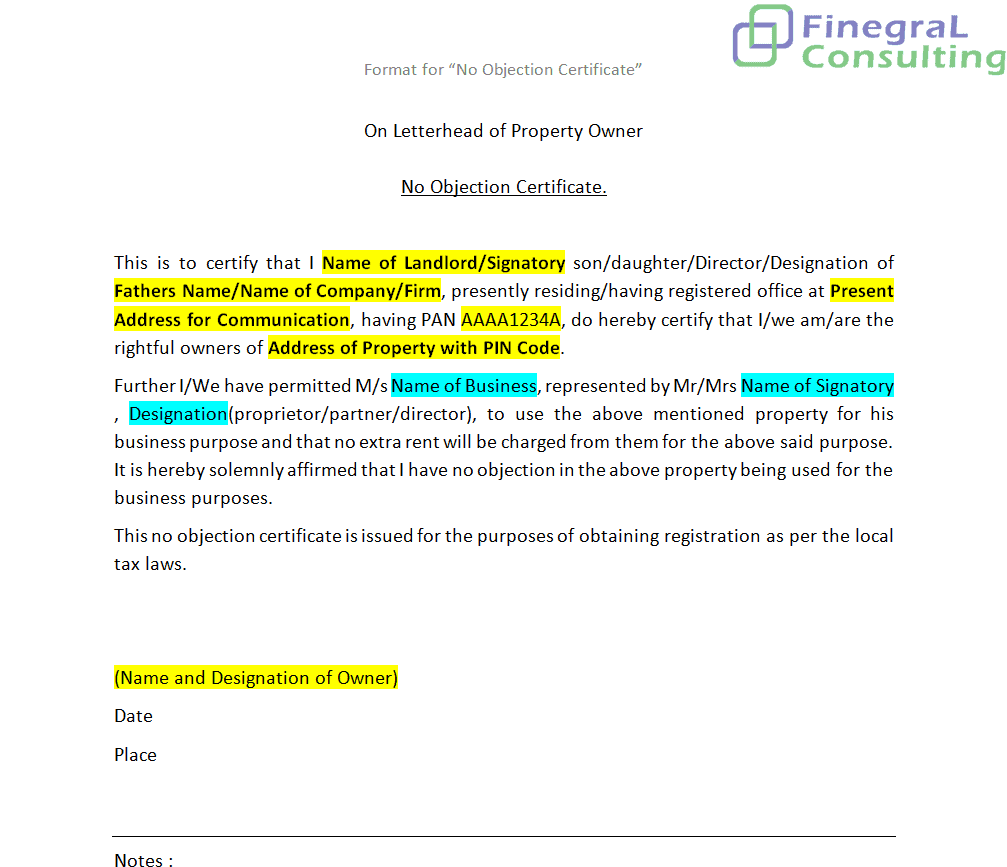
Permission Form/No-Objection Certificate Template
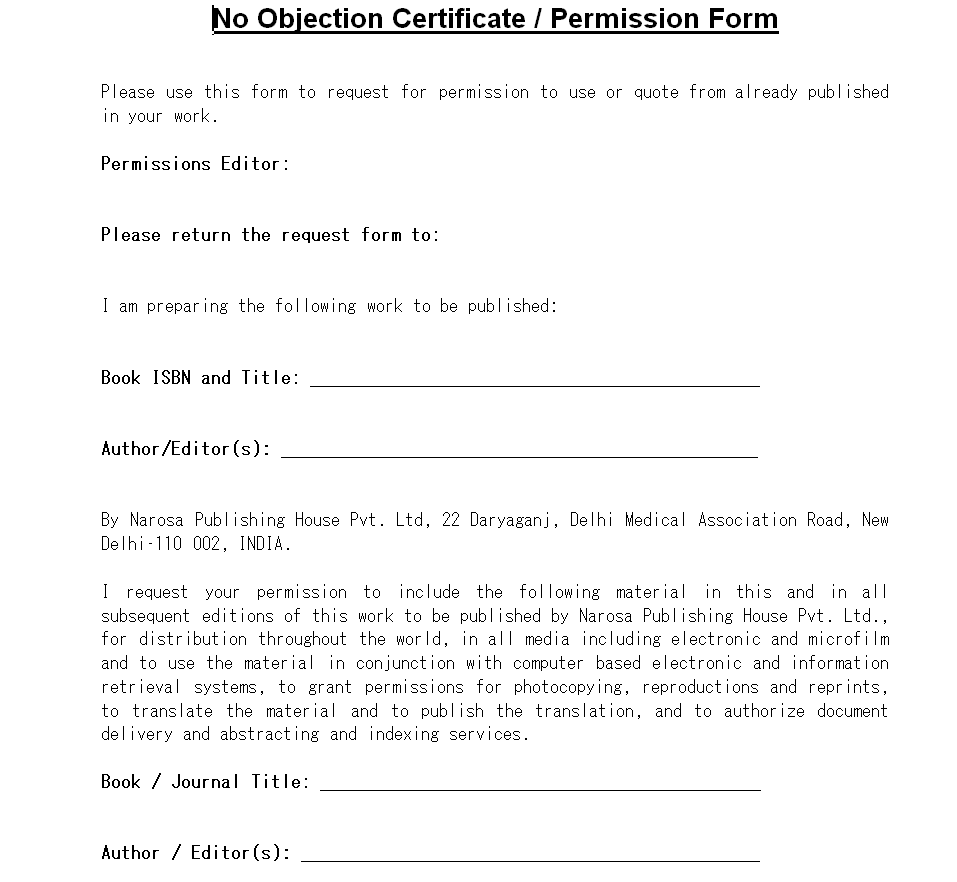
Printable No-Objection Certificate from Employer Format
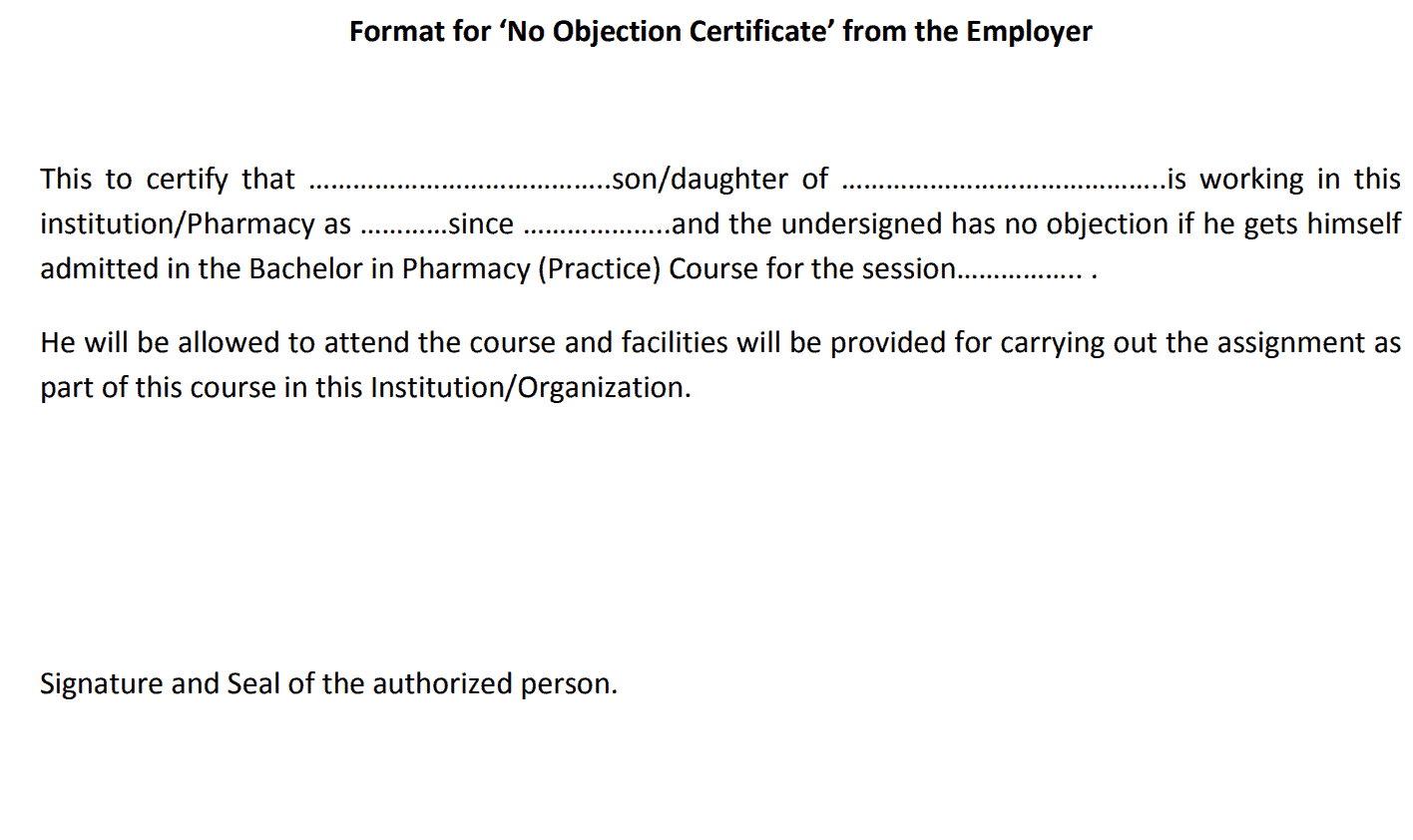
Short No-Objection Certificate Template PowerPoint
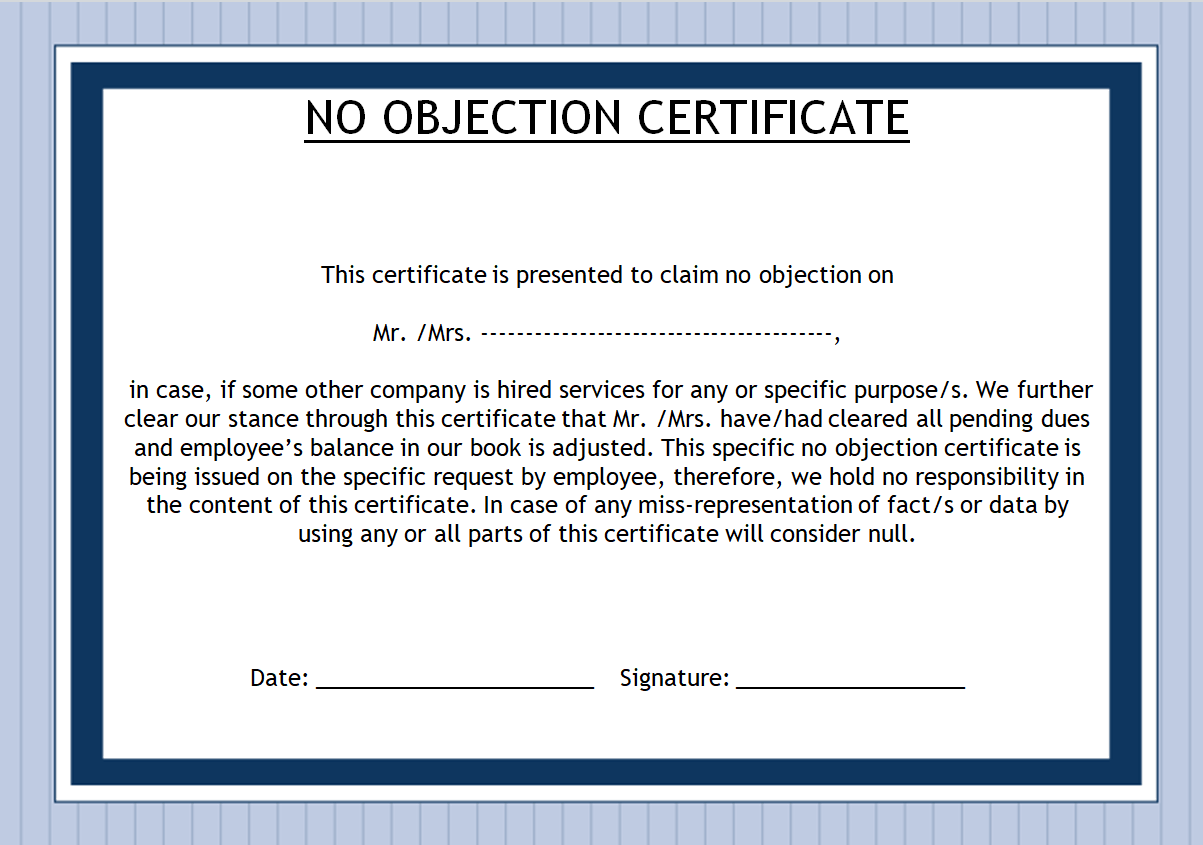
Practical No-Objection Certificate Format
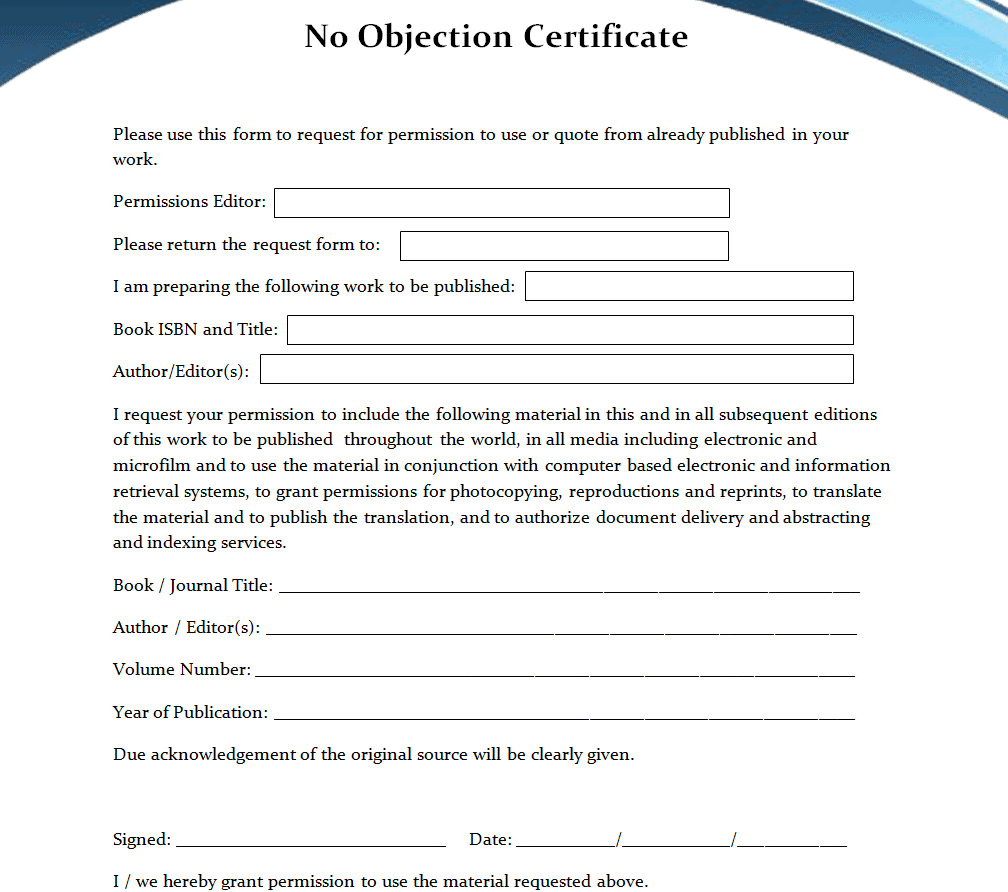
No-Objection Certificate Format for MBA Part-Time Programme
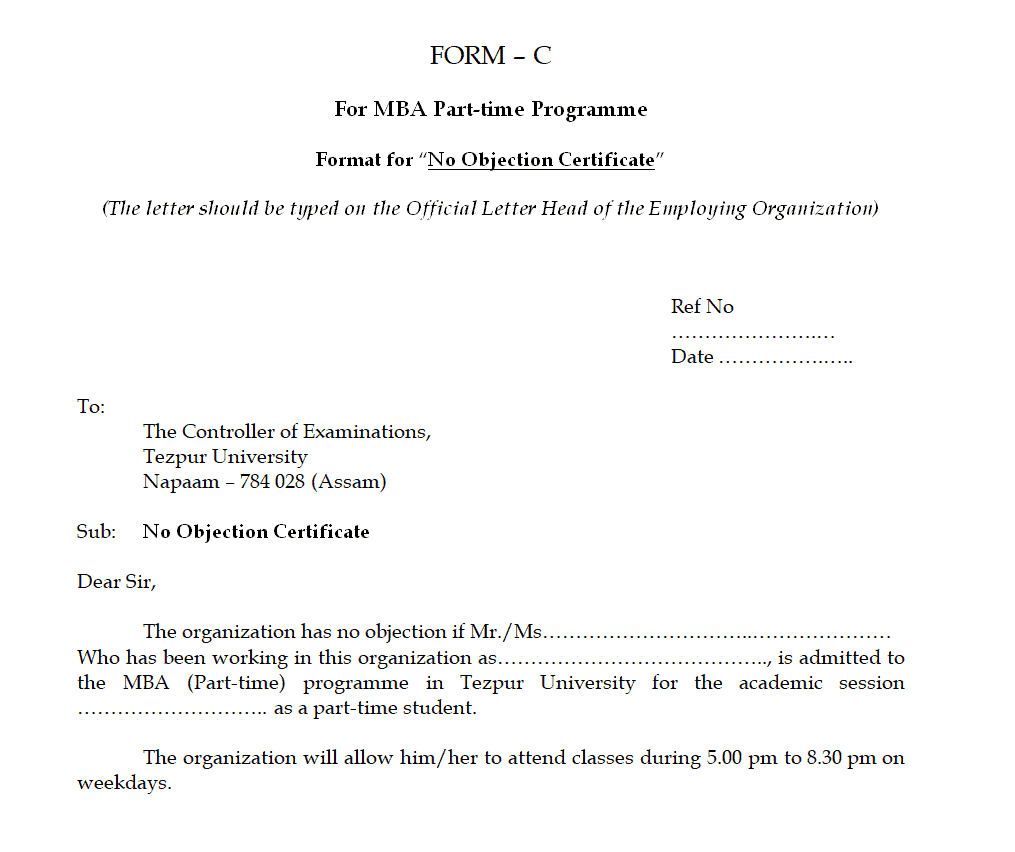
Organization’s No-Objection Certificate Template
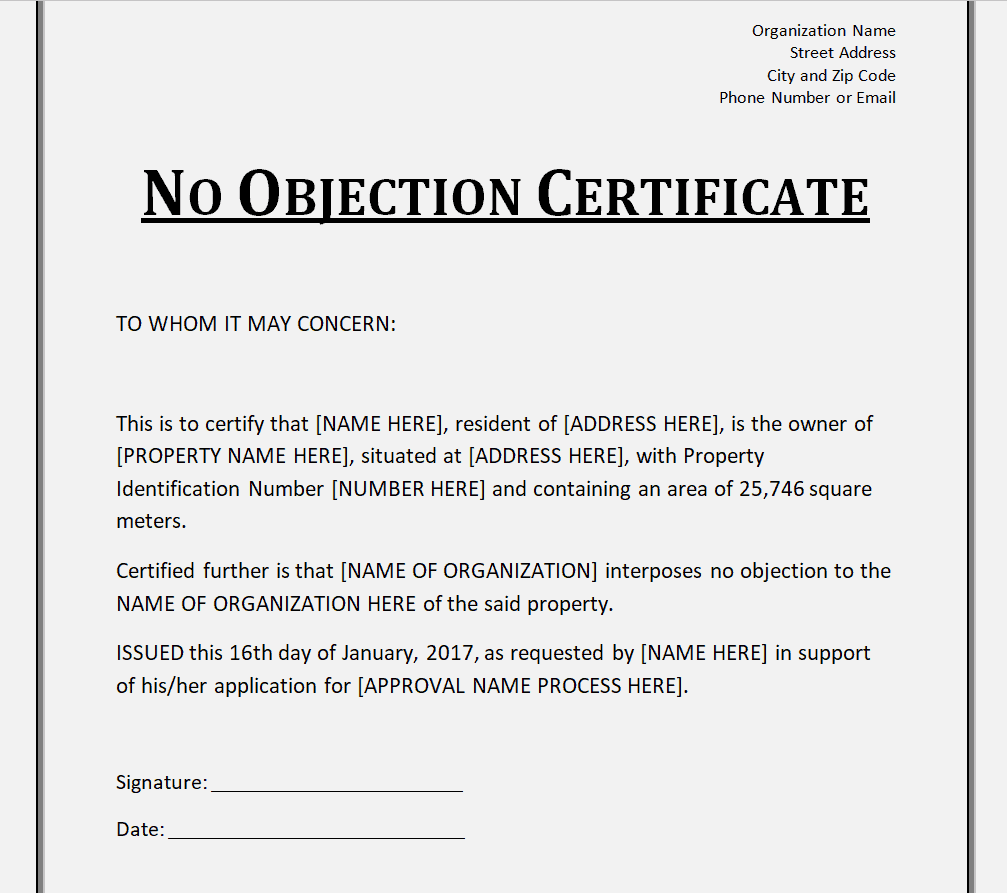
Ministry’s No-Objection Certificate Template in PDF Format
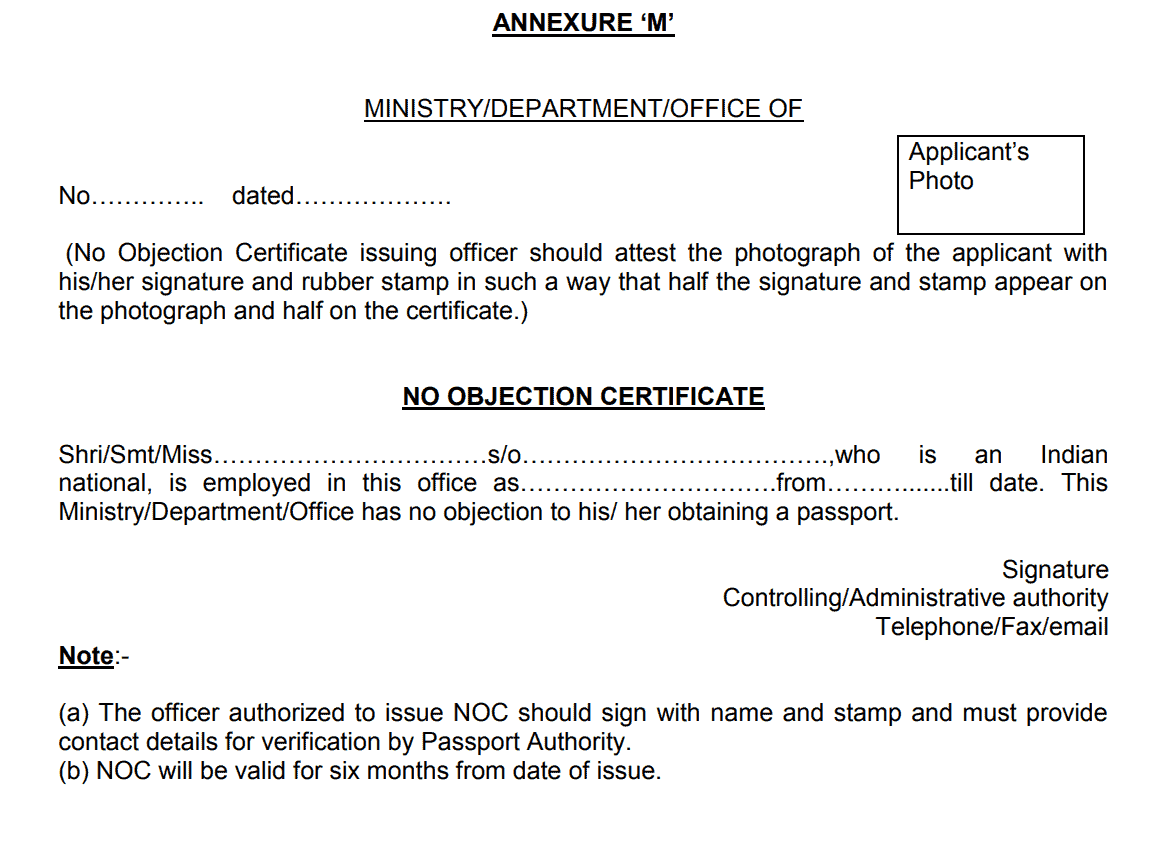
Basic No-Objection Certificate Format
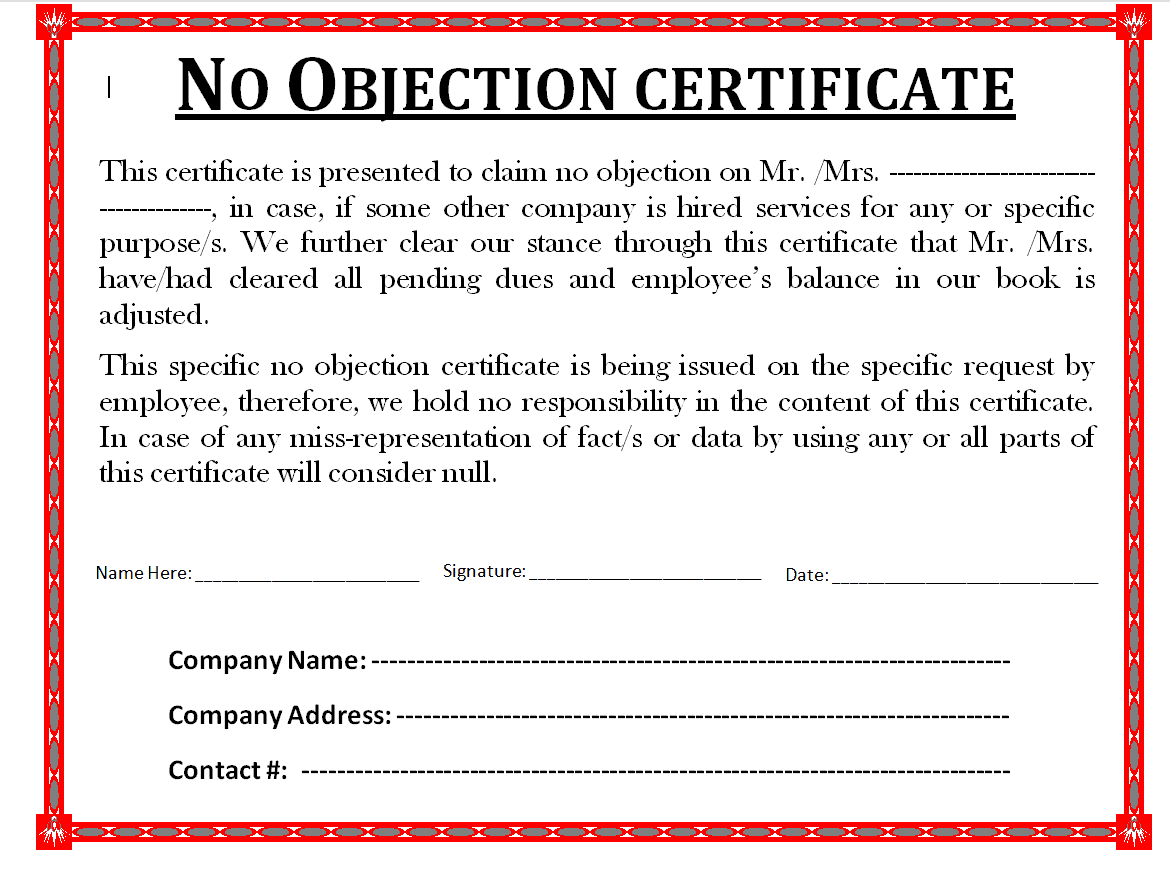
No-Objection Certificate for Employee Format
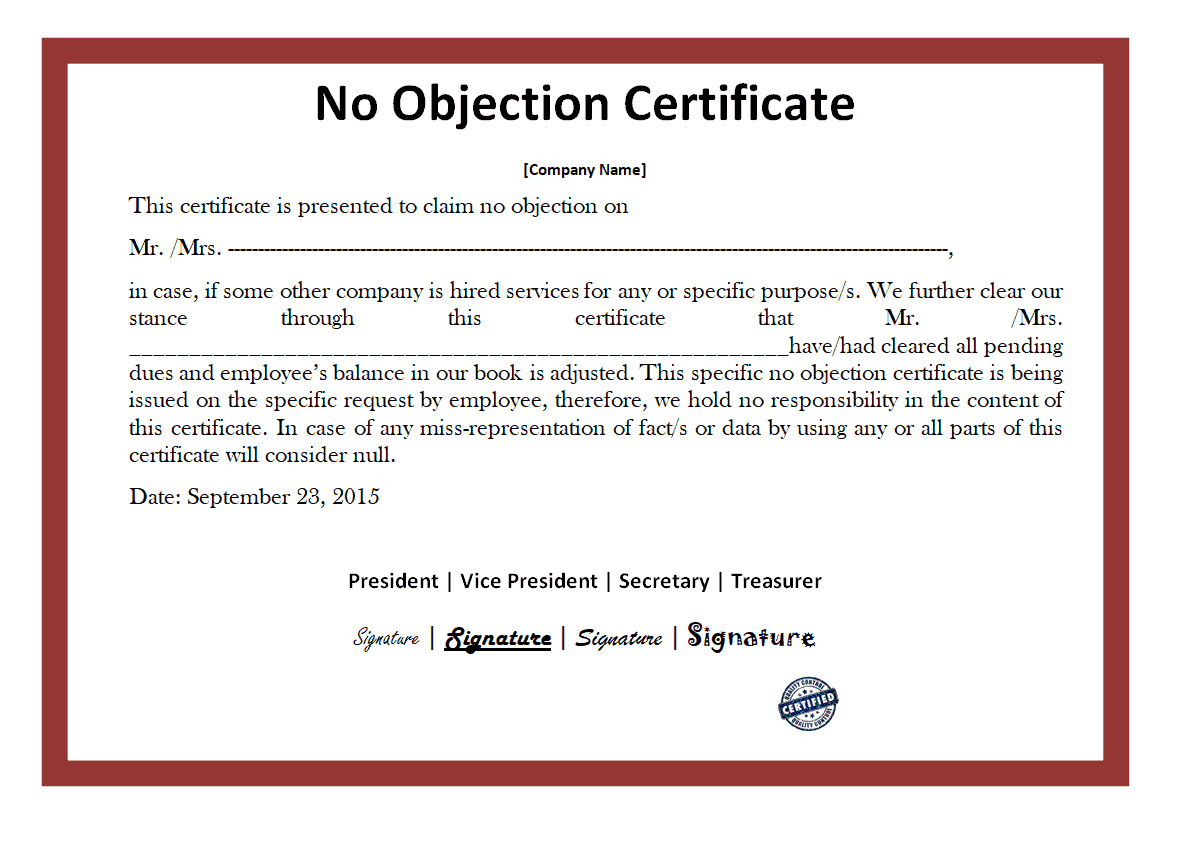
Fillable No-Objection Certificate PDF Template
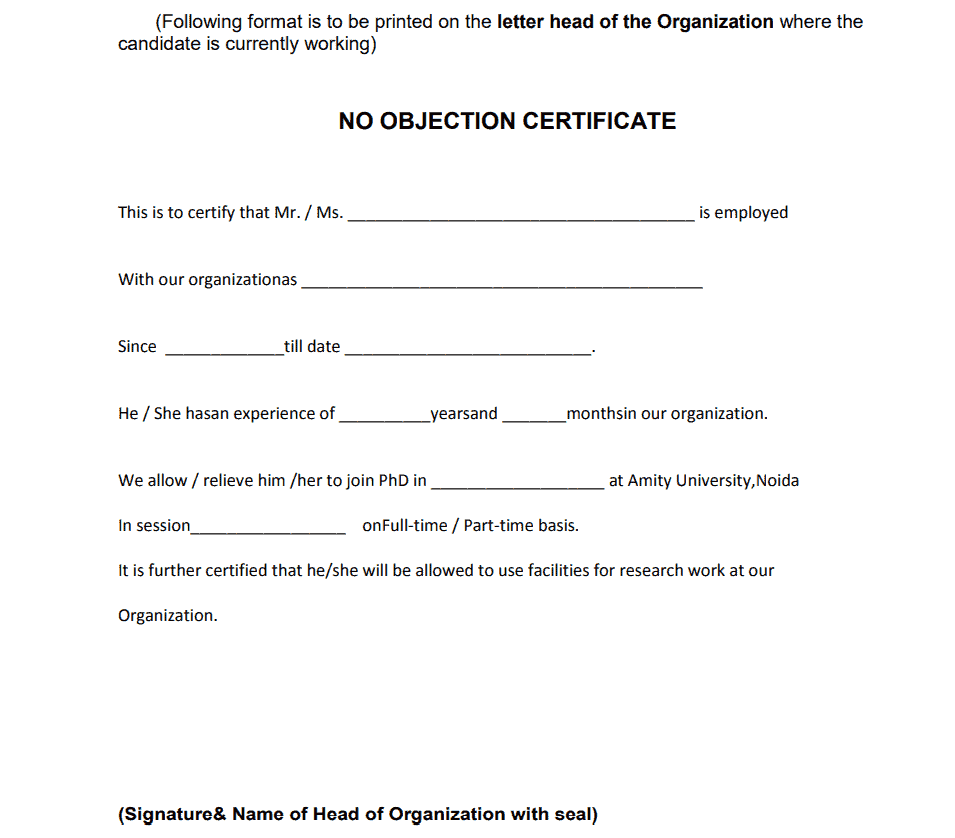
Frequently Asked Questions
Are these No-Objection Certificate templates free to download?
Yes, all 15 NOC templates on this page are free to download and use.
Which file formats are these templates available in?
These templates are available in Microsoft Word, PDF, and PowerPoint formats.
Can I customize the wording on these templates?
Yes, since the templates are fully editable, you can adjust the wording, fields, and formatting to match your specific situation.
Is a No-Objection Certificate the same as a reference letter?
No, a reference letter speaks to a person’s character or performance, while an NOC formally confirms there is no objection to a specific action or arrangement.
Do these templates work for employment purposes?
Yes, several templates are specifically designed for employers issuing NOCs to employees for job changes, education, or personal matters.
Can these templates be used for educational institutions?
Yes, some templates are suited for academic settings, such as program transfers or approvals for additional coursework.
Do I need a signature or stamp on the certificate?
Yes, most NOCs require an authorized signature, and some also require an official stamp, to be considered valid by the receiving party.


You must be logged in to post a comment.