
Staying organized and getting the most out of every working day is much easier with a ready-made work schedule template that you can fill in with your own shifts, tasks, and time blocks in minutes. Instead of building a layout from scratch, a pre-formatted template gives you a clear structure for planning daily or weekly work, helping you stay on top of assignments and deadlines. Below you’ll find 5 free, downloadable work schedule templates suitable for individuals, teams, and small businesses.
Build a work schedule that prevents overlapping assignments
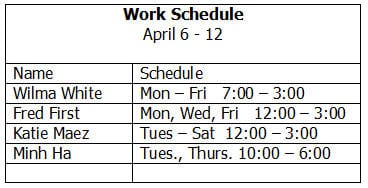
A work schedule should match roles and staff availability to required coverage by day and shift. Record shift start and finish, location, breaks, and any necessary handover.
Worked example: For a reception desk requiring coverage from 8:00 a.m. to 8:00 p.m., two six-hour shifts may still need explicit overlap for handover and breaks. Check the coverage graph rather than just listing names.
Check before use: Respect applicable rest and overtime rules, confirm leave and availability, and avoid exposing employee contact or health details on a publicly shared rota.
- Saves setup time: A ready-made structure means you can focus on planning tasks instead of designing a schedule from scratch.
- Improves time management: A visual layout of the day or week makes it easier to allocate time to each task appropriately.
- Reduces missed deadlines: Writing tasks into a schedule makes them harder to forget or overlook.
- Supports team coordination: A shared work schedule helps everyone know who is responsible for what and when.
- Easy to customize: Editable fields let you quickly adapt the schedule to your specific job or industry.
- Free and reusable: Download once and reuse the same structure every day or week.
For related resources, see 4 Excel Conference Room Schedule Templates and 3 Attendance Excel Templates.
What’s Included in the Work Schedule Template
- Time slot fields: Space to break the day or week into hourly or half-hourly blocks.
- Task or activity fields: Areas to record what needs to be done during each time slot.
- Employee or team member fields: Space to assign specific tasks or shifts to individuals.
- Priority or status indicators: Fields to mark tasks as urgent, in progress, or completed.
- Date and week fields: Space to note which day or week the schedule covers.
- Notes section: An area for additional instructions or reminders related to the schedule.
Who Should Use These Templates?
- Employees who want to organize their daily or weekly tasks and priorities.
- Managers and supervisors coordinating shifts and responsibilities across a team.
- Freelancers and contractors tracking billable hours and project tasks.
- Small business owners managing staff schedules and shift coverage.
- Students balancing coursework, part-time jobs, and other commitments.
- Remote workers structuring their day without an in-office routine.
How to Start Using the Template in 3 Simple Steps
- Step 1 — Choose a template style: Browse the 5 options below and select the layout that fits your work situation.
- Step 2 — Fill in your tasks and time slots: Enter the specific tasks, shifts, or meetings for each day or week.
- Step 3 — Review and update as needed: Check off completed tasks and adjust the schedule as priorities shift.
Work Schedule vs. To-Do List
While both tools help with organizing tasks, a work schedule and a to-do list serve slightly different purposes. A to-do list is simply an unordered collection of tasks that need to get done, without a specific time attached to each one. A work schedule, on the other hand, assigns each task or shift to a specific time slot within the day or week, giving a clearer picture of exactly when things need to happen. Using a work schedule alongside a to-do list, rather than relying on just one, often gives the best combination of task tracking and time planning.
Customizing the Template for Your Job
These templates are designed to be a flexible starting point rather than a fixed format. You can adjust the time slots to match your actual working hours, add columns for specific projects or clients, or include a section for breaks and meetings. Since the templates are provided in editable, downloadable formats, most adjustments take only a few minutes and let you tailor the schedule to fit your particular job or industry.
Choosing the Right Format
With 5 different templates available, choosing the right one depends on how you plan to use the document and how much detail you need to track. A simple daily template works well for individuals who just need a basic overview of their day, while a more detailed weekly template suits managers coordinating multiple employees or shifts. Reviewing each option before committing to one can help you find the layout that best fits how you actually work.
Common Mistakes to Avoid
- Overloading each time slot: Cramming too many tasks into one block makes the schedule unrealistic and hard to follow.
- Forgetting to include breaks: Skipping rest periods can lead to burnout and reduced productivity over time.
- Not updating the schedule daily: A schedule that isn’t kept current quickly becomes unreliable.
- Ignoring priority levels: Treating every task as equally urgent makes it harder to focus on what matters most.
- Poor communication with the team: Failing to share schedule changes can lead to confusion and missed coverage.
Tips to Get the Most Out of Your Work Schedule Template
- Plan your schedule the night or week before so you can start each day with a clear plan.
- Build in buffer time between tasks to account for unexpected interruptions.
- Review your schedule at the end of each day to see what worked and what needs adjusting.
- Share the schedule with your team if it involves coordinating multiple people.
- Keep a backup copy in case changes need to be reverted or compared later.
Balancing Fixed Commitments and Flexible Work Time
An effective work schedule usually needs to account for both fixed commitments, such as scheduled meetings or shifts that can’t be moved, and flexible work time that can be allocated to whichever tasks are most pressing on a given day. Blocking out fixed commitments first, then filling the remaining time with flexible tasks in order of priority, tends to produce a more realistic and workable schedule than trying to fit everything in without distinguishing between the two. This approach also makes it easier to spot when a day is overbooked, since the fixed blocks alone may already fill most of the available time.
Using Work Schedules to Manage Team Shifts
For managers overseeing multiple employees, a work schedule template becomes especially valuable for coordinating shift coverage and avoiding gaps or overlaps in staffing. Clearly listing which employee is assigned to which shift, along with start and end times, reduces the back-and-forth communication often needed to confirm who is working when. Posting the schedule in a visible location or sharing it digitally well in advance also gives employees time to request changes or flag conflicts before the schedule takes effect, reducing last-minute scrambling to find coverage.
Adjusting Your Schedule When Priorities Shift
Even a well-planned work schedule needs to remain flexible enough to accommodate unexpected priorities, urgent requests, or changes in workload that arise during the day. Building in some unscheduled time, rather than filling every single slot, gives you room to absorb these changes without completely derailing the rest of the day’s plan. Reviewing the schedule partway through the day, rather than only at the start and end, also helps catch situations where a planned task no longer makes sense and time would be better spent elsewhere.
Work Schedules for Remote and Hybrid Teams
Remote and hybrid work arrangements have made shared work schedules even more important, since team members can no longer simply glance around the office to see who is available or when. A clearly documented schedule that shows each person’s working hours, time zone, and planned availability helps prevent scheduling conflicts and makes it easier to plan meetings that work across different locations. Encouraging team members to keep their individual schedules updated and visible to the group also reduces the friction that often comes with coordinating asynchronous or distributed work.
Tracking Time Against Your Work Schedule
Beyond simply planning tasks in advance, comparing how time was actually spent against the original schedule at the end of the day or week can reveal useful patterns about where time consistently gets lost. Noticing that a particular type of task always runs longer than scheduled, for example, might suggest that future schedules need to allocate more realistic time blocks for that activity. This kind of retrospective review turns the work schedule from a one-time planning tool into an ongoing source of insight for improving how time gets allocated in the future.
Printing vs. Digital Work Schedules
Whether to keep a work schedule as a printed document or a digital file often comes down to personal preference and the nature of the job, and both approaches have real advantages. A printed schedule pinned to a wall or desk offers a quick, always-visible reference that doesn’t rely on a device being open, which can suit fast-paced environments like retail or warehouse settings. A digital schedule, on the other hand, is easier to update on the fly, can be shared instantly with a team, and often integrates with reminders or calendar apps that provide automatic alerts before a task or shift begins.
Get Work Schedule Templates Free
Work Schedule Template PDF
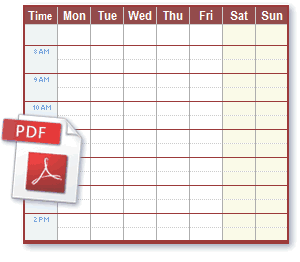

Weekly Work Schedule Template
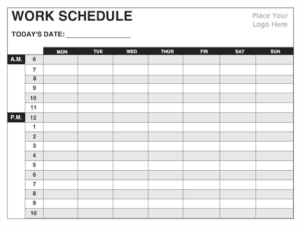
Blank Work Schedule Template
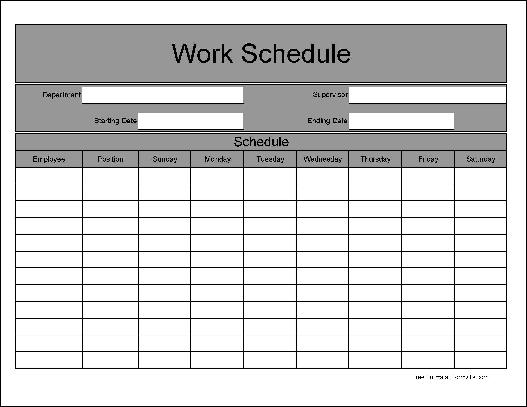
Printable Work Schedule Template
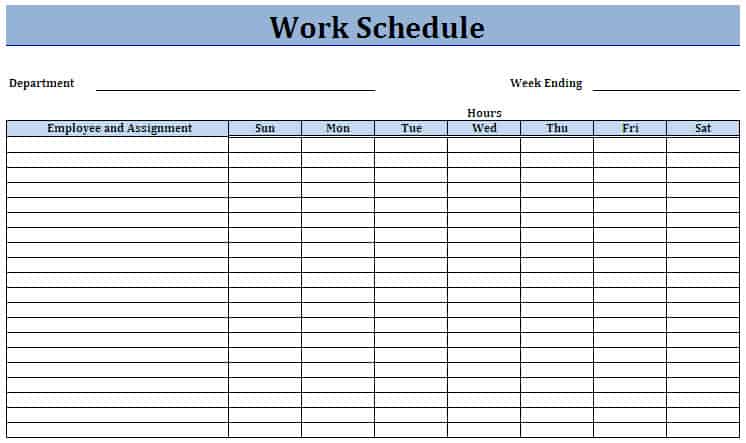

Work Schedule Template Example
Frequently Asked Questions
Are these work schedule templates free to download?
Yes, all 5 work schedule templates on this page are free to download and use.
Can I customize the fields on these templates?
Yes, since the templates are editable, you can adjust time slots, task fields, and add your own categories.
What’s the difference between a work schedule and a to-do list?
A to-do list is an unordered set of tasks, while a work schedule assigns each task or shift to a specific time.
Are these templates suitable for managing a team?
Yes, several of these templates can be adapted to coordinate shifts and responsibilities across a team.
Can freelancers use these templates?
Yes, freelancers and contractors can use these templates to track billable hours and project tasks.
How often should I update my work schedule?
It’s best to update your schedule daily or weekly to keep it accurate and useful.

You must be logged in to post a comment.