
Every sale, lead, and follow-up carries information that’s easy to lose track of when it only lives in memory or scattered notes. A sales log template gives sales professionals and small business owners one consistent place to record completed sales, active leads, and customer details, so nothing important slips through the cracks. Whether you’re tracking daily transactions, following up on prospective customers, or reporting monthly totals to management, a well-organized sales log keeps every detail accessible and calculates your running totals automatically. Below you can download four free, editable sales log templates built in MS Excel.
What Is a Sales Log Template?
A sales log template is a structured spreadsheet used to record every sale a business or salesperson makes, along with relevant details like the customer, item sold, amount, and date. Many versions also include a section for sales leads, so potential customers can be tracked alongside completed transactions. Because the template is built in Excel with formulas already in place, it calculates your running sales totals automatically as you enter new transactions, saving you from manual addition.
Why You Need a Sales Log: Key Benefits
- Keeps every sale documented: A written record protects against disputes and makes it easy to answer customer questions later.
- Tracks leads alongside sales: Recording prospective customers in the same system helps you follow up before they’re forgotten.
- Calculates totals automatically: Built-in formulas add up your sales so you always know your current total without manual math.
- Supports performance reviews: A complete sales history makes it easy to report results to managers or evaluate your own performance.
- Replaces expensive software: A well-designed spreadsheet delivers much of the same tracking value as paid sales software, at no cost.
- Works for any time frame: The same log can be adapted for daily, weekly, or monthly sales tracking depending on your needs.
What’s Included in the Sales Log Template
- Date and customer name: Who the sale was made to and when it happened.
- Item or service sold: A description of what was purchased.
- Sale amount and payment type: Including credit transactions, coupons, or gift certificates where relevant.
- Running total: A calculated field showing cumulative sales over the tracked period.
- Notes or follow-up column: Space to record details about leads or repeat customers.
Who Should Use This Template?
- Individual salespeople tracking their own performance and commissions.
- Small business owners who need a simple, no-cost way to monitor daily or weekly sales.
- Retail and market vendors recording transactions at events, pop-ups, or garage sales.
- Sales teams reporting results to management on a regular basis.
How to Start Using the Template in 3 Simple Steps
- Step 1 — Download a template: Choose any of the four sales log versions below.
- Step 2 — Log each sale as it happens: Enter the date, customer, item, and amount for every transaction.
- Step 3 — Review your totals regularly: Check the calculated totals to track progress toward your sales goals.
Sales Log vs. Tracking Sales on Paper
Recording sales on paper is common but quickly becomes messy and unprofessional-looking, and it makes totals difficult to calculate without manual addition. A sales log template solves this by keeping every transaction in one organized, searchable sheet with automatic totals built in. It also makes it much easier to spot trends, such as your busiest sales days or best-selling items, which is far harder to notice when records are scattered across paper notes.
Customizing the Template for Your Business
These templates are a starting point you can adjust to your own sales process. You might add a column for commission percentage, sales channel, or referral source, or set up a separate tab to track leads that haven’t converted yet. Since everything is built with standard Excel formulas, these changes take only a few minutes.
Common Mistakes to Avoid
- Logging sales inconsistently: Skipping entries, even small ones, leaves gaps in your records and totals.
- Mixing personal and business transactions: Keep the sales log strictly for business to avoid confusion.
- Not tracking leads separately from sales: Without a clear distinction, it’s easy to lose track of who has actually purchased versus who is still considering.
- Forgetting to back up the file: A lost spreadsheet means losing your entire sales history.
- Not reviewing totals regularly: Checking in only occasionally makes it harder to catch slow periods early.
Tips to Get the Most Out of Your Sales Log
- Log sales the same day they happen, while details are still fresh.
- Review totals weekly to track progress toward monthly or quarterly goals.
- Use the notes column to record useful context, like why a customer chose your product.
- Keep leads and completed sales visually distinct so you can quickly see which is which.
- Back up your file regularly using cloud storage or a shared drive.
Download sales log templates here
Sales Log Sample
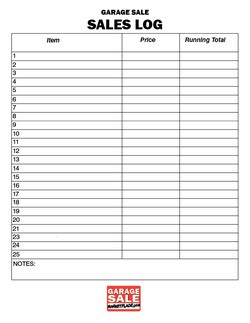

Blank Sales Log Template Free
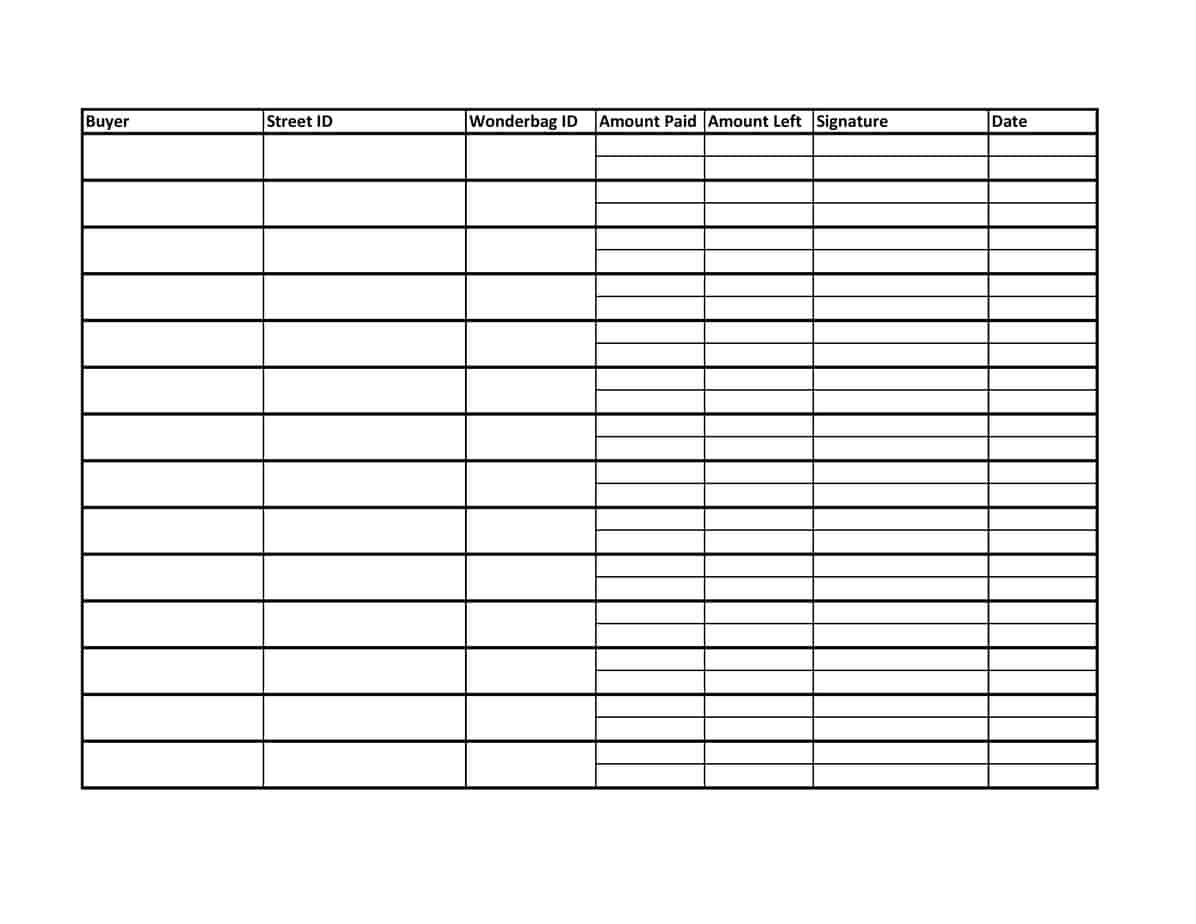
Sales Log Maker
Excel Sales Log Report
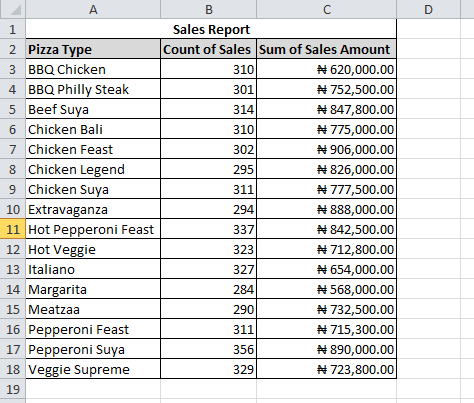
Frequently Asked Questions
Are these sales log templates free to download?
Yes, all four sales log templates are free to download and use for personal or business sales tracking.
Can I edit the template after downloading it?
Yes, all templates are fully editable, so you can adjust columns, add fields, and change formatting as needed.
Does the template calculate totals automatically?
Yes, the templates include built-in formulas that calculate your running sales total automatically as you add entries.
Can I track sales leads as well as completed sales?
Yes, you can use the notes or a separate section of the sheet to track leads alongside your completed transactions.
Can I use this template for daily, weekly, or monthly tracking?
Yes, the layout works for any time frame; simply adjust how often you create a new log or add new rows.
Do I need Microsoft Excel to use this template?
The templates are built for Excel but also work in free alternatives such as Google Sheets or LibreOffice Calc.
Can multiple salespeople use the same log?
Yes, if stored on a shared drive or cloud storage, multiple team members can log sales into the same file.

You must be logged in to post a comment.