
Losing track of where company money goes is one of the fastest ways to hurt a business’s bottom line, and a ready-made business expense tracker template gives you an organized way to record every purchase, bill, and reimbursement in one place. Instead of building a tracking system from scratch, a pre-formatted spreadsheet gives you structured columns for dates, categories, amounts, and vendors in minutes. Below you’ll find 4 free, downloadable business expense tracker templates suitable for small businesses, freelancers, and larger companies alike.
Separate business costs by purpose and reporting period
An expense tracker should categorise outlays according to the decisions management needs to make, such as payroll, rent, transport, subscriptions and supplies. Record payment method separately from expense category.
Worked example: If a firm pays $200 for software covering two months, cash leaves immediately, but some accounting reports may allocate the expense differently. Label whether the sheet tracks cash spending or accrual expenses.
Check before use: Assign clear tax and reimbursement statuses, store supporting receipts, and prevent duplicate entries when importing bank transactions.
- Saves setup time: A ready-made grid means you can focus on recording expenses instead of designing a tracking sheet from scratch.
- Simplifies tax preparation: Organized expense records make it much easier to claim deductions and file accurate returns.
- Improves budgeting: A clear view of spending patterns helps you plan future budgets more accurately.
- Reduces errors: A structured template reduces the mistakes that come with tracking expenses manually or from memory.
- Easy to customize: Editable fields let you quickly adapt the template to your business’s specific expense categories.
- Free and reusable: Download once and reuse the same structure for every reporting period.
For related resources, see Top 22+ Excel Expense Templates and Download 13 BEST Expense Report Templates for FREE [EXCEL & WORD].
What’s Included in the Business Expense Tracker Template
- Date fields: Space to record when each expense occurred.
- Category fields: Columns for classifying expenses, such as travel, supplies, or utilities.
- Amount fields: Space to record the exact cost of each expense.
- Vendor or payee fields: Areas to note who the payment was made to.
- Payment method fields: Space to indicate whether an expense was paid by cash, card, or transfer.
- Total and summary fields: Areas to calculate running totals by category or time period.
Who Should Use These Templates?
- Small business owners tracking day-to-day operating expenses.
- Freelancers and contractors monitoring business costs for tax deductions.
- Bookkeepers and accountants preparing expense summaries for clients.
- Startup founders keeping a close eye on early-stage spending.
- Department managers tracking budget usage within a larger organization.
- Nonprofit administrators documenting spending for grant reporting.
How to Start Using the Template in 3 Simple Steps
- Step 1 — Choose a template style: Browse the 4 options below and select the layout that fits your business.
- Step 2 — Enter your expense categories: Set up the categories that match how your business spends money.
- Step 3 — Log expenses regularly: Record each expense as it occurs to keep the tracker accurate and current.
Expense Tracker vs. Budget Spreadsheet
While the two tools are related, an expense tracker and a budget spreadsheet serve different purposes. An expense tracker records what has actually been spent, giving you a factual history of past transactions. A budget spreadsheet, by contrast, is forward-looking, setting planned spending limits for future periods based on projected income and expenses. Many businesses use both together, an expense tracker to record actual spending and a budget spreadsheet to compare that spending against planned targets.
Customizing the Template for Your Business
These templates are designed to be a flexible starting point rather than a fixed format. You can adjust the expense categories to match your industry, add columns for project codes or client names, or include a section for tracking reimbursable versus non-reimbursable expenses. Since the templates are provided in editable Excel format, most adjustments take only a few minutes and let you tailor the tracker to fit your specific business needs.
Choosing the Right Format
With 4 different templates available, choosing the right one depends on your business’s specific needs and how detailed your tracking needs to be. A simple layout works well for a small business with straightforward spending, while a more detailed template suits businesses tracking expenses across multiple categories or departments. Reviewing each option before committing to one can help you find the layout that best fits your expense tracking needs.
Common Mistakes to Avoid
- Forgetting to log expenses promptly: Delaying entries increases the risk of forgetting or misremembering transaction details.
- Not keeping receipts: Without supporting documentation, expense records can be difficult to verify during an audit.
- Mixing personal and business expenses: Combining the two makes it harder to calculate accurate business costs and deductions.
- Skipping regular reviews: Without periodic summaries, it’s easy to lose track of overall spending trends.
- Not backing up records: Expense data is valuable and should be stored securely with regular backups.
Tips to Get the Most Out of Your Business Expense Tracker Template
- Log expenses as they happen to build a consistent habit and avoid missed entries.
- Keep digital copies of receipts attached to or organized alongside your expense entries.
- Review spending trends monthly to catch unusual patterns before they become larger issues.
- Keep the template consistent across reporting periods to make comparisons easier over time.
- Back up your expense records regularly to avoid losing important financial data.
Using Expense Data to Prepare for Tax Season
Beyond day-to-day budgeting, a well-maintained expense tracker becomes an invaluable resource when tax season arrives, since organized records make it far easier to identify deductible expenses and support them with documentation. Categorizing expenses consistently throughout the year, rather than trying to reconstruct spending history from scattered receipts at year’s end, can significantly reduce the time and stress involved in tax preparation. Many businesses find that the categories they use in their expense tracker align closely with the categories required on tax forms, making the transition from tracker to tax filing much smoother.
Separating Fixed and Variable Business Expenses
Not all business expenses behave the same way, and distinguishing between fixed expenses, such as rent or software subscriptions that stay relatively constant, and variable expenses, such as materials or travel that fluctuate month to month, can offer valuable insight into your business’s cost structure. Tracking these two categories separately makes it easier to spot which costs are predictable and which ones need closer monitoring or negotiation. This distinction also helps when forecasting future budgets, since fixed costs can be projected with more confidence than variable ones.
Reviewing Expense Trends to Identify Cost-Saving Opportunities
An expense tracker that’s been maintained consistently over several months or quarters becomes more than just a record of the past, it becomes a tool for identifying where cost-saving opportunities might exist. Reviewing category totals periodically can reveal spending patterns that might otherwise go unnoticed, such as a subscription service that’s no longer being used or a supplier whose prices have crept up over time. Setting aside time each quarter specifically to review these trends, rather than only looking at the tracker when entering new expenses, tends to surface more of these opportunities.
Tracking Reimbursable Employee Expenses
For businesses with employees who incur costs on the company’s behalf, such as travel or client entertainment, a dedicated column or section for reimbursable expenses helps keep those transactions separate from general business spending. Requiring employees to submit expenses with receipts on a regular schedule, rather than letting them accumulate for months, keeps the tracker current and makes it easier to process reimbursements promptly. Clear guidelines about what qualifies as a reimbursable expense, communicated before employees start incurring costs, also helps prevent confusion and disputes when reimbursement requests are reviewed.
Integrating Your Expense Tracker with Accounting Software
While a spreadsheet-based expense tracker works well for many small businesses, it’s worth periodically considering whether your expense volume has grown to a point where dedicated accounting software might save time. Some businesses find that a spreadsheet remains sufficient even as they grow, particularly when transaction volume stays manageable and categories remain consistent. Others reach a point where manually entering and categorizing dozens of transactions each week becomes a significant time drain, at which point exporting the spreadsheet’s structure and categories into an accounting platform can streamline the process considerably while preserving the tracking habits already established.
Establishing a Consistent Expense Review Routine
The value of an expense tracker depends heavily on how consistently it’s reviewed, not just how consistently it’s updated, since raw data that’s never analyzed provides little practical benefit beyond basic record keeping. Setting a recurring calendar reminder, whether weekly or monthly, to sit down and actually review totals, compare them against prior periods, and flag anything unusual turns the tracker from a passive log into an active management tool. This routine doesn’t need to take long, even fifteen minutes spent reviewing category totals on a regular basis can surface issues or opportunities that would otherwise go unnoticed until a much larger problem develops.
Download Business Expense Tracker Templates Here
Business Expense Tracker For Business Use
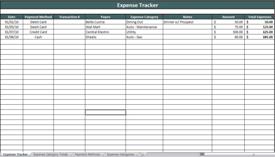

Excel Business Expense Tracker
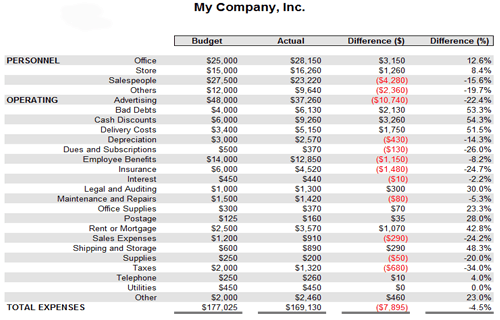
Business Expense Tracking Sheet
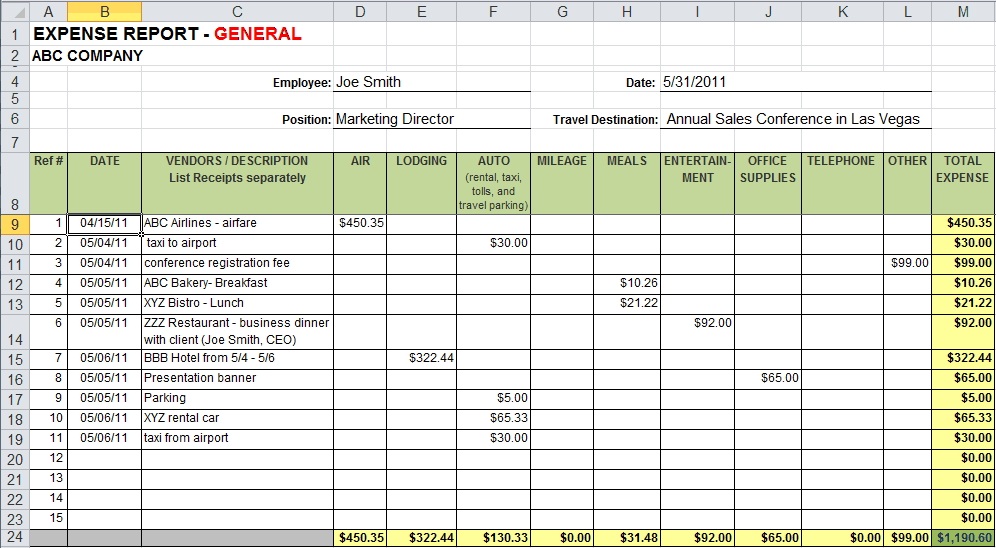
Business Expense Tracker Report Sample
Frequently Asked Questions
Are these business expense tracker templates free to download?
Yes, all 4 business expense tracker templates on this page are free to download and use.
Can I customize the fields on these templates?
Yes, since the templates are editable in Excel, you can add categories, columns, and formulas to fit your business.
What’s the difference between an expense tracker and a budget spreadsheet?
An expense tracker records actual past spending, while a budget spreadsheet sets planned spending limits for the future.
Are these templates suitable for freelancers?
Yes, these templates can be adapted to track business costs and prepare for tax deductions as a freelancer.
How often should I update my expense tracker?
It’s best to log expenses as they occur, or at least weekly, to keep the record accurate and current.
Can these templates help with tax preparation?
Yes, organized expense records make it much easier to identify deductions and prepare accurate tax filings.

You must be logged in to post a comment.