
A balance sheet reports assets, liabilities and equity at a specific date. Unlike a profit-and-loss statement, it is a snapshot, and the basic accounting relationship is assets = liabilities + equity.
Check the balance sheet equation before using a format
Worked example: If a small business has $30,000 in assets and $12,000 in liabilities, its equity is $18,000. A worksheet showing a different balance needs its classifications or entries reviewed.
Check before use: Separate current and non-current items where appropriate, identify the reporting date and accounting basis, and do not mistake cash flow for profit or equity.
- Saves preparation time: A ready-made layout with built-in formulas means you don’t have to build calculations from scratch.
- Reduces calculation errors: Pre-set formulas automatically total assets, liabilities, and equity, minimizing manual math mistakes.
- Supports financial decision-making: A clear balance sheet helps owners and managers understand the business’s financial health at a glance.
- Helps with loan and investment applications: Lenders and investors often require a formal balance sheet as part of their review process.
- Works for various business types: Templates are suitable for sole proprietorships, partnerships, and corporations alike.
- Free and reusable: Download once and reuse the same template structure for every future reporting period.
For related resources, see 14+ Sample Profit And Loss Statement Excel Templates and 3 Financial Statement Templates.
What’s Included in the Balance Sheet Template
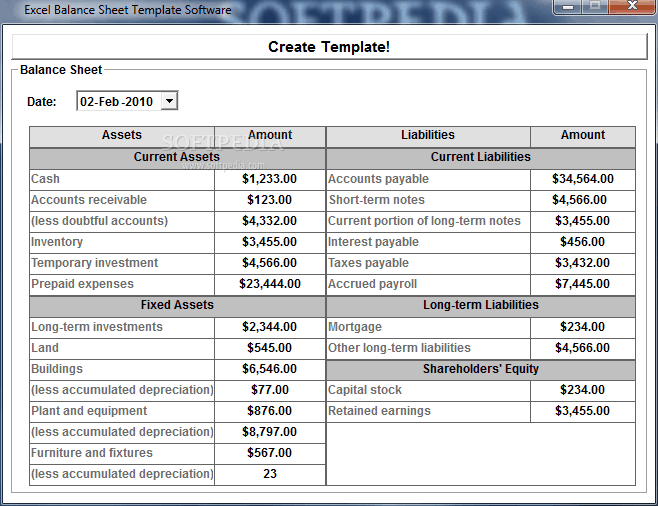
- Current assets: Space to record cash, accounts receivable, and inventory available within a year.
- Fixed assets: A section for property, equipment, and other long-term assets owned by the business.
- Current liabilities: Fields for debts and obligations due within the next year, such as accounts payable.
- Long-term liabilities: Space to record debts due beyond one year, such as long-term loans.
- Owner’s equity: A section showing the owner’s or shareholders’ stake in the business after liabilities are subtracted from assets.
- Automatic totals: Built-in formulas that calculate total assets, total liabilities, and total equity.
Who Should Use These Templates?
- Sole proprietors tracking their business’s financial position for tax or personal review.
- Small business owners preparing financial statements for internal use or lender applications.
- Accountants and bookkeepers preparing balance sheets on behalf of clients.
- Startup founders presenting financial statements to potential investors.
- Corporate finance teams compiling balance sheets as part of larger financial reporting.
- Students and educators learning how balance sheets are structured and calculated.
How to Start Using the Template in 3 Simple Steps
- Step 1 — Choose a template style: Browse the 6 options below and select the format that best fits your needs.
- Step 2 — Enter your financial data: Fill in your assets, liabilities, and equity figures for the reporting period.
- Step 3 — Review the totals: Check that total assets equal total liabilities plus equity before finalizing.
Balance Sheet vs. Income Statement
While both documents are core financial statements, a balance sheet and an income statement serve different purposes. A balance sheet shows a business’s financial position at a single point in time, summarizing what it owns and owes. An income statement, by contrast, shows financial performance over a period of time, detailing revenue, expenses, and profit or loss. Businesses typically prepare both statements together, since each provides a different, complementary view of overall financial health.
Customizing the Template for Your Business
These templates are designed to be a flexible starting point rather than a fixed format. You can add extra line items for specific asset or liability categories, adjust the layout to match your accounting period, or include additional notes for context. Since the templates are provided in editable Excel format, most adjustments take only a few minutes and let you tailor the balance sheet to fit your specific business structure.
Choosing the Right Format
With 6 different templates available, choosing the right one depends on the complexity of your business’s finances. Simpler templates work well for sole proprietors with straightforward finances, while more detailed templates with additional line items are better suited for businesses with multiple asset and liability categories. Reviewing a few options before committing to one can help you find the layout that’s easiest for you to maintain going forward.
Common Mistakes to Avoid
- Mismatched totals: Always confirm that total assets equal total liabilities plus equity before finalizing the sheet.
- Missing line items: Include every relevant asset and liability, even smaller ones, for an accurate financial picture.
- Using outdated figures: Update the balance sheet with current data rather than relying on old numbers.
- Confusing current and long-term items: Correctly categorize assets and liabilities as current or long-term based on their timeline.
- Skipping regular reviews: Prepare a balance sheet at consistent intervals rather than only when required by a lender.
Tips to Get the Most Out of Your Balance Sheet Template
- Update the sheet regularly at consistent intervals, such as monthly or quarterly, to track financial trends.
- Compare balance sheets over time to identify growth or areas needing attention.
- Keep supporting documentation for each figure in case of an audit or lender review.
- Work with an accountant if you’re unsure how to categorize a specific asset or liability.
- Use the balance sheet alongside other financial statements for a complete view of business performance.
Understanding Assets, Liabilities, and Equity
A balance sheet is built around three core categories: assets, which are everything a business owns and can use to generate value; liabilities, which are everything the business owes to others; and equity, which represents the owner’s remaining stake after liabilities are subtracted from assets. Understanding how these three categories interact is essential for interpreting a balance sheet correctly, since a change in one category always affects the balance of the other two. Business owners who understand this relationship are better equipped to make informed decisions about financing, spending, and growth.
Using a Balance Sheet for Loan and Investment Applications
Lenders and investors commonly request a current balance sheet as part of their evaluation process, since it provides a quick, standardized view of a business’s financial stability. A well-prepared balance sheet with accurate, up-to-date figures can strengthen a loan or investment application by demonstrating that the business tracks its finances carefully. Keeping historical balance sheets on file also allows a business to show financial trends over time, which many lenders and investors find valuable when assessing long-term viability.
Balance Sheets for Sole Proprietors vs. Corporations
While the basic structure of a balance sheet remains the same, sole proprietors and corporations often present certain sections differently based on their business structure. A sole proprietor’s equity section typically reflects the owner’s capital account, while a corporation’s equity section may include common stock, retained earnings, and additional paid-in capital. Understanding which format best matches your business type helps ensure your balance sheet communicates financial information clearly to anyone reviewing it.
Preparing for an Audit With an Accurate Balance Sheet
Whether it’s an internal review or an external audit, having a consistently maintained balance sheet with clear supporting documentation makes the process far smoother than trying to reconstruct financial records after the fact. Auditors typically verify that reported figures match supporting documents like bank statements, loan agreements, and asset valuations, so maintaining that link from the start saves significant time later. Businesses that update their balance sheet regularly, rather than only when required, tend to move through audits and financial reviews with far less disruption to daily operations.
Tracking Financial Health Over Multiple Periods
Reviewing balance sheets from multiple periods side by side can reveal valuable trends that a single snapshot might miss, such as steadily increasing liabilities or a shrinking equity position. Comparing period-over-period changes helps business owners catch potential financial issues early, before they become more serious problems. Many businesses find it useful to prepare a simple summary of key changes alongside each new balance sheet, making it easier to spot patterns without having to compare full statements line by line.
Using Balance Sheet Ratios to Assess Financial Strength
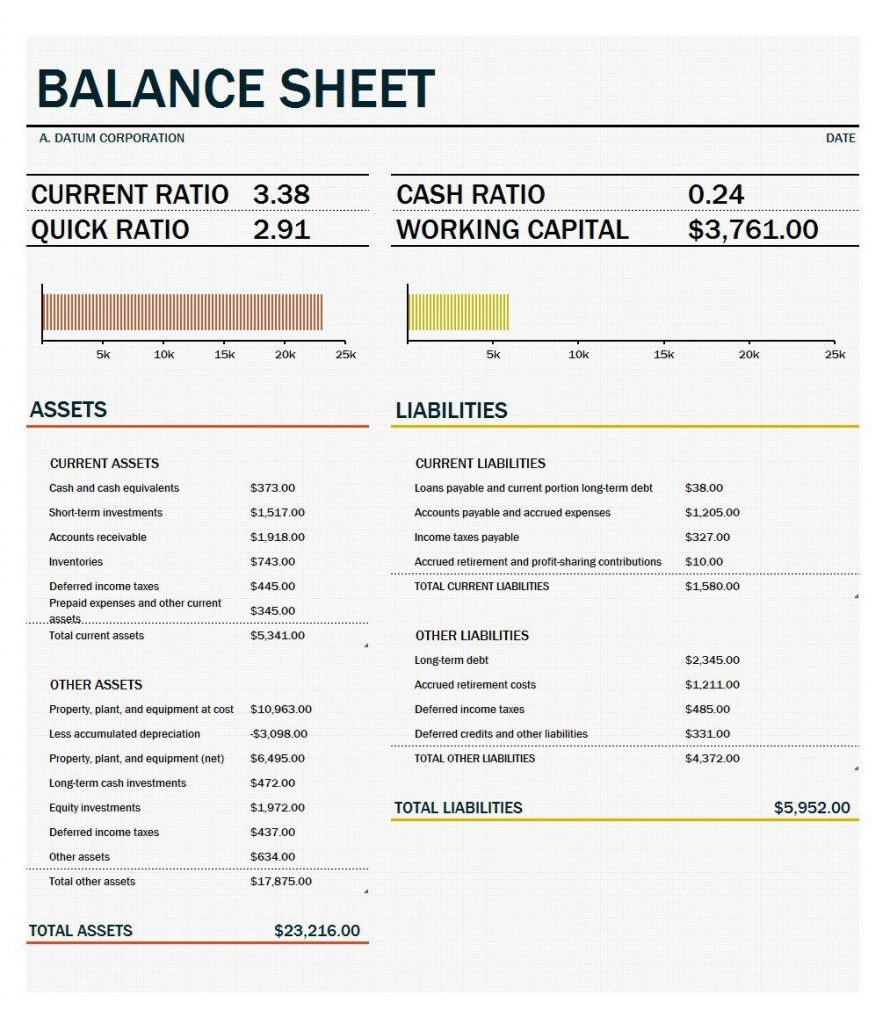
Beyond the raw figures, a balance sheet can be used to calculate several important financial ratios that offer deeper insight into a business’s stability, such as the current ratio, which compares current assets to current liabilities to gauge short-term liquidity. A debt-to-equity ratio, calculated by dividing total liabilities by total equity, helps assess how much of the business is financed through debt versus ownership investment. Tracking these ratios over time, rather than looking at a single balance sheet in isolation, gives a more complete picture of whether a business’s financial position is improving or declining.
Sharing Balance Sheets With Stakeholders and Partners
Beyond lenders and investors, a balance sheet is often shared with business partners, board members, or potential buyers during discussions about partnerships, mergers, or acquisitions. Presenting a clean, well-organized balance sheet builds confidence with these stakeholders by demonstrating that the business maintains accurate financial records. When sharing a balance sheet externally, it’s often helpful to include a brief cover note explaining any unusual figures or recent changes, so the numbers are properly understood in context.
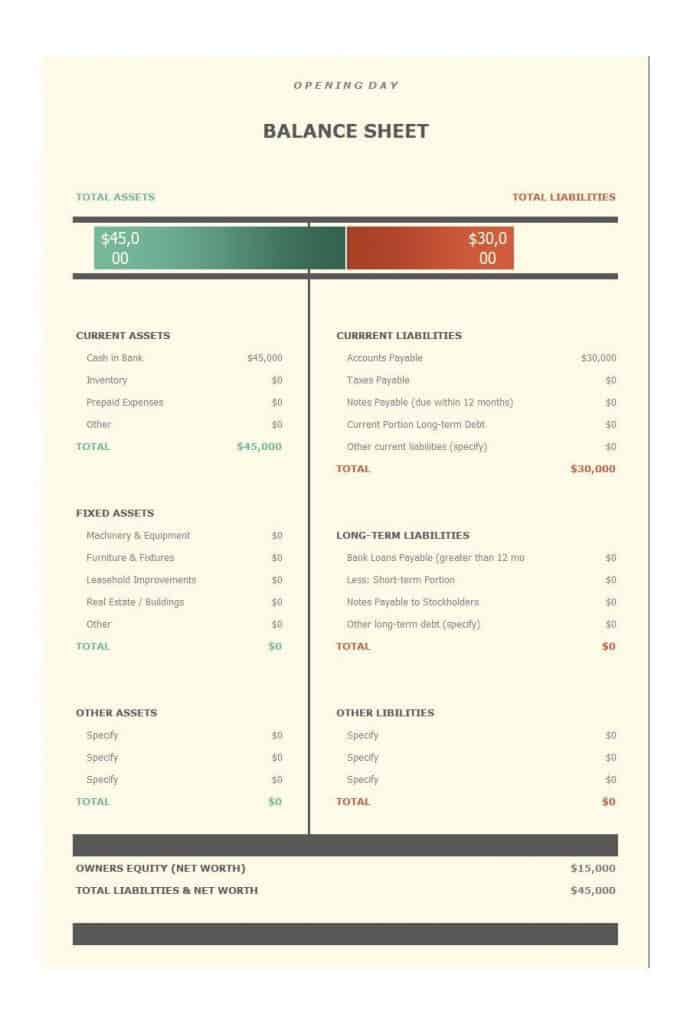
Download balance sheet formats in excel here
Balance Sheet Sample
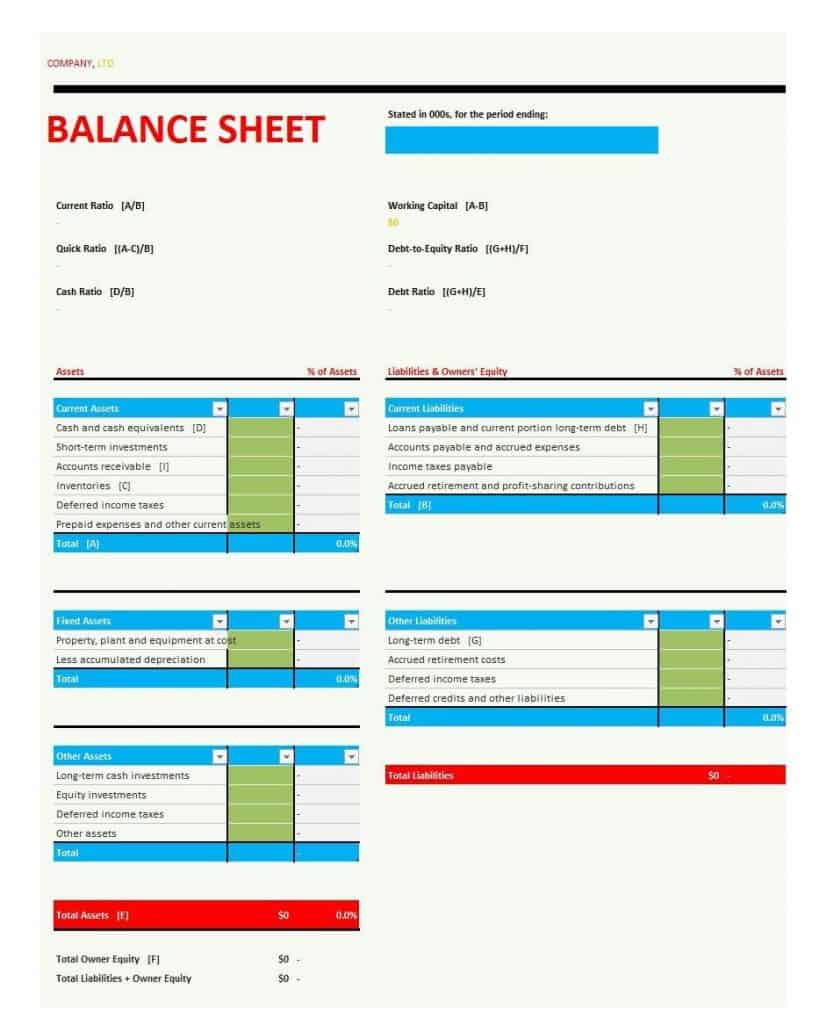
Blank Balance Sheet Format in Excel
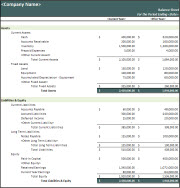

Balance Sheet Template Excel

Frequently Asked Questions
Are these balance sheet templates free to download?
Yes, all 6 balance sheet templates on this page are free to download and use.
Which file formats are these templates available in?
These templates are available in Microsoft Excel formats, including .xls and .xlsx.
Can I customize the fields on these templates?
Yes, since the templates are fully editable, you can add or adjust line items to match your specific business needs.
Is a balance sheet the same as an income statement?
No, a balance sheet shows financial position at a point in time, while an income statement shows performance over a period.
Are these templates suitable for sole proprietors?
Yes, several templates are well suited for sole proprietors as well as larger businesses and corporations.
Do these templates calculate totals automatically?
Yes, the templates include built-in Excel formulas that calculate total assets, liabilities, and equity automatically.
How often should I prepare a balance sheet?
Most businesses prepare a balance sheet monthly or quarterly, though it can also be done annually depending on your needs.

You must be logged in to post a comment.