
A grocery inventory list should track item, package size, unit, current quantity, storage location and use-by or best-before date where applicable. The aim is to prevent duplicate purchases and reduce waste.
Bonus template: Pantry count and shopping worksheet
Use this small stocktake before a grocery trip. Count the same package size in the same unit each time; a half-used bag should not be recorded as a full spare bag.
Download the editable Excel workbook
Download Grocery inventory shopping planner (.xlsx)
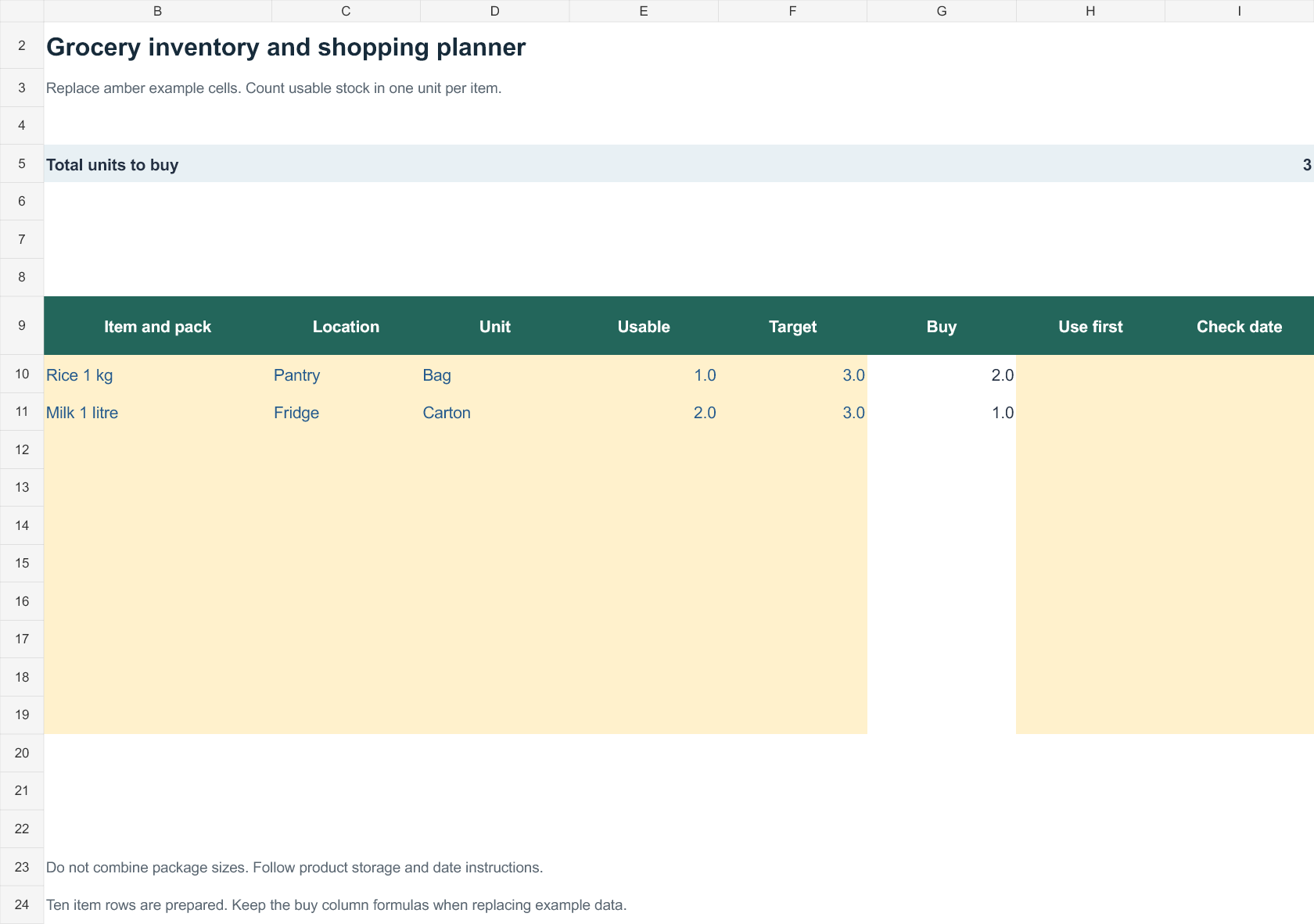
Open in Microsoft Excel. Replace the fictional example data in the highlighted input cells; keep formula cells intact so the summaries update.
Set up the record
- Count date: [date]
- Area: [pantry / refrigerator / freezer]
- Household or stock owner: [name]
| Item and pack size | Location | Usable quantity | Target quantity | Buy quantity | Use first / date |
|---|---|---|---|---|---|
| Rice, 1 kg bag | Pantry | 1 | 3 | 2 | Opened bag first |
| Milk, 1 litre carton | Refrigerator | 2 | 3 | 1 | Check package dates |
How to use this template
- Replace the examples with your own items and count usable stock before ordering.
- Calculate buy quantity as the larger of zero or target quantity minus usable quantity. Keep different package sizes on separate rows.
- Add a use-first note for opened packs. Follow the product’s storage and date instructions; the worksheet does not determine food safety.
Worked example: If the target is three bags of rice and one usable bag remains, buy two bags. Recount after a purchase rather than adding the same receipt twice.
Check before use
- Use one unit per row.
- Remove discarded stock from the usable count.
- Review the list before checkout to avoid duplicate purchases.
Plan grocery stock around quantities and expiry
Worked example: If a pantry has two 1-kg rice bags and three 500-g bags, the total is 3.5 kg, but package counts alone would show five items. Record quantities consistently if you compare consumption over time.
Check before use: Distinguish food safety use-by dates from quality best-before dates. Update the list after shopping and avoid combining opened and sealed stock when storage life differs.
- Saves tracking time: A ready-made layout means you can focus on managing stock instead of designing a tracking sheet from scratch.
- Reduces waste: Clearly tracked quantities help you spot items before they expire or go unused.
- Prevents stockouts: A complete, up-to-date list helps you reorder essential items before they run out.
- Improves budgeting: Tracking inventory closely makes it easier to plan purchases and control grocery spending.
- Speeds up restocking: A well-organized list helps staff or family members quickly identify what needs to be replenished.
- Free and reusable: Download once and reuse the same template structure for every inventory cycle.
For related resources, see 3 Excel Inventory Tracking Spreadsheet Templates and 3 Excel Product List Templates.
What’s Included in the Grocery Inventory List Template
- Item names: Fields for listing every grocery item tracked in the inventory.
- Required quantity: Space to note the ideal stock level for each item.
- Available quantity: A field for recording the current stock on hand.
- Reorder details: Space to note when and how much of an item needs to be reordered.
- Category or section: A field for grouping items by type, such as produce, dairy, or packaged goods.
- Notes column: Space for additional details, such as expiration dates or supplier information.
Who Should Use These Templates?
- Grocery store owners tracking shelf stock and reorder needs.
- Restaurant and cafe managers monitoring kitchen and pantry supplies.
- Households keeping track of a home pantry or freezer inventory.
- Catering businesses managing ingredient stock across multiple events.
- Nonprofit food pantries tracking donated and distributed grocery items.
- Small convenience store operators managing limited shelf space efficiently.
How to Start Using the Template in 3 Simple Steps
- Step 1 — Choose a template style: Browse the 11 options below and select the format that best fits your needs.
- Step 2 — List your items: Enter all grocery items along with required and available quantities.
- Step 3 — Update regularly: Review and update the list each time stock changes to keep it accurate.
Grocery Inventory List vs. Shopping List
While both documents relate to groceries, an inventory list and a shopping list serve different purposes. A grocery inventory list tracks everything currently on hand, along with required and available quantities, to give an ongoing picture of stock levels. A shopping list, by contrast, is a short-term document listing only the items that need to be purchased on an upcoming trip. Many people use both together: reviewing the inventory list to identify what’s running low, then creating a focused shopping list from that information.
Customizing the Template for Your Needs
These templates are designed to be a flexible starting point rather than a fixed format. You can add or remove columns, adjust categories to match your specific inventory, or include additional fields such as supplier names or unit costs. Since the templates are provided in editable Excel and Word formats, most adjustments take only a few minutes and let you tailor the list to fit your particular grocery tracking needs.
Choosing the Right Format
With 11 different templates available in Excel, Word, and PDF formats, choosing the right one depends on how you plan to use it. Excel templates work well if you want to use formulas to automatically calculate reorder needs, while Word and PDF templates are better suited for simple printed checklists. Reviewing each option before committing to one can help you find the layout that’s easiest for your team or household to maintain consistently.
Common Mistakes to Avoid
- Inconsistent updates: An inventory list is only useful if it’s updated regularly as stock changes.
- Vague item descriptions: Use specific names and sizes to avoid confusion when reordering.
- Ignoring expiration dates: Track expiration dates to reduce waste from spoiled items.
- Overstocking: Ordering too much of an item can lead to waste and wasted storage space.
- Not categorizing items: Grouping items by category makes the list much easier to scan and update.
Tips to Get the Most Out of Your Grocery Inventory List Template
- Update the list after every shopping trip to keep quantities accurate.
- Set minimum stock levels for essential items so you know when to reorder.
- Organize items by category to make the list easier to scan and use.
- Review the list weekly to catch items running low before they run out completely.
- Track expiration dates for perishable items to reduce food waste.
Using Grocery Inventory Lists in a Retail Setting
For grocery store owners and managers, an accurate inventory list plays a central role in day-to-day operations, from managing shelf space to planning orders with suppliers. Tracking sales velocity alongside available stock can help identify which items move quickly and need more frequent reordering, versus slower-moving products that might be overstocked. Many stores find it helpful to conduct a full inventory count on a regular schedule, whether weekly or monthly, and use the results to refine future ordering decisions.
Managing a Home Pantry With an Inventory List
Households can benefit just as much from a grocery inventory list as businesses, particularly for reducing food waste and avoiding duplicate purchases. Keeping a running list of pantry, refrigerator, and freezer contents makes meal planning easier and helps identify ingredients that need to be used before they expire. Many families find that a quick weekly check against the inventory list, before heading to the store, helps them shop more efficiently and avoid impulse purchases of items they already have.
Digital vs. Printed Inventory Tracking
While these templates can be printed and filled out by hand, many businesses and households now prefer keeping their grocery inventory list in a digital spreadsheet for easier updates and calculations. A digital version allows for automatic quantity totals, color-coded low-stock alerts, and quick searching across a large list of items. That said, a printed checklist still has its place, especially for quick reference during a physical inventory count or for households that prefer a simple paper system posted in the kitchen.
Coordinating Inventory Lists With Suppliers
For businesses that order regularly from wholesale suppliers, keeping the inventory list aligned with supplier order forms and delivery schedules can significantly streamline the restocking process. Noting supplier names, order lead times, and minimum order quantities directly on the inventory list helps staff place orders efficiently without needing to look up the information elsewhere each time. Building a consistent ordering rhythm based on accurate inventory data also tends to strengthen relationships with suppliers, since orders become more predictable for both sides.
Reducing Food Waste Through Better Tracking
One of the most valuable side benefits of maintaining a detailed grocery inventory list is the reduction in food waste it can help achieve, both in retail settings and at home. By tracking quantities and expiration dates closely, it becomes much easier to prioritize using older stock first and to avoid over-purchasing items that are unlikely to be used in time. Businesses that take food waste reduction seriously often use their inventory data to adjust ordering patterns over time, gradually fine-tuning quantities to match actual usage.
Assigning Responsibility for Inventory Updates
In a business setting, an inventory list works best when a specific person or team is clearly responsible for keeping it current, rather than leaving updates to whoever happens to have time. Assigning a regular schedule, such as updating counts at the start and end of each shift, helps prevent the list from becoming outdated and unreliable. Households can apply a similar principle by designating one family member to maintain the pantry list, or by making a quick group habit of noting items as they’re used up or run low.
Seasonal Adjustments to Grocery Inventory
Grocery inventory needs often shift with the seasons, whether that means stocking more fresh produce in summer or preparing for higher demand around holidays. Reviewing historical inventory data from previous seasons can help businesses anticipate these shifts and adjust order quantities well in advance rather than reacting only after shelves run empty. Households, too, can benefit from thinking seasonally, stocking up on certain staples before a holiday gathering or adjusting the pantry list to reflect seasonal cooking habits throughout the year.
Grocery Inventory List Templates Are Listed Below
Sample Grocery Inventory List Template
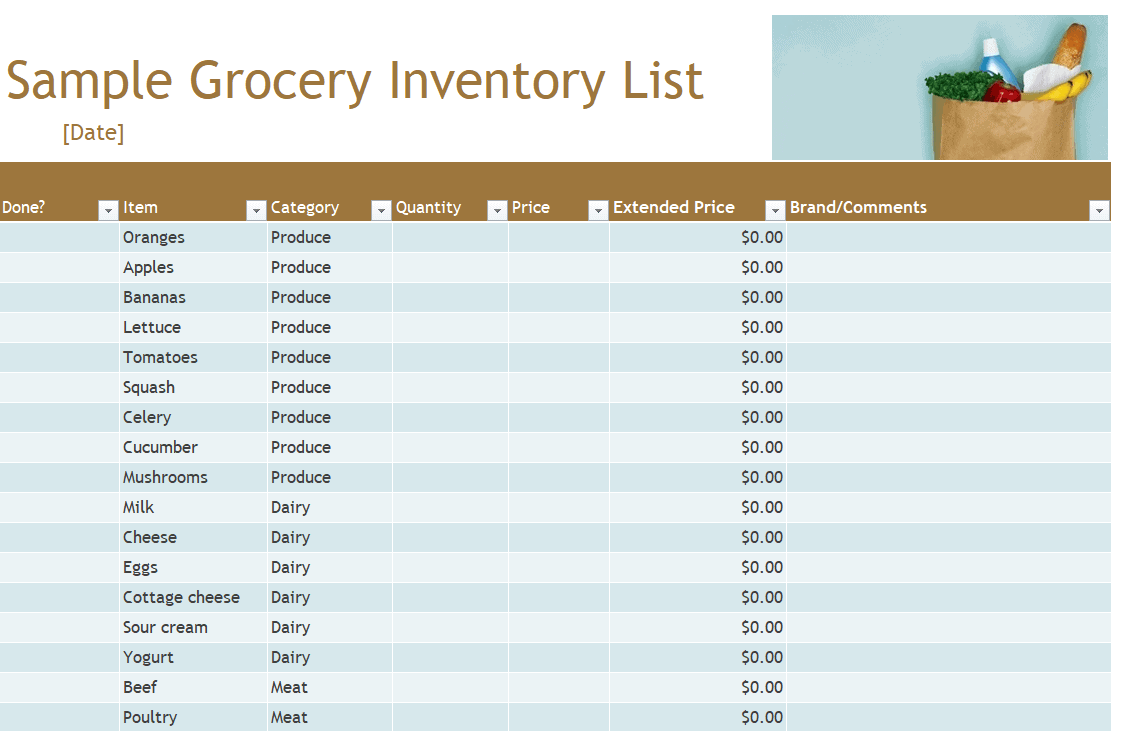
Grocery Inventory List EXCEL Template
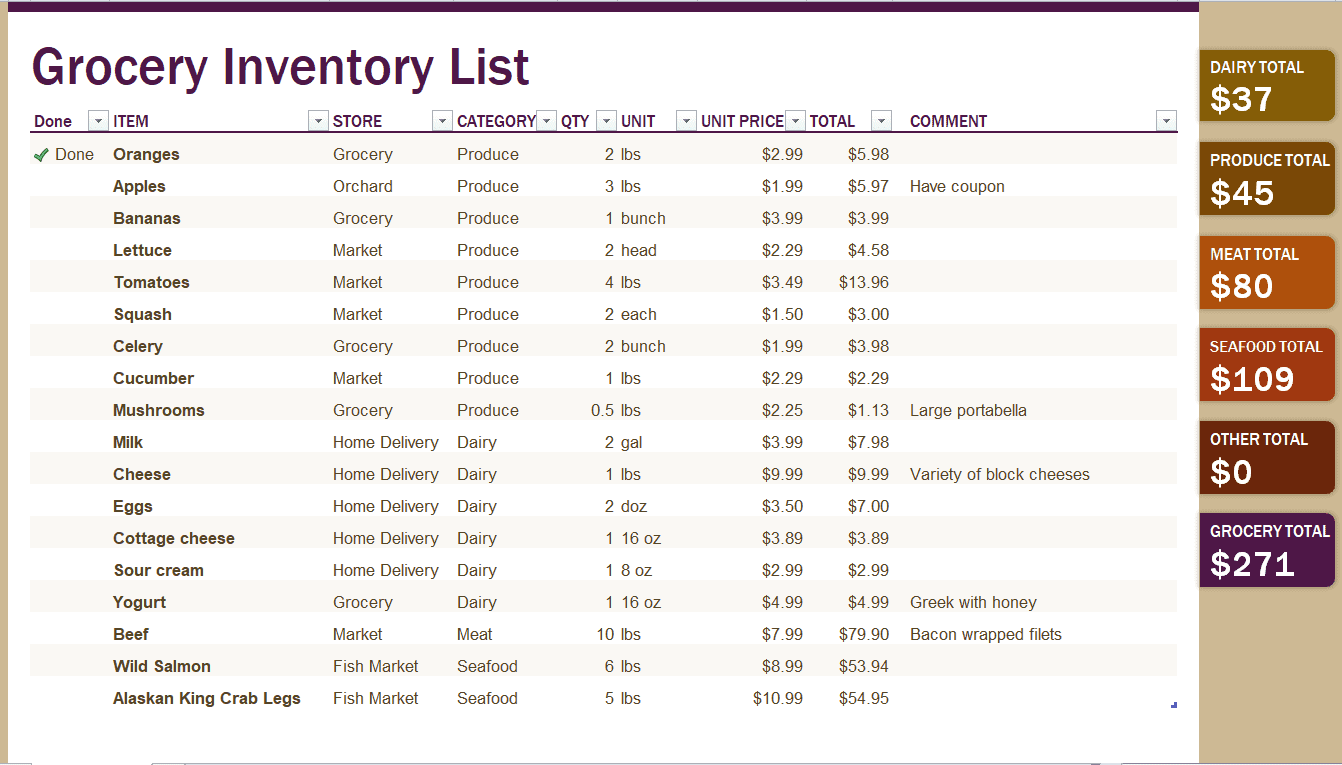
Grocery Inventory List Template PDF
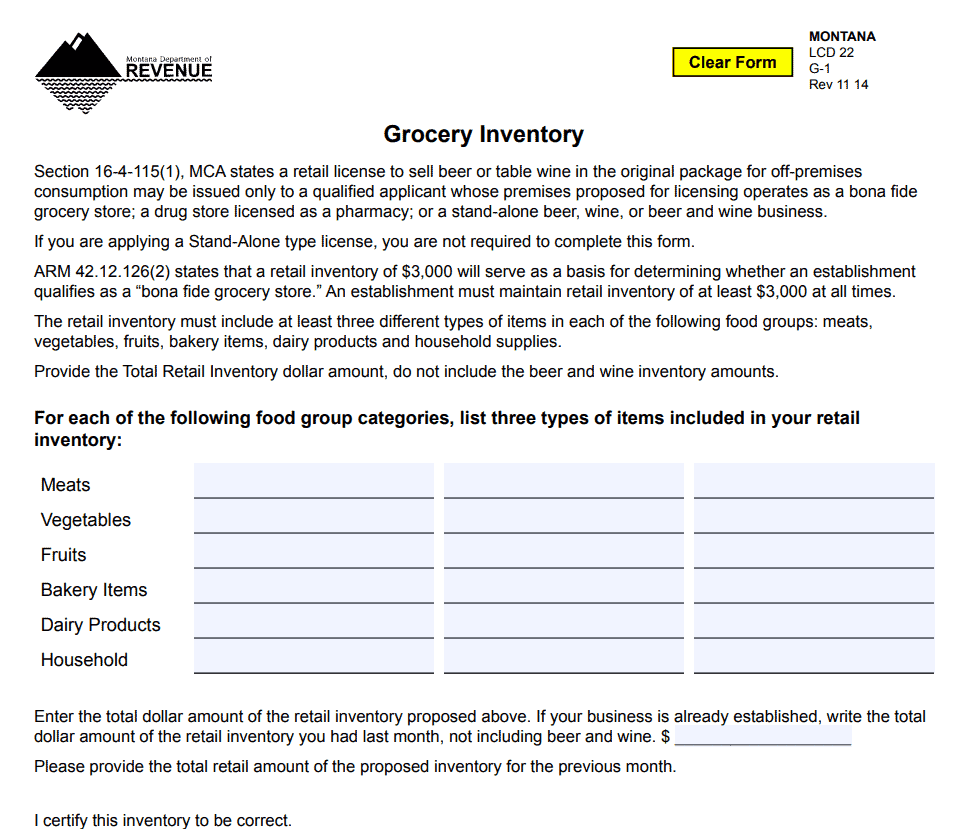
Detailed Grocery Inventory List Template
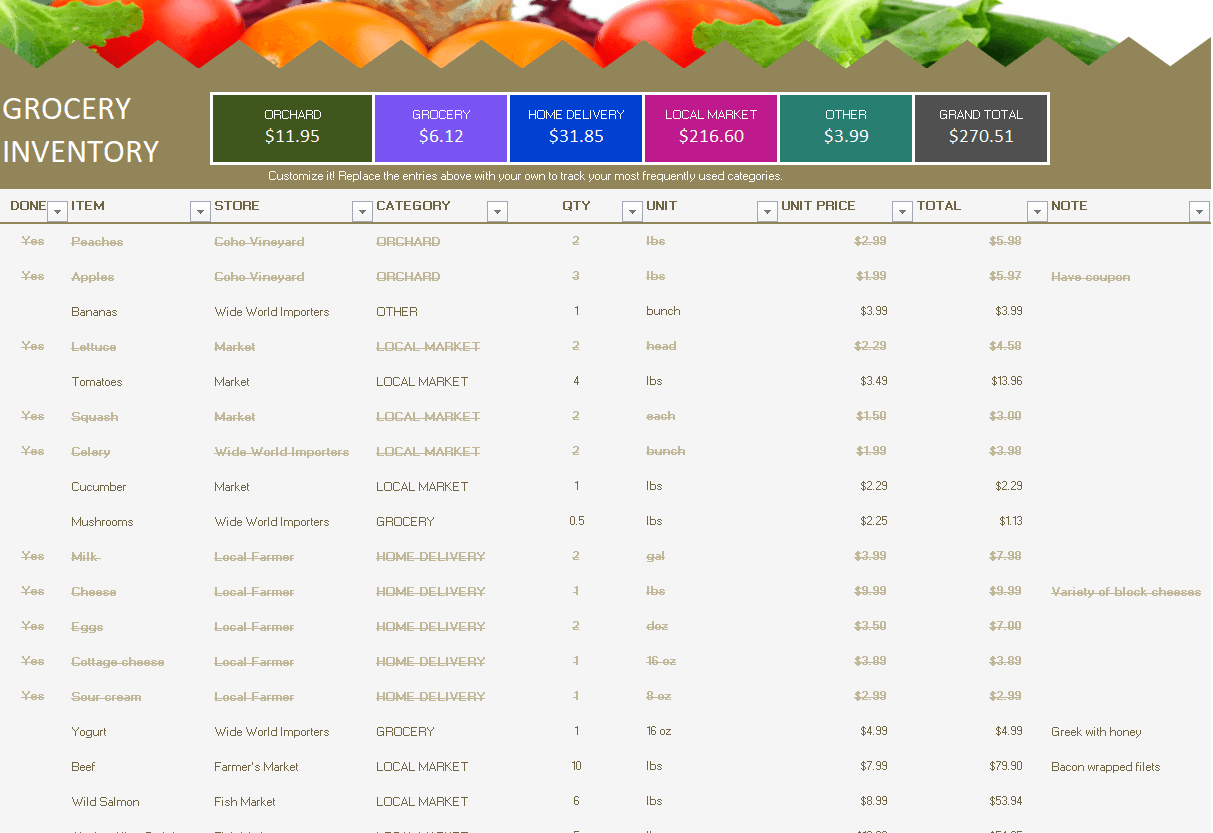
Basic Grocery Inventory List Template WORD
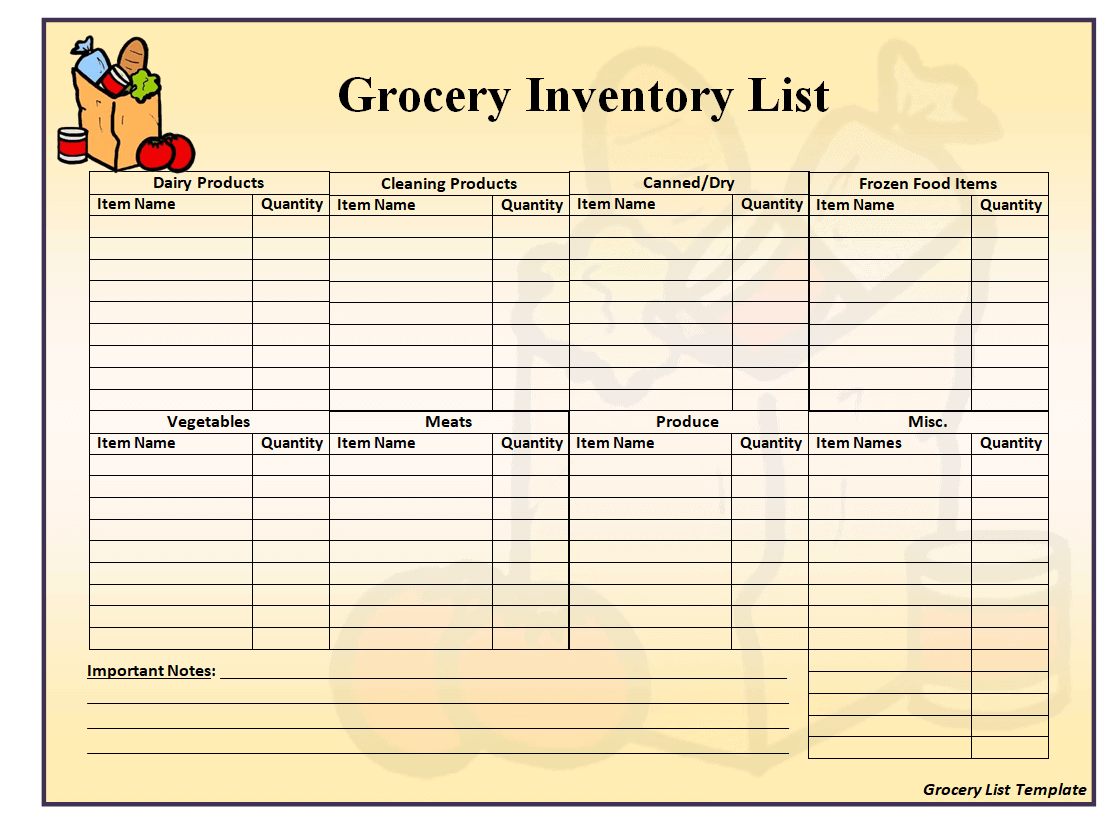
Grocery Inventory List Template in EXCEL Format
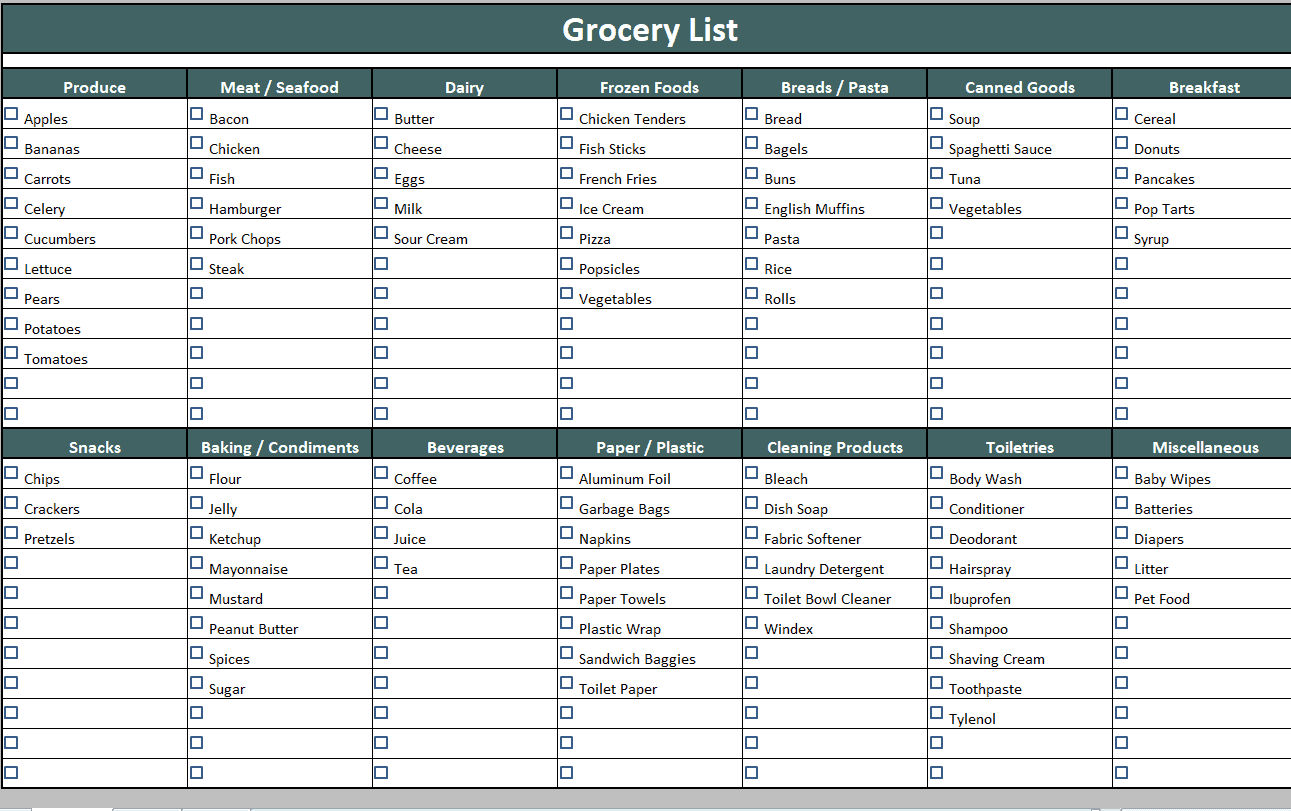
Stylish Design Printable Grocery Inventory List Template in PDF
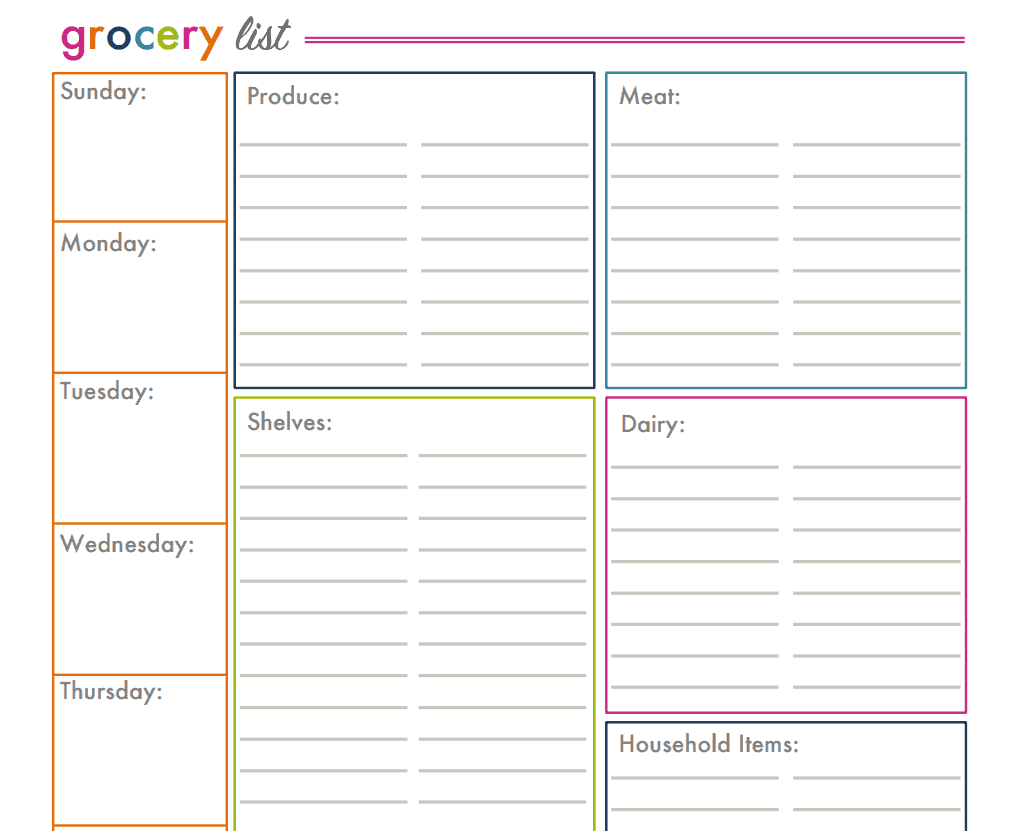
Editable Blank Grocery Inventory List Template DOC Format
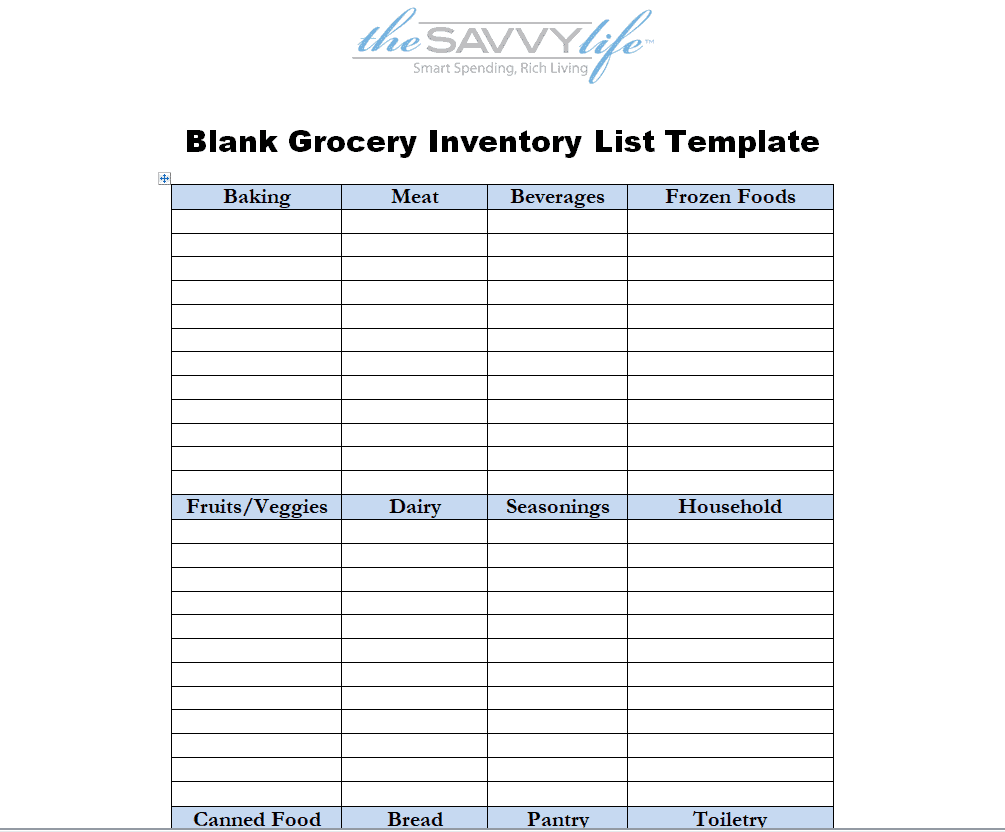
Example Grocery Inventory List Template
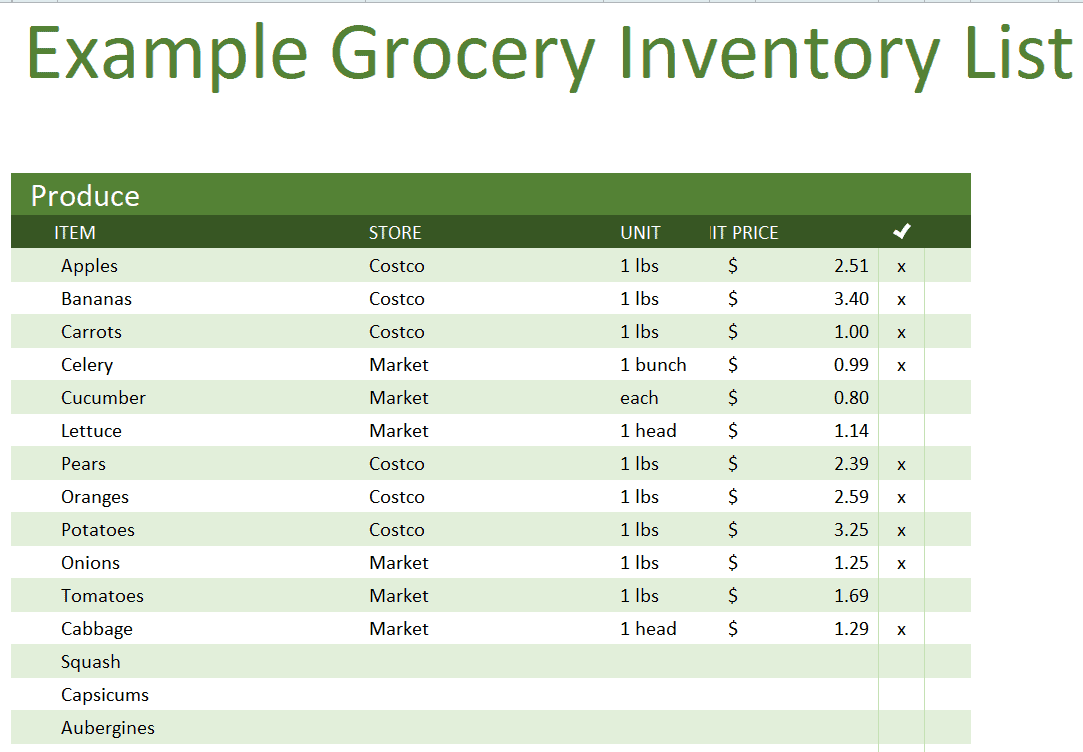
Customizable Grocery Inventory List Excel Sheet
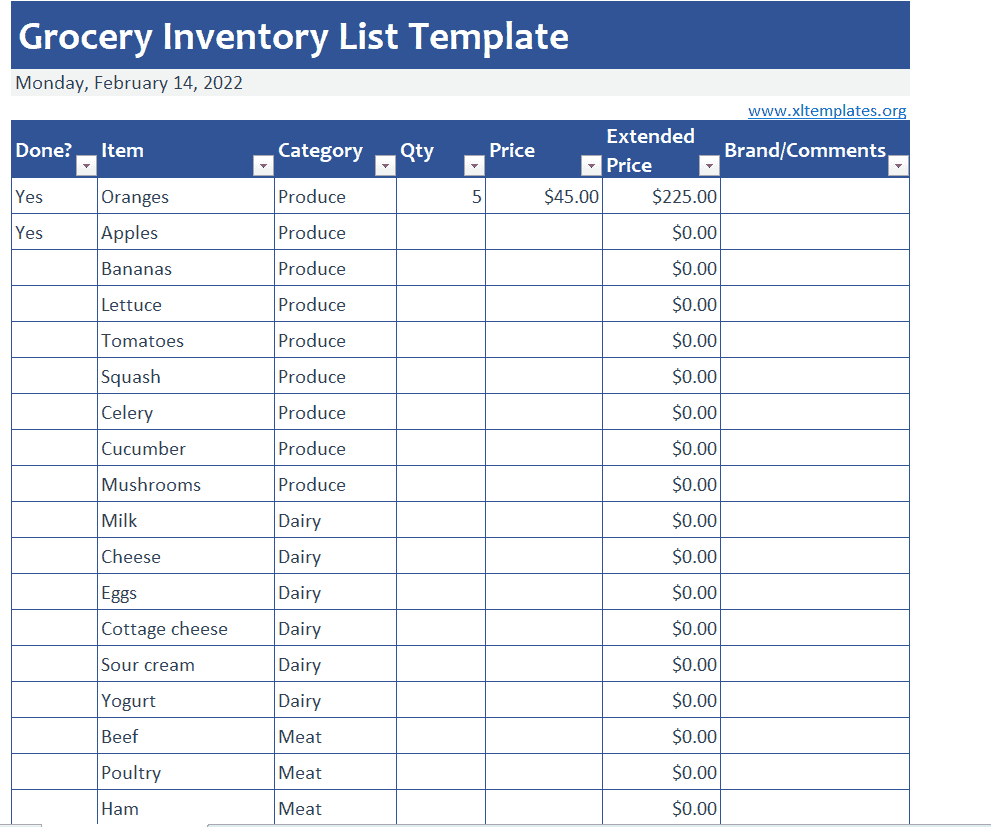
Explicit Grocery Inventory List Template MS WORD
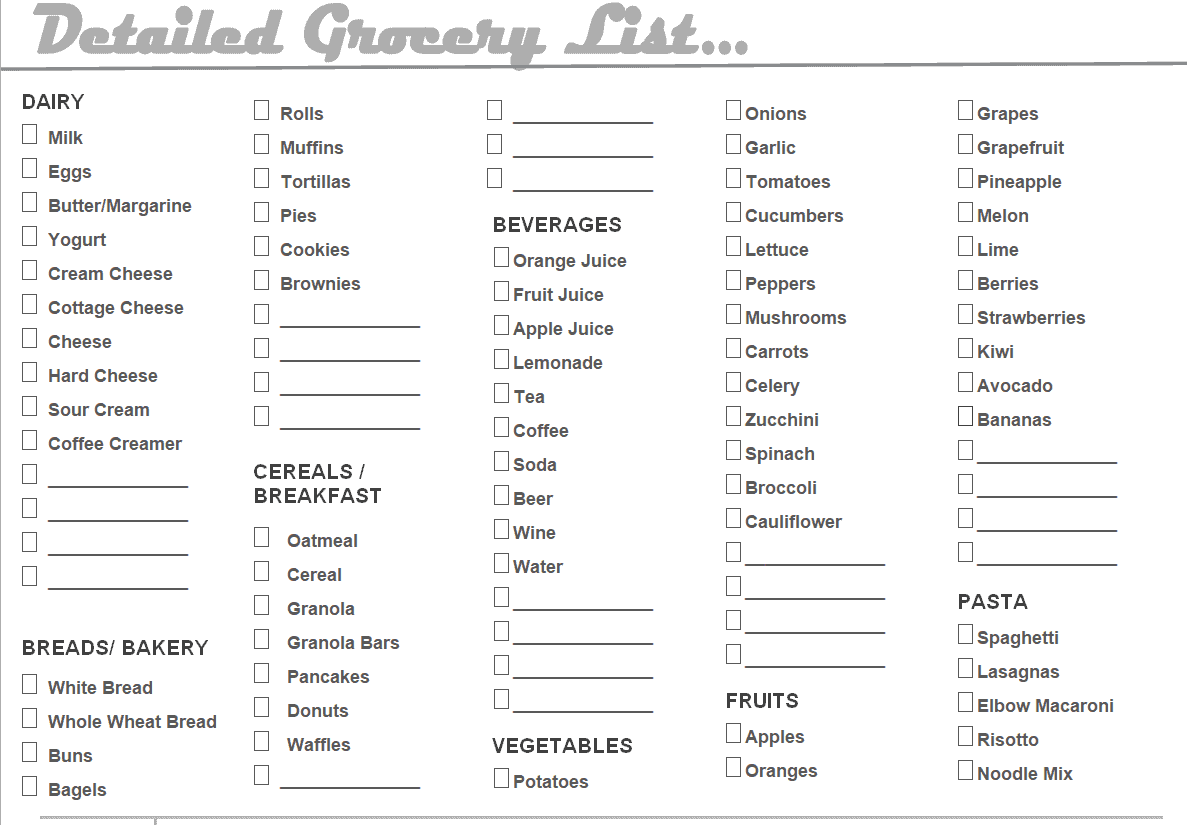
Frequently Asked Questions
Are these grocery inventory list templates free to download?
Yes, all 11 grocery inventory list templates on this page are free to download and use.
Which file formats are these templates available in?
These templates are available in Microsoft Excel, Word, and PDF formats to suit different needs.
Can I customize the fields on these templates?
Yes, since the templates are fully editable, you can add or remove columns to match your specific inventory needs.
Can these templates be used for a home pantry?
Yes, these templates work well for tracking a home pantry, refrigerator, or freezer, in addition to business use.
How often should I update my grocery inventory list?
Updating the list after every shopping trip or delivery, and reviewing it weekly, helps keep the quantities accurate.
What information should be included on a grocery inventory list?
A complete list should include item names, required quantity, available quantity, category, and any relevant notes such as expiration dates.
Can a grocery inventory list help reduce food waste?
Yes, tracking quantities and expiration dates closely helps you use older stock first and avoid over-purchasing items.

You must be logged in to post a comment.