
Keeping a manufacturing or production line running smoothly starts with a well-organized production scheduling template that helps you plan machine time, manpower, and materials without wasting resources. Instead of building a scheduling system from scratch, a pre-formatted document gives you an organized layout for planning production runs in minutes. Below you’ll find 11 free, downloadable production scheduling templates suitable for manufacturing plants, film production, and any business coordinating complex workflows.
Schedule production around capacity and material availability
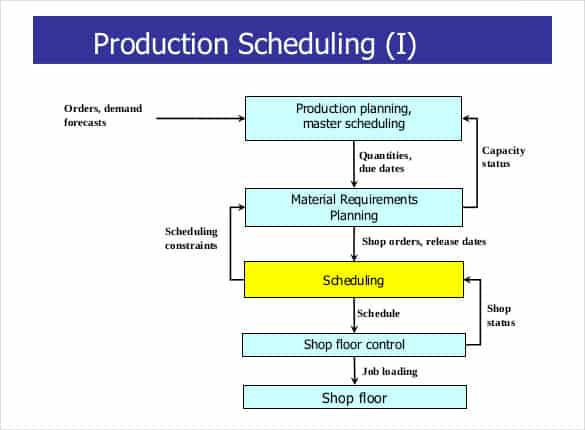
A production schedule should connect demand to work centres, available labour, machine capacity, component availability and promised delivery dates. A timeline is not credible if the required materials cannot arrive in time.
Worked example: A workshop with capacity for 40 units per day cannot reliably promise 120 units in two days without overtime or additional resources. Show machine changeover and inspection time separately from run time.
Check before use: Confirm dependencies, stock availability and quality-control stages, and mark revisions to the agreed schedule. Spreadsheet plans may need manual updates after breakdowns or supplier delays.
- Saves setup time: A ready-made structure means you can focus on planning production instead of designing a schedule from scratch.
- Reduces production delays: Clear visibility into resource allocation helps prevent bottlenecks before they occur.
- Improves resource utilization: A structured schedule helps ensure machinery and manpower are used efficiently rather than sitting idle.
- Supports better decision-making: A clear schedule makes it easier to respond to large orders or shifting demand.
- Easy to customize: Editable fields let you quickly adapt the template to your specific production process.
- Free and reusable: Download once and reuse the same structure for every production cycle.
For related resources, see 3 Excel Inventory Tracking Spreadsheet Templates and 4 Project Timeline Excel Templates.
What’s Included in the Production Scheduling Template
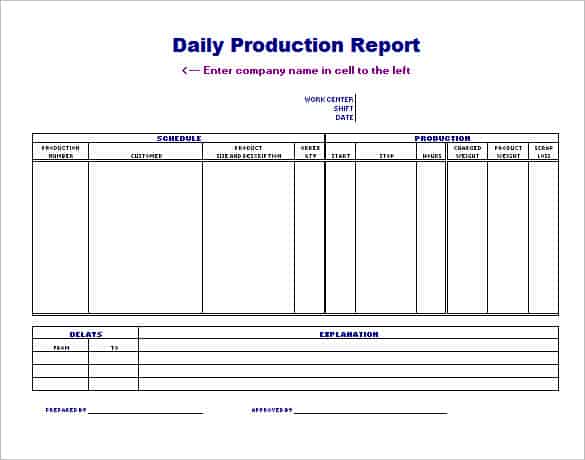
- Task and job fields: Space to list each production task or job that needs to be scheduled.
- Resource allocation fields: Columns for assigning machinery, equipment, or personnel to each task.
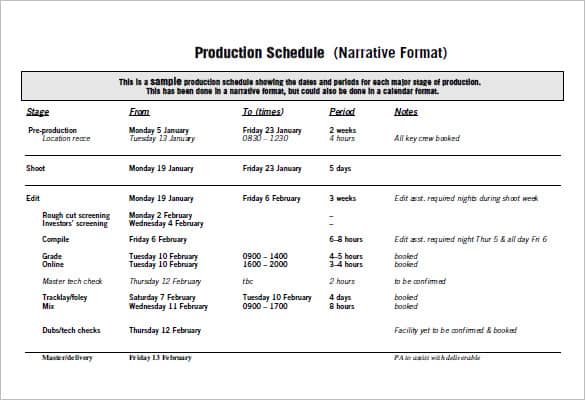
- Timeline fields: Space to record start dates, end dates, and durations for each scheduled item.
- Status fields: Areas to mark whether a task is planned, in progress, or completed.
- Priority fields: Space to indicate which tasks take precedence when resources are limited.
- Notes section: An area for additional comments about specific scheduling decisions or constraints.
Who Should Use These Templates?
- Production managers coordinating manufacturing runs across multiple machines or lines.
- Manufacturing companies planning resource allocation to meet customer orders on time.
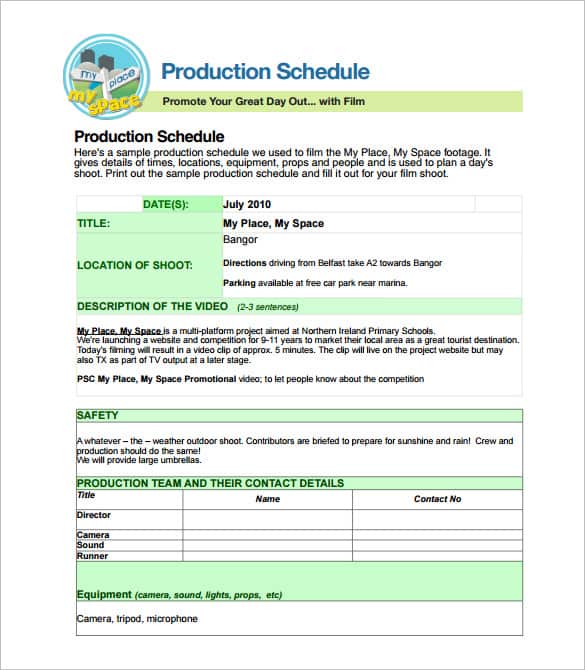
- Film and video production teams scheduling shoot days, locations, and crew.
- Operations coordinators managing workflows across departments.
- Small manufacturers tracking production without dedicated scheduling software.
- Project managers planning multi-stage production processes with interdependent tasks.
How to Start Using the Template in 3 Simple Steps
- Step 1 — Choose a template style: Browse the 11 options below and select the layout that fits your production process.
- Step 2 — Enter your tasks and resources: List each production task and assign the machinery, materials, and personnel needed.
- Step 3 — Update the schedule regularly: Adjust timelines and status as production progresses to keep the schedule accurate.
Production Scheduling vs. Production Planning
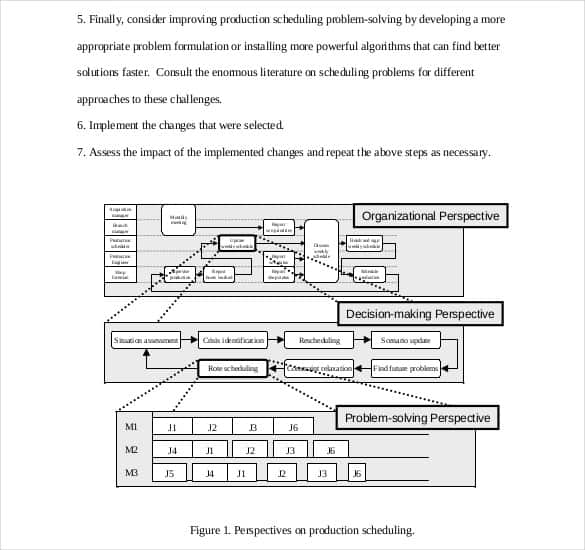
While the two activities are closely related, production scheduling and production planning operate on different timescales and levels of detail. Production planning is the broader, longer-term process of deciding what to produce, in what quantities, and using what overall resources, typically covering weeks or months ahead. Production scheduling is the more detailed, shorter-term activity of assigning specific tasks to specific machines, shifts, and workers on specific dates. Most manufacturing operations rely on both together, a production plan to set overall direction and a production schedule to execute it day to day.
Customizing the Template for Your Business
These templates are designed to be a flexible starting point rather than a fixed format. You can adjust the columns to match your specific production stages, add fields for tracking material costs, or include a section for noting equipment maintenance windows that affect availability. Since the templates are provided in editable Excel format, most adjustments take only a few minutes and let you tailor the schedule to fit your particular production process.
Choosing the Right Format
With 11 different templates available, choosing the right one depends on your industry and how detailed your scheduling needs to be. A simple layout works well for straightforward production runs, while a more detailed template suits operations juggling multiple products, machines, or shifts at once. Reviewing each option before committing to one can help you find the format that best fits your production scheduling needs, whether that’s manufacturing, film production, or another industry entirely.
Common Mistakes to Avoid
- Overbooking resources: Scheduling more work than machinery or staff can realistically handle leads to delays and quality issues.
- Ignoring maintenance windows: Failing to account for planned equipment downtime can throw off an otherwise solid schedule.
- Not updating the schedule promptly: A schedule that isn’t kept current quickly loses its usefulness as a planning tool.
- Overlooking task dependencies: Scheduling tasks without considering what must happen first can create bottlenecks.
- Failing to build in buffer time: A schedule with no slack leaves no room to absorb unexpected delays.
Tips to Get the Most Out of Your Production Scheduling Template
- Review the schedule daily or weekly to catch potential conflicts before they cause delays.
- Build in buffer time for critical tasks to absorb unexpected delays without derailing the entire schedule.
- Communicate schedule changes promptly to everyone affected by them.
- Track actual completion times against planned times to improve future scheduling accuracy.
- Keep the template consistent across production cycles to make performance comparisons easier over time.
Balancing Machine Capacity and Workforce Availability
One of the central challenges in production scheduling is balancing two constraints that don’t always move together: how much capacity your machinery can offer and how many workers are available to operate it. A schedule built purely around machine capacity might assume a level of staffing that isn’t actually available on a given shift, while one built purely around workforce availability might leave expensive machinery sitting idle. Reviewing both constraints together when building a schedule, rather than optimizing for one while ignoring the other, tends to produce a far more realistic and achievable production plan.
Responding to Rush Orders Without Disrupting the Schedule
Nearly every production operation eventually faces a rush order that needs to be squeezed into an already-full schedule, and how that situation is handled can significantly affect overall production efficiency. Building some flexibility into the schedule from the start, whether through buffer time or a clear process for evaluating which existing tasks can be delayed, makes it much easier to accommodate a rush order without simply throwing the entire schedule into chaos. Establishing clear criteria in advance for when a rush order justifies disrupting the existing plan also helps prevent every urgent request from being treated as an emergency that overrides careful planning.
Using Historical Scheduling Data to Improve Future Plans
A production schedule that’s tracked consistently over multiple cycles becomes a valuable source of data for improving future scheduling accuracy, particularly when actual completion times are compared against originally planned times. Consistently underestimating how long certain tasks take, for example, is a pattern that only becomes visible when historical data is reviewed systematically rather than treating each new schedule as a fresh start disconnected from past experience. Building this kind of review into a regular routine, even briefly at the end of each production cycle, helps a scheduling process improve steadily over time rather than repeating the same estimation errors indefinitely.
Coordinating Production Scheduling Across Multiple Shifts
Operations that run more than one shift face an added layer of complexity, since a task left incomplete at the end of one shift needs to be picked up cleanly by the next without confusion about status or remaining work. A shared production schedule that’s visible to every shift, rather than separate handwritten notes passed between supervisors, helps ensure nothing gets lost or duplicated in the handoff. Recording not just what was completed but also any issues encountered, such as a machine running slower than expected or a material shortage, gives the incoming shift the context it needs to keep the schedule on track rather than repeating the same problems.
Linking Production Scheduling to Quality Control
A production schedule focused purely on speed and output can inadvertently work against quality if inspection and testing steps aren’t explicitly built into the timeline. Treating quality control checkpoints as scheduled tasks in their own right, rather than an afterthought squeezed in wherever there’s spare time, helps ensure defects are caught early rather than discovered after a full batch has already been produced. This is particularly important for operations with strict compliance or safety requirements, where skipping or rushing a quality check to stay on schedule can create far more costly problems than the delay it was meant to avoid.
Download free production scheduling excel templates here
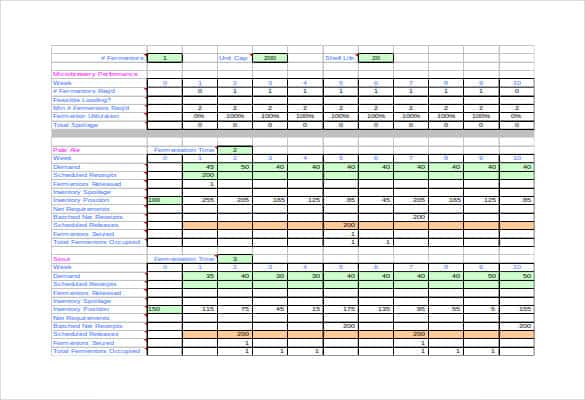
Production Scheduling Excel Format
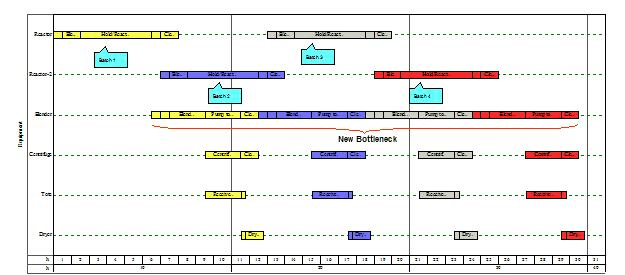

Production Scheduling Guide and Template
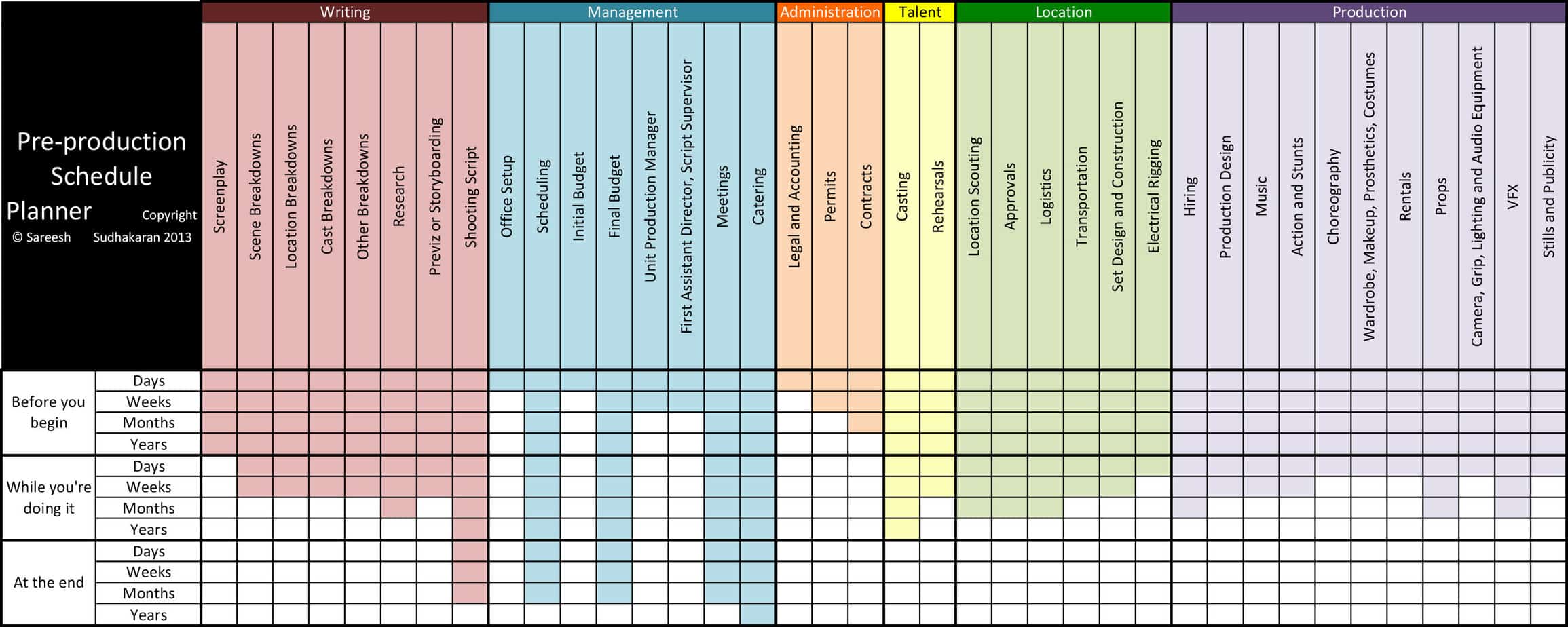
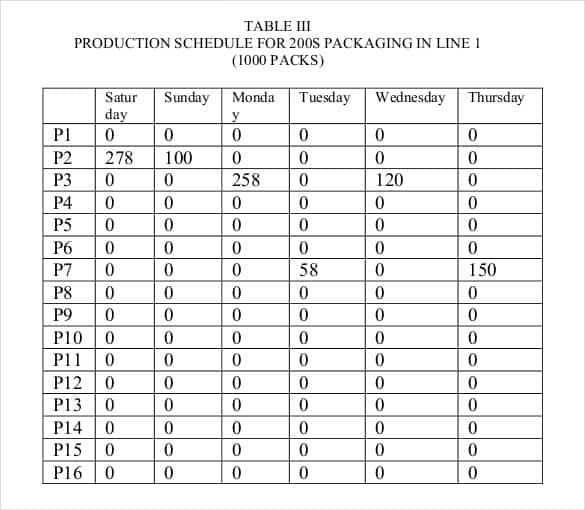
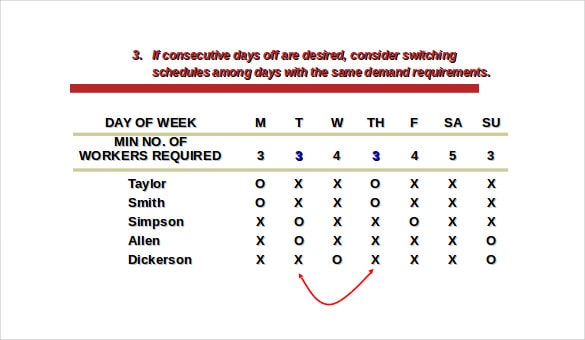
Frequently Asked Questions
Are these production scheduling templates free to download?
Yes, all 11 production scheduling templates on this page are free to download and use.
Can I edit these templates to match my own production process?
Yes, since the templates are provided in editable Excel format, you can adjust the columns, timelines, and fields to fit your specific workflow.
What’s the difference between production scheduling and production planning?
Production planning is the broader, longer-term process of deciding what to produce, while production scheduling assigns specific tasks to specific machines, shifts, and workers on specific dates.
Are these templates suitable for film production?
Yes, several of these templates are well suited to scheduling shoot days, locations, and crew for film and video production.
Do I need special software to use these templates?
No, the templates are provided in Excel format, which can be opened using Microsoft Excel or free alternatives like Google Sheets.
How often should I update my production schedule?
It’s best to review and update the schedule daily or weekly, adjusting timelines and status as production progresses to keep it accurate.
Can these templates handle multiple machines or production lines at once?
Yes, several of the templates include resource allocation fields that let you assign and track tasks across multiple machines or lines.

You must be logged in to post a comment.