
Getting reimbursed for out-of-pocket business costs becomes much simpler with a ready-made expense claim form template that you can fill in and submit to your employer or accounting department. Instead of building a reimbursement form from scratch, a pre-formatted document gives you an organized layout for listing expenses, dates, and amounts so you can recover money spent on business needs. Below you’ll find 4 free, downloadable expense claim form templates suitable for employees, freelancers, and any organization that needs to process reimbursement requests.
Make expense claims easy to approve and reimburse
An expense claim form should show employee, business purpose, expense date, merchant, amount, currency, payment method and a clear approval decision. Link the claim to receipts rather than relying solely on handwritten totals.
Worked example: If an employee buys $85 of approved office supplies and spends $20 on a work taxi, the claim may total $105, subject to the employer’s policy and whether taxes or advances affect reimbursement.
Check before use: Check spending limits, duplicate submissions and required evidence. Mark rejected or pending items clearly and avoid treating the total claimed as automatically payable.
For related resources, see Download 13 BEST Expense Report Templates for FREE [EXCEL & WORD] and Top 22+ Excel Expense Templates.
What’s Included in the Expense Claim Form Template
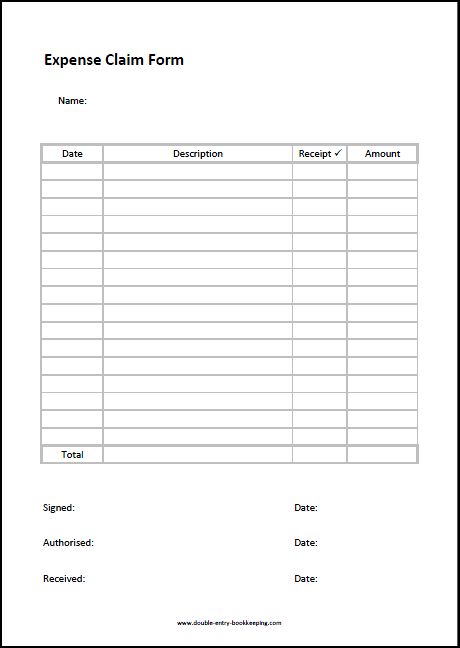
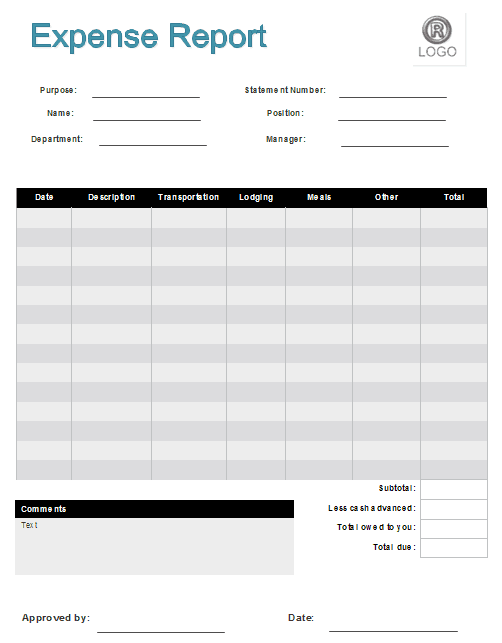
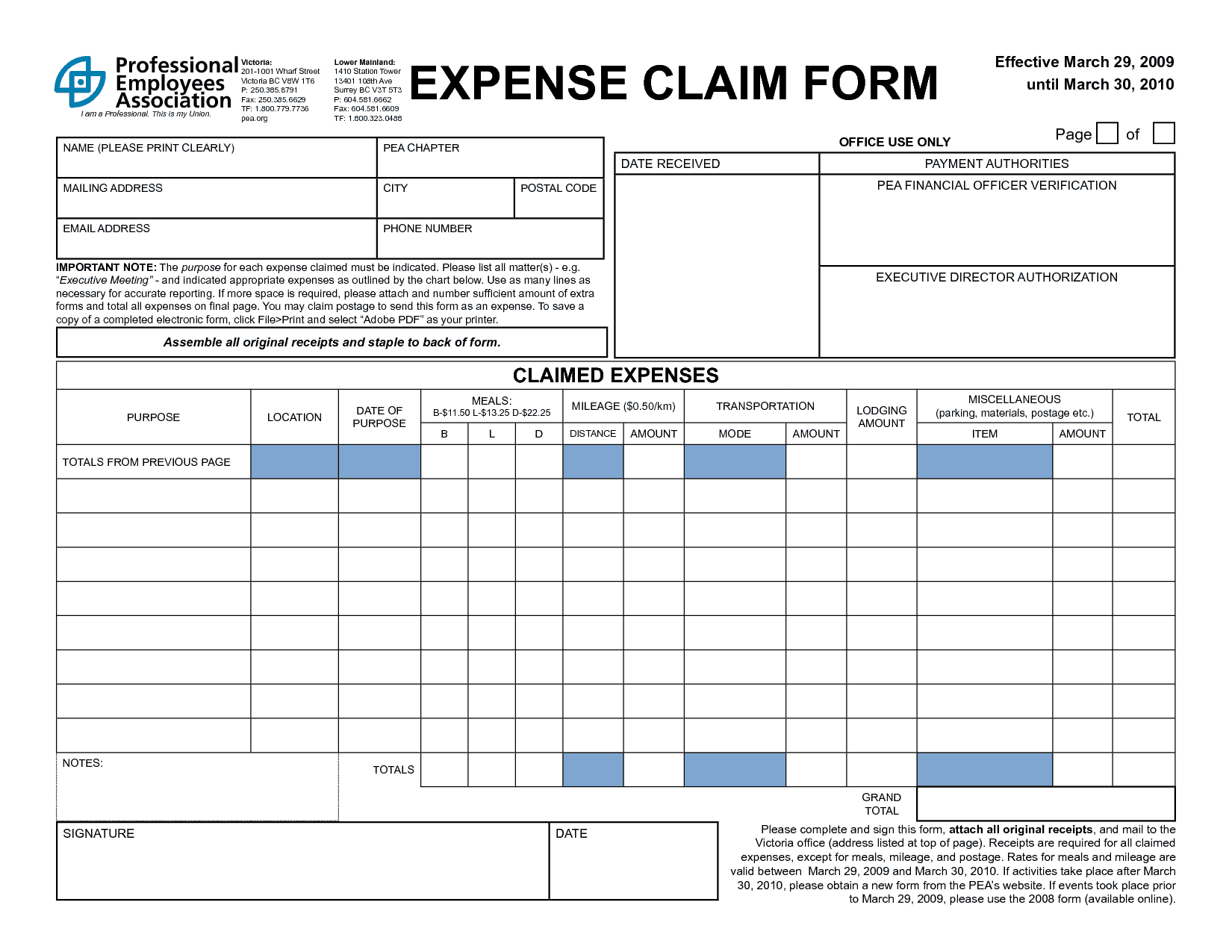
Each template includes space for the claimant’s name, department, and the date the expense was incurred, along with a field for a brief description of each cost. There’s room to list the amount spent and the category of expense, such as travel, meals, or supplies, plus a section for attaching or referencing supporting receipts. Most templates also include space for a supervisor’s approval signature before the claim is submitted for payment.
Who Should Use These Templates?
Employees who occasionally cover small business costs out of pocket use these templates to request reimbursement in a professional format. Petty cash managers rely on them to keep accurate records of what has been claimed and paid across the team. Freelancers and contractors use expense claim forms to bill clients for costs incurred while completing a project, and small business owners use them to track and approve staff reimbursement requests. Anyone who needs a clear paper trail for business-related spending can benefit from these templates.
How to Start Using the Template in 3 Simple Steps
Step 1 is to browse the 4 options below and choose the layout that best fits your organization’s reimbursement process. Step 2 is to fill in each expense with its date, description, category, and amount, attaching receipts where required. Step 3 is to submit the completed form to the appropriate manager or accounting department for approval and payment.
Expense Claim Forms vs. Digital Expense Software
While both aim to process reimbursement requests, a document-based claim form and dedicated expense management software serve different scales of operation. A template is free to use and requires no setup, making it ideal for small businesses or occasional claims that don’t justify a software subscription. Expense software, on the other hand, typically offers automated receipt scanning, approval workflows, and integration with accounting systems, but comes with a recurring cost and a learning curve. Many small businesses and freelancers rely on simple claim form templates until their reimbursement volume grows large enough to justify dedicated software.
Customizing the Template for Your Organization
These templates are designed to be a flexible starting point rather than a fixed format. You can add categories specific to your industry, such as mileage or client entertainment, adjust the approval process to match your company’s structure, or include your company name and logo for a more professional look. Since the templates are provided in an easily editable format, most adjustments take only a few minutes and let you tailor the form to fit your particular reimbursement policy.
Choosing the Right Format
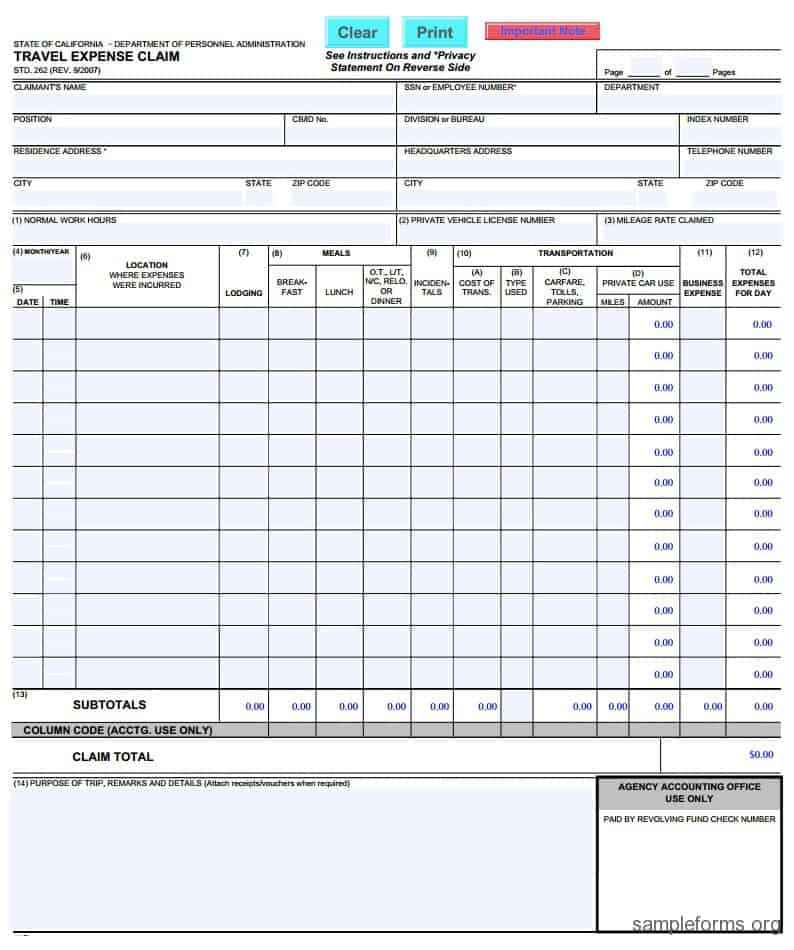
With 4 different templates available, choosing the right one depends on the type of expenses you typically need to claim and how detailed your organization’s approval process is. A simpler layout works well for occasional, small claims, while a more detailed template suits situations like travel expenses that involve multiple categories of spending. Reviewing each option before committing to one can help you find the format that best fits your reimbursement needs.
Common Mistakes to Avoid
Forgetting to attach or reference supporting receipts is one of the most common reasons a claim gets delayed or rejected, so it’s worth double-checking this before submitting. Leaving out the date or category of an expense can create confusion during the approval process, while rounding amounts instead of listing the exact figure can raise questions from accounting staff. Submitting claims long after the expense was incurred can also complicate approval, so it’s best to file claims promptly rather than letting them pile up.
Tips to Get the Most Out of Your Expense Claim Form Template
Keep receipts organized as soon as an expense is incurred so you’re not scrambling to find them when it’s time to submit a claim. Fill out the form promptly rather than waiting until the end of the month, since details are easier to remember while they’re fresh. Double-check that amounts and categories are accurate before submitting to avoid delays in processing. Consider keeping a digital copy of each submitted claim for your own records in case questions come up later.
Organizing Receipts for a Smooth Reimbursement Process
Keeping receipts organized from the moment an expense is incurred makes filling out a claim form far less stressful than trying to reconstruct a month’s worth of spending from memory. A simple envelope or folder dedicated to collecting receipts as they come in, whether physical or a photo taken with a phone, gives you a reliable record to reference when it’s time to complete the form. Sorting receipts by category or date before transferring the details to the claim form also speeds up the process and reduces the chance of missing an expense entirely.
Understanding Your Company’s Reimbursement Policy
Before submitting an expense claim, it’s worth taking the time to understand exactly what your company’s reimbursement policy covers, since not every business expense is automatically eligible. Some organizations set spending limits for categories like meals or require pre-approval for larger purchases before the cost is incurred, and submitting a claim that falls outside these guidelines can lead to a rejected or partially paid request. Reviewing the policy periodically, especially after any company-wide updates, helps ensure that the claims you submit are processed smoothly and without unnecessary back-and-forth.
Handling Disputed or Rejected Claims
Occasionally a submitted expense claim may be questioned or rejected, whether due to a missing receipt, an unclear description, or a cost that falls outside company policy, and knowing how to handle this situation professionally helps resolve it quickly. Reaching out to the person who reviewed the claim to understand exactly what additional information or documentation is needed is usually more productive than resubmitting the same form unchanged. Keeping a polite, factual tone throughout the conversation, and providing any missing details promptly, generally leads to a faster resolution than treating the rejection as a personal dispute.
Tracking Multiple Claims Over Time
For employees or freelancers who submit expense claims regularly, keeping a simple running log of what’s been submitted and what’s still pending reimbursement can prevent confusion about which costs have already been recovered. Noting the submission date and expected payment date alongside each claim makes it easy to follow up if a reimbursement takes longer than expected. This kind of informal tracking also helps at tax time or during budget reviews, since it provides a clear, organized history of business-related spending across the year rather than a scattered pile of old forms and receipts.
Download Our Expense Claim Form Templates Here
General Expense Claim Form Template

Expense Report Form Template
Expense Claim Form Template Example
Travel Expense Claim Form Template
Frequently Asked Questions
Are these expense claim form templates free to download?
Yes, all 4 expense claim form templates on this page are free to download and use.
Can I customize these templates with my company name and logo?
Yes, the templates are editable so you can add your company name, logo, and specific expense categories.
Do I need to attach receipts when submitting an expense claim?
Most organizations require supporting receipts, so it’s best to attach or reference them when submitting your completed form.
How long does it usually take to get reimbursed after submitting a claim?
Processing times vary by organization, but submitting a complete, accurate form with receipts generally speeds up approval.
Can freelancers use these templates to bill clients?
Yes, freelancers and contractors can use these templates to request reimbursement for costs incurred while completing a project.
What’s the difference between a claim form template and expense software?
A template is free and requires no setup, while expense software offers automated features like receipt scanning but comes with a subscription cost.
What should I do if my expense claim is rejected?
Contact the person who reviewed the claim to find out what additional information is needed, then resubmit with the missing details.

You must be logged in to post a comment.