
Keeping every meeting, booking, and reservation organized becomes much simpler with a ready-made conference room schedule template that you can fill in and edit directly in Excel. Instead of building a booking grid from scratch, a pre-formatted spreadsheet gives you an organized layout for tracking room availability and avoiding double-booked meetings in minutes. Below you’ll find 4 free, downloadable conference room schedule templates suitable for offices, hotels, and any organization that manages shared meeting spaces.
What Is a Conference Room Schedule Template?
A conference room schedule template is a pre-formatted document used to track and organize bookings for a shared meeting space over a given period. Rather than building a booking system from scratch, a ready-made template gives you a structured layout already set up with fields for the date, time, meeting purpose, and the person or department reserving the room. These templates are used by office managers, hotels, and organizations of all sizes that need a clear, consistent way to manage reservations for one or more shared conference rooms.
Why You Need a Conference Room Schedule Template: Key Benefits
A ready-made layout means you can focus on managing bookings instead of designing a tracking sheet from scratch, which saves setup time whenever a new schedule period begins. A structured schedule also reduces the chance of double-booking a room, since every reservation is recorded in one central place that’s easy to check before confirming a new meeting. A clear schedule makes it easier for staff to plan meetings around room availability, and it gives office managers a simple way to see utilization patterns across the week or month. Editable fields let you quickly adapt the template to your organization’s specific rooms and booking process, and since it’s free and reusable, you can use the same structure for every new scheduling period.
What’s Included in the Conference Room Schedule Template
Each template includes space to record the date and time of each reservation, along with a field for the name of the person or department booking the room. There’s space to note the purpose of the meeting and the expected number of attendees, plus a section for any special equipment or setup needs. Most templates also include space to track multiple rooms if your organization has more than one shared meeting space available.
Who Should Use These Templates?
Office managers and administrative assistants use these templates to manage day-to-day booking requests for shared meeting rooms. Hotel and event venue staff rely on them to track reservations for conference and banquet spaces booked by outside clients. Coworking space operators use similar templates to manage shared meeting rooms across multiple member companies, and department heads use them to coordinate room access for their own team’s recurring meetings. Small business owners without dedicated booking software also find these templates useful for managing a single shared space.
How to Start Using the Template in 3 Simple Steps
Step 1 is to browse the 4 options below and select the layout that fits your organization. Step 2 is to fill in your available rooms, dates, and time slots to establish the schedule’s structure. Step 3 is to update the schedule as new bookings come in, checking existing reservations first to avoid conflicts.
Conference Room Schedule vs. Digital Booking Systems
While both can accomplish the same basic goal, a spreadsheet-based conference room schedule and a dedicated digital booking system serve different scales of operation. A spreadsheet template works well for smaller organizations with one or a handful of rooms, offering a free, straightforward way to manage bookings without any setup cost. Dedicated booking software, on the other hand, typically offers automated conflict detection, calendar integration, and self-service booking for employees, but comes with a subscription cost and a learning curve. Many smaller offices continue to rely on a simple spreadsheet template precisely because of its simplicity and zero cost.
Customizing the Template for Your Organization
These templates are designed to be a flexible starting point rather than a fixed format. You can adjust the time slots to match your organization’s typical meeting lengths, add a column for tracking equipment requests like projectors or video conferencing setups, or include a section for recurring weekly bookings. Since the templates are provided in editable Excel format, most adjustments take only a few minutes and let you tailor the schedule to fit your particular office and rooms.
Choosing the Right Format
With 4 different templates available, choosing the right one depends on your organization’s specific needs and how many rooms you need to track. A simple layout works well for a single conference room with straightforward booking needs, while a more detailed template suits organizations managing several rooms across different departments. Reviewing each option before committing to one can help you find the format that best fits your conference room scheduling needs.
Common Mistakes to Avoid
Forgetting to check existing bookings before confirming a new reservation is one of the most common causes of double-booked rooms, so it’s worth building a habit of reviewing the schedule first. Not specifying an end time for a meeting can lead to confusion about when the room becomes available again, while failing to note special equipment needs can leave a meeting scrambling for a missing projector or cable. Using inconsistent formats across different booking periods makes the schedule harder to read at a glance, and not sharing the schedule with everyone who needs access can lead to bookings being made outside the system entirely.
Tips to Get the Most Out of Your Conference Room Schedule Template
Keep the schedule in a shared, easily accessible location so everyone who needs to book a room can check availability before requesting a slot. Establish a clear process for how bookings should be submitted and confirmed, rather than leaving it informal. Review the schedule periodically to spot underused time slots or chronically overbooked periods, and consider a simple color-coding system to make the schedule easier to scan visually. Communicating any changes to room availability promptly helps avoid last-minute scheduling conflicts.
Managing Recurring Meetings Without Cluttering the Schedule
Recurring meetings, such as a weekly team standup or a monthly department review, can quickly clutter a conference room schedule if each instance is entered individually without any indication that it’s part of an ongoing series. Marking recurring bookings clearly, whether through a dedicated notation or a separate section of the schedule, helps anyone reviewing the sheet understand at a glance which slots are consistently occupied. This approach also makes it easier to spot when a recurring meeting has been cancelled or moved, since an outdated recurring entry left unchanged can otherwise cause confusion about a room’s true availability.
Handling Last-Minute Booking Requests
Even with a well-maintained schedule, last-minute requests for a conference room are inevitable, and having a clear process for handling them helps avoid friction between competing needs. Establishing a simple rule, such as first-come-first-served for open slots or a priority system for certain types of meetings, gives whoever manages the schedule a consistent way to make quick decisions under time pressure. Keeping a small number of time slots intentionally unscheduled each day, when practical, can also provide helpful flexibility for urgent meetings that come up without advance notice.
Coordinating Room Schedules Across Multiple Locations
Organizations with more than one office location face the added challenge of coordinating conference room availability across sites, particularly when meetings involve participants from different offices. Maintaining a separate schedule for each location while using a consistent template and format makes it easier for staff to check availability at any site without learning a new system each time. For organizations that frequently host cross-location meetings, noting which rooms have video conferencing capability directly on the schedule can also save time when selecting an appropriate room for a hybrid or remote meeting.
Tracking No-Shows and Unused Reservations
A conference room schedule filled with reservations doesn’t necessarily mean the room is actually being used, since booked meetings sometimes get cancelled or run short without anyone updating the sheet. Keeping a simple note of no-shows or early-ending meetings, even informally, can reveal patterns worth addressing, such as a particular team that frequently books more time than it needs. Reviewing this kind of data periodically helps an organization understand its true room utilization, which can be useful when deciding whether additional meeting space is genuinely needed or whether existing space is simply being managed inefficiently.
Setting Booking Policies to Reduce Conflicts
Beyond the schedule itself, a written booking policy can prevent many of the conflicts that otherwise arise from ambiguous or unwritten expectations about how a shared room should be used. Simple rules, such as a maximum booking length during peak hours or a requirement to cancel unused reservations promptly, give everyone a shared understanding of fair use. Posting this policy alongside the schedule, rather than leaving it as institutional knowledge that only long-tenured staff know about, helps new employees adopt good booking habits from the start.
Download Free Excel Conference Room Schedule Templates Below
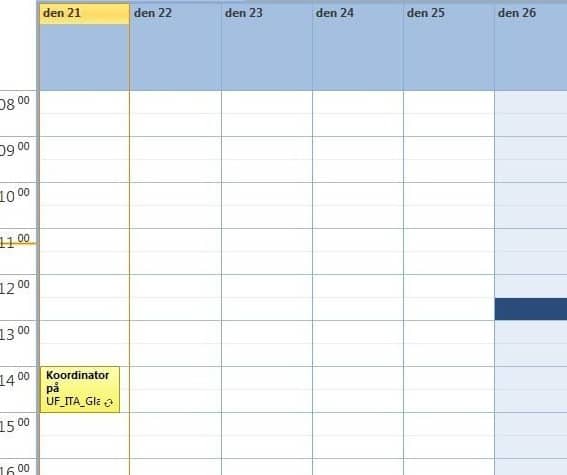
Printable Excel Conference Room Schedule Template

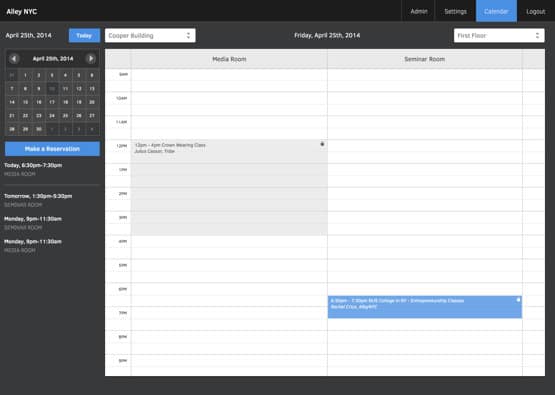
Online Conference Room Schedule Template
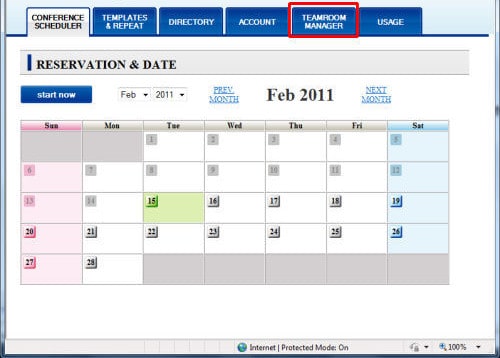
Conference Room Schedule Template Example
Conference Room Schedule Template Printable
Frequently Asked Questions
Are these conference room schedule templates free to download?
Yes, all 4 conference room schedule templates on this page are free to download and use.
Can I edit these templates in Excel?
Yes, the templates are editable in Microsoft Excel, so you can adjust fields and time slots to match your organization.
What’s the difference between a spreadsheet schedule and a digital booking system?
A spreadsheet schedule is free and simple to use, while a digital booking system offers automated conflict detection and self-service booking but costs more.
Are these templates suitable for hotels?
Yes, several of these templates work well for hotels and event venues managing conference and banquet space reservations.
Can I track multiple rooms with one template?
Yes, most of the templates include space to track more than one shared meeting room if your organization has multiple spaces.
How do I avoid double-booking a room?
Always check the existing schedule for conflicts before confirming a new reservation, and keep the schedule updated as bookings change.
Can I use these templates for recurring meetings?
Yes, you can mark recurring bookings clearly on the schedule to distinguish them from one-time reservations.

You must be logged in to post a comment.