
Accounting spreadsheets serve different functions: invoices record charges, ledgers record account movements, balance sheets report financial position, and cash-flow reports track cash movement. The correct template depends on the underlying question.
Choose the accounting workbook for the transaction
Worked example: A business tracking unpaid customer invoices should use an accounts-receivable ledger, whereas an owner preparing a monthly management summary may need a profit-and-loss and balance-sheet workbook.
Check before use: Keep account categories and dates consistent, verify formulas and reconcile to source documents. Do not assume a spreadsheet is a complete accounting system or meets local reporting rules.
- Saves setup time: Ready-made layouts mean you can start entering financial data right away instead of designing spreadsheets from scratch.
- Reduces calculation errors: Many templates include built-in formulas that automatically total figures, minimizing manual math mistakes.
- Covers a wide range of tasks: With 15 different templates, you have tools for expense tracking, invoicing, ledgers, and more in one place.
- Improves financial organization: Consistent, structured formats make it easier to review and compare financial records over time.
- Supports better decision-making: Organized financial data helps business owners and managers make informed decisions.
- Free and reusable: Download once and reuse the same template structures for every future reporting period.
For related resources, see 5 Balance Sheet Formats In Excel.
What’s Included in the Accounting Excel Templates
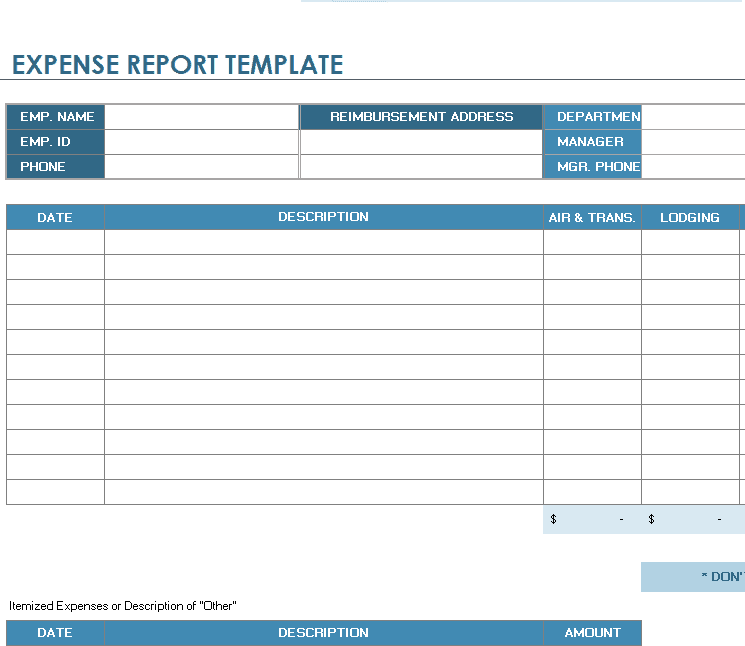
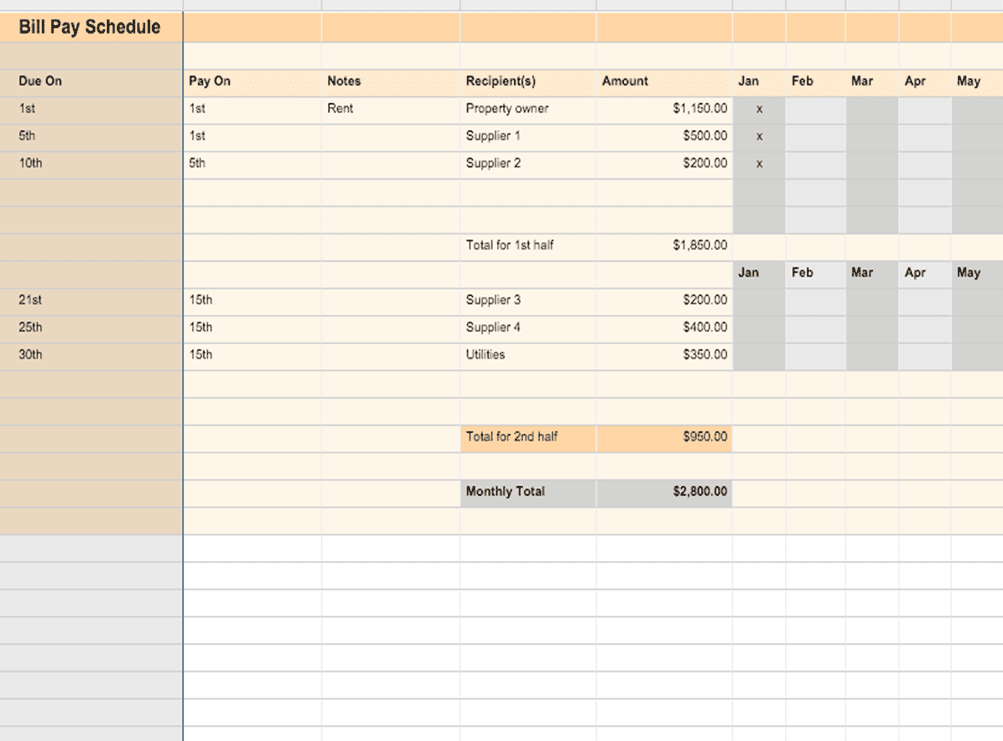
- Expense and billing tools: Templates for expense reports, bill pay schedules, and billing statements.
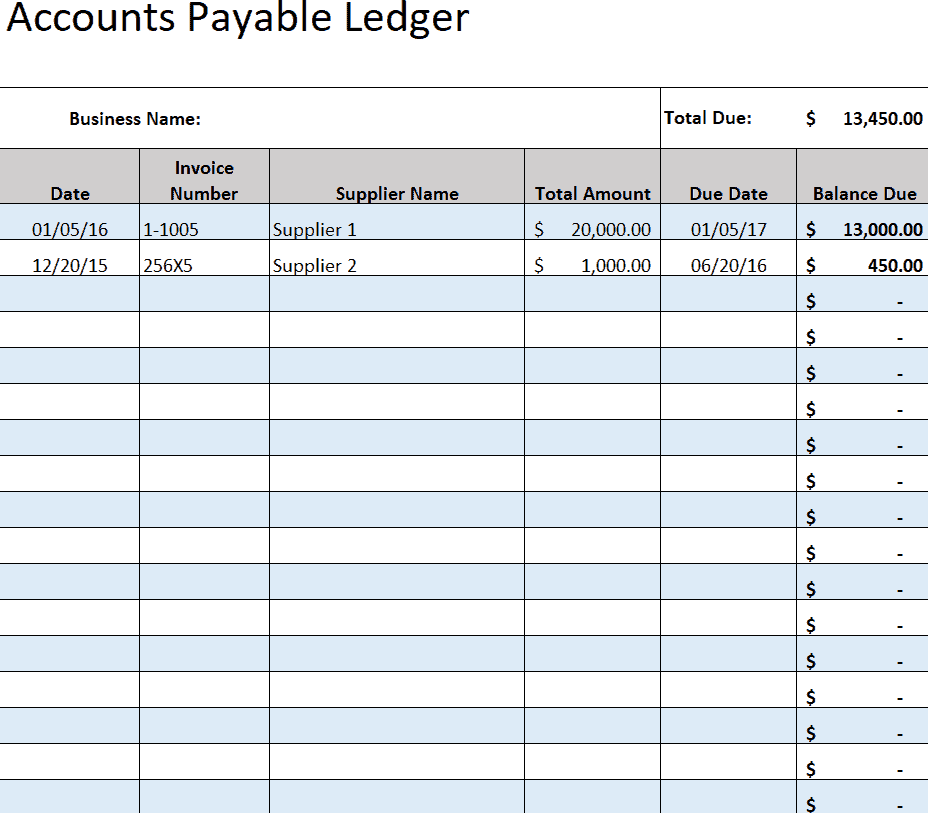
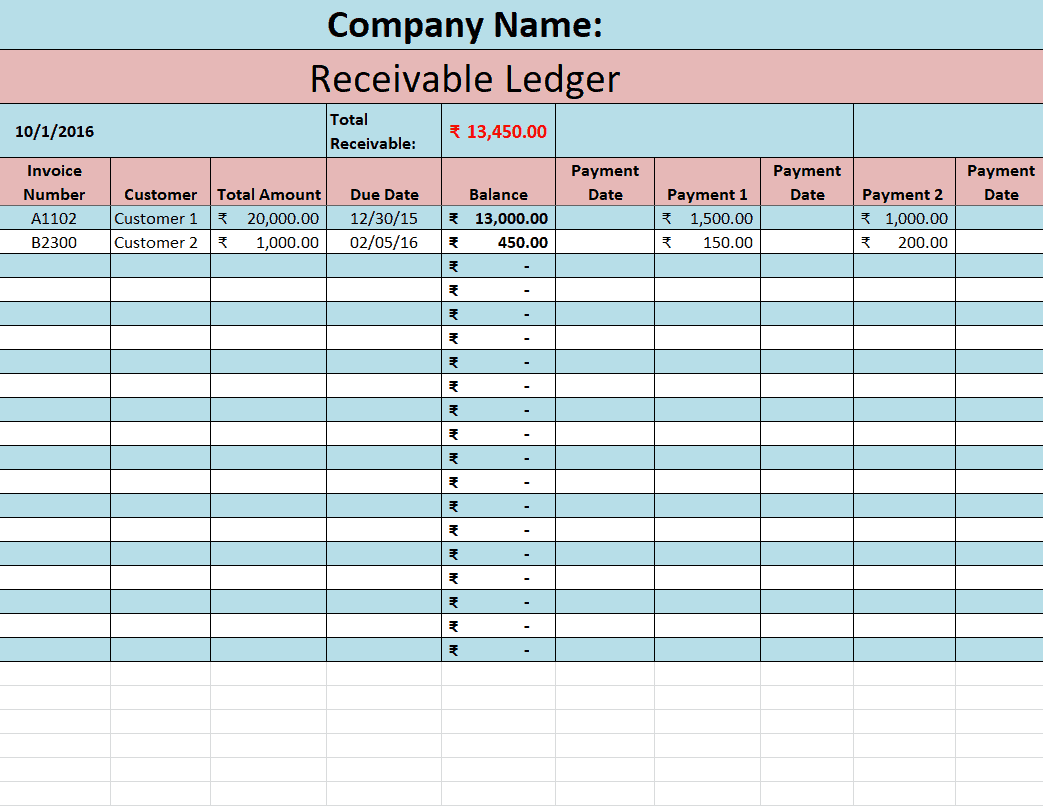
- Ledger and journal templates: Formats for accounts payable, accounts receivable, and general accounting journals.
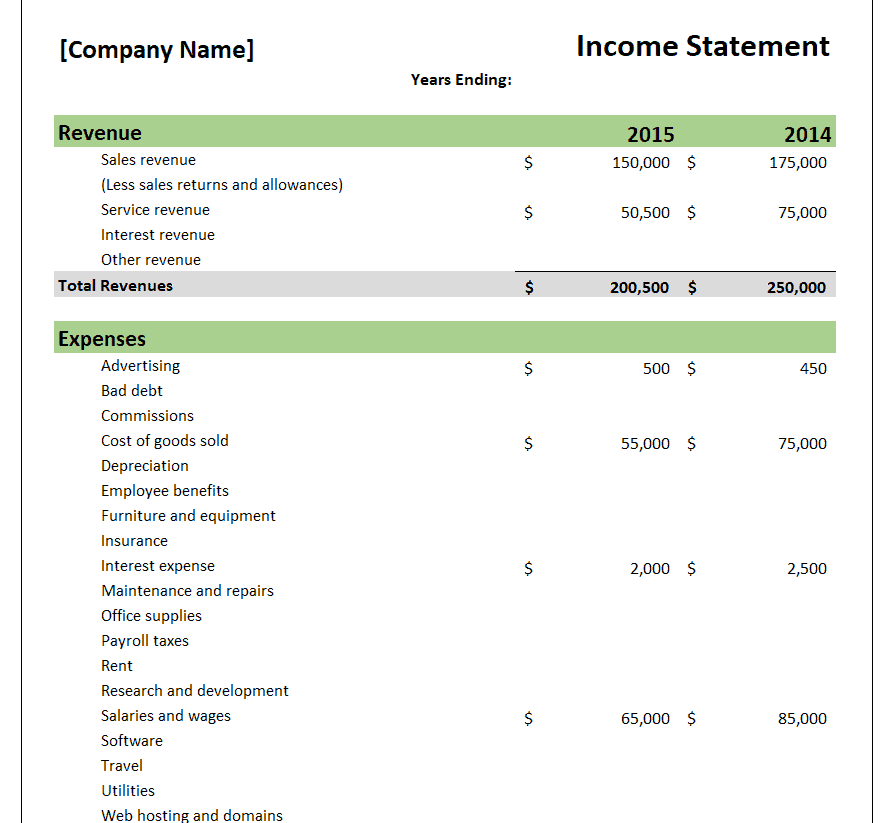
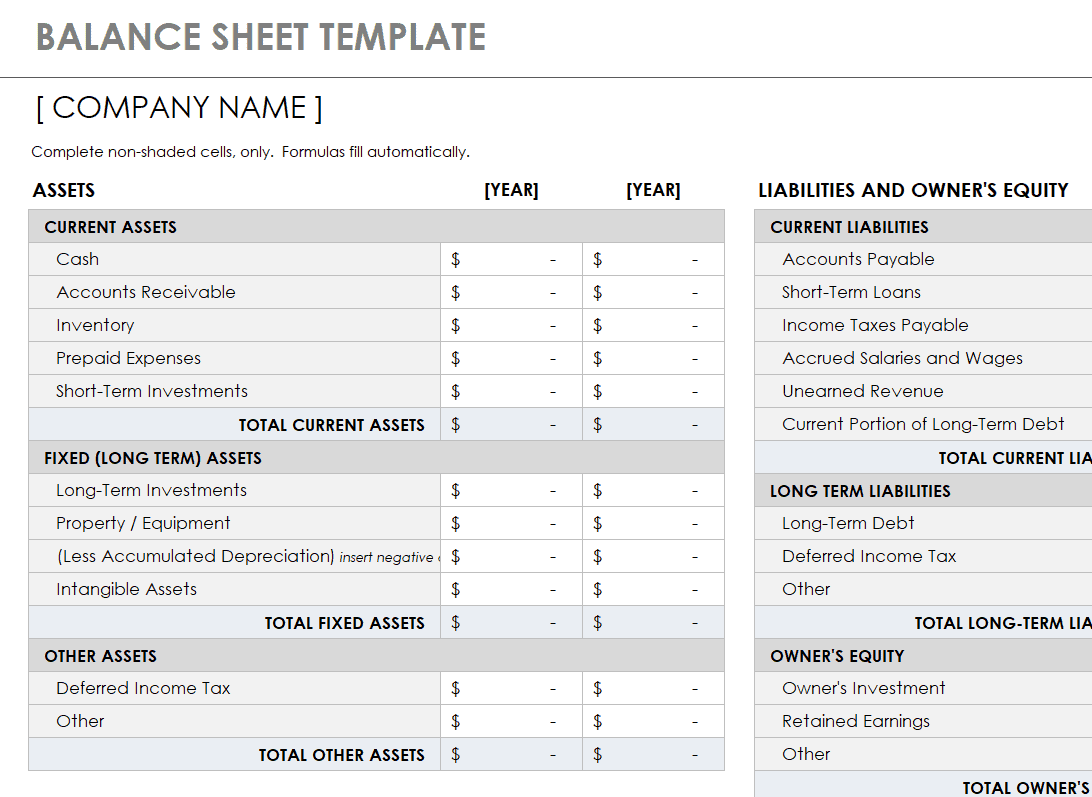
- Financial statement templates: Income statement and balance sheet formats for summarizing overall financial position.
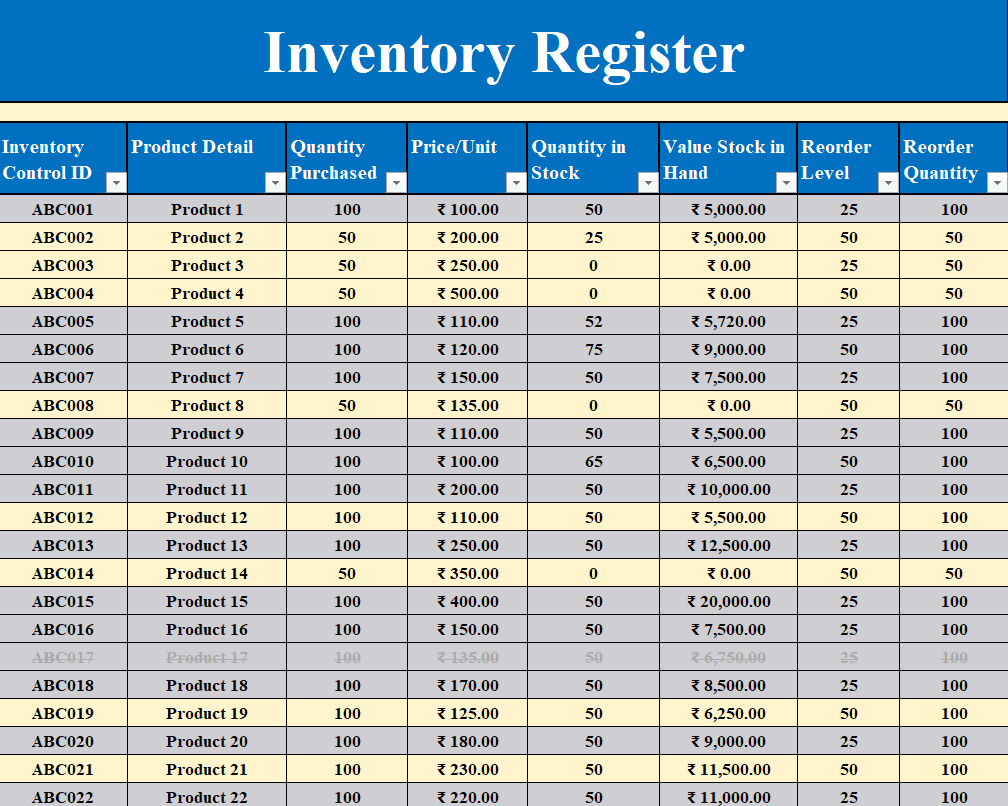
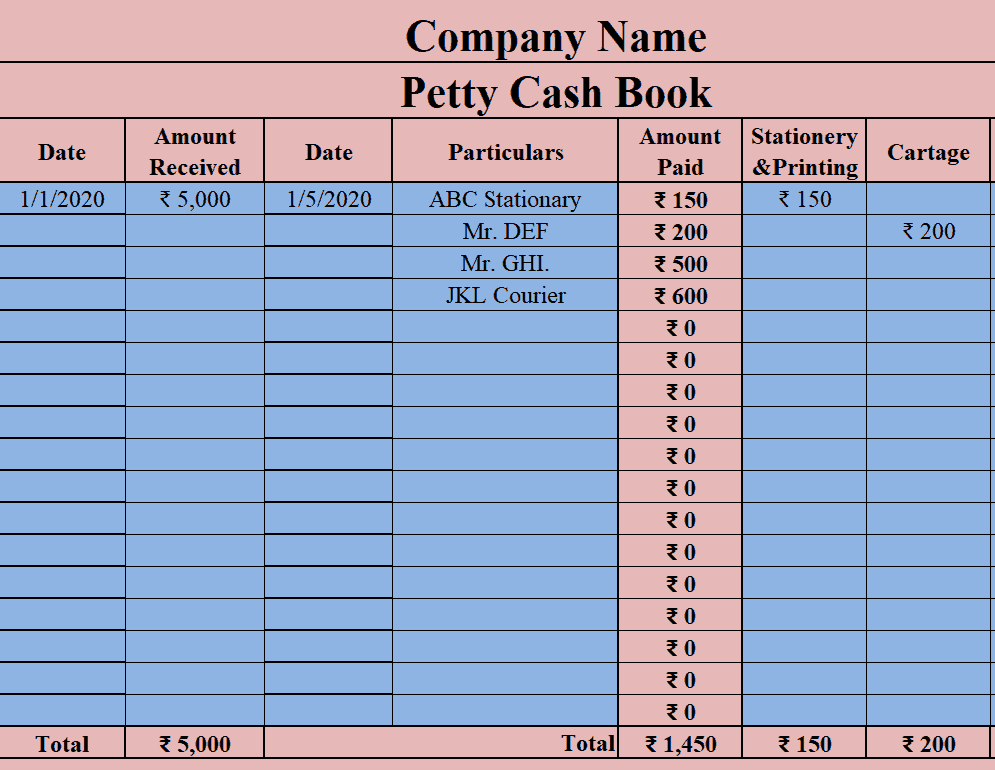
- Cash and inventory tracking: Templates for petty cash books, cash flow tracking, and inventory registers.
- Invoicing and shipping tools: Templates for converting bills to invoices and tracking bills of lading.
- Automatic calculations: Many templates include built-in formulas to reduce manual entry errors.
Who Should Use These Templates?
- Small business owners managing their own bookkeeping and financial records.
- Accountants and bookkeepers handling multiple clients’ financial documentation.
- Finance teams at larger companies needing quick, standardized templates for routine tasks.
- Freelancers and contractors tracking invoices, expenses, and payments.
- Students and educators learning fundamental accounting concepts and formats.
- Nonprofit organizations tracking donations, expenses, and financial statements.
How to Start Using the Templates in 3 Simple Steps
- Step 1 — Choose a template: Browse the 15 options below and select the one that fits your accounting task.
- Step 2 — Enter your financial data: Fill in the relevant figures, dates, and descriptions for your records.
- Step 3 — Review and save: Double-check your entries and save the completed template for your records.
Accounting Templates vs. Accounting Software
While both serve accounting purposes, Excel templates and dedicated accounting software offer different levels of complexity and automation. Accounting software typically automates many processes, such as syncing bank transactions and generating reports, but often comes with a subscription cost and a learning curve. Excel templates, by contrast, are simpler, free, and highly customizable, making them a practical choice for smaller businesses or individuals who don’t need the full feature set of dedicated software. Many small businesses start with Excel templates and transition to accounting software as their financial complexity grows.
Customizing the Templates for Your Business
These templates are designed to be flexible starting points rather than fixed formats. You can add extra columns for specific categories, adjust formulas to match your accounting practices, or modify the layout to fit your business’s reporting needs. Since the templates are provided in editable Excel format, most adjustments take only a few minutes and let you tailor each template to fit your specific accounting requirements.
Choosing the Right Template for Your Task
With 15 different templates covering various accounting needs, choosing the right one depends on the specific task at hand. Use the expense report and billing templates for day-to-day transaction tracking, the ledger and journal templates for ongoing bookkeeping, and the balance sheet and income statement templates for periodic financial reporting. Reviewing all 15 options can help you identify which ones will become a regular part of your accounting routine.
Common Mistakes to Avoid
- Mixing up templates: Use the correct template for each specific accounting task to keep records organized and consistent.
- Skipping regular updates: Update your accounting templates consistently rather than letting entries pile up.
- Ignoring formula errors: Double-check that built-in formulas are calculating correctly after entering new data.
- Not backing up files: Save backup copies of your completed templates to avoid losing important financial records.
- Overlooking categorization: Consistently categorize transactions to make reporting and analysis easier down the line.
Tips to Get the Most Out of Your Accounting Excel Templates
- Update templates regularly to keep your financial records current and accurate.
- Use consistent naming conventions for saved files to make them easy to find later.
- Cross-reference related templates such as ledgers and financial statements for a complete financial picture.
- Store completed templates securely given the sensitive financial information they contain.
- Review templates periodically with an accountant to ensure your records meet any relevant requirements.
Using Accounting Templates for Tax Preparation
Well-maintained accounting templates can significantly simplify tax preparation by keeping expenses, income, and other financial records organized throughout the year rather than scattered across receipts and statements. Having accurate ledgers and expense reports ready when tax season arrives can save significant time and reduce the risk of missing deductible expenses. Many business owners find that reviewing their accounting templates quarterly, rather than only at tax time, helps them catch and correct errors before they become bigger problems.
Managing Cash Flow With Accounting Templates
Cash flow tracking is one of the most important accounting tasks for any business, since it shows whether enough money is coming in to cover expenses and obligations as they arise. Using a dedicated cash flow template alongside expense and income tracking templates gives a clearer picture of a business’s day-to-day financial health beyond just overall profitability. Businesses that monitor cash flow regularly, rather than only reviewing it periodically, are often better positioned to anticipate and address potential shortfalls before they become serious issues.
Keeping Ledgers Accurate for Audits and Reviews
Whether facing an internal review or an external audit, accurate and consistently maintained ledgers make the process significantly smoother than trying to reconstruct financial records after the fact. Keeping accounts payable and accounts receivable ledgers updated in real time, rather than in batches, helps ensure that balances always reflect the true state of the business’s finances. Businesses that treat ledger maintenance as an ongoing habit, rather than an occasional task, tend to move through audits and financial reviews with far less disruption.
Scaling From Templates to a Full Accounting System
While these templates work well for many small businesses, there may come a point where transaction volume or complexity outgrows what individual spreadsheets can handle efficiently. Signs that it may be time to consider dedicated accounting software include difficulty reconciling multiple templates, the need for real-time collaboration among team members, or a growing need for automated reporting. Starting with templates, however, gives business owners a clear understanding of their accounting needs, which makes selecting and setting up dedicated software much easier when the time comes.
Using Multiple Templates Together for a Complete Financial Picture
Individual accounting templates are useful on their own, but combining several of them creates a much more complete view of a business’s financial health than any single document can provide. For example, pairing an accounts receivable ledger with a cash flow tracker helps reveal not just what customers owe, but how quickly that money is actually being collected. Business owners who regularly cross-reference their expense reports, ledgers, and financial statements together tend to catch discrepancies and trends earlier than those who review each document in isolation.
Training New Team Members on Accounting Templates
As a business grows and brings on new staff to help with financial tasks, having a standardized set of accounting templates makes onboarding significantly easier than teaching someone an unfamiliar or inconsistent system from scratch. Providing clear instructions on which template to use for which task, along with examples of correctly completed entries, helps new team members get up to speed quickly and reduces the likelihood of errors. Businesses that maintain consistent template usage across their accounting processes also find it easier to hand off responsibilities during staff transitions or absences.
Storing and Organizing Completed Accounting Records
Beyond filling out the templates correctly, developing a clear system for storing and organizing completed accounting records is just as important for long-term financial management. Organizing files by month, quarter, or template type, and using consistent file naming, makes it far easier to locate specific records when they’re needed for reporting, audits, or tax preparation. Keeping both digital backups and, where relevant, physical copies of key documents provides an extra layer of protection against accidental loss or file corruption.
Some Commonly Used Accounting Excel Templates Are Given Below Here
Expense Report Accounting Template
Accounting Bill Pay Schedule Template
Sample Accounts Payable Ledger Template
Company’s Income Statement Accounting Template
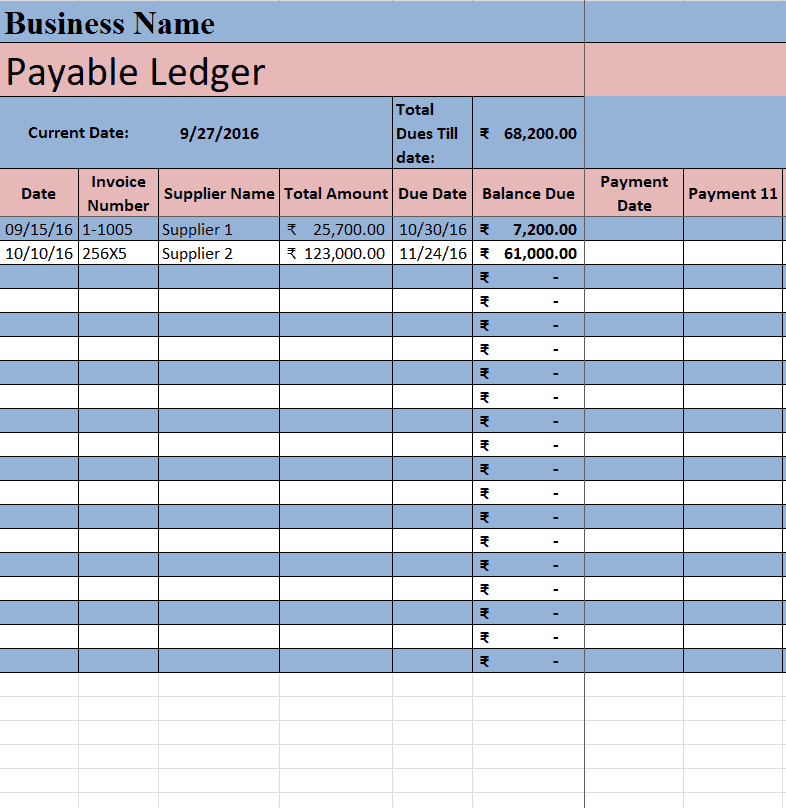
Business Payable Ledger Accounting Template
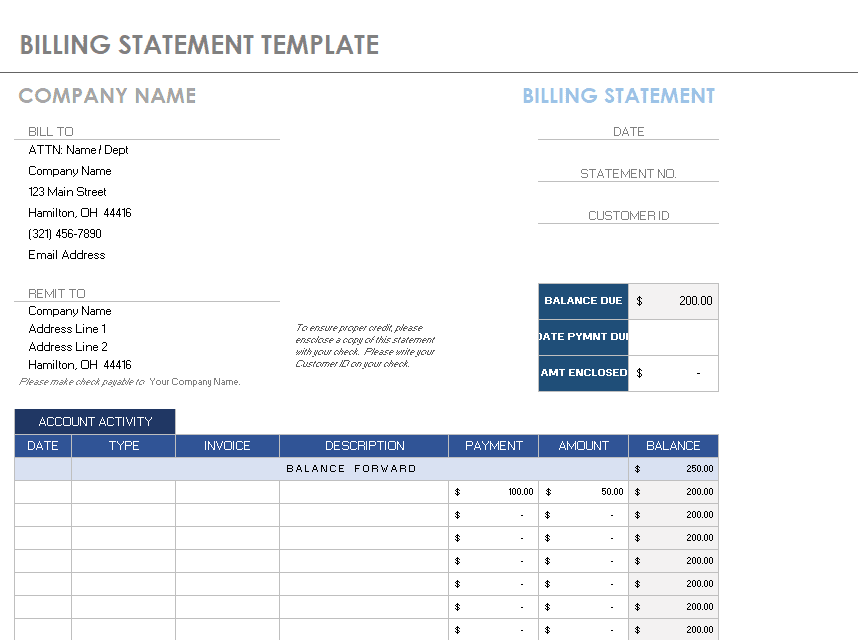
Company’s Billing Statement Template
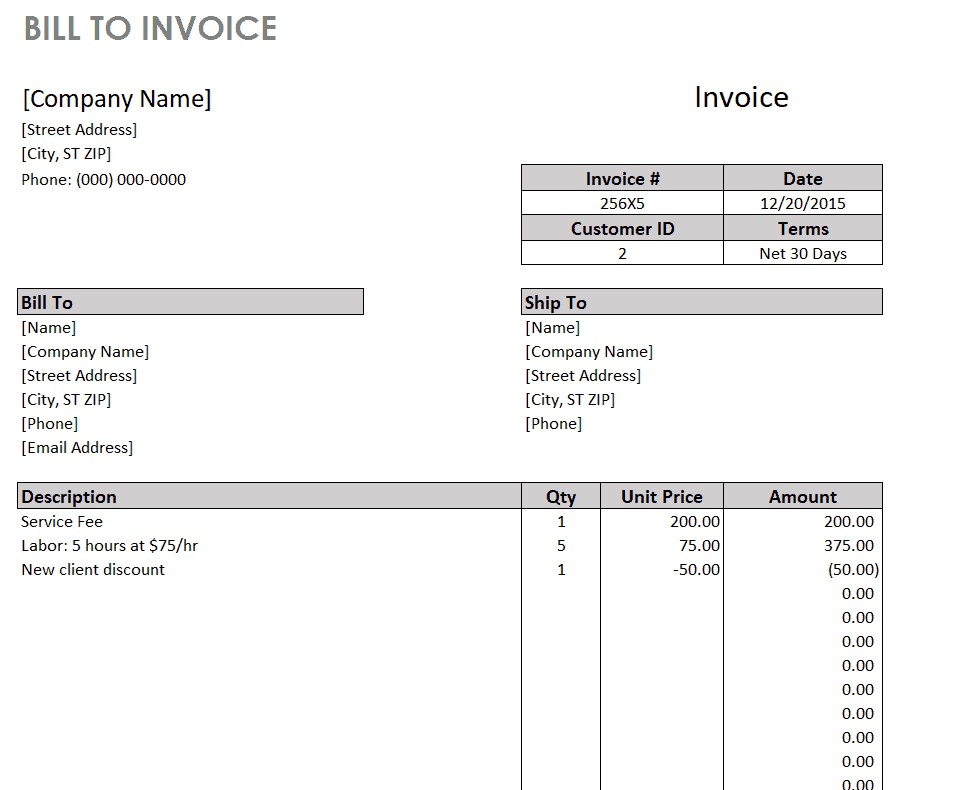
Bill to Invoice Accounting Template
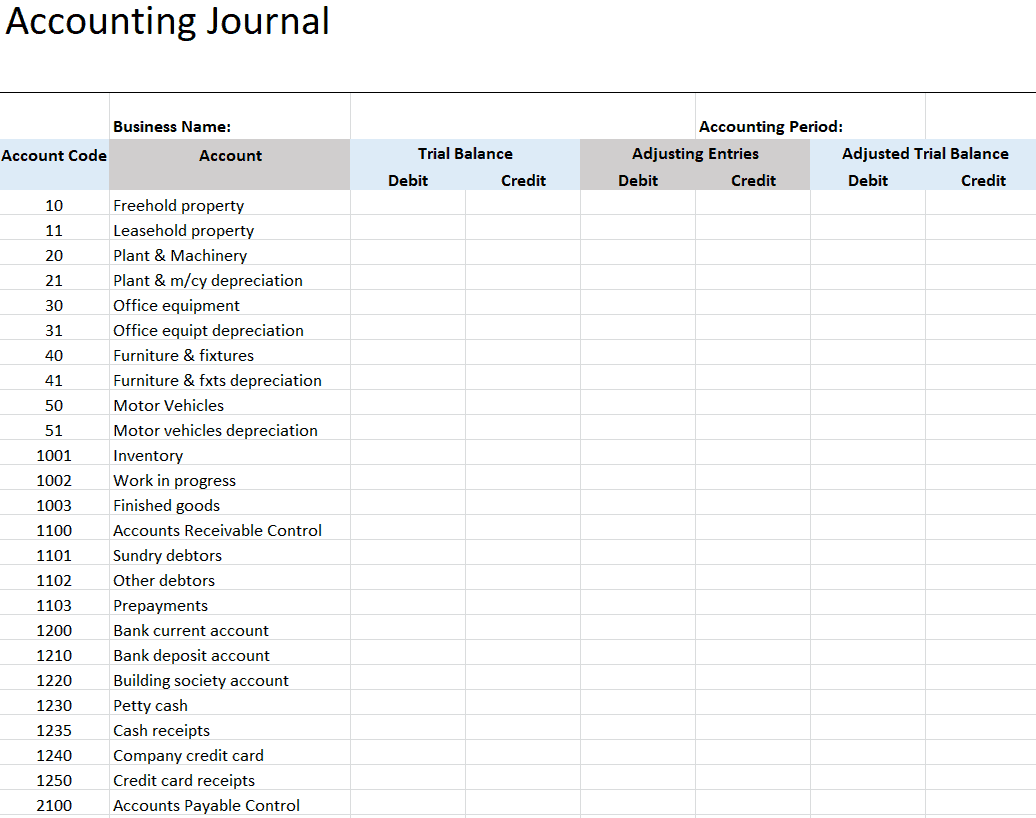
Example Accounting Journal Template
Business Inventory Register Template
Company’s Petty Cash Book Template
Sample Accounting Balance Sheet Template
Receivable Ledger Excel Template
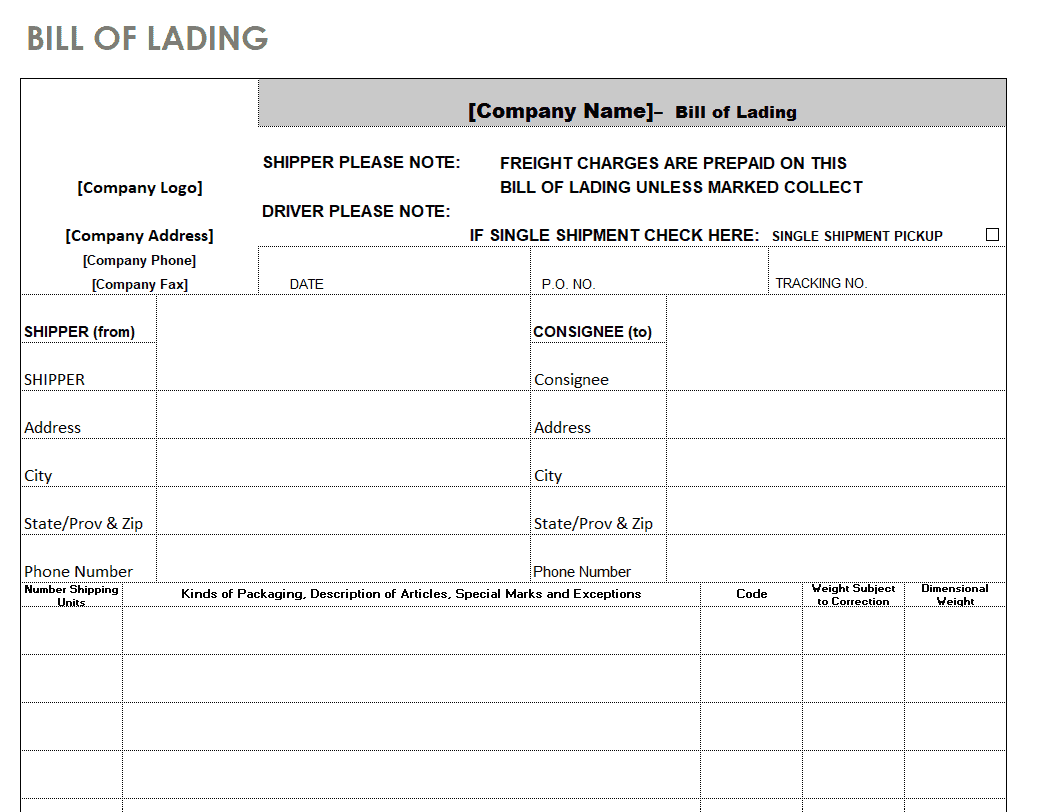
Practical Bill of Lading Template
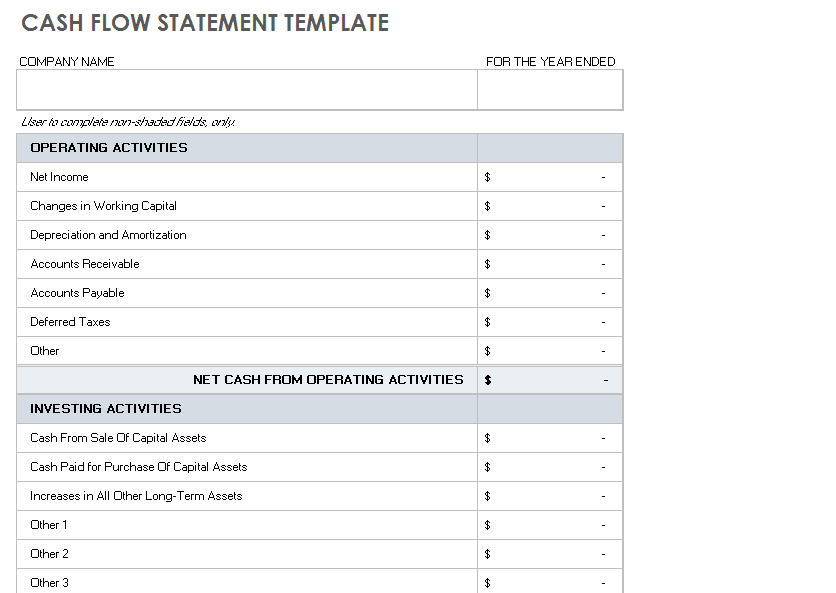
Basic Accounting Cash Flow Template
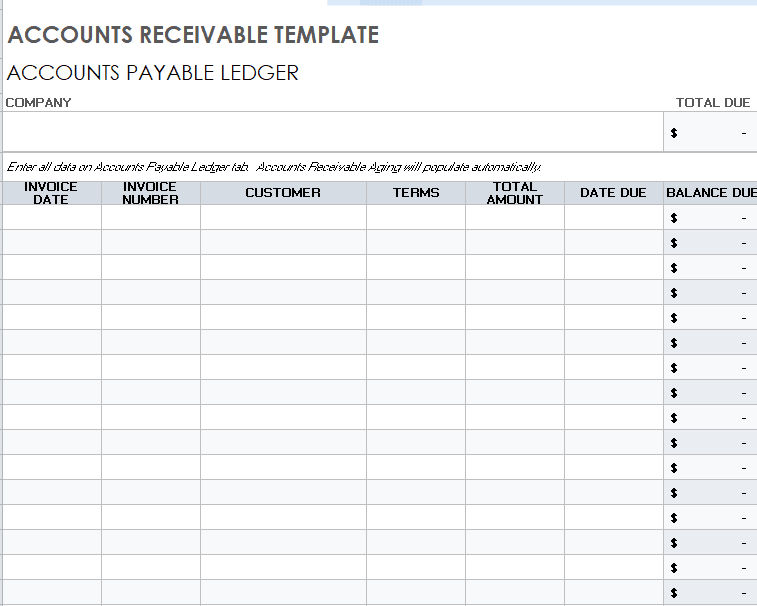
Standard Accounts Receivable Template
Frequently Asked Questions
Are these accounting Excel templates free to download?
Yes, all 15 accounting Excel templates on this page are free to download and use.
Which file format are these templates available in?
These templates are available in Microsoft Excel format.
Can I customize the fields and formulas on these templates?
Yes, since the templates are fully editable, you can add or adjust fields and formulas to match your specific accounting needs.
Are accounting templates the same as accounting software?
No, accounting software offers more automation and features, while templates are simpler, free, and highly customizable spreadsheets.
Are these templates suitable for small businesses?
Yes, these templates work well for small businesses, freelancers, and larger companies that need quick, standardized accounting formats.
Do these templates include built-in formulas?
Yes, many of the templates include built-in Excel formulas to help calculate totals and reduce manual entry errors.
How often should I update my accounting templates?
It’s best to update your accounting templates regularly, such as weekly or monthly, to keep your financial records accurate and current.

You must be logged in to post a comment.