
Use free printable time card templates to record actual daily working time on a readable card that can be checked before payroll processing.
Editable downloads and previews
Use the file links where provided. Links labeled “View original source” open another website; check its current format, availability and terms. A preview image alone is not an editable document.
Template previews and source links
Time Cards Free Template
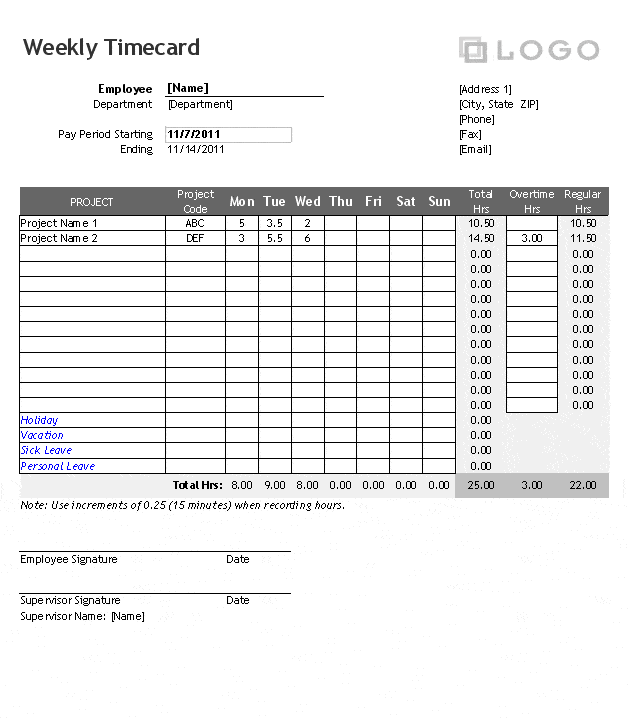 View the original source page
Weekly Time Card Template
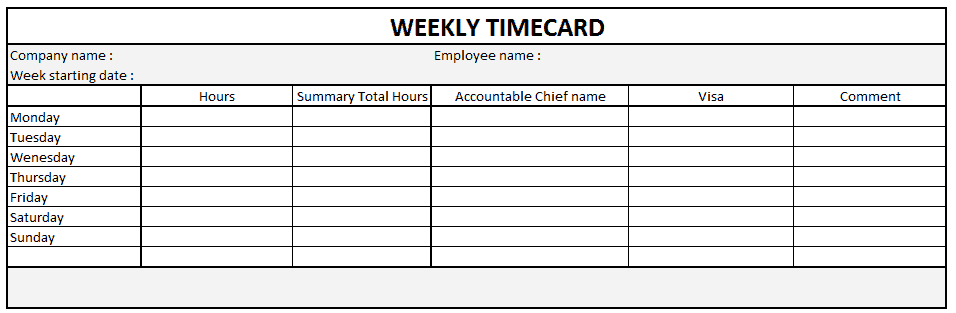 View original source for Weekly Time Card Template
Blank Sample Time Card Template
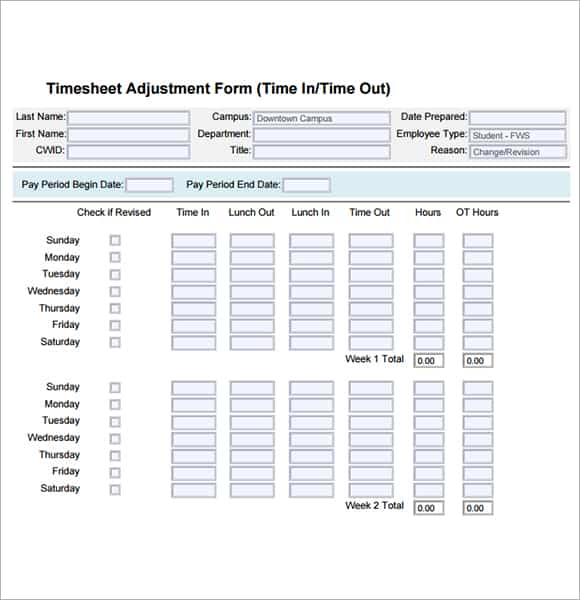
Printable Time Card Maker Free
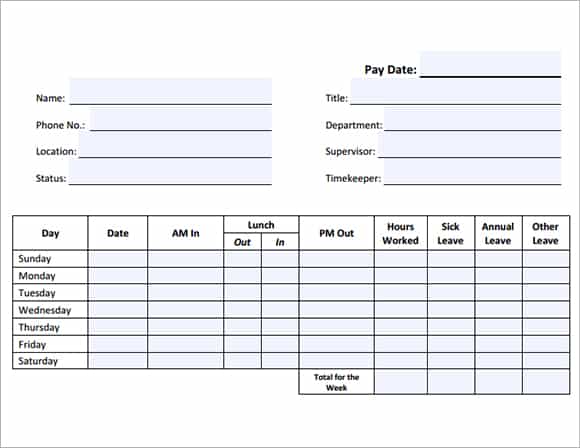 Download Printable Time Card Maker Free (PDF)
A printable time card records time worked. It should not pre-fill scheduled hours as if they were actual attendance. Employer policy and applicable wage rules determine how recorded time is treated for pay; the card itself cannot settle those questions.
Choose a suitable template
Choose a time or attendance layout that matches the recording purpose. Presence, hours worked, project allocation, and payroll classification are related but different records. Define the reporting period and status legend before use. Check that the sheet can accommodate the actual work pattern, including partial days, overnight intervals, or a workweek that crosses a month boundary.
Important details to prepare
Worker and period
Identify the worker, department, and exact pay-period dates so a card cannot be assigned to the wrong payroll run. Check the entry against the actual roster or reporting period. A correct value attached to the wrong person or month can still produce an incorrect administrative result.
Daily start and finish
Provide room for actual start and finish times and multiple work intervals when needed. Make the time format unambiguous. Record what happened rather than replacing it with the planned schedule. If the source is unclear, flag the item for review instead of assuming a standard day.
Breaks
Record break intervals and their treatment according to applicable rules. Do not automatically deduct a standard break regardless of what occurred. Use the agreed legend or interval method consistently. A private explanation can remain in a controlled record while the shared sheet uses a proportionate status.
Daily totals
Calculate elapsed working time consistently. Handle overnight work and distinguish hours-and-minutes notation from decimal hours. Check calculations using a simple example and keep the relevant units visible. A value written as 7:30 and a decimal value of 7.30 do not mean the same number of hours.
Weekly or period totals
Summarize the relevant periods without obscuring daily entries. Overtime treatment must follow the applicable rules rather than a generic printed threshold. Retain the daily or interval detail supporting the total. A summary should make review easier without hiding an omission or a duplicate entry.
Corrections and approval
Keep the reason and author of corrections traceable. Employee and supervisor review should verify the facts without hiding the original entry. Follow the authorized correction and review process. Approval should confirm the facts and required treatment rather than simply making an incomplete sheet appear finished.
How to complete the template
Record actual facts promptly using the organization’s agreed process. Keep planned schedules separate from recorded activity and resolve missing entries with the appropriate person. Use one time convention consistently and explain the difference between decimal hours and hours-and-minutes notation. Sensitive absence information should use the appropriate private channel rather than a note visible to every colleague using the schedule.
Worked example
A worker records 09:00–12:00 and 12:30–17:00, giving 7.5 hours across the two intervals. A second shift crosses midnight, so its ending date is recorded explicitly. The supervisor checks both entries before payroll classification. The example explains elapsed time only and does not determine which breaks or hours are legally payable.
Check accuracy before use
Review a typical day and an unusual day before relying on the layout. Check interval arithmetic, dates around midnight, break handling, and the relationship between daily and period totals. Make sure allocated project hours do not exceed actual recorded time through duplication. Pay and leave treatment depend on applicable rules and policy; a template’s default formula or label is not authority for a legal conclusion.
Related resources for the next step
Use work schedule templates to compare planned coverage with actual recorded time.
Use attendance templates to maintain attendance separately.
Use attendance registers to organize supporting period records.
