
Use mortgage accelerator calculator templates to compare a standard mortgage repayment path with clearly defined extra-principal payment scenarios.
An accelerator calculator estimates how additional principal payments may change interest and payoff time. It does not create a lender-approved payoff quote or automatically reduce the required monthly payment. Check the loan agreement, prepayment terms, and the servicer’s instructions before relying on any scenario.
Choose a suitable template
Choose a calculator for the model it actually supports, not just the title on the preview. Identify its inputs, outputs, time periods, and assumptions. A fixed-rate model, for example, may not support changing rates or irregular timing without substantial revision. If the downloaded resource does not expose or explain its formulas, treat the displayed result cautiously and compare it with an independent worked example.
Important details to prepare
Current principal
Start with the unpaid principal balance at the scenario date. Do not substitute the original purchase price, total future payments, or a payoff quote that includes accrued charges. Record the source and effective date of this input. A calculator can process an unsupported assumption perfectly and still produce a result that is unsuitable for the decision being considered.
Interest convention
Record the contractual rate and whether the model assumes monthly compounding. Adjustable-rate mortgages, daily interest, and changing rates need a model that explicitly supports those features. Check the unit and time basis before using the value. Annual, monthly, daily, percentage, and decimal inputs are not interchangeable merely because the worksheet accepts a number.
Remaining term
Enter remaining payment periods rather than the original term when modeling an existing loan. Match the first projected payment to the date of the balance used. Use a simple baseline and retain it before changing this assumption. The comparison should explain the effect of the change rather than combining several unexplained changes into one attractive result.
Regular payment
Separate principal and interest from escrow, insurance, and other charges. An extra amount calculated from the full housing payment can produce a misleading repayment comparison. Trace how the input reaches the result and check whether the formula range includes all relevant periods or observations. Pay particular attention to copied formulas and inserted rows.
Extra principal
Define the amount, start date, and frequency of additional principal. A one-time lump sum and recurring monthly additions must be separate inputs so their effects can be compared. Label the output in terms that describe what was calculated. Do not replace a qualified modeled result with a broader claim that the calculation cannot support.
Scenario results
Compare total modeled interest, last payment date, and cash required. Show any excluded fees or prepayment penalties beside the results rather than hiding them in a footnote. Keep the scenario date and assumptions with the result when sharing it. Someone reading only the last page should still be able to understand the principal limitations of the estimate.
How to complete the template
Create a baseline before trying alternatives. Enter a complete, internally consistent set of inputs, save the assumptions, and label the resulting scenario. Change one meaningful input at a time when investigating its effect. Keep units, rates, dates, and periods aligned. Distinguish a modeled estimate from an actual contractual amount, approved benefit, or guaranteed outcome; those require confirmation from the responsible source.
Worked example
Consider a simplified fixed-rate loan with 120,000 remaining, a 6% annual nominal rate, and 180 monthly periods. The monthly principal-and-interest payment is about 1,012.63 under a standard monthly model. Compare that baseline with an additional 100 per month applied to principal. The calculator should produce a shorter schedule and lower modeled interest, but the servicer must confirm payment allocation. Taxes, insurance, fees, and rate changes are excluded from this illustration.
Check accuracy before use
Check formulas with a small example that can be calculated by hand. Review zero values, missing inputs, unusual dates, and any denominator that could become zero. Confirm that percentage inputs are stored as intended rather than as values one hundred times too large. Inspect the final period or boundary case as well as the first result. A realistic-looking chart is not a substitute for a reliable calculation.
Check the final layout
Leave enough space for long names and descriptions, use readable text for essential instructions, and label statuses in words as well as color. Check the printed or exported copy at its intended size. On continuation pages, repeat the document reference and page number.
Keep the record up to date
Keep input cells visually separate from calculated cells and protect formulas against accidental editing where practical. Document any excluded charges, conditions, or changing assumptions near the result. Record the version and date of the model when sharing a scenario. Update tax-year, policy, or contractual inputs from the appropriate current source rather than carrying an old example forward indefinitely.
Related resources for the next step
Use debt calculator templates to compare the mortgage scenario with other outstanding obligations.
Use financial plan templates to check whether recurring extra payments fit the wider plan.
Use cash flow templates to review the cash available before committing to extra payments.
Browse the template previews
Compare the previews for layout, writing space, and useful fields. Where a resource link is provided, check its file format and usage terms before editing. Some previews are images or examples rather than editable downloads.
Authoritative guidance
The CFPB explains how regular mortgage payments divide between principal and interest. Use that distinction when setting up the baseline. See CFPB explanation of mortgage amortization.
Financial Benefits of a Mortgage Accelerator Calculator Template
Getting a mortgage loan provides you an opportunity to own a new house but repayment of the mortgage may little bit challenging for you if you are not using an excel mortgage accelerator calculator. It is something great that helps you a lot to pay off your mortgage as soon as possible without bearing an extra interest rate each month. It sounds like fuel to speed up your mortgage payment without affecting your personal spending or family budget.
Applying a high average monthly mortgage balance payment allows you to pay off the home loan much faster than a traditional mortgage so you should make use of the mortgage accelerator calculator sheet to be mortgage-free in a short span of time. It provides you a clear picture of how much amount of money you can save by changing your payment frequency or by making an additional mortgage payment each month.
Making a mortgage accelerator calculator excel sheet will not be a big deal for you if you have an editable mortgage accelerator calculator template in place. Simply fill in the blanks of the mortgage accelerator calculator template of your choice and quickly get a ready-to-use mortgage accelerator calculator. Check out the given-below mortgage accelerator calculator templates.
Take a Look at the Mortgage Accelerator Calculator Templates
Monthly Mortgage Accelerator Calculator Template
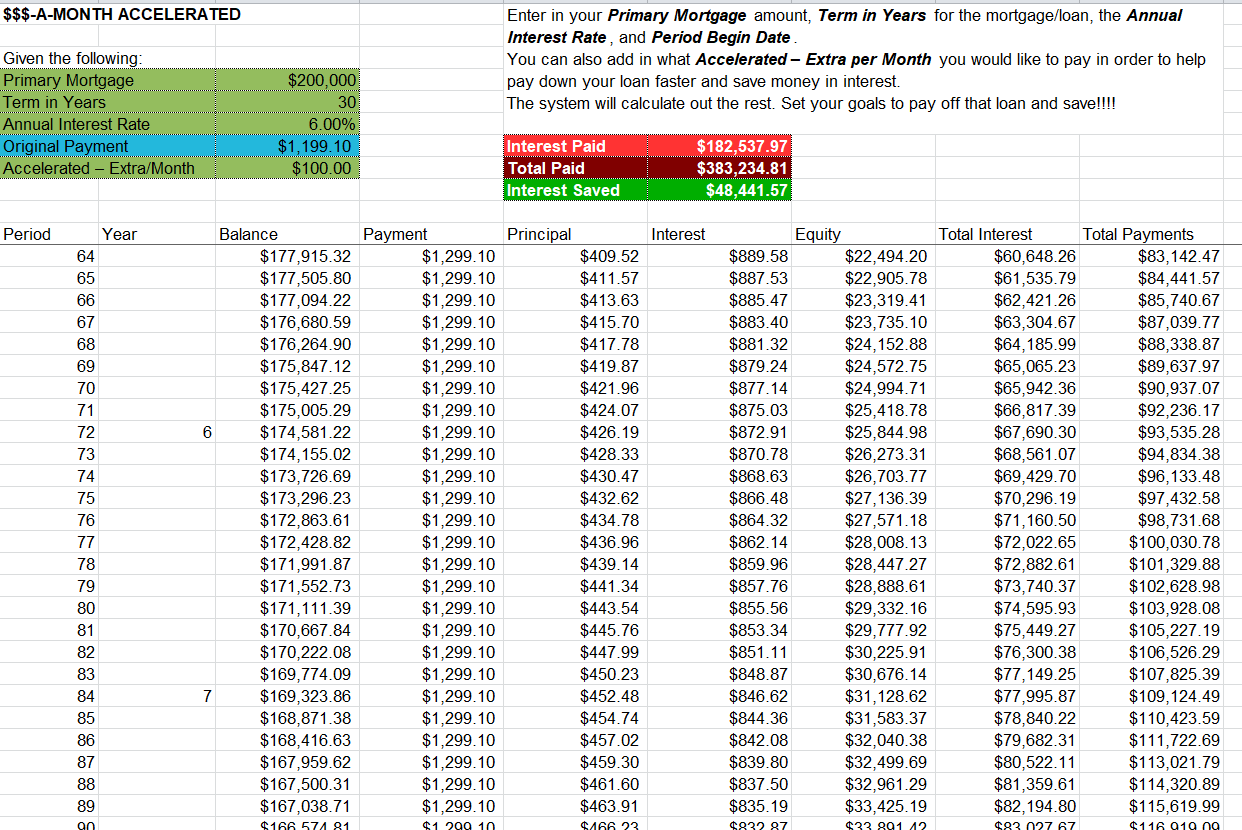
Sample Mortgage Accelerator Calculator Template
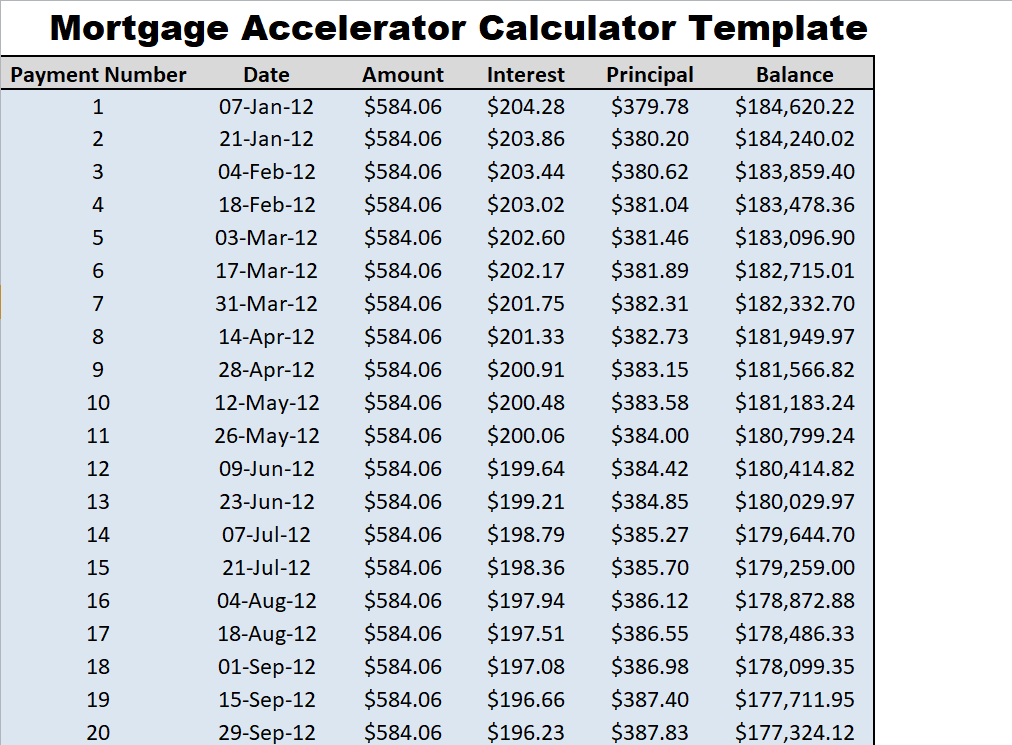
Example Mortgage Loan Calculator Template
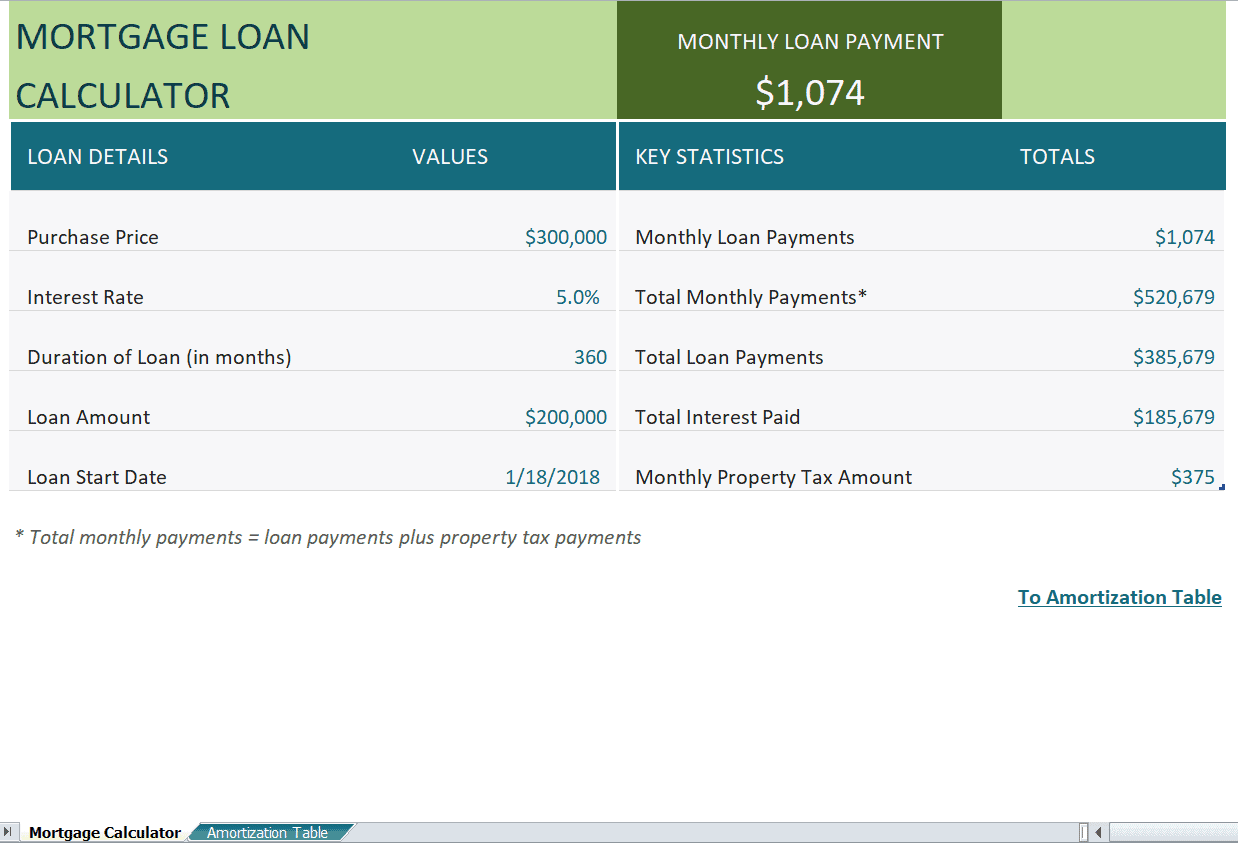
Practical Mortgage Accelerator Calculator Template
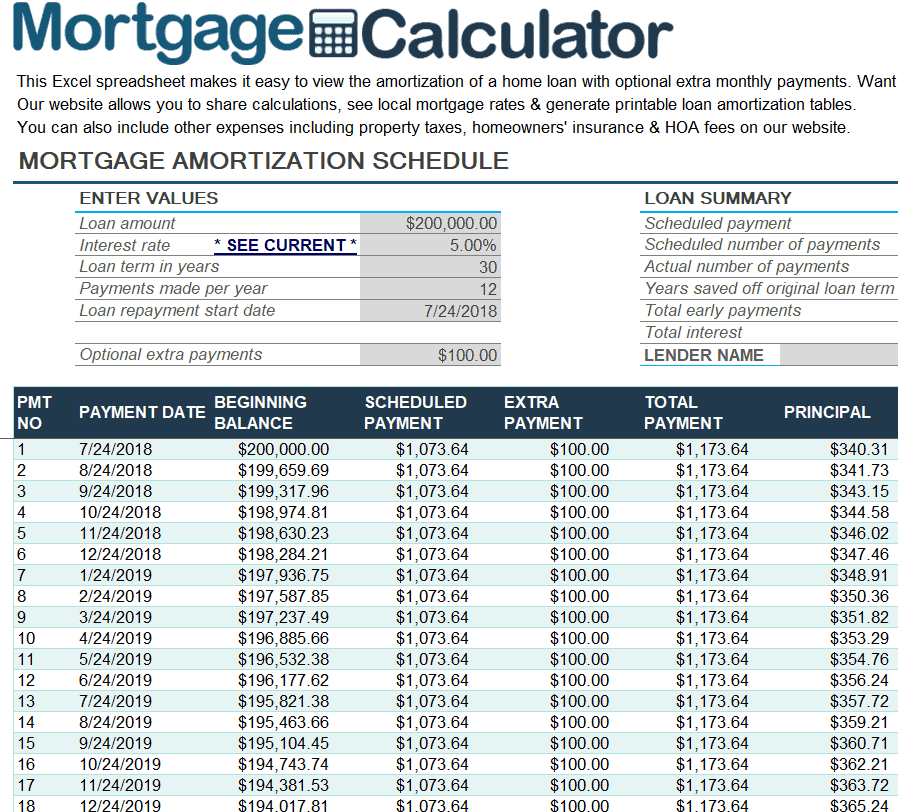

You must be logged in to post a comment.