
Losing weight is rarely about a single big decision — it comes down to small, consistent habits tracked over weeks and months. A weight loss challenge spreadsheet template gives you a simple, structured way to record your starting weight, set a realistic goal, and watch your progress unfold week by week, which keeps motivation high even when results feel slow day to day. Whether you’re starting a personal weight loss journey, running a friendly office challenge, or coaching a group toward a shared goal, a dedicated tracking spreadsheet turns vague intentions into a measurable plan. Below you’ll find five free, ready-to-use weight loss challenge spreadsheet templates you can download and start using today.
Measure progress fairly in a group challenge
A weight-loss challenge sheet should record a starting value, agreed weigh-in dates, and progress in a consistent unit. For a group challenge, decide whether rankings use absolute kilograms or percentage change because these measures reward different starting body sizes.
- Keeps you accountable: Recording your weight regularly makes it harder to ignore setbacks or lose momentum.
- Shows progress clearly: Seeing the numbers trend downward over weeks is one of the most motivating parts of any weight loss effort.
- Helps set realistic goals: Entering a target date lets the spreadsheet calculate a sensible weekly loss rate instead of an unrealistic crash goal.
- Supports group challenges: A shared spreadsheet makes it easy to track and compare progress in office or family weight loss challenges.
- Highlights plateaus early: A visible trend line or table makes it easier to notice when progress stalls, so you can adjust your approach sooner.
- Builds a long-term record: A complete history of your weigh-ins is useful for understanding what habits actually worked for you.
Worked example: A participant moving from 100 kg to 95 kg has lost 5%, while someone moving from 70 kg to 66 kg has lost about 5.7%. Compare the same metric for all participants rather than mixing totals and percentages.
Check before use: Use the same scale and similar conditions when measuring; avoid treating daily fluctuations as trends. Keep personal health information private, and review whether the sheet contains working formulas before relying on rankings.
For related guidance and formats, see 15 Useful Excel Workout Log Templates.
What’s Included in the Template
- Starting weight and goal weight: The two reference points the spreadsheet uses to calculate your progress.
- Target date: An optional field used to calculate a realistic weekly or monthly loss pace.
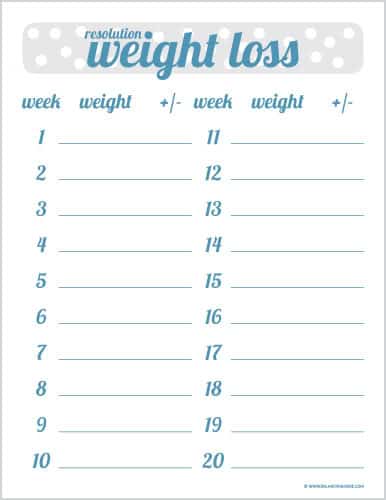
- Weekly weigh-in log: A row for each week to record your current weight as the challenge progresses.
- Automatic progress calculation: Built-in formulas that show weight lost so far and weight remaining to reach your goal.
- Notes column: Space to record habits, exercise, or anything that may have affected that week’s result.
Who Should Use This Template?
- Individuals starting a personal weight loss journey who want a simple way to stay on track.
- Office or family groups running a friendly weight loss challenge together.
- Personal trainers and wellness coaches tracking client progress over time.
- Anyone returning to a health goal after time off and wanting a fresh, structured start.
How to Start Using the Template in 3 Simple Steps
- Step 1 — Download a template: Choose any of the five versions below based on the layout you prefer.
- Step 2 — Enter your starting details: Fill in your current weight, goal weight, and target date.
- Step 3 — Weigh in and log weekly: Record your weight at the same time each week and let the sheet track your progress automatically.
Spreadsheet Tracking vs. Tracking in Your Head
It’s tempting to think you’ll simply remember whether you’re making progress, but weight naturally fluctuates day to day, which makes trends hard to judge without a written record. A weight loss challenge spreadsheet removes the guesswork by recording every weigh-in consistently, so short-term fluctuations don’t distort your view of the bigger picture. It also gives you something concrete to look back on weeks or months later, showing exactly how far you’ve come even on days when progress feels invisible.
Customizing the Template for Your Goals
These templates are meant to be adapted to how you personally track progress. You might add columns for measurements, workout minutes, or water intake alongside your weight, or set up a simple chart to visualize your trend line over time. Since the templates are built in standard Excel, these changes take only a few minutes and require no advanced spreadsheet knowledge.
Common Mistakes to Avoid
- Weighing in inconsistently: Different times of day or days of the week can distort your trend, so pick one consistent time.
- Setting an unrealistic goal date: Aiming to lose too much too quickly often leads to discouragement and giving up.
- Reacting to a single bad week: Weight naturally fluctuates, so focus on the overall trend rather than any single entry.
- Abandoning the log after a setback: Skipping weigh-ins after a difficult week makes it harder to see the full picture later.
- Not reviewing the notes column: Recording context each week helps you understand what habits are actually working.
Tips to Get the Most Out of Your Weight Loss Challenge Spreadsheet
- Weigh in at the same time each week, ideally first thing in the morning, for the most consistent readings.
- Focus on the trend, not any single number. A gradual downward line matters more than one week’s result.
- Use the notes column honestly to track what habits helped or hurt that week’s progress.
- Share it with an accountability partner if you’re more motivated by checking in with someone else.
- Celebrate milestones along the way, not just the final goal, to keep motivation high throughout the challenge.
Weight Loss Challenge Spreadsheet Templates
Free Weight Loss Challenge Spreadsheet Template
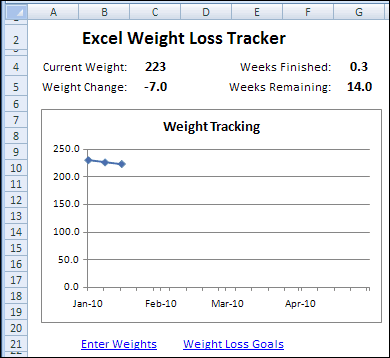

Excel Weight Loss Challenge Spreadsheet Template
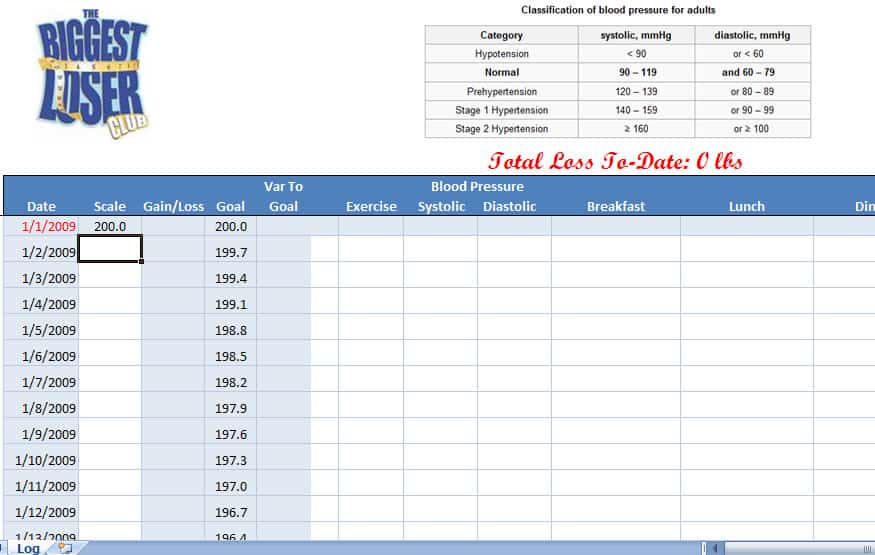
Editable Weight Loss Challenge Spreadsheet Template
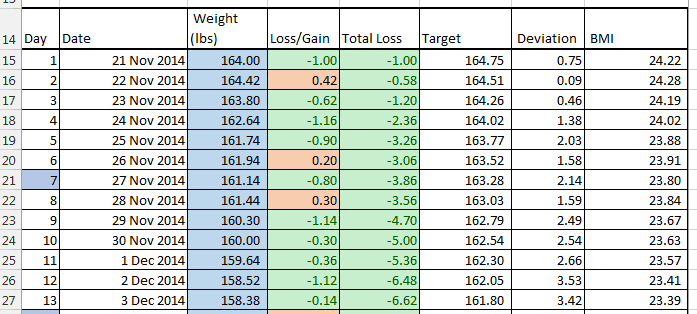
Weight Loss Challenge Template
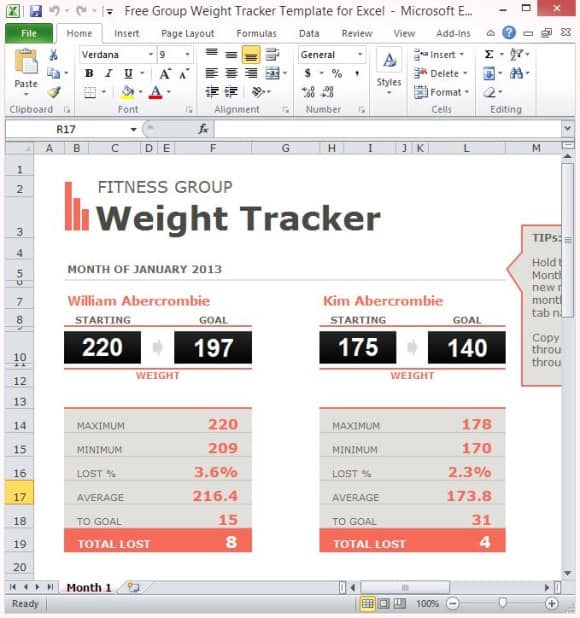
Weight Loss Challenge Spreadsheet Example
Frequently Asked Questions
Is this weight loss challenge spreadsheet free to download?
Yes, all five templates on this page are free to download and use for personal or group weight loss tracking.
Can I edit the template after downloading it?
Yes, all templates are fully editable, so you can adjust the timeframe, add tracking columns, or change the layout to suit your needs.
How often should I log my weight?
Weekly weigh-ins, done at the same time of day, generally give the clearest and most motivating trend.
Can I use this template for a group weight loss challenge?
Yes, several of these templates work well for tracking multiple participants when adapted with an extra column per person, or shared as separate copies for each participant.
Do I need Microsoft Excel to use these templates?
The templates are built for Excel but will also open in free alternatives such as Google Sheets or LibreOffice Calc.
Will the spreadsheet calculate my progress automatically?
Yes, once you enter your starting weight, goal weight, and weekly weigh-ins, the built-in formulas calculate your progress automatically.
What if I miss a week of logging my weight?
Simply resume logging the following week; a single gap won’t affect the overall trend, so there’s no need to restart the challenge.

You must be logged in to post a comment.