
Plan calibration and preserve instrument-level results and reference details. These free equipment calibration log templates for Excel give you ten editable worksheets for different parts of the job. Each has its own inputs, example, and calculated result. Download an individual template or get the complete workbook.
Use a stable asset ID across the due register, certificate log, and exception follow-up. Record measurement units consistently within each test point.
Jump to the Excel download and previews
Download the 10 Excel templates
Download all 10 templates (.xlsx)
Choose a template below to see its preview and download it as a standalone Excel file. The combined workbook above includes all ten templates as separate tabs.
Preview and download individual templates
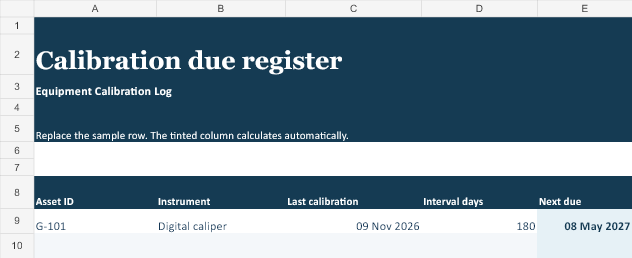
Calibration due register
Enter asset id, instrument, last calibration, interval days. The worksheet calculates next due for each record.
 Download Excel (.xlsx)
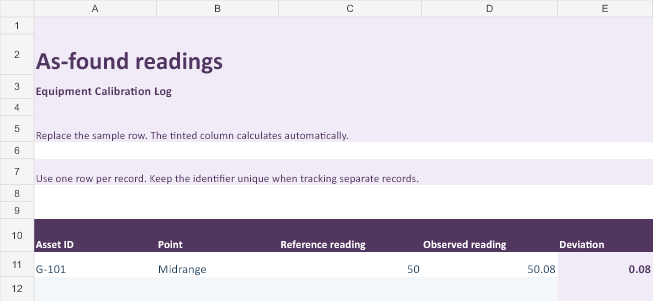
As-found readings
Enter asset id, point, reference reading, observed reading. The worksheet calculates deviation for each record.
 Download Excel (.xlsx)
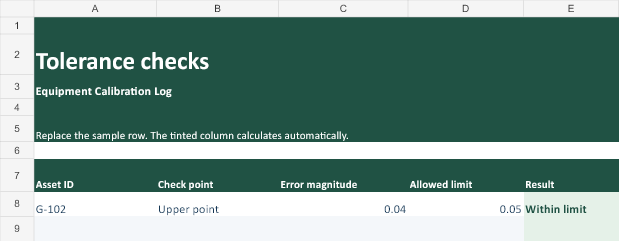
Tolerance checks
Enter asset id, check point, error magnitude, allowed limit. The worksheet calculates result for each record.
 Download Excel (.xlsx)
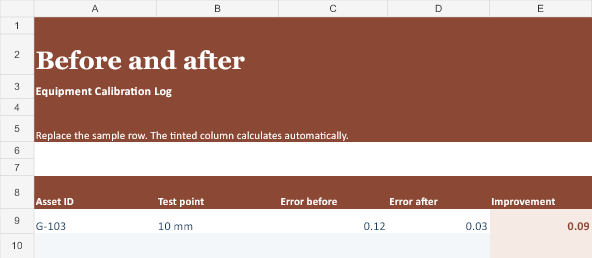
Before and after
Enter asset id, test point, error before, error after. The worksheet calculates improvement for each record.
 Download Excel (.xlsx)
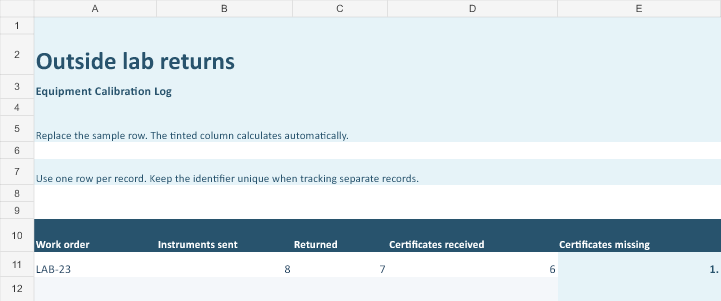
Outside lab returns
Enter work order, instruments sent, returned, certificates received. The worksheet calculates certificates missing for each record.
 Download Excel (.xlsx)
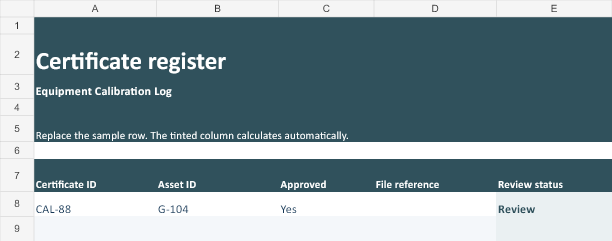
Certificate register
Enter certificate id, asset id, approved, file reference. The worksheet calculates review status for each record.
 Download Excel (.xlsx)
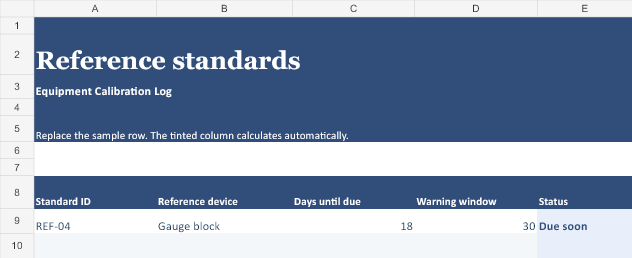
Reference standards
Enter standard id, reference device, days until due, warning window. The worksheet calculates status for each record.
 Download Excel (.xlsx)
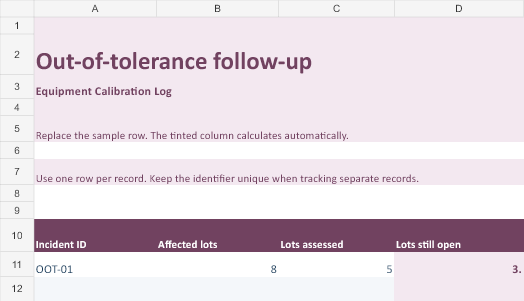
Out-of-tolerance follow-up
Enter incident id, affected lots, lots assessed. The worksheet calculates lots still open for each record.
 Download Excel (.xlsx)
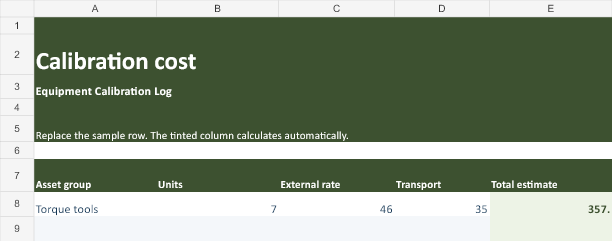
Calibration cost
Enter asset group, units, external rate, transport. The worksheet calculates total estimate for each record.
 Download Excel (.xlsx)
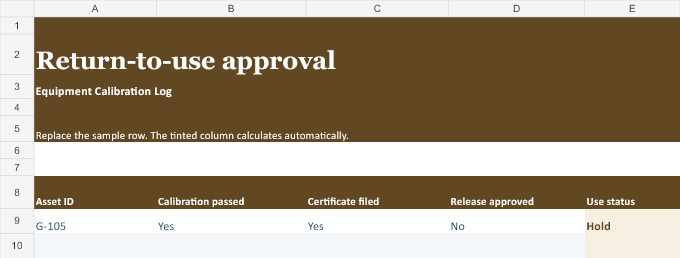
Return-to-use approval
Enter asset id, calibration passed, certificate filed, release approved. The worksheet calculates use status for each record.
 Download Excel (.xlsx)
Set up your tracker in Excel
- Save a working copy and open the worksheet you need. Look at the sample row to see which values you enter and where the calculated result appears.
- Replace the sample with your first real record. Keep the tinted result column for formulas, and use the input headers to preserve units and meaning.
- Enter one row per record for the selected workflow. Each sheet has 30 formula-ready rows. Copy the formula down if you extend the sheet.
- Compare the first calculated result against your source records or a manual check before relying on the sheet.
Worked example
If a reference is 50.00 and the observed reading is 50.08, the deviation is +0.08 in the same units. A limit of 0.05 would require review.
Before sharing or closing the tracker
Follow your approved procedure for instrument release and the required interval. A spreadsheet status supports the decision, and release still needs documented authorization.
Keep the source evidence with the working copy, particularly when an entry changes after review. Record who checked it and the date if the spreadsheet is used for a handoff or approval.
Related templates
For adjacent work, see maintenance templates.
