
Maintenance records are most useful when each entry identifies the exact machine or vehicle, the problem found, the work performed, parts consumed, and who approved the return to service. Separate preventive jobs from breakdown repairs so recurring faults are visible.
Editable downloads and previews
Download the editable Excel workbook
Private, non-commercial use. Download help and usage terms.
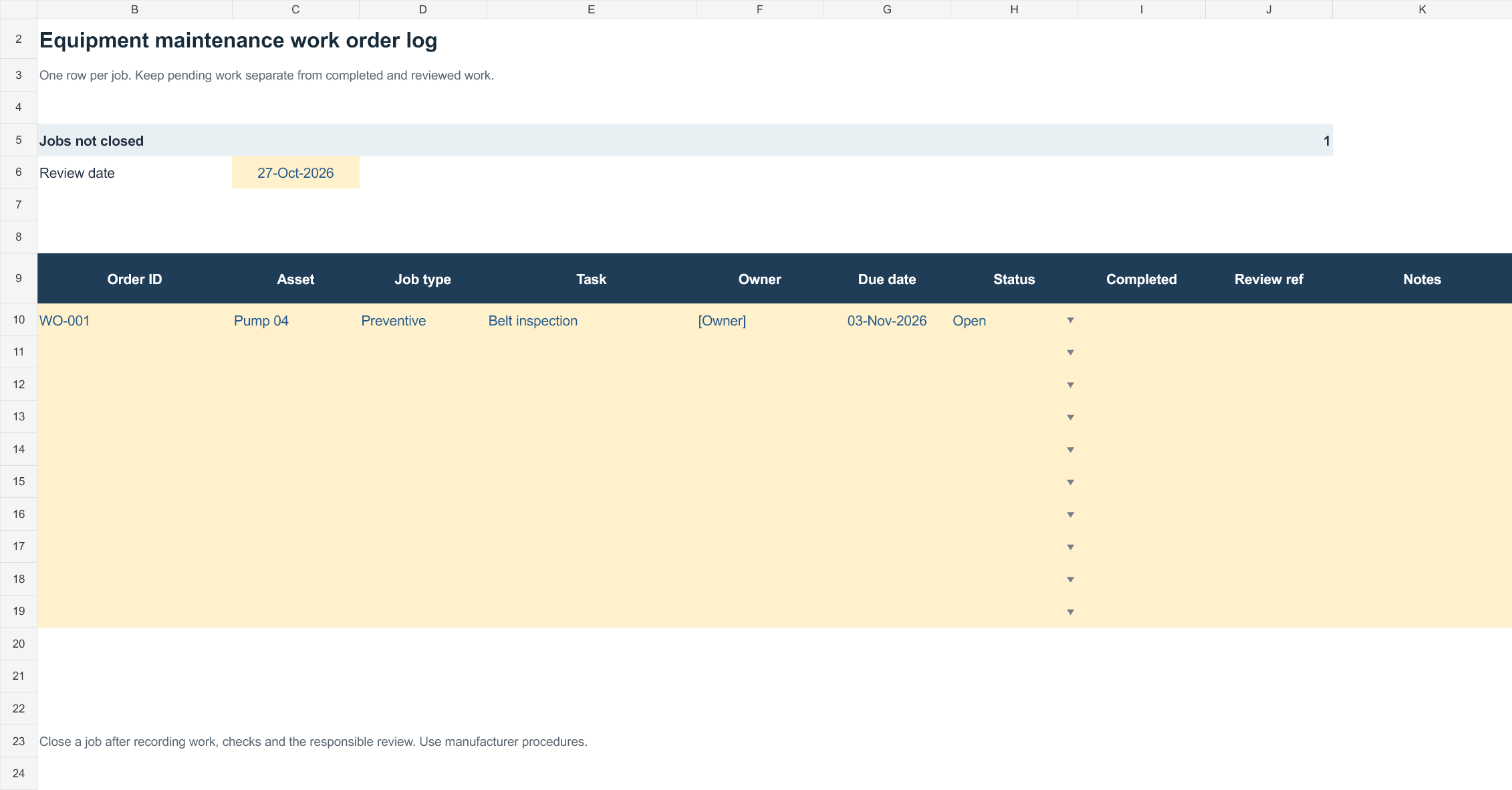
Download Equipment maintenance log (.xlsx)
Open in Microsoft Excel. Replace the fictional example data in the highlighted input cells; keep formula cells intact so the summaries update.
More template previews and sources
Use the file links where provided. Links labeled “View original source” open another website; check its current format, availability and terms. A preview image alone is not an editable document.
Template previews and source links
Building Maintenance Schedule
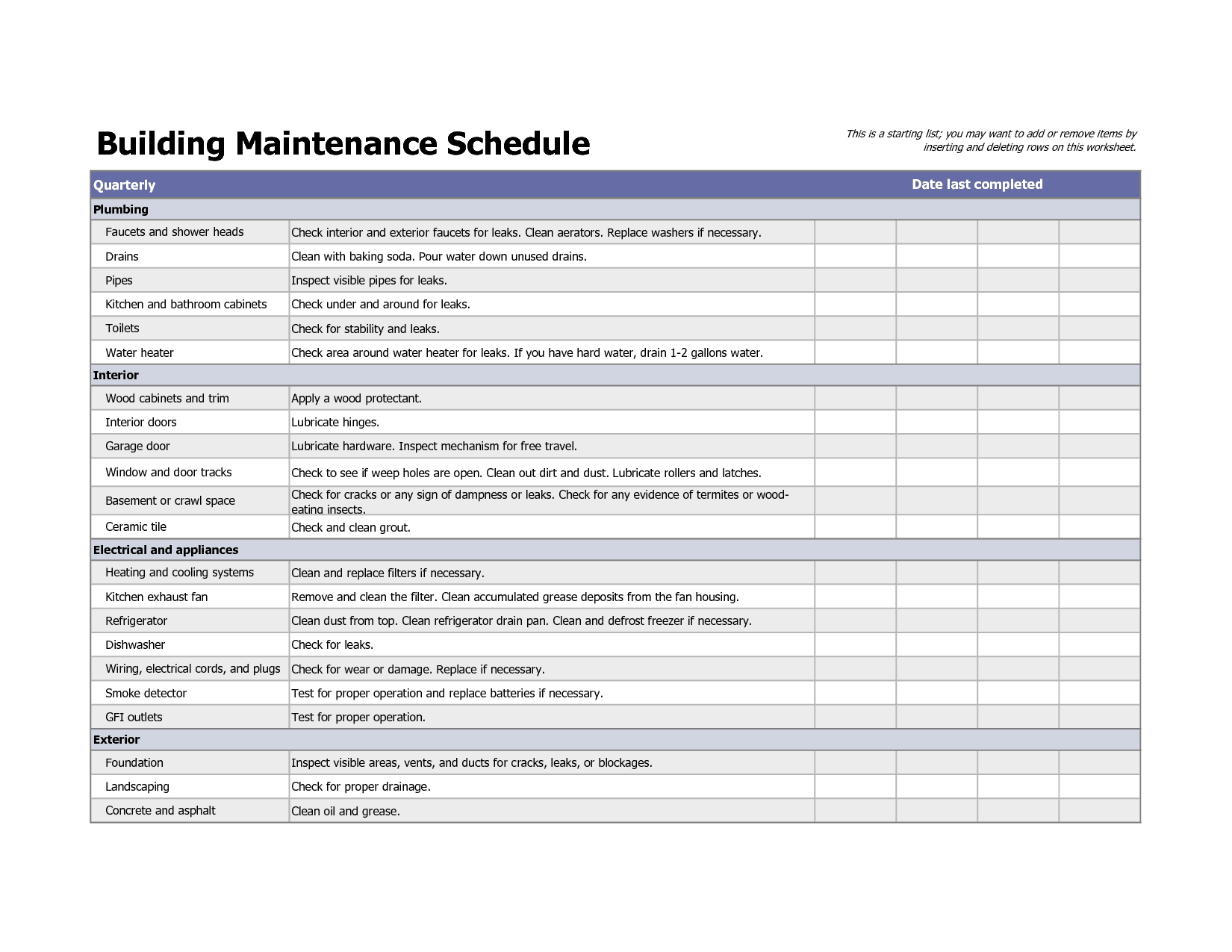 Download download (XLS)
Maintenance Schedule Example
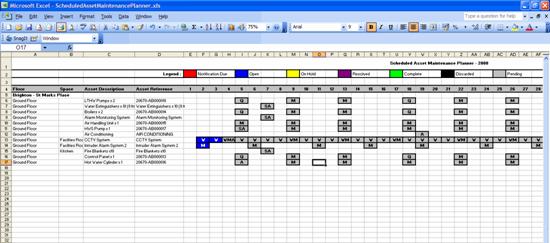 Download download (XLS)
Equipment Maintenance Schedule Template
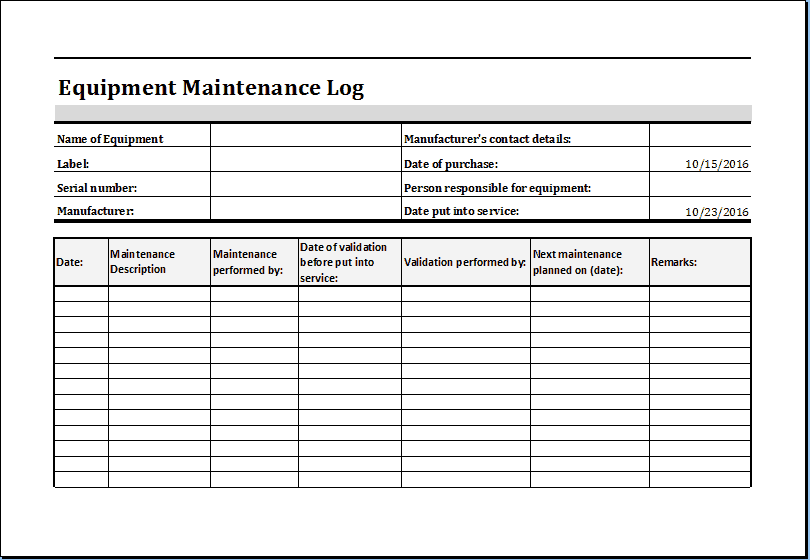 Download download (XLSX)
Vehicle Maintenance List
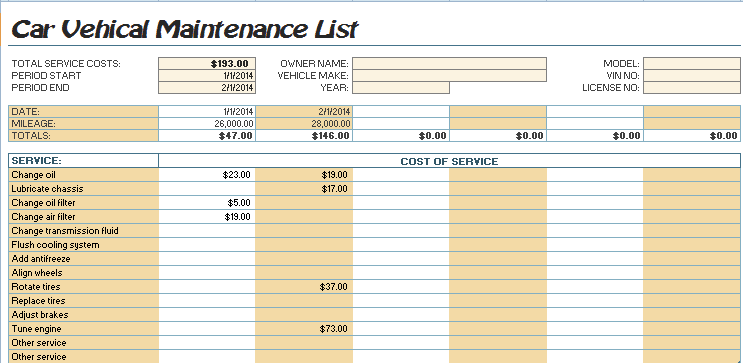 Download download (XLS)
Bonus template: Equipment maintenance work-order template
Use one work order for one asset and one job. This makes it easier to distinguish a reported fault from completed maintenance and to see who released the equipment back into service.
Set up the record
- Work order: [reference]
- Asset ID and location: [details]
- Reported by / date: [name; date]
- Job type: [preventive / corrective]
| Stage | Entry to complete |
|---|---|
| Fault or planned task | [Describe the observed condition or scheduled work] |
| Priority and operating status | [Priority; in use / isolated / awaiting review] |
| Assigned technician and due date | [Name; date] |
| Work and parts used | [Actions; part references; quantities] |
| Checks after work | [Checks performed and results] |
| Release / follow-up | [Authorized reviewer; date; outstanding action] |
How to use this template
- Record what was observed before suggesting a cause.
- Have the responsible person set the work priority and any operating restrictions.
- Close the order only after recording the work, checks and next required action.
Worked example: A workshop records a recurring belt noise on asset P-04. The technician replaces a worn belt, records the part number and test result, and links a follow-up inspection to the same asset.
Check before use
- Do not mark a job complete merely because parts were ordered.
- Use manufacturer procedures for servicing and safety checks.
- Keep open faults visible when carrying them into the next shift.
Track work by asset, rather than by date alone
Worked example: If a delivery van receives new brake pads at 45,000 km, record its fleet ID, odometer, date, parts cost, technician, and next inspection mileage. That history helps identify repeated faults and plan downtime.
Check before use: Avoid treating a completed tick box as proof of safe operation. Verify sign-off, dates, measurement units, and whether any defect still needs follow-up before closing an entry.
For a related planning task, see 2 Building Maintenance Schedule Templates and 3 Excel Service Log Templates.
What’s Included in the Maintenance Template
Each of the four templates below follows a similar core structure:
- Asset or equipment name: The specific vehicle, machine, or system being maintained.
- Maintenance date and frequency: When service was last performed and when it is next due.
- Task description: What work was carried out, such as an oil change, filter replacement, or inspection.
- Technician or responsible party: Who performed or is assigned to perform the work.
- Cost tracking: A place to record parts and labor costs for budgeting purposes.
- Notes: Space for observations, part numbers, or follow-up actions.
How to Start Using a Maintenance Template in 3 Steps
- Step 1 — Choose the right template: Pick the version below that best matches your asset type — building, general equipment, or vehicle.
- Step 2 — List your assets and tasks: Add each machine, vehicle, or system along with the maintenance it requires.
- Step 3 — Log and review regularly: Record each completed service and review the sheet often to stay ahead of upcoming maintenance.
Maintenance Template vs. Relying on Memory
Many small operations track maintenance informally, relying on a manager’s memory or a mechanic’s notes. This works for a single vehicle or machine, but breaks down quickly once more assets are added, because service intervals differ and details are easy to forget. A maintenance template solves this by keeping every asset’s history in one place, with consistent columns that make it simple to compare service records, spot patterns, and plan ahead. It also means that if staff changes, the maintenance history stays with the business rather than leaving with any one person.
Frequently Asked Questions
Are these maintenance templates free to download?
Use the download links provided above, and check the format and any source-site terms before use.
Can I edit the templates after downloading them?
Yes, all templates are fully editable so you can adjust columns, labels, and layout to match your equipment or vehicles.
Which template should I use for a vehicle fleet?
The Vehicle Maintenance List is designed specifically for tracking service across multiple vehicles, though any of the templates can be adapted for this purpose.
Do I need special software to open these files?
The templates open in Microsoft Excel and also work in free alternatives such as Google Sheets or LibreOffice Calc.
How often should I update the maintenance log?
Update it every time maintenance is performed, and review it at least monthly to catch any upcoming or overdue tasks.
Can several team members use the same maintenance template?
Yes, if the file is stored on a shared drive or cloud storage, your whole team can view and update the same maintenance log.
Can this template track maintenance costs as well as dates?
Yes, each template includes space to record cost information alongside the maintenance details, which is useful for budgeting.

You must be logged in to post a comment.