
Knowing exactly how much profit or loss your business generated in a given period starts with a well-organized income statement excel template. Instead of building rows and formulas from scratch, a ready-made template gives you a structured layout you can fill in with your own revenue, expenses, and accounting data in minutes. Below you’ll find 11 free, downloadable income statement excel templates and formats, suitable for small businesses, corporations, freelancers, and accounting students alike.
Interpret the income statement in the right order
An income statement presents revenue, costs and expenses over a period. Use a clear separation between cost of goods sold, operating expenses and non-operating items so financial results are interpretable.
Worked example: A retailer with sales of $50,000 and COGS of $32,000 has $18,000 gross profit. After $12,000 of operating expenses, operating profit is $6,000 before any other items.
Check before use: Check the reporting period and basis, handle refunds and discounts consistently, and reconcile the figures against the ledger before using a sample statement for decisions.
- Saves preparation time: A ready-made layout with built-in formulas means you can focus on entering figures instead of building a report from scratch.
- Reduces calculation errors: Pre-set formulas automatically total revenue, expenses, and net income, cutting down on manual math mistakes.
- Improves financial clarity: A clean, organized statement makes it easier for owners, investors, and lenders to assess business performance at a glance.
- Supports better decision-making: Seeing profit and loss trends clearly helps you plan budgets, pricing, and spending with more confidence.
- Simplifies tax preparation: A properly organized income statement makes it easier to hand accurate figures to your accountant or tax preparer.
- Free and reusable: Download once and reuse the same structure every reporting period, whether monthly, quarterly, or annually.
For related resources, see 14+ Sample Profit And Loss Statement Excel Templates and 5 FREE Cost Of Goods Sold Excel Templates.
What’s Included in the Income Statement Excel Template
- Revenue section: Fields for total sales, service income, and other revenue streams.
- Cost of goods sold section: Space to record the direct costs tied to producing goods or delivering services.
- Gross profit calculation: An automatic formula subtracting cost of goods sold from total revenue.
- Operating expenses section: Categories for rent, salaries, utilities, marketing, and other recurring costs.
- Net income or loss summary: A final calculated figure showing overall profitability for the period.
- Reporting period fields: Space to note the month, quarter, or year the statement covers.
Who Should Use These Templates?
- Small business owners who need a clear view of monthly or quarterly profitability.
- Startup founders preparing financial reports for investors or lenders.
- Freelancers and independent contractors tracking income and expenses for tax purposes.
- Accounting students learning how income statements are structured and calculated.
- Corporate finance teams preparing comparative statements across multiple periods.
- Nonprofit organizations reporting revenue and expenses to boards or donors.
How to Start Using the Template in 3 Simple Steps
- Step 1 — Choose a template style: Browse the 11 options below and select the format that best fits your business or reporting needs.
- Step 2 — Enter your financial data: Fill in revenue, cost of goods sold, and operating expenses for the reporting period.
- Step 3 — Review the calculated results: Check the automatically calculated gross profit and net income figures for accuracy.
Income Statement vs. Balance Sheet
While both are core financial statements, an income statement and a balance sheet serve different purposes. An income statement shows a business’s financial performance over a period of time, such as a month, quarter, or year, by summarizing revenue and expenses to arrive at a net profit or loss. A balance sheet, on the other hand, is a snapshot of a company’s financial position at a single point in time, listing assets, liabilities, and owner’s equity. Together, the two statements give a fuller picture: the income statement explains how the business performed, while the balance sheet shows what the business owns and owes at that moment.
Customizing the Template for Your Business
These templates are designed to be a flexible starting point rather than a rigid format. You can add your company name and logo, adjust expense categories to match your industry, or insert additional line items for revenue streams unique to your business. Since the templates are provided in editable Excel format, most adjustments take only a few minutes and let you tailor the statement to fit your specific reporting needs.
Choosing the Right Format
With 11 different templates and formats available, choosing the right one depends on the complexity of your business and how you plan to present the report. A blank or standard template works well for straightforward small business reporting, while a comparative or common-size format is better suited for businesses that want to track performance trends across multiple periods. Reviewing each option before committing to one can help you find the layout that best communicates your financial results.
Common Mistakes to Avoid
- Mixing up revenue and cash received: Record revenue when it’s earned, not necessarily when cash is collected.
- Forgetting to separate cost of goods sold from operating expenses: Keeping these categories distinct gives a more accurate gross profit figure.
- Leaving out one-time or unusual expenses: Excluding irregular costs can make ongoing profitability look better than it actually is.
- Not reconciling with your bookkeeping records: Always cross-check figures against your accounting software or bank records before finalizing.
- Using inconsistent reporting periods: Compare statements covering the same length of time for accurate period-over-period analysis.
Tips to Get the Most Out of Your Income Statement Excel Template
- Update your income statement regularly rather than only at year-end, so you can spot trends early.
- Keep supporting documentation such as invoices and receipts organized alongside your statement.
- Compare statements across periods to track whether revenue and expenses are moving in the right direction.
- Double-check formulas after adding new line items to make sure totals still calculate correctly.
- Share the statement with your accountant before major financial decisions or tax filing deadlines.
Understanding Gross Profit and Net Income
Two of the most important figures on any income statement are gross profit and net income, and understanding the difference between them helps you interpret your results correctly. Gross profit is calculated by subtracting the cost of goods sold from total revenue, showing how efficiently a business produces or delivers what it sells before accounting for overhead. Net income goes a step further, subtracting all operating expenses, taxes, and interest from gross profit to reveal the actual bottom-line profit or loss for the period. A business can have strong gross profit but still report a net loss if operating expenses are too high, which is why reviewing both figures together gives a more complete picture of financial health.
Using Income Statements for Budgeting and Forecasting
Beyond reporting past performance, income statements are a valuable tool for planning ahead. By reviewing revenue and expense trends across several past periods, business owners can build more realistic budgets and forecasts for upcoming quarters or the next fiscal year. Noticing that a particular expense category has been steadily rising, for example, can prompt a closer look at whether costs need to be renegotiated or cut before they affect profitability further. Regularly comparing actual results against the budgeted figures also helps identify variances early, giving management time to adjust spending or sales strategies before small issues become larger financial problems.
Presenting Income Statements to Investors and Lenders
When seeking outside funding, whether from investors or a bank loan, a clean and accurate income statement is often one of the first documents requested. Lenders and investors use it to assess whether a business generates enough consistent profit to support repayment or to justify an investment, so presenting the statement in a clear, professional format matters as much as the numbers themselves. Including a brief explanation of any unusual gains, losses, or one-time expenses alongside the statement can help outside parties understand the context behind the figures rather than drawing incorrect conclusions from the raw numbers alone.
Common Income Statement Formats Explained
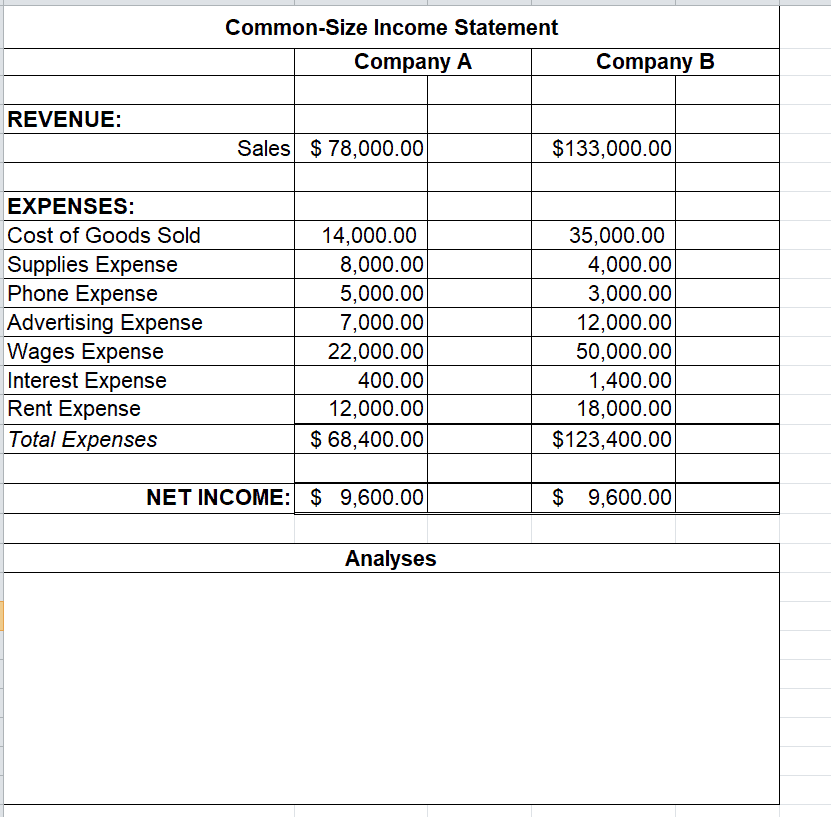
Not every income statement follows the exact same layout, and understanding the common variations can help you choose the right one for your needs. A single-step format groups all revenues together and all expenses together, arriving at net income with one simple subtraction, making it easy to prepare for smaller businesses. A multi-step format breaks the calculation into several stages, separating gross profit, operating income, and net income, which provides more detail for businesses that want to analyze performance at each stage. A common-size income statement takes this further by expressing every line item as a percentage of total revenue, making it easier to compare performance across different periods or against other companies regardless of size.
Reviewing Income Statements on a Regular Schedule
Many small business owners only look closely at their income statement once a year when preparing taxes, but reviewing it monthly or quarterly can reveal problems and opportunities much sooner. A steady decline in gross profit margin over several months, for instance, might point to rising supplier costs or pricing that hasn’t kept pace with expenses, issues that are far easier to address when caught early rather than discovered at year-end. Setting a recurring reminder to update and review the statement, even briefly, helps build a habit of staying on top of financial performance rather than treating it as an afterthought reserved for tax season.
Get Income Statement Excel Templates Here
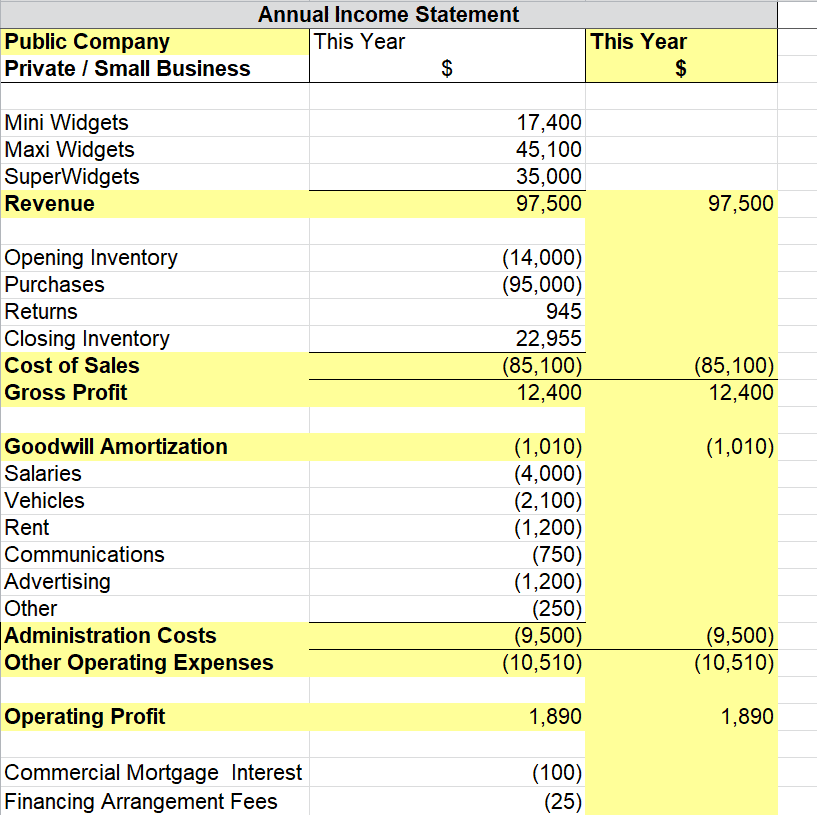
Annual Income Statement Excel Template
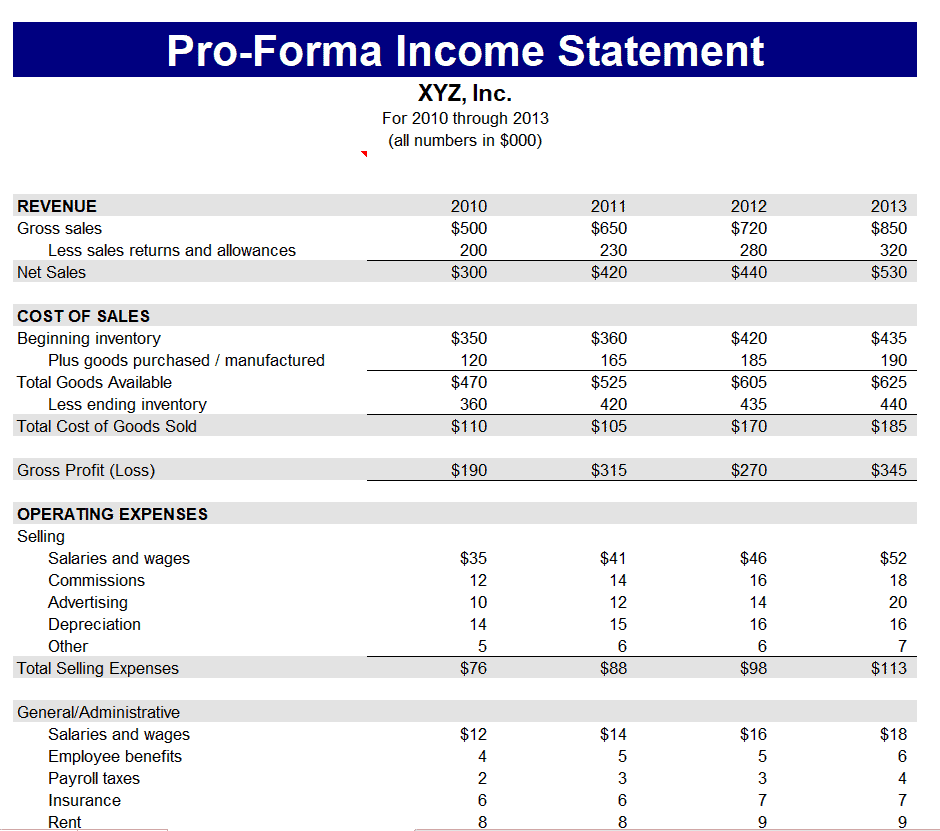
Pro-Forma Income Statement Template
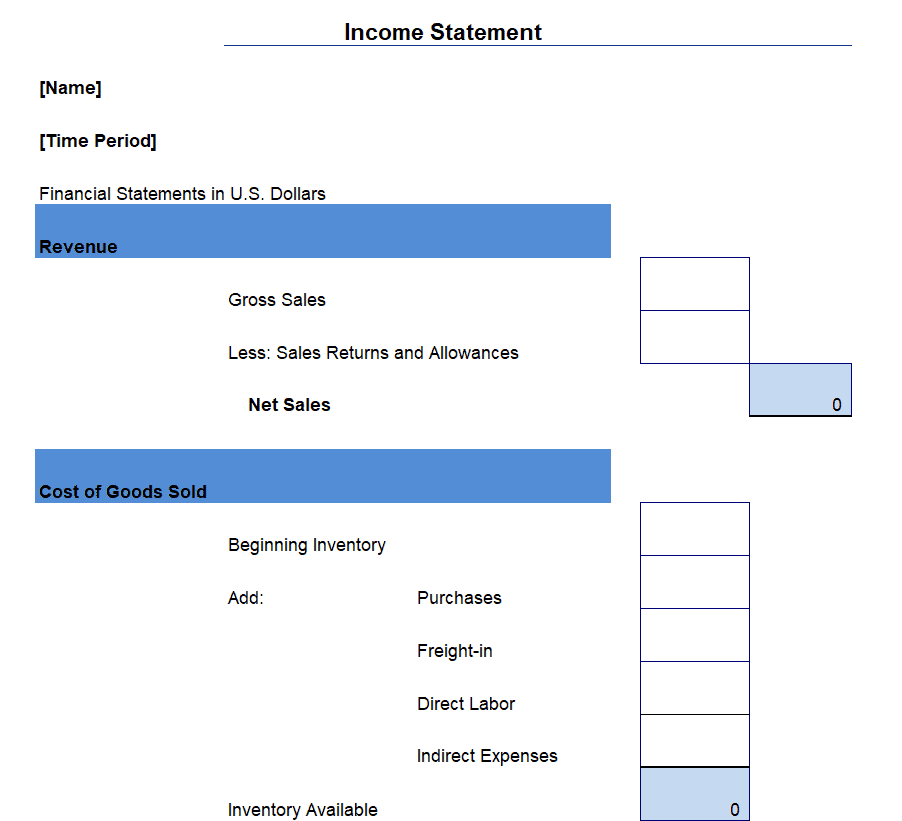
Blank Income Statement Template
Common-Size Income Statement Template
Online Multiple Style Income Statement Formats
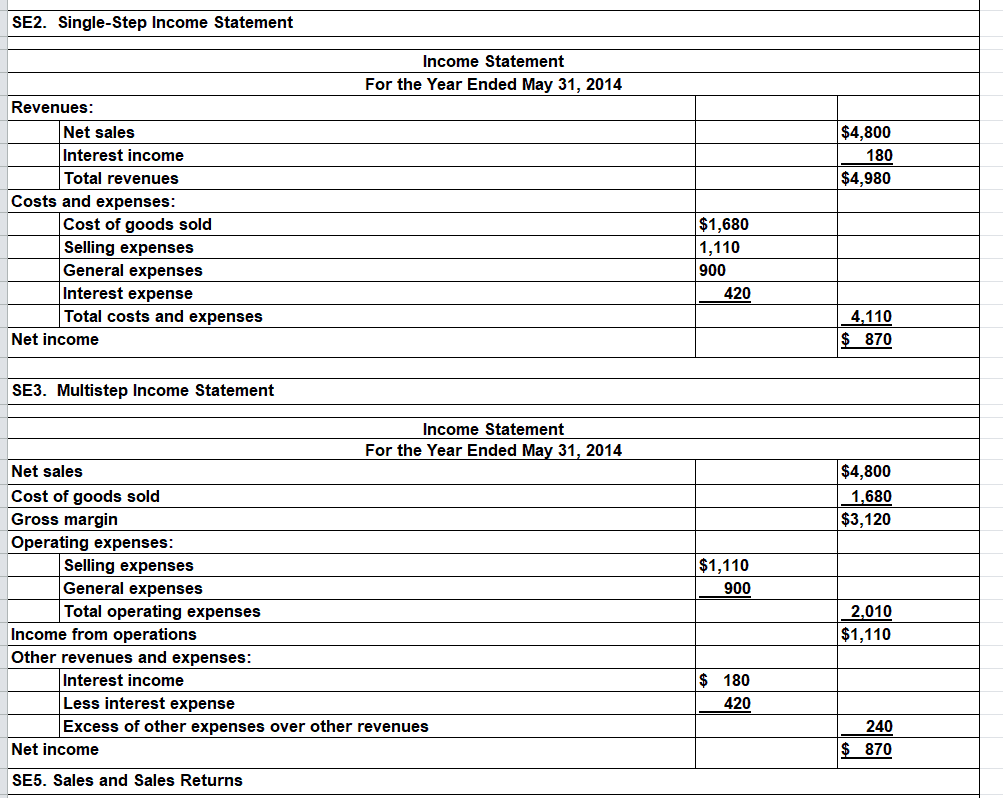
Company’s Income Statement Template
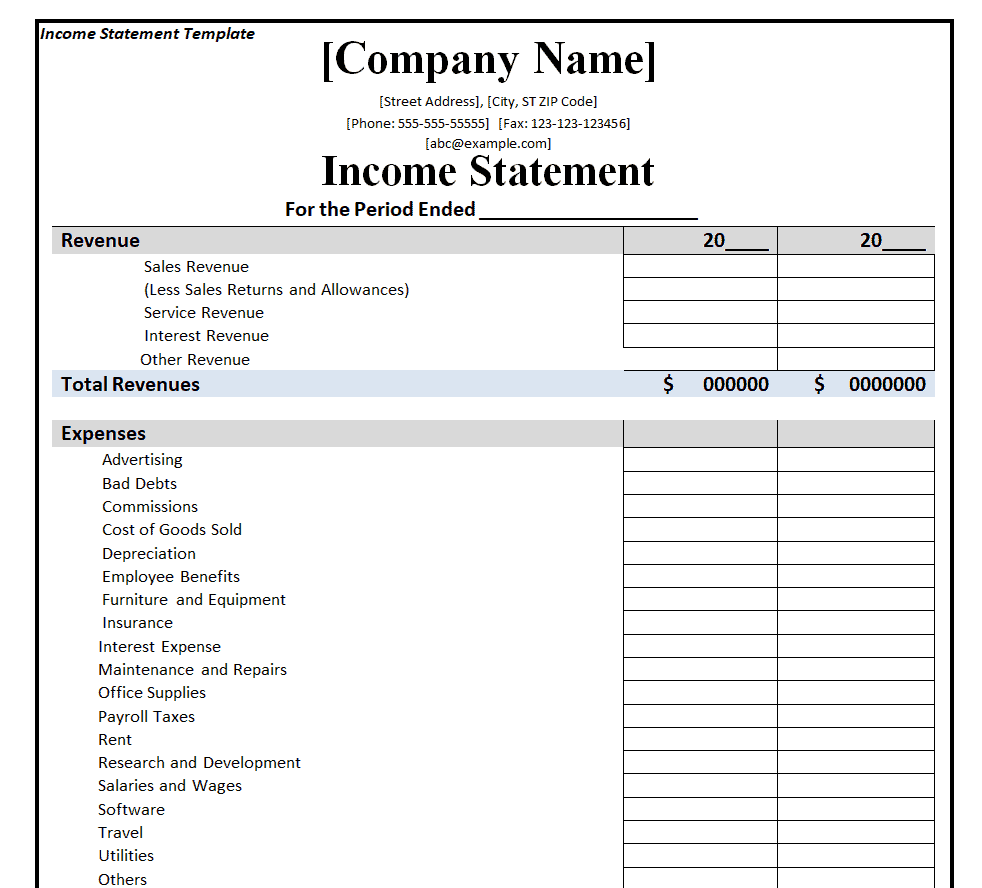
Example Income Statement Excel Format
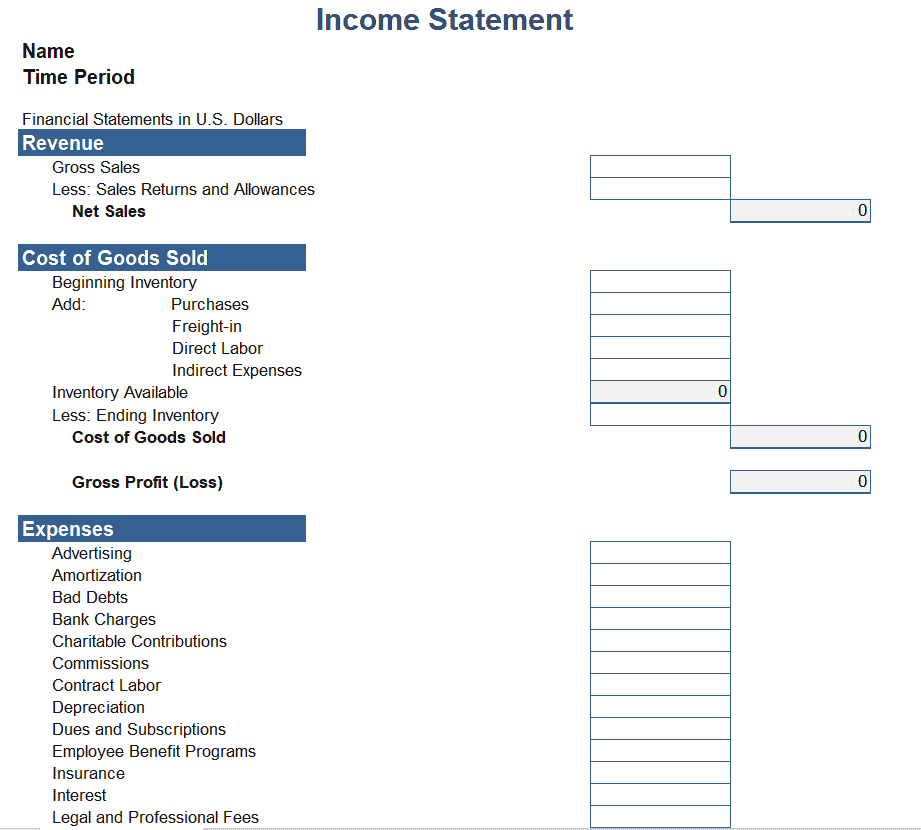
Standard Income Statement Template Excel
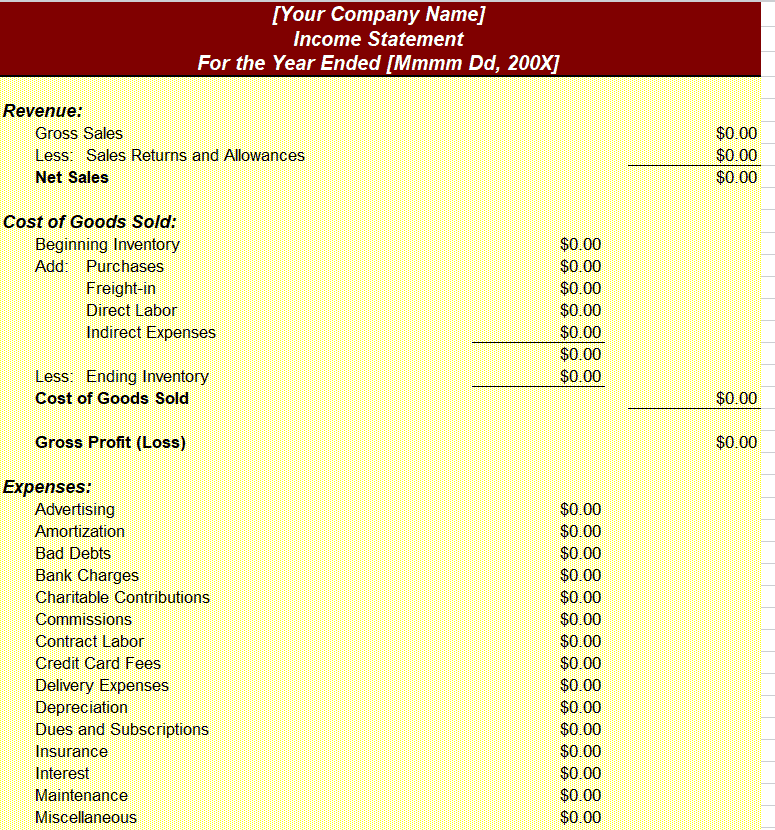
Corporation’s Comparative Income Statements Template
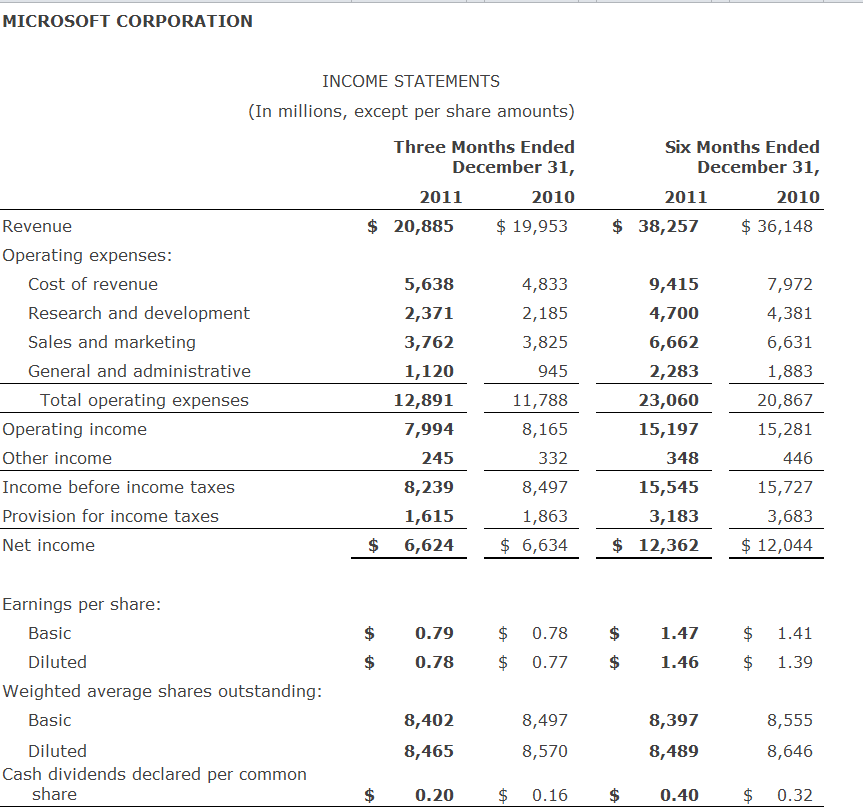
Professional Income Statement Template
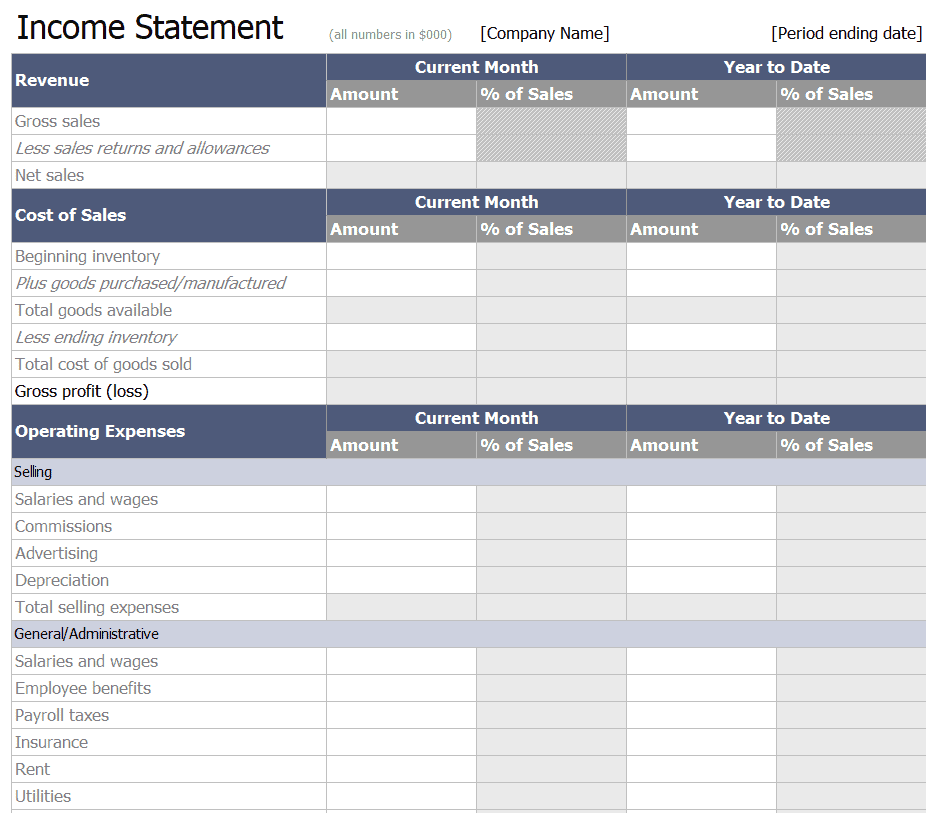
Sample Income Statement Excel Template
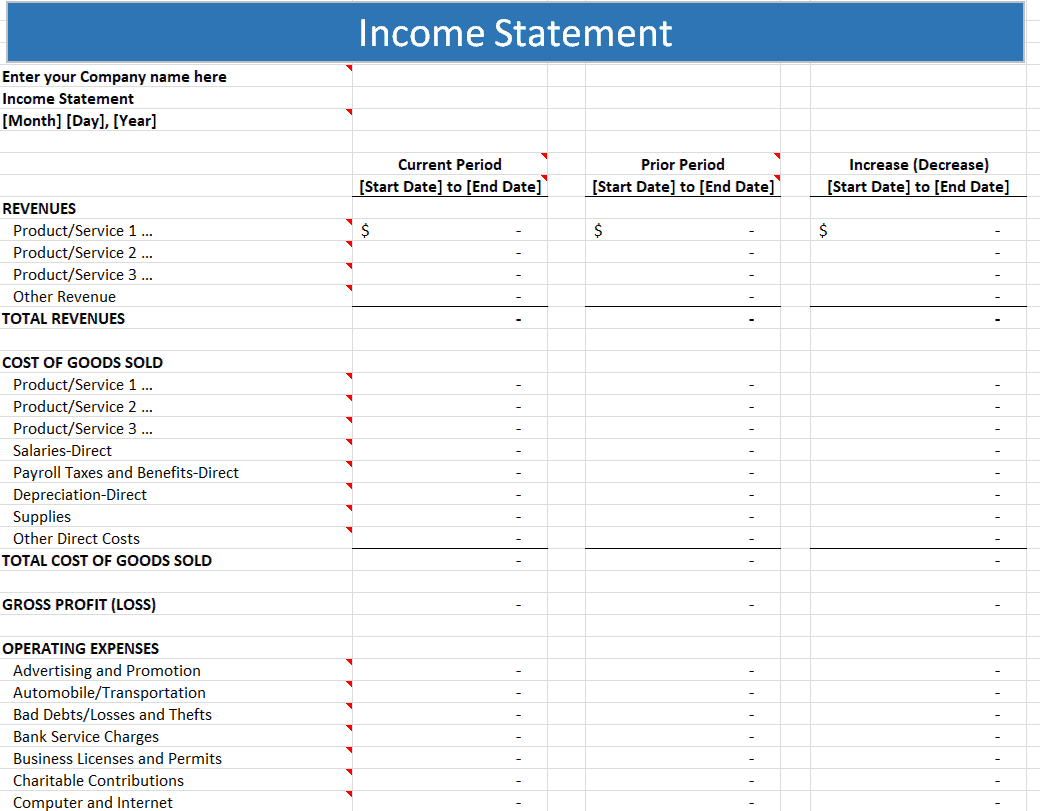
Frequently Asked Questions
Are these income statement excel templates free to download?
Yes, all 11 income statement excel templates and formats on this page are free to download and use.
Can I customize the fields on these templates?
Yes, since the templates are fully editable in Excel, you can add your own revenue categories, expense items, and reporting periods.
What’s the difference between an income statement and a profit and loss statement?
They’re the same document under different names; both summarize revenue and expenses to show a business’s profit or loss over a period.
How often should I prepare an income statement?
Most businesses prepare income statements monthly or quarterly for internal tracking, in addition to an annual statement for tax purposes.
Can these templates be used by freelancers and sole proprietors?
Yes, freelancers and independent contractors can use these templates to track income and expenses for personal tax filing.
Do these templates calculate net income automatically?
Yes, each template includes built-in formulas that automatically calculate gross profit and net income once you enter your figures.

You must be logged in to post a comment.