
Inventory control templates provide a structured way to monitor stock quantities, identify replenishment needs, and investigate differences between records and physical counts. The Excel examples below offer different layouts for recording items and movements. Choose a starting point that matches your operation, then define how your team will keep the information current.
An organized workbook supports inventory decisions, but it cannot replace accurate receiving, issuing, and counting procedures. This guide focuses on the control side of inventory: consistent item identification, sensible thresholds, traceable adjustments, and practical checks that help a small business understand why its stock balance changes.
Define the inventory you want to control
Start with a manageable scope. You might track finished goods in one store, consumable supplies in an office, or materials in a workshop. Mixing unrelated inventories into a single sheet can create confusing units and approval rules.
Write down which locations, item types, and transactions are included. Decide who is responsible for entering receipts, issues, returns, and adjustments. If some stock is held by another business or belongs to a customer, identify it separately. The workbook should make ownership and availability understandable before anyone uses a total to promise a delivery.
Give every item a stable identifier
Use a unique item code for each distinct product or material. A description helps people recognize an item, but a code prevents similar names from being confused. Different sizes, colors, or specifications may need separate codes when they are stored or sold separately.
Build the master list from a checked product list template if you need a consistent catalogue of descriptions and units. Avoid changing codes whenever wording is improved. A stable identifier makes historical transactions easier to follow and reduces the risk of treating an existing item as a new one.
Separate item data from stock movements
Keep relatively stable details, such as description, unit, supplier, and location, separate from transaction records. Movement rows can then record date, item code, transaction type, quantity, reference, and person responsible.
This separation helps prevent an updated description from overwriting the record of a receipt or issue. For ongoing activity, a inventory tracking spreadsheet can complement the control summary with a chronological movement log. If a selected template combines everything on one sheet, use clearly labeled columns and avoid entering several transactions inside a single cell.
Calculate balances consistently
A simple stock balance starts with opening quantity, adds receipts, and subtracts issues. Returns and adjustments need a defined treatment. For example, a customer return may increase stock only after it has been checked and accepted as usable.
Document the sign convention so a positive adjustment always means the same thing. Do not mix negative issue quantities with a formula that subtracts issues again. Check a few known transactions by hand before relying on the total. If there are multiple locations, calculate each location’s balance before producing a combined figure.
Set a practical reorder point
A reorder point is a level that signals when replenishment should be considered. A basic planning approach uses expected demand during supplier lead time plus an allowance for uncertainty. The appropriate allowance depends on demand variation, supplier reliability, storage capacity, and the consequences of running out.
Use your own history where possible and write down the assumptions. For example, an item used at roughly five units per working day with a six-day replenishment lead time needs around thirty units to cover that period before any additional buffer is considered. Review actual performance rather than treating the first threshold as permanent.
Distinguish available and reserved stock
Stock on the shelf may already be committed to a customer or a production job. If the workbook reports only physical quantity, someone may promise the same units twice. Consider separate fields for on-hand, reserved, and available quantities.
Be explicit about whether incoming purchase orders are included in availability. Goods that have been ordered are different from goods received and checked. A separate expected-receipt field can support planning without making the present balance look larger than it is. Record partial deliveries so an outstanding order is not treated as fully received.
Use consistent receiving and issuing records
Record movements close to the time they happen. A receiving entry should identify the item, accepted quantity, date, supplier reference, and destination location. An issue should explain where stock went, such as a sales order, work order, department, or approved internal request.
For internal supplies, a requisition form can help document why material is being requested before it leaves storage. Keep the transaction reference in the workbook so a reviewer can trace the balance back to the underlying record. Avoid replacing the balance manually whenever goods move.
Count stock and investigate differences
A physical count checks whether recorded quantities agree with what is actually present. Set a counting approach that suits the size and activity of the inventory. High-value or frequently used items may need attention more often than slow-moving supplies.
Use an inventory count sheet to collect observations separately from the live balance. When a difference appears, check unit conversions, unrecorded movements, duplicate entries, and misplaced stock before posting an adjustment. Retain the original count and explanation. A corrected number is more useful when the cause of the difference is understood.
Control adjustments and damaged goods
Create a clear adjustment process for damage, loss, count differences, and recording errors. Each adjustment should show the item, quantity, reason, date, and approval where your operation requires it. Keep these transactions visible rather than hiding them inside a replacement opening balance.
Separate unusable stock from stock available for sale or production. If damaged goods remain physically present, identify their status and location so they are not accidentally issued. A return to a supplier should be traceable through its own reference and should not be counted as a customer sale.
Work through a basic control example
Suppose a store begins with forty units of an item, receives twenty, and issues thirty-five. The recorded balance is twenty-five. A physical count finds twenty-three. Before recording a loss of two, the team discovers an internal sample issue that was never entered.
Recording that issue brings the movement history into agreement with the count. The example shows why a control workbook should preserve transaction reasons. Simply replacing twenty-five with twenty-three would fix the total while hiding the missing procedure that could cause the same problem next week.
Protect the workbook from routine errors
Use consistent date formats, numeric quantity columns, and clearly labeled formula cells. Where practical, limit transaction types and item codes to approved choices. Keep explanatory notes outside the quantity fields so calculations remain dependable.
Check whether formulas include newly added rows. Sorting should move complete records together; sorting one column independently can separate item codes from quantities. Keep an untouched master copy and a current working copy. If several people edit the file, agree how changes are coordinated so one person’s version does not overwrite another person’s entries.
Review exceptions and replenishment decisions
Create a short review routine for low stock, negative balances, overdue receipts, and unusually large adjustments. A negative balance can signal a timing or recording problem; it should not automatically trigger a purchase without investigation.
Compare thresholds with actual consumption and supplier performance. An item that repeatedly runs out may need a different planning assumption, while an overstocked item may need reduced purchasing. Record the decision and responsible person so the workbook supports action. A useful exception report highlights a small number of issues that someone can resolve.
Choose and adapt an Excel template
Review the previews for layouts that fit your locations, number of items, and transaction volume. A simple control register may be sufficient for a small stockroom. A detailed layout is more useful when you need multiple categories or a separate review of movements and thresholds.
After opening a resource, check its actual file type and formulas. Replace sample data with a small set of real items and reconcile the result before expanding the workbook. Save an unchanged original, label the working version, and agree who will maintain it. The best template is the one your team can update accurately and consistently.
Download Basic Inventory Control Templates Here
Sample Stock/Inventory Control Template
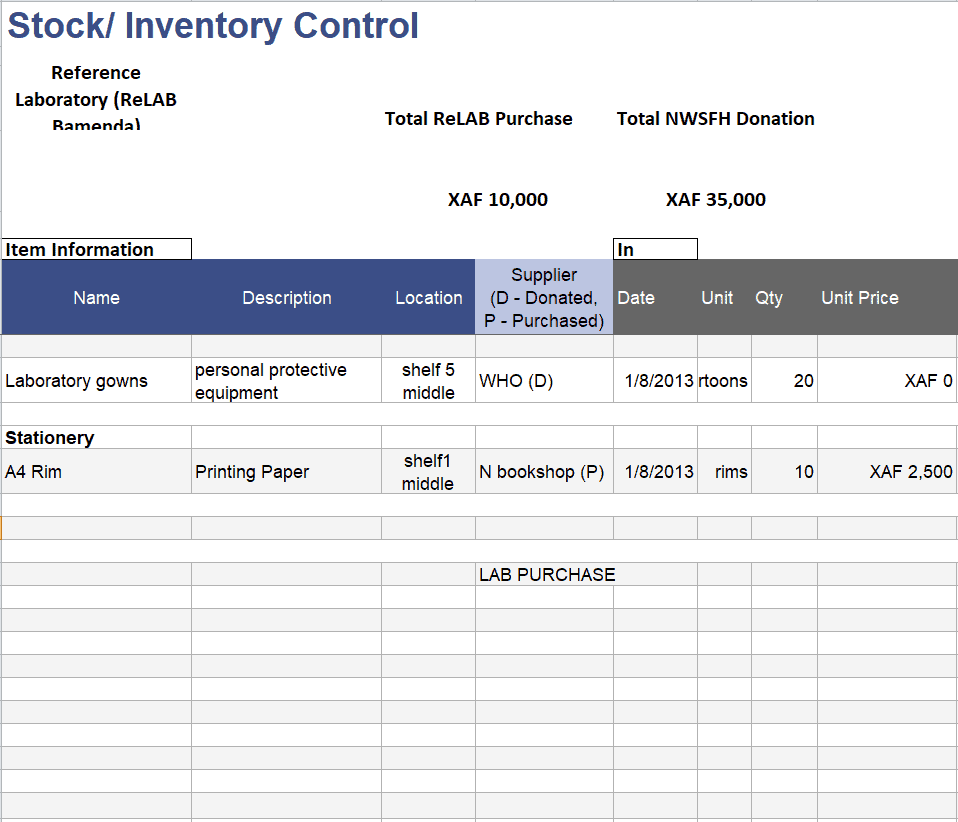
Inventory Control Register Template
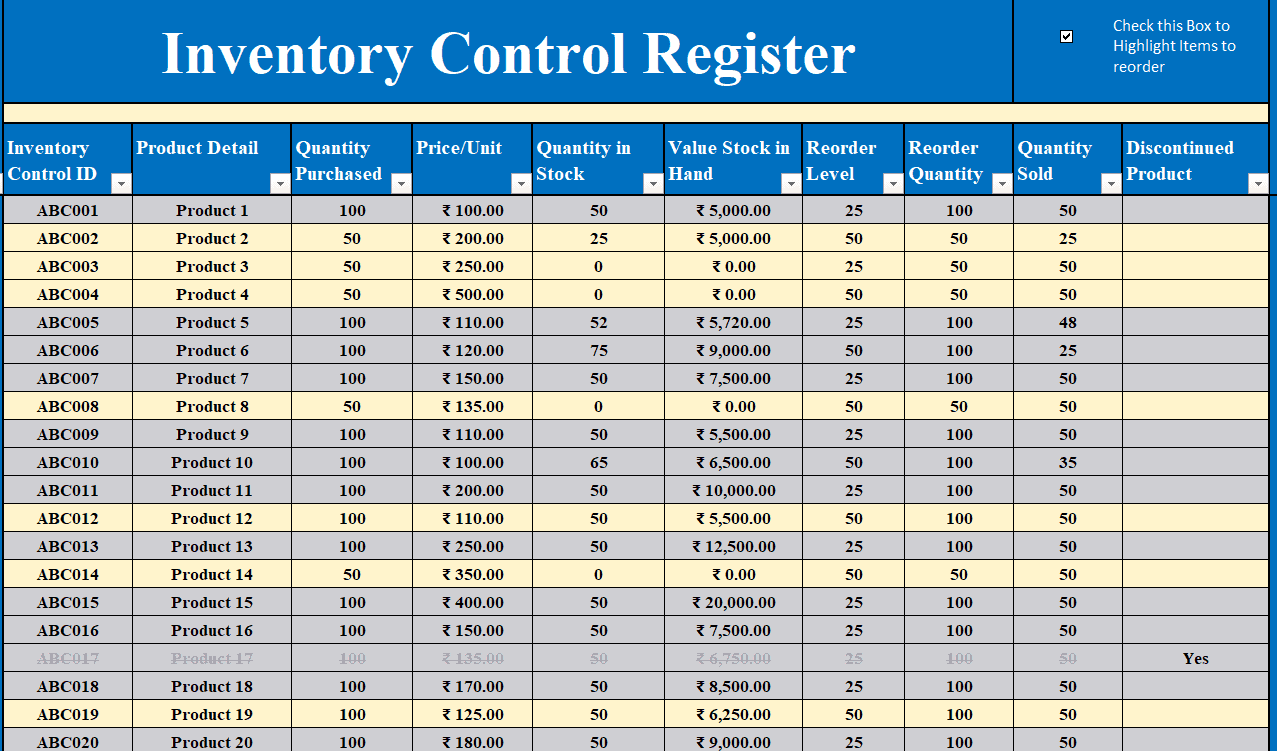
Example Inventory Control Template
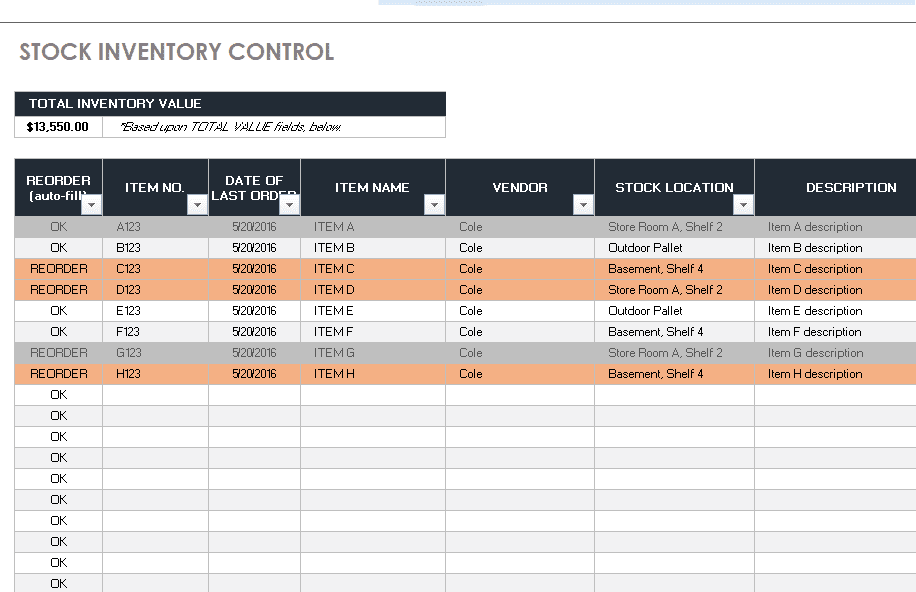
Blank Inventory Control Template
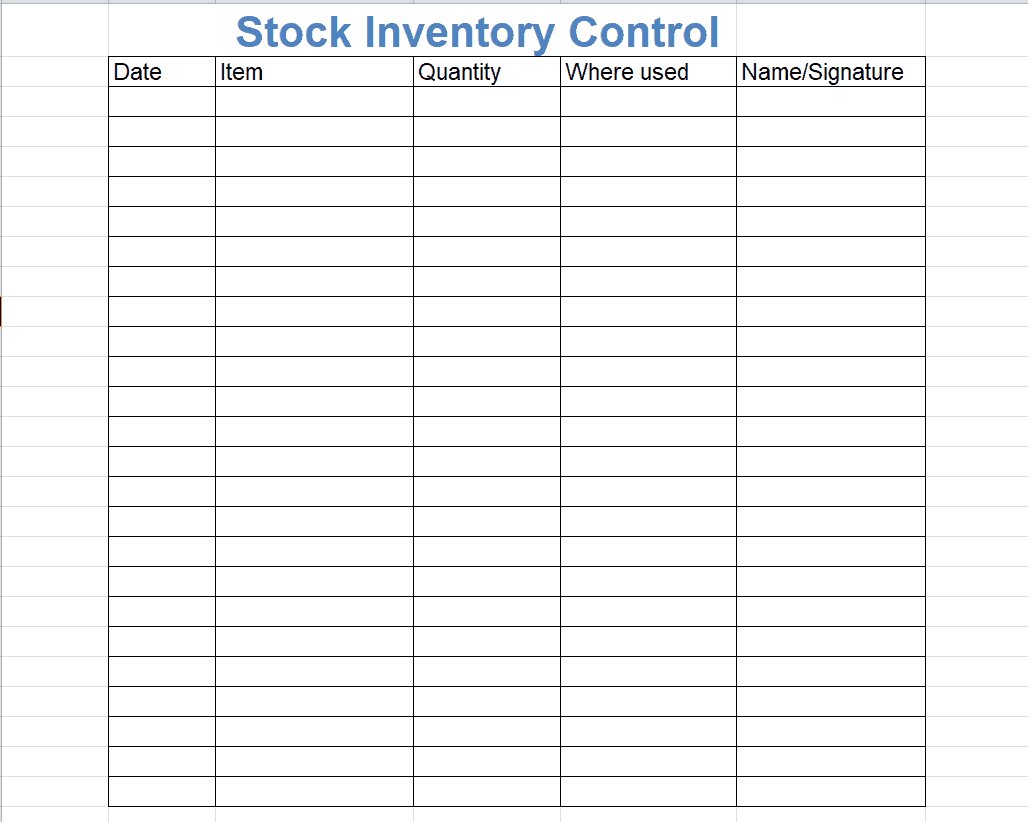
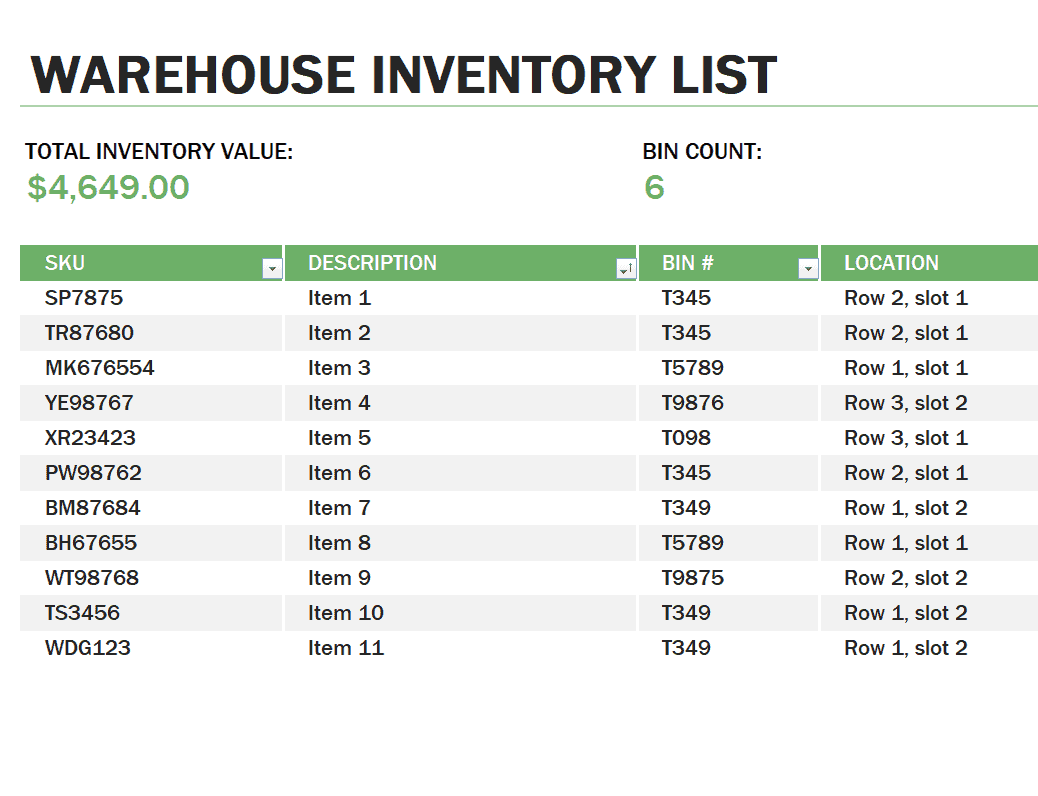
Warehouse Inventory Control List Template
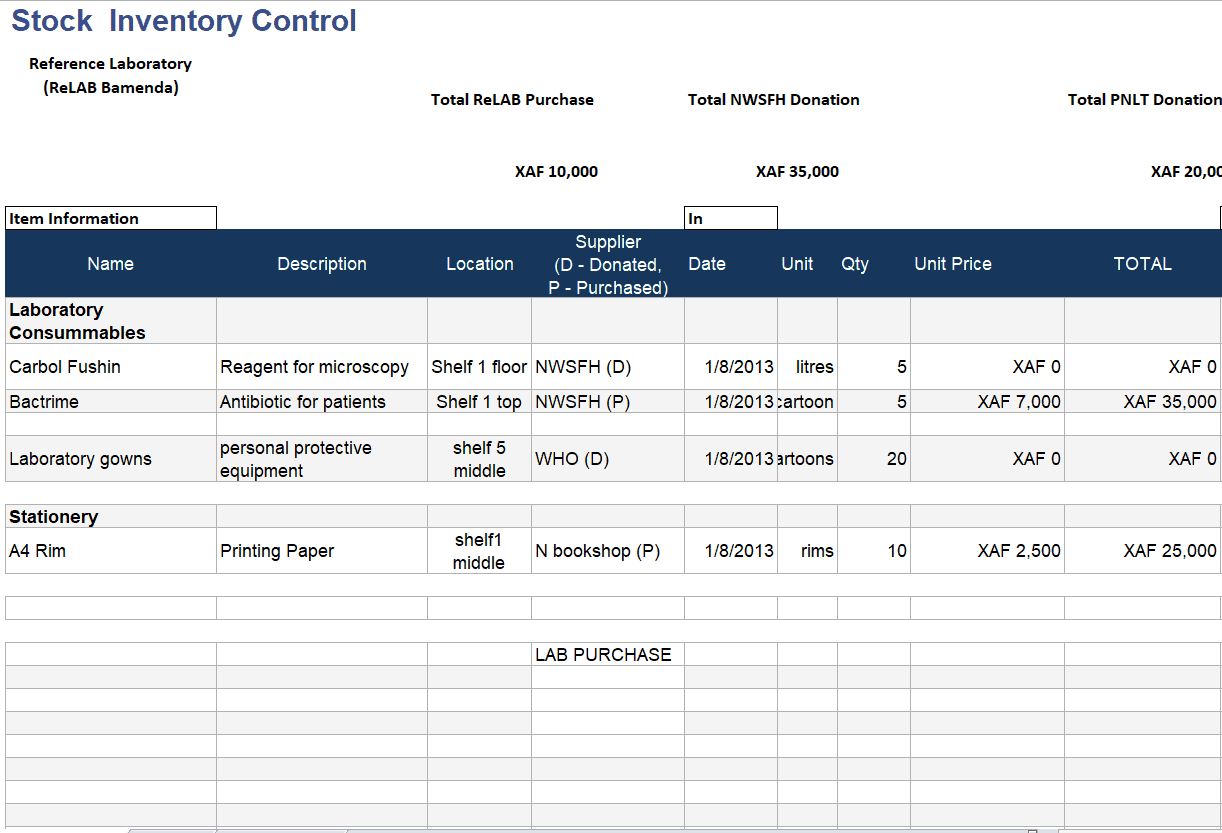
Detailed Stock Control Format Template
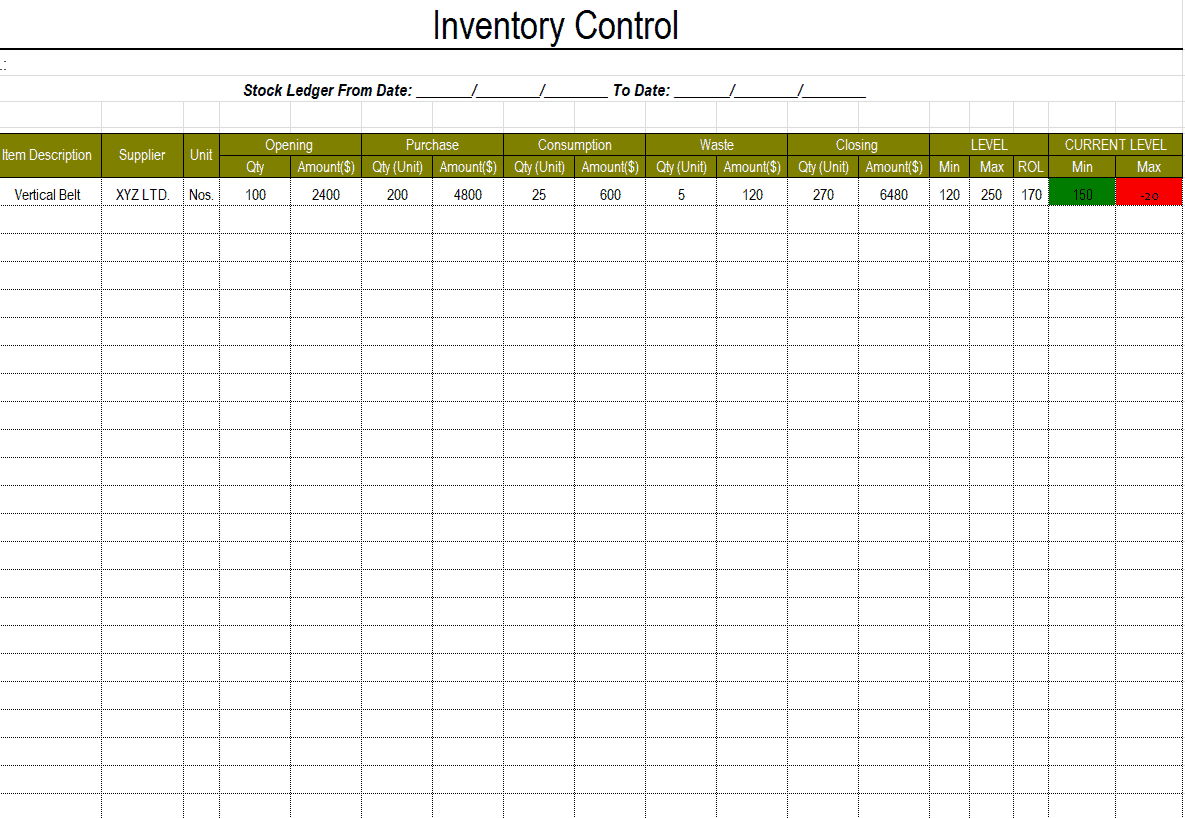
Practical Inventory Control Template
Frequently Asked Questions
What is an inventory control template?
It is a worksheet used to organize stock balances, movements, thresholds, and checks. It helps a team see quantities and control exceptions when the underlying entries are kept accurate.
Is inventory control the same as an inventory list?
An inventory list describes what is present at a point in time. Inventory control adds procedures for recording changes, checking balances, and deciding when action is needed.
How do I choose a reorder point?
Use expected demand during replenishment lead time and an allowance suited to uncertainty and service needs. Record the assumptions and revise them using actual demand and supplier performance.
Should returned goods immediately increase available stock?
Only when they meet your criteria for usable inventory. Record returned goods separately until their condition and destination are confirmed, then update the appropriate balance.
Why does my spreadsheet show a negative quantity?
Possible causes include late receipts, duplicate issues, incorrect signs, unit errors, or genuine shortages. Trace the transactions before changing the balance or placing an order.
When is a spreadsheet no longer enough?
Consider a different system when transaction volume, simultaneous editing, traceability, or integrations exceed what your team can reliably maintain in a workbook.

You must be logged in to post a comment.