
An inventory management template in Excel can help connect the decisions involved in keeping goods and materials available. It can organize item information, purchasing needs, supplier details, receipts, movements, and review notes. The examples below provide starting layouts that you can adapt to the size and complexity of your operation.
Inventory management extends beyond knowing the quantity on a shelf. It involves deciding what to hold, when to replenish it, how to record changes, and how to respond when assumptions prove wrong. This guide explains how to build a manageable workbook and a practical routine around it.
Define the inventory workflow
Map the main stages: identify demand, plan a purchase, approve the order, receive goods, store them, issue them, and review results. Include returns, damage, and adjustments where those activities occur. Decide which stages the workbook will support directly.
Write the scope and responsibilities before adding many columns. A small team may maintain one file, while a larger operation may need a summary that draws on separate records. The workbook should make the process easier to follow rather than duplicate several other systems without a clear owner.
Establish a reliable item master
Create a stable code, clear description, category, unit, and storage reference for each item. Add specifications that distinguish similar products. Keep item names consistent across purchasing, receiving, and issue records so transactions can be linked reliably.
A product list template can help prepare this reference data. Identify who is allowed to create or change item records. Duplicates often arise when different people add slightly different descriptions for the same product. A maintained item master prevents that confusion from spreading into orders, counts, and reports.
Understand demand before replenishing
Review how items are used or sold and note patterns that affect requirements. Some items move steadily, while others depend on projects, seasons, or occasional customer orders. Record the source of the demand estimate and distinguish confirmed requirements from uncertain forecasts.
A product sales report can provide useful historical context for goods sold by a business. Past movement does not guarantee future demand, so combine the history with current commitments and known changes. Write down major assumptions so purchasing decisions can be reviewed later.
Set replenishment rules that people understand
Decide how a low-stock situation will be identified and who decides whether to buy. A simple approach may use a reorder threshold and a target quantity. More variable items may need a review of current commitments and supplier lead time.
Record the planning assumptions and check them against actual performance. Avoid presenting a threshold as permanent just because it came with the template. A stock replenishment plan should reflect the item’s demand, availability, storage constraints, and the cost of holding or running out of stock.
Organize suppliers and purchase information
Maintain supplier names, contact details, item references, typical lead times, and relevant order conditions in a consistent place. Keep information current and separate supplier estimates from confirmed commitments. Identify a backup source when that is practical and useful.
A vendor list can support the contact reference. For purchasing, record an order identifier, item, quantity, expected date, and status. This makes it easier to see what has been ordered without incorrectly adding it to stock already received. Track partial deliveries so outstanding quantities remain visible.
Record receipts after checking what arrived
Compare delivered items and quantities with the expected order. Record the accepted quantity, receipt date, reference, and destination location. Note discrepancies and items requiring inspection rather than assuming the entire order is immediately usable.
The workbook should distinguish ordered, received, and available quantities. If goods are rejected or held aside, make that status clear. A receiving process that records exceptions promptly helps the person following up with the supplier and prevents uncertain stock from being promised to a customer or production team.
Maintain a traceable movement record
Use a consistent log for receipts, issues, transfers, returns, and approved adjustments. Each row should identify the item, date, quantity, transaction type, reference, and relevant location. Keep one movement per row where practical.
An inventory tracking spreadsheet can provide the chronological record alongside the management summary. Avoid replacing balances manually when the movement history should explain them. Clear transactions let a reviewer follow why a quantity changed and help identify whether a problem comes from demand, timing, or inaccurate recording.
Coordinate storage and availability
Use locations and status labels that match the way goods are handled. An item may be physically present but reserved, awaiting inspection, or unavailable because of damage. The summary should not make all of those units appear ready to issue.
Agree who updates reservations and transfers. If the same item is stored in several places, maintain location-level quantities before presenting a total. A combined figure can help planning, but staff still need to know where usable units can actually be found when work begins.
Work through a replenishment example
Imagine a workshop using a component for regular jobs and occasional large orders. The workbook shows a low available quantity, an incoming order, and a new customer commitment. The manager checks whether the confirmed receipt will arrive before the component is needed.
The first view suggests enough stock when incoming goods are included. Looking at the dates reveals a gap of several days. The team can then discuss an alternative delivery, a different source, or a revised job sequence. The useful information is the relationship between quantity, status, and timing.
Review slow-moving and excess items
Identify items that remain unused for long periods or repeatedly exceed practical storage needs. Check whether they are seasonal, reserved for a specific job, or genuinely unnecessary before deciding what action to take. A low movement figure needs context.
Record a decision and owner for items requiring attention. Possible operational actions include changing future order quantities, confirming demand, improving identification, or discussing a return with the supplier. Keep financial treatment and formal write-offs within the responsible organization’s process rather than assuming a workbook flag settles those questions.
Check physical quantities periodically
Compare records with actual stock using a consistent count process. Investigate differences before approving adjustments. Common causes include late entries, wrong units, duplicate transactions, unrecorded internal use, and items stored in an unexpected place.
Use an inventory count sheet to capture observations and preserve the date and collector. Keep the count result, explanation, and approved correction connected. Counting supports the management process when the findings lead to improvements in receiving, issuing, storage, or data entry rather than only a temporary corrected total.
Build a focused review routine
Choose a small set of useful exceptions: shortages, overdue orders, uncertain demand, large adjustments, and slow-moving stock. Review them with the people who can act. A report containing every number may conceal the few issues that need a decision.
Record follow-up actions and review dates in the workbook or a connected task list. Compare supplier lead-time assumptions with actual deliveries and revise planning rules when the evidence supports a change. The management cycle is complete only when information leads to an action and the result is reviewed.
Choose and maintain the Excel template
Compare the previews with your required workflow, number of items, and locations. Check the actual resource format and any formulas after opening the link. An older example may provide a useful layout while needing substantial adaptation for your process.
Save an unchanged original, enter a small verified set of items, and test the movement and summary calculations. Clearly identify input and formula cells. Agree who maintains the file and how simultaneous changes are coordinated. Review whether a spreadsheet remains suitable as transaction volume, traceability needs, and the number of users grow.
Keep the management summary interpretable
A compact inventory management dashboard can show current availability, pending receipts, and unresolved exceptions, but each figure needs a clear definition. State the date of the information and whether totals include reserved or unavailable items. A summary that mixes different statuses can create confidence in a number that does not answer the user’s question.
Avoid combining unlike units into a single stock quantity. Summarize items or compatible groups separately and keep a route back to the underlying records. If a manager sees a shortage indicator, they should be able to identify the item, location, required date, and next action without reconstructing the calculation from scattered notes.
Get Free Inventory Management Templates Here
Inventory Management Template Sample
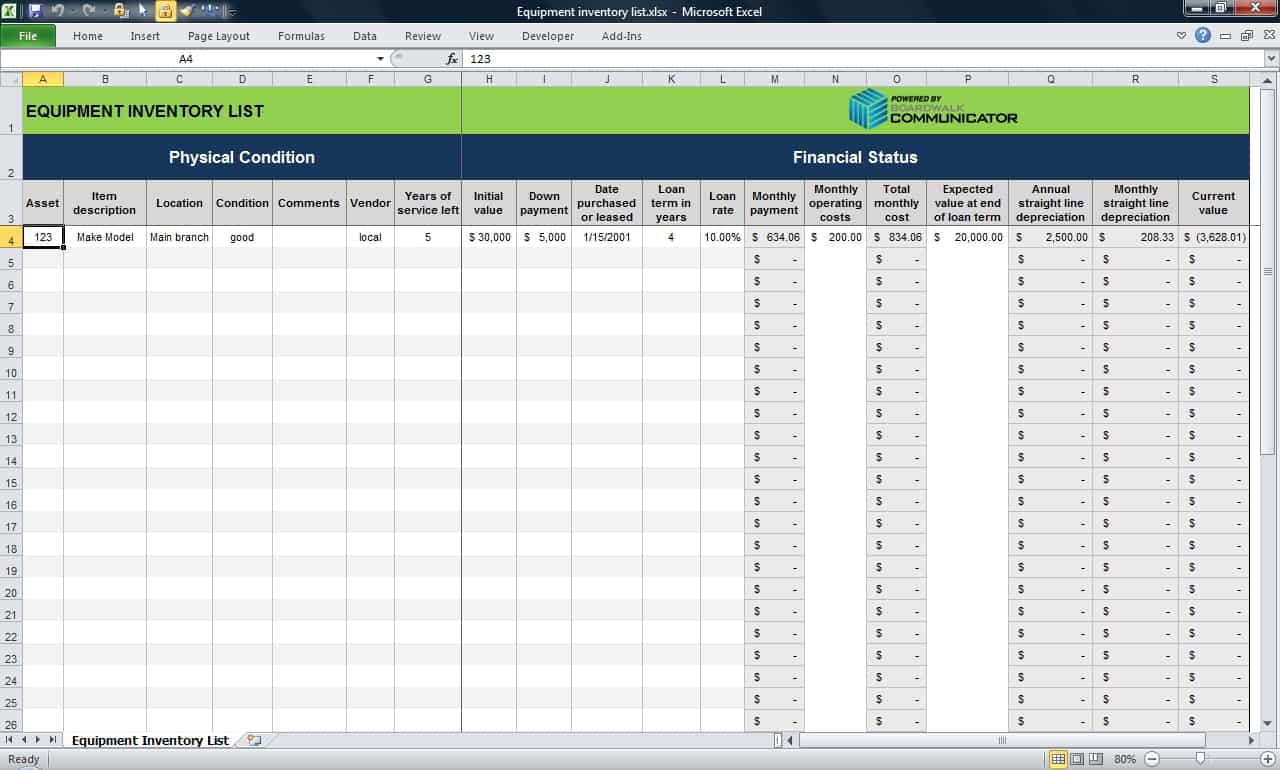

Blank Inventory Management Template
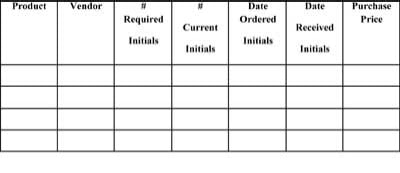
Free Inventory Management Template
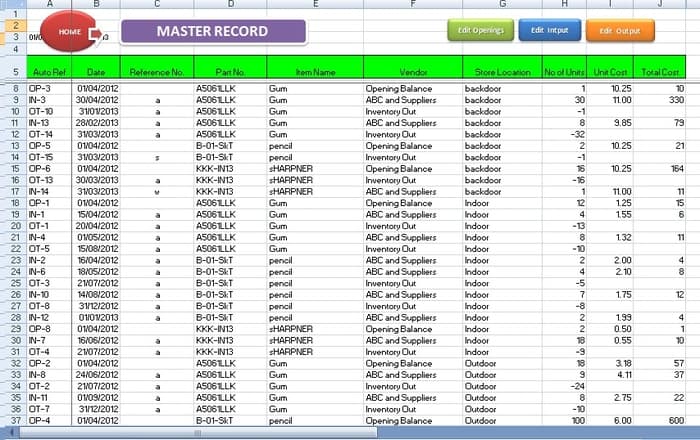
Printable Inventory Management Template Free
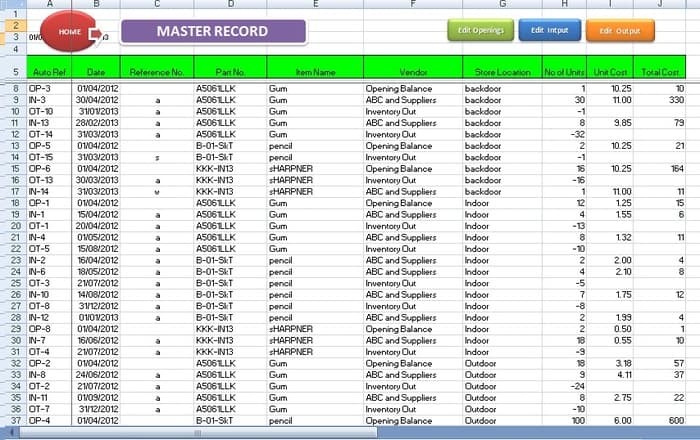
Frequently Asked Questions
What does an inventory management template do?
It organizes the information used to plan, purchase, receive, store, issue, and review inventory. Its usefulness depends on accurate entries and a clear operating routine.
How is inventory management different from inventory control?
Management covers the broader planning and operating decisions. Control focuses on reliable records, quantities, checks, and exceptions. A workbook may support both.
Should incoming orders be included in stock on hand?
Keep them separate. An ordered quantity is different from goods received and accepted. Show expected receipts with dates so planning can consider them without overstating present availability.
What should I review each week?
Review issues that require action, such as low availability, overdue orders, uncertain demand, unusual adjustments, and unresolved count differences. The appropriate frequency depends on the operation.
How can I reduce duplicate item records?
Use stable codes, consistent descriptions, and a clear owner for creating or changing master data. Check existing records before adding an item with a slightly different name.
When should a business move beyond Excel?
Consider another system when transaction volume, shared editing, tracking requirements, or integrations exceed what the team can reliably maintain in a workbook.

You must be logged in to post a comment.