
A product sales report should distinguish units sold, gross revenue, discounts, returns, net revenue and reporting period. A report comparing product performance must use the same calculation rules for every item.
Report product sales with comparable measures
Worked example: If product A sells 100 units at $20 but 10 units are returned, report gross sales of $2,000 and clearly show returns and the resulting net amount rather than displaying 100 as final units retained.
Check before use: Review SKU and variant mappings, reconcile totals to sales records, and state whether discounts, taxes and shipping are included in the headline revenue figures.
- Saves preparation time: A ready-made layout means you can focus on analyzing sales instead of formatting a report from scratch.
- Improves decision-making: Clear, organized sales data helps managers spot trends and adjust strategy quickly.
- Professional appearance: A well-structured report presents sales performance in a polished, easy-to-read format.
- Consistent tracking: Using the same template each period makes it easy to compare results over time.
- Easy to customize: Editable fields let you quickly adapt the report to your specific products and metrics.
- Free and reusable: Download once and reuse the same structure for every reporting period.
For related resources, see 4 Sales Log Templates and 3 Excel Product List Templates.
What’s Included in the Product Sales Report Template
- Product name and description: Fields identifying each product covered in the report.
- Units sold: Space to record the quantity of each product sold during the period.
- Revenue and pricing details: Fields for tracking sales revenue and unit pricing.
- Reporting period: Fields for recording the date range the report covers, such as weekly, monthly, or quarterly.
- Sales representative or department: Space for identifying who generated the report or which team it covers.
- Summary and notes section: An area for highlighting trends, comments, or explanations for changes in performance.
Who Should Use These Templates?
- Sales representatives tracking their individual product sales performance.
- Sales managers compiling team-wide product performance for leadership review.
- Retail store owners monitoring which products are selling best in their location.
- Small business owners keeping tabs on product performance without a dedicated sales team.
- Distributors and wholesalers reporting product movement to manufacturers or partners.
- Marketing teams analyzing how campaigns affect product sales over time.
How to Start Using the Template in 3 Simple Steps
- Step 1 — Choose a template format: Browse the 13 options below and select the Excel, Word, or PDF version that fits your workflow.
- Step 2 — Enter your sales data: Fill in product names, units sold, revenue, and the relevant reporting period.
- Step 3 — Review and share: Analyze the completed report for trends and share it with your team or management.
Product Sales Report vs. Sales Forecast
While both documents relate to product performance, a product sales report and a sales forecast serve different purposes. A product sales report records actual, historical sales data for a completed period, showing exactly what was sold and for how much. A sales forecast, by contrast, is a forward-looking projection that estimates future product sales based on trends, seasonality, and market conditions. Many businesses use both together: sales reports to understand what has already happened and forecasts to plan for what’s ahead, with historical report data often serving as the foundation for more accurate forecasting.
Customizing the Template for Your Business
These templates are designed to be a flexible starting point rather than a fixed format. You can add your company’s logo, adjust the columns to match the specific metrics you track, or change the color scheme to match your brand. Since the templates are provided in editable Excel, Word, and PDF formats, most adjustments take only a few minutes and let you tailor the report to fit your particular sales tracking needs.
Choosing the Right Format
With 13 different templates available in Excel, Word, and PDF formats, choosing the right one depends on how you plan to use the report. Excel templates work best when you need built-in calculations or want to sort and filter sales data, Word templates are useful for narrative-style reports with added commentary, and PDF templates are ideal for sharing a finalized, print-ready report that won’t be edited further. Reviewing each option before committing to one can help you find the layout that best fits your reporting process.
Common Mistakes to Avoid
- Inconsistent reporting periods: Always use the same time frame each period so results are comparable.
- Missing product details: Include enough detail on each product to avoid confusion when reviewing the report later.
- Ignoring returns and discounts: Failing to account for returns or discounted sales can skew revenue figures.
- Not updating regularly: Reports lose value if they aren’t completed and reviewed on a consistent schedule.
- Overcomplicating the layout: Keep the report focused on the metrics that matter most to your team.
Tips to Get the Most Out of Your Product Sales Report Template
- Set a consistent schedule for completing and reviewing the report, whether weekly, monthly, or quarterly.
- Highlight top and bottom performers to quickly identify which products need attention.
- Compare against previous periods to spot trends and seasonal patterns.
- Keep an archive of past reports for year-over-year comparisons.
- Share reports with relevant teams so marketing, inventory, and sales can align on priorities.
Using Sales Reports to Guide Inventory Decisions
A product sales report does more than summarize past performance; it also serves as a practical tool for making smarter inventory decisions. Reviewing which products consistently sell well can help a business avoid overstocking slow-moving items while ensuring popular products stay in stock. Businesses that regularly cross-reference sales reports with inventory levels often reduce carrying costs and minimize the risk of running out of high-demand products during peak periods.
Identifying Seasonal Sales Trends
Many products experience predictable fluctuations in demand tied to seasons, holidays, or annual events, and a consistent product sales report makes these patterns easier to spot. Comparing reports from the same period across multiple years can reveal whether a dip in sales reflects a broader seasonal trend or signals a genuine problem that needs attention. Businesses that recognize these patterns early can adjust staffing, marketing, and inventory levels ahead of time rather than reacting after sales have already declined.
Sharing Sales Reports Across Departments
Product sales data becomes far more valuable when it’s shared beyond the sales team, since marketing, finance, and operations teams often rely on the same information for their own planning. Marketing teams can use sales reports to evaluate which campaigns actually drove product sales, while finance teams may use the same data to refine revenue projections. Establishing a regular process for distributing completed reports, such as a shared folder or a recurring email summary, helps keep every department working from consistent, up-to-date numbers.
Using Templates for Multi-Location or Multi-Product Businesses
Businesses that sell across multiple locations or manage a large product catalog can adapt these templates by adding fields for store location, region, or product category alongside the standard sales metrics. This extra layer of detail makes it possible to compare performance across different stores or product lines within a single reporting structure, rather than compiling separate, inconsistent reports. Standardizing the template across all locations or teams also makes it much easier to consolidate data into a company-wide summary report.
Turning Sales Report Data Into Actionable Insights
Collecting sales data is only useful if it leads to decisions that improve the business, so it’s worth setting aside time after each reporting period to actually review and act on the findings. Rather than simply filing the report away, look for specific takeaways, such as a product that consistently underperforms or one that’s outpacing projections, and use those findings to adjust pricing, promotions, or stocking levels. Teams that build a habit of translating report data into concrete next steps tend to see more consistent improvement in overall sales performance than those that only track numbers without acting on them.
Automating Recurring Sales Reports
Once a business settles on a reporting format that works, automating parts of the process can save considerable time compared to rebuilding the report manually each period. Excel templates with built-in formulas can automatically total units sold and revenue as new data is entered, reducing the chance of manual calculation errors. Some businesses go a step further by linking their point-of-sale or inventory system to a spreadsheet template, so figures populate automatically and the sales team only needs to review and format the final report before sharing it.
Training New Team Members to Use the Template
When a new sales representative or manager joins a team, walking them through the product sales report template early on helps establish consistent habits from the start. Providing a short guide or example of a correctly filled-out report alongside the blank template reduces confusion about which fields are required and how figures should be formatted. Teams that standardize this onboarding step often find that reports stay more accurate and consistent even as team membership changes over time.
Get Product Sales Report Excel Templates Here
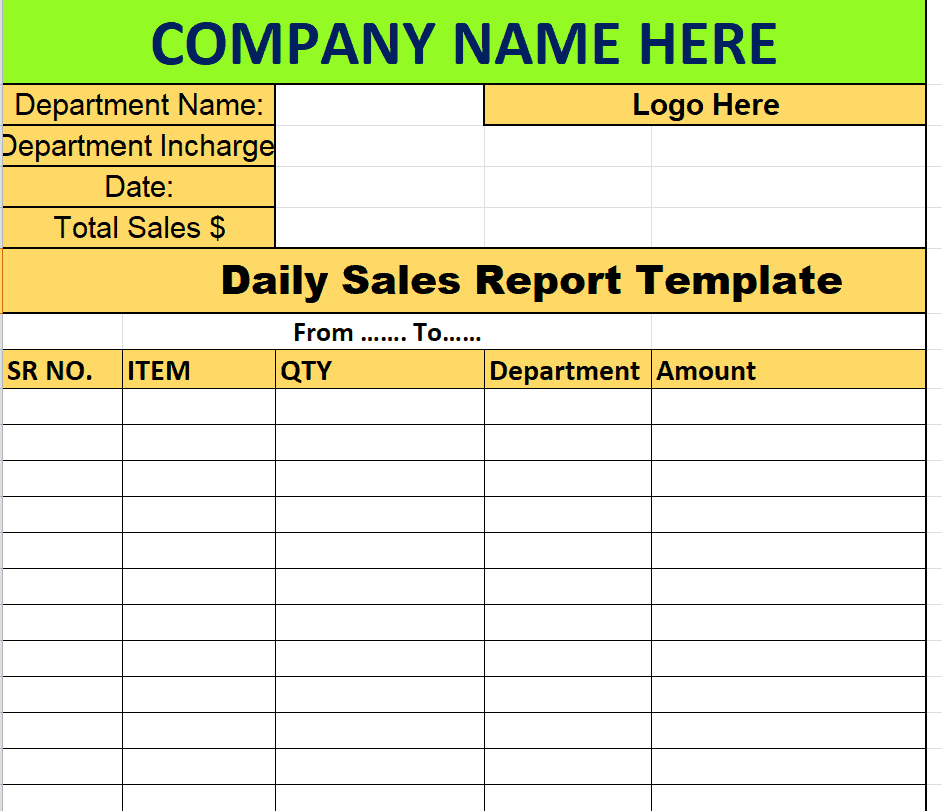
Company’s Daily Product Sales Report Template
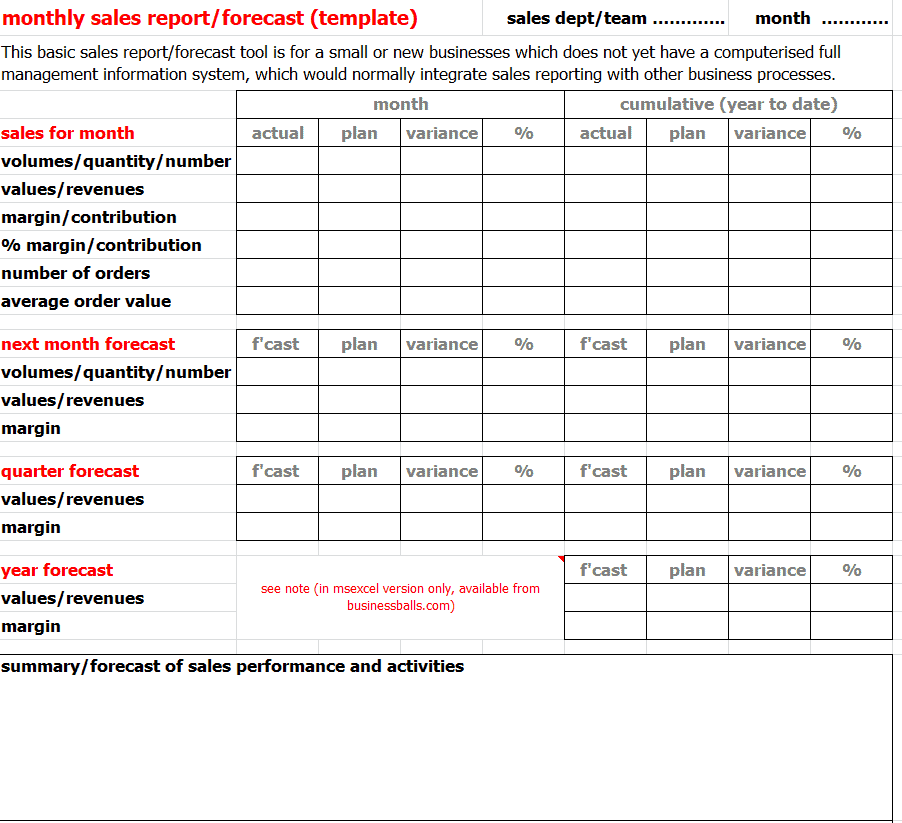
Sample Monthly Product Sales Report/Forecast Template
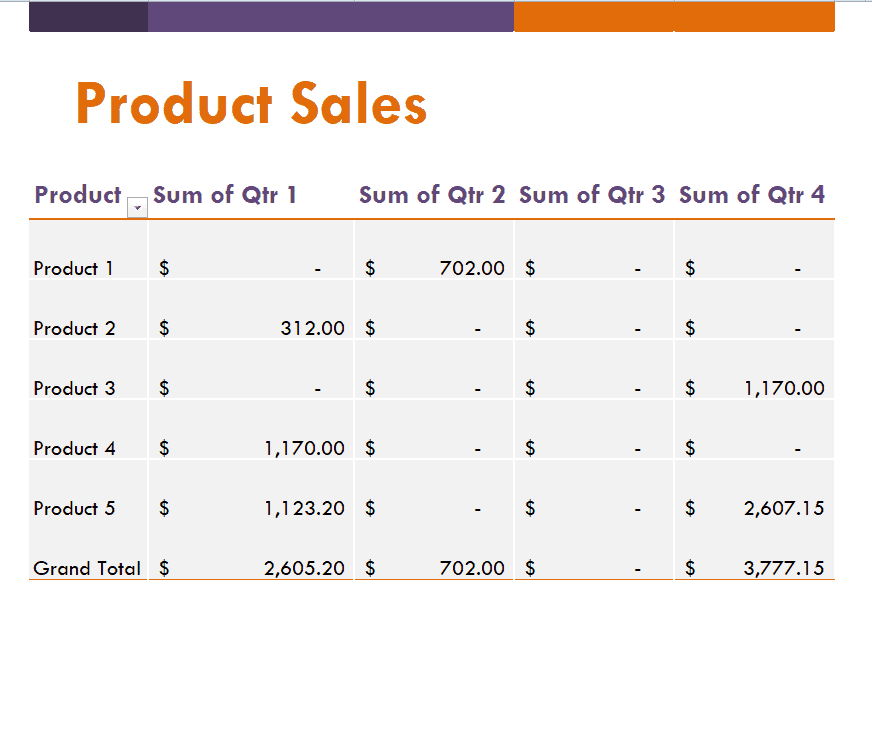
Official Product Sales Template
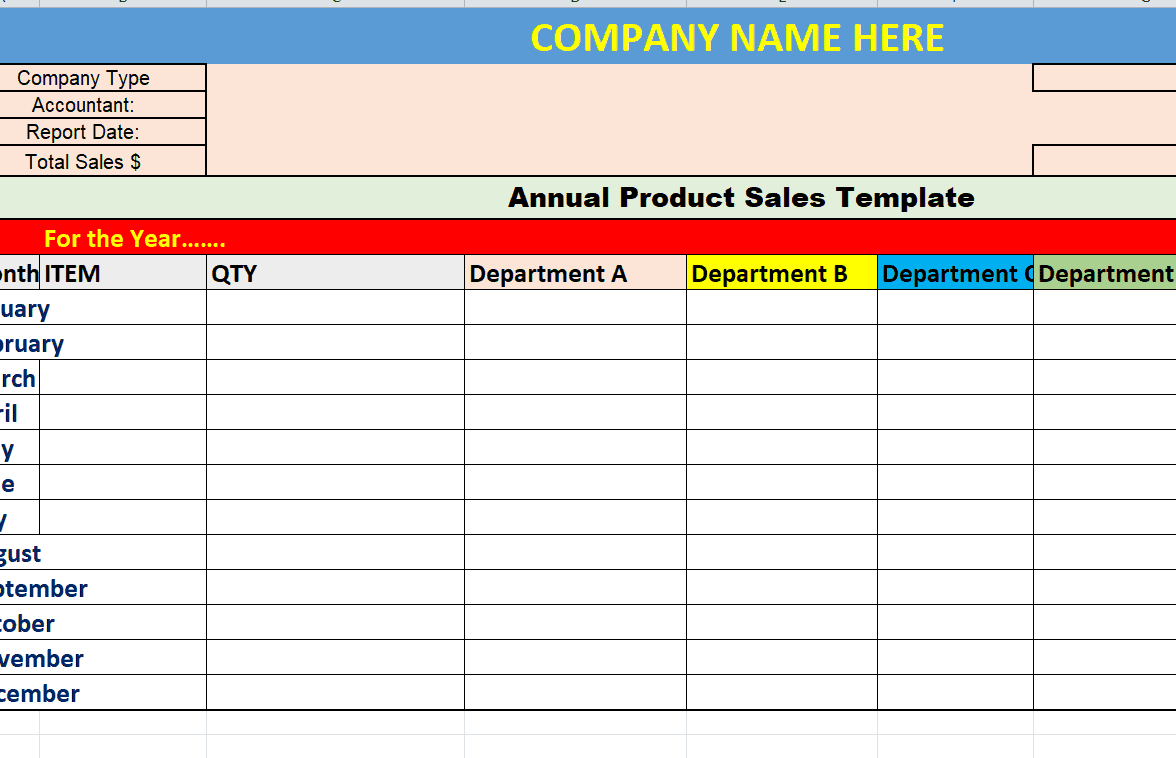
Annual Product Sales Template
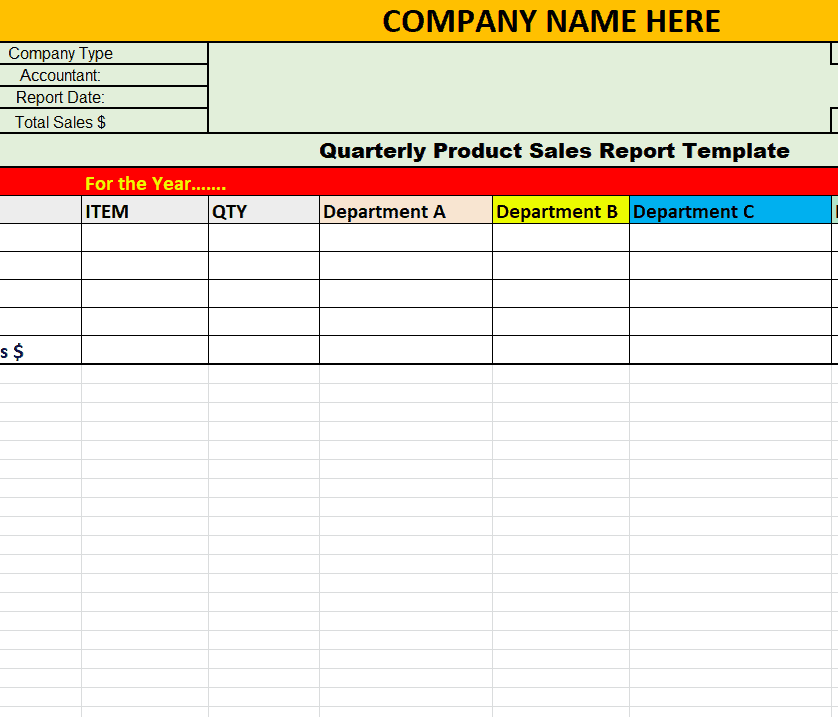
Sample Quarterly Product Sales Report Template
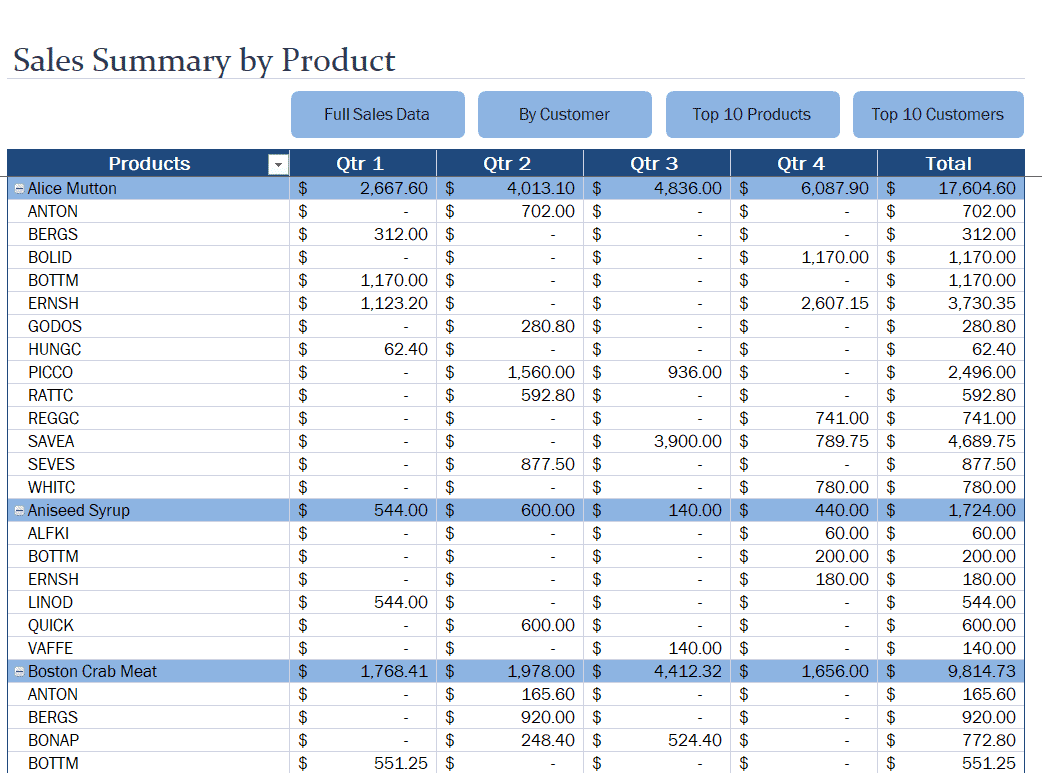
Professional Product Sales Summary Template
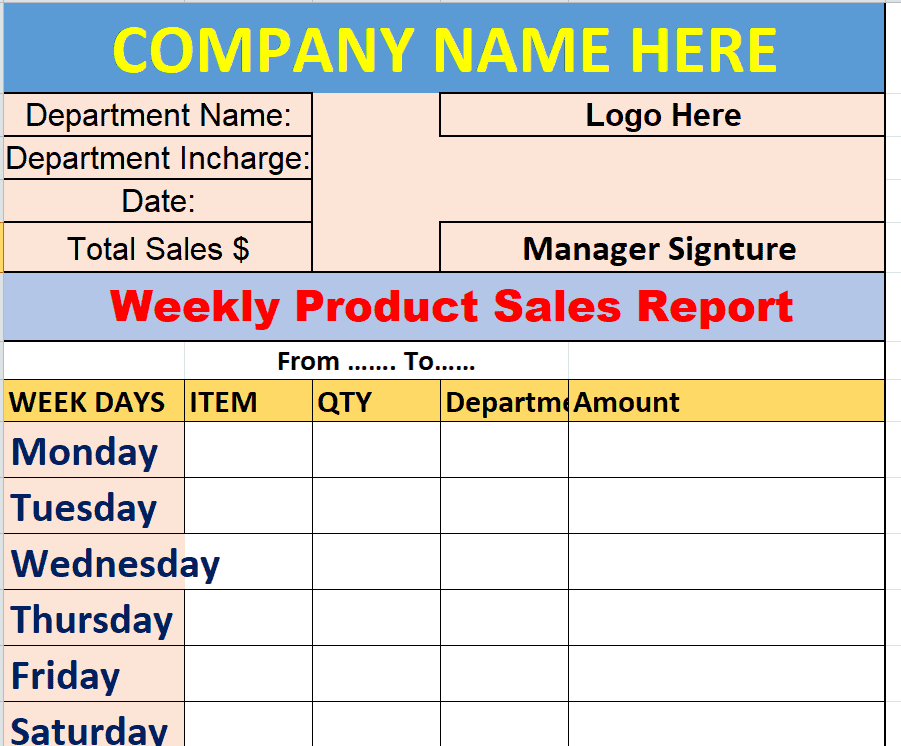
Example Weekly Product Sales Report Template
Get Product Sales Word Templates Here
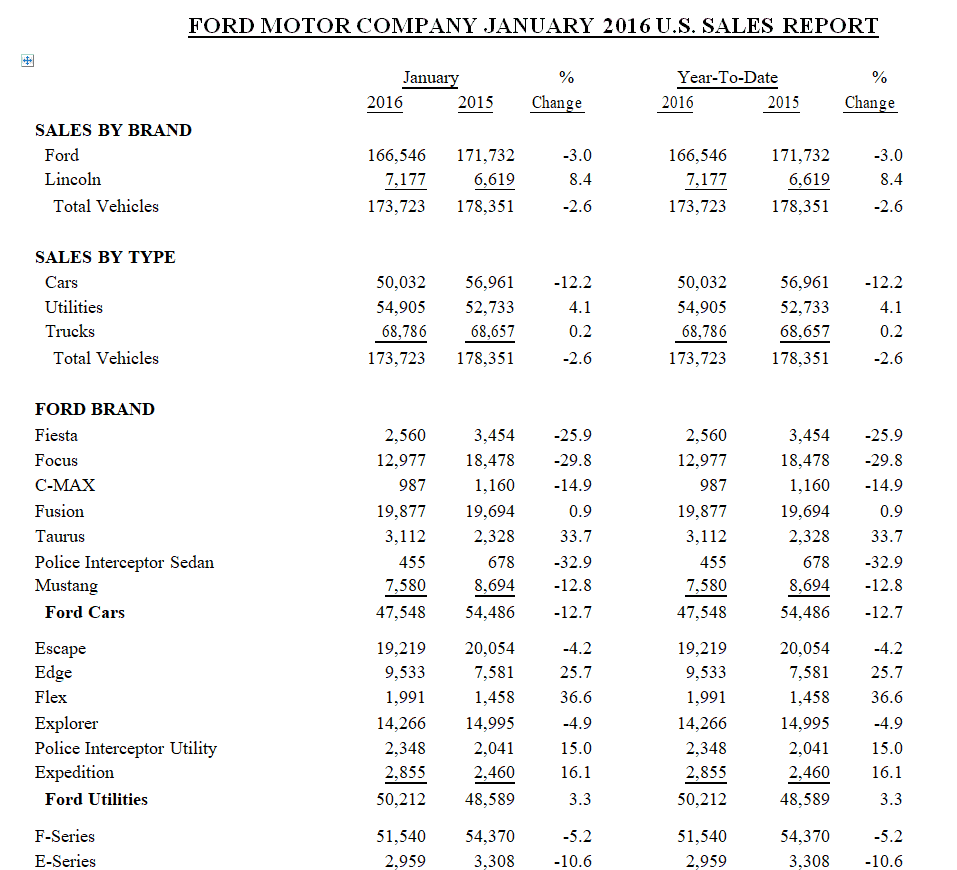
Ford Motor Company’s Year End Product Sales Report Template
Sample Product Sales Record Sheet Template
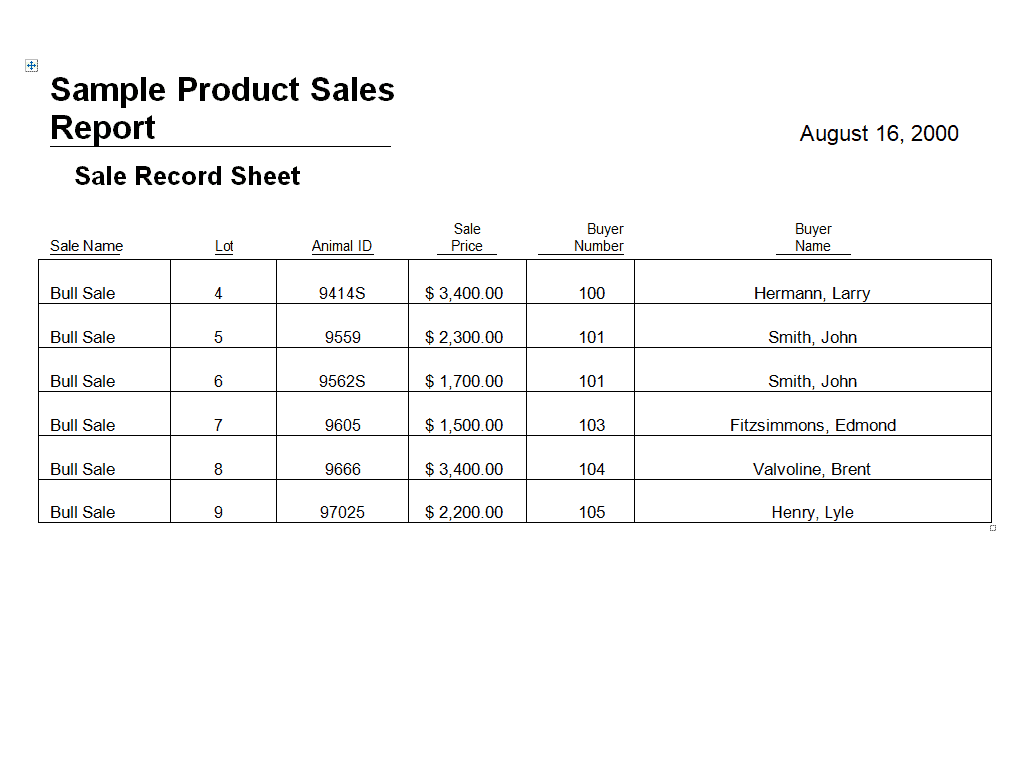
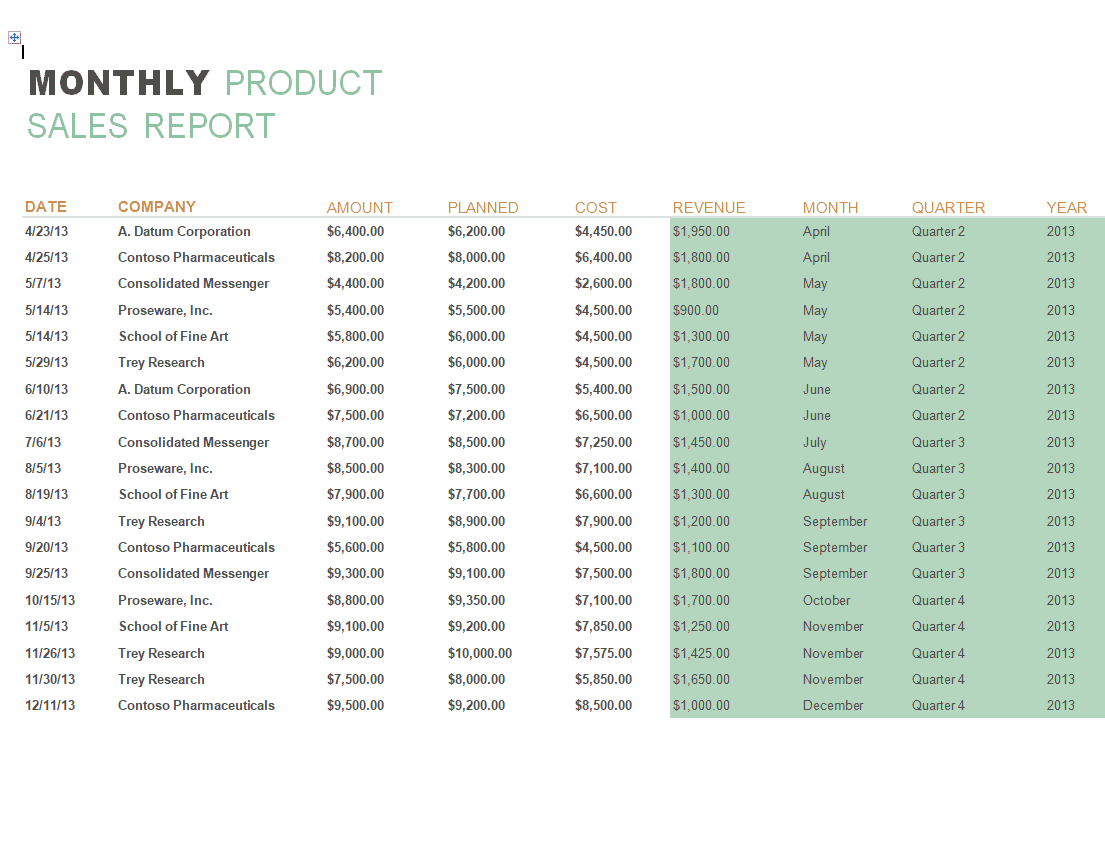
Example Monthly Product Sales Report Template
Get Product Sales PDF Templates Here
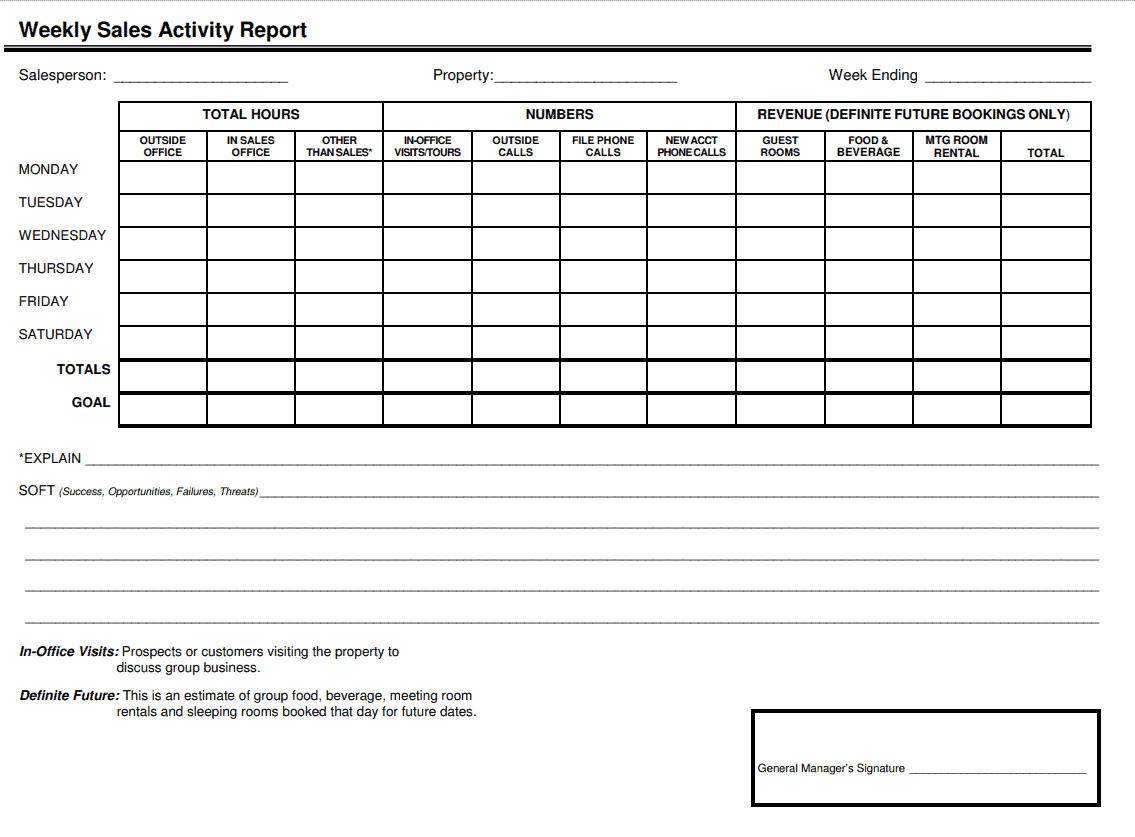
Weekly Product Sales Activity Report Template
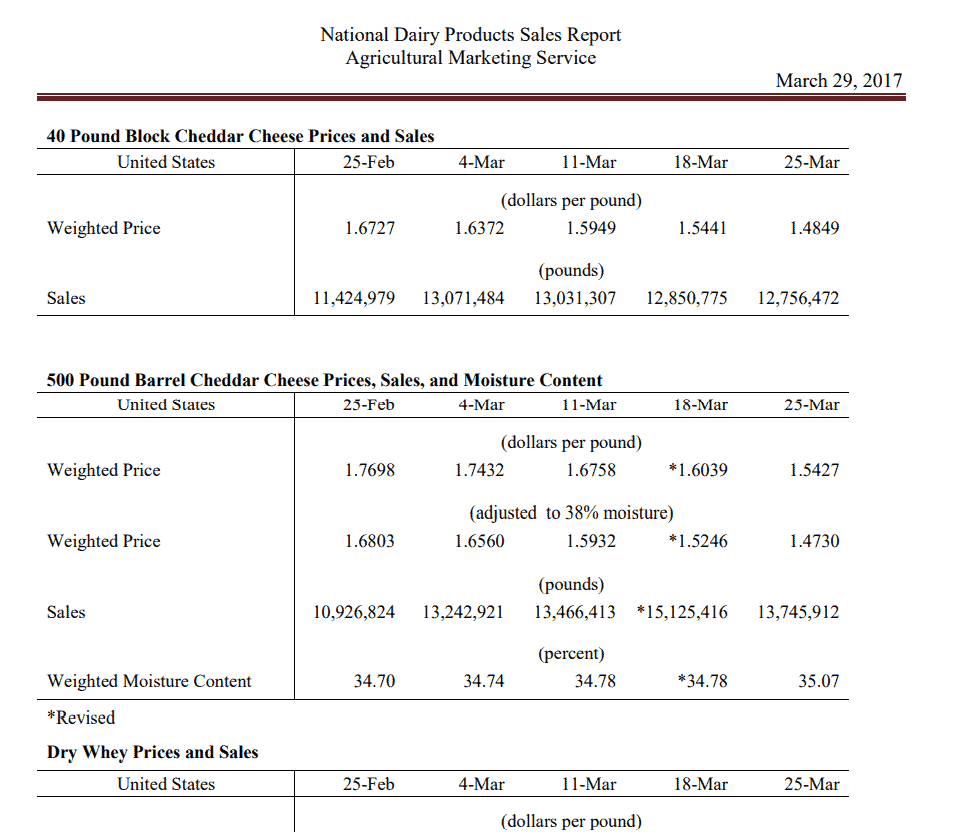
Dairy Products Sales Report Template
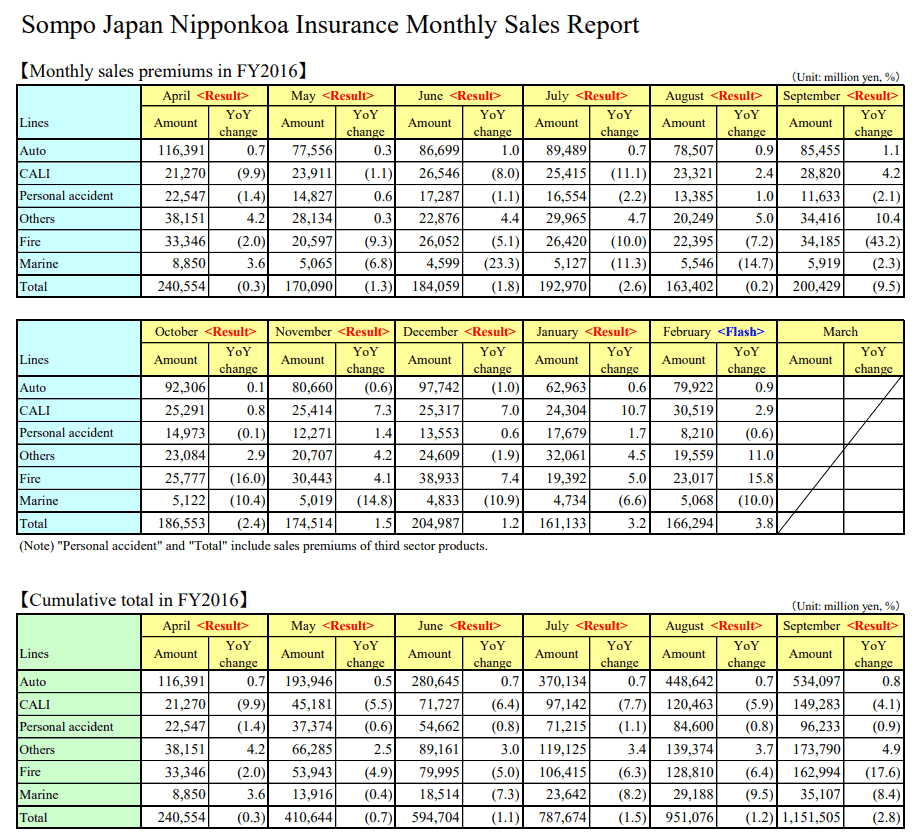
Monthly Insurance Sales Report Template
Frequently Asked Questions
Are these product sales report templates free to download?
Yes, all 13 product sales report templates on this page are free to download and use.
Which file formats are these templates available in?
These templates are available in Excel, Word, and PDF formats to suit different reporting needs.
Can I customize the fields on these templates?
Yes, since the templates are fully editable, you can add your own product categories, columns, and branding.
How often should I complete a product sales report?
It depends on your business, but many teams complete reports weekly, monthly, or quarterly to track trends consistently.
Can these templates be used for small businesses?
Yes, these templates work well for small business owners who need a simple way to track product performance without dedicated software.
What’s the difference between a sales report and a sales forecast?
A sales report records actual past sales, while a forecast projects future sales based on trends and historical data.
Can the Excel templates calculate totals automatically?
Yes, the Excel templates can be set up with formulas to automatically total units sold and revenue as you enter data.

You must be logged in to post a comment.