
Word booklet templates can provide a starting structure for a compact publication, such as a product guide, event booklet, training handout, or short information resource. The collection below includes previews and linked resources with different purposes and formats. Inspect the actual resource before assuming it is an editable Word document.
A successful booklet combines clear content with a layout that works at its finished size. This guide explains how to define the audience, organize sections, manage text and images, and check the final output before printing or sharing it.
Define the audience and the booklet’s purpose
Write one sentence explaining who will read the booklet and what they should understand or do afterward. A new customer needs different information from an employee learning a process. A booklet used at an event may need quick reference details rather than a long explanation.
List the few messages that matter most. Use those messages to decide what belongs in the publication. A booklet becomes difficult to navigate when every department adds material without considering the reader’s purpose. Keep background information elsewhere when it does not help the intended audience.
Decide how the booklet will be delivered
Choose whether the primary version will be printed, distributed digitally, or both. The delivery method affects page size, navigation, image quality, and the amount of text that is comfortable to read. A design intended for a folded print copy may be awkward to view one spread at a time on a phone.
Identify any requirements from the printer, organizer, or recipient before building the layout. Confirm the finished size, binding approach, file format, and production conditions directly with the responsible provider. Avoid assuming a resource’s default page setup matches your intended output.
Plan the content before decorating pages
Create an outline with the cover, introduction, main sections, supporting details, and closing information. Decide the order in which readers need the material. A product booklet might move from the customer’s problem to the offering, practical details, and a clear next step.
A product description template can help organize concise product information before it is placed into the booklet. Do not use page design to conceal unclear content. The layout becomes easier when each section has a purpose and the text is already reasonably focused.
Set a consistent visual structure
Choose a small set of heading, body, caption, and callout styles. Use them consistently so readers can recognize the structure without studying every page. Keep the number of typefaces and decorative effects limited.
A booklet layout should support reading at the finished size. Large headings may look impressive on screen but leave too little space for useful content. Check the balance between text and white space using real copy rather than placeholder paragraphs that do not resemble the material you will publish.
Write text for a compact publication
Use clear headings, short sections, and sentences that explain one main idea. Put practical information where readers expect to find it. A booklet is often read selectively, so section titles should be descriptive enough to guide someone who is scanning.
Remove repeated introductions and promotional claims that do not help the reader. If a technical term is necessary, explain it in context. Keep essential details visible rather than placing them in tiny print to make the layout fit. When the text is too long, reconsider the content before shrinking every font.
Organize product or service information
Use a consistent pattern for comparable items: name, purpose, key details, and the action the reader can take. This makes the booklet easier to scan and reduces the effort of comparing options. Confirm factual details with the responsible owner before publication.
A price list template can help organize a separate reference if prices belong in the booklet. Record the effective date and a review owner where information changes. Avoid letting the attractive layout make an old figure appear current. Keep the source of updateable details easy for the editor to find.
Choose images that carry useful information
Use images that help readers understand the subject, product, place, or action. A clear diagram or relevant photograph may be more useful than several decorative pictures. Confirm that you have the right to use the images in the intended publication.
Check how each image looks at the actual display or print size. A small preview stretched across a page may become unclear. Use captions where they explain what the reader should notice. Keep images connected to the relevant text so the reader does not have to search for their meaning.
Plan page flow and navigation
Think about how the reader moves from the cover into the booklet and between sections. Use page numbers, clear headings, and a contents or overview section when the length requires it. A very short booklet may need only strong section labels.
For an event publication, event program templates can help identify the sequence and practical details participants need. Keep repeated information consistent across pages. If a location or time appears in several places, update all occurrences when it changes rather than correcting only the most obvious one.
Work through a community-event booklet example
Imagine an organizer preparing a small booklet for a community event. The outline includes a welcome, the program, activity descriptions, venue information, and contact details. The editor collects approved text before building the pages.
During the first layout, the activity descriptions use different lengths and naming styles. The editor creates a consistent pattern and asks the contributors to confirm the revised details. The booklet becomes easier to navigate, and the layout no longer needs a different design solution for every activity.
Keep contact and action details clear
Decide what the reader should do after reading: contact someone, visit a location, complete a form, or keep the guide for reference. Make the relevant details easy to find. Avoid presenting several competing actions with equal emphasis when one is the main purpose.
A contact information template can help gather and check the details before publication. Confirm names, numbers, addresses, and links with the responsible person. Test digital links in the final file and check that printed addresses are readable without requiring the reader to infer missing information.
Review accessibility and reading comfort
Use clear contrast, readable text, meaningful headings, and descriptions for important visual information where the delivery format supports them. Avoid conveying an essential instruction only through color or a decorative symbol. Consider how the audience will use the publication.
Review a printed proof or a normal-size digital view rather than judging everything while zoomed in. Ask someone unfamiliar with the content to find a few key details. Their experience can reveal confusing navigation, small text, or assumptions that the editor overlooks because they know the material already.
Prepare the print layout carefully
Confirm margins, folding, binding, and page arrangement with the printer or production process. Keep essential content away from areas where trimming or binding may affect it. Do not rearrange pages into a printing order without understanding what the printer expects.
Print or produce a small proof before committing to a large run. Fold or assemble it in the intended way and check the page sequence. Review whether headings, images, and page numbers remain in sensible positions. A screen preview cannot reveal every problem created by physical assembly.
Check the final digital and printed versions
Proofread names, dates, figures, captions, and contact details. Compare the final layout with the approved source text so corrections are not lost during editing. Check for placeholder text, blank pages that were not intended, and images covering important words.
Export a reference copy in the required format and inspect it separately from the editing file. Check page order, font appearance, image clarity, and links where applicable. Give the final version a clear date or edition identifier and retain the editable source for future changes.
Use the resource collection with care
The previews include guides, examples, and design resources, so they do not all establish the same editing capability. Open the linked resource and check its actual format, availability, and suitability. A picture of a booklet is a visual reference rather than proof that a matching Word file is supplied.
Save an unchanged copy of any resource you use, then adapt the content and styles to your purpose. Keep the original preview and resource reference in your project notes if helpful. Assign an owner for future updates so the booklet remains accurate after its first publication.
Get Word Booklet Templates Here
Word Booklet Making Guide
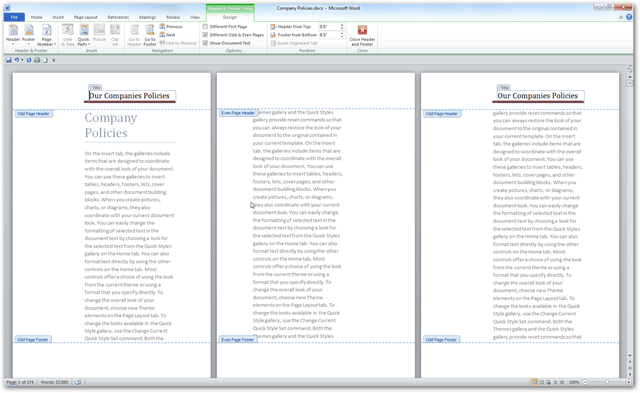

Booklet Example Word
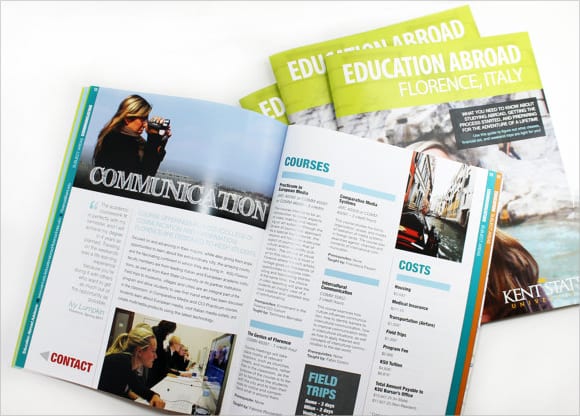
Sample Booklet Layout
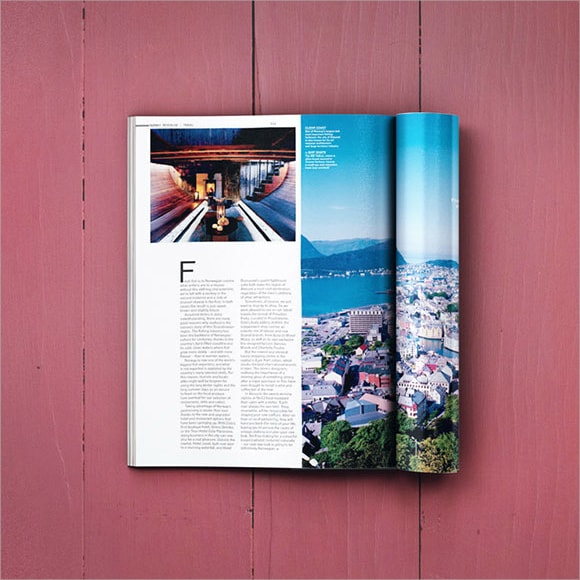
Booklet Downloadable Free Template
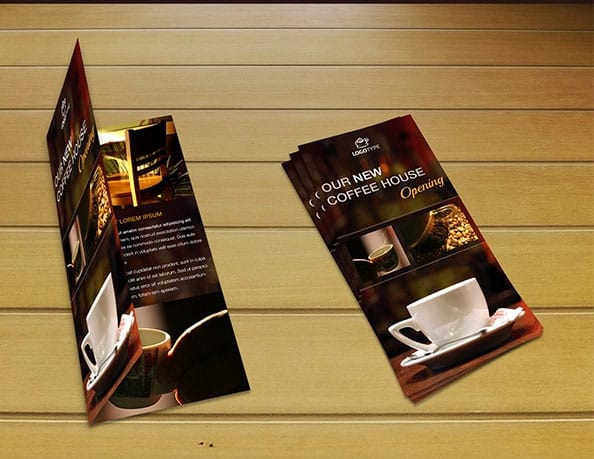
Frequently Asked Questions
What can a booklet template be used for?
It can support a product guide, event program, training handout, short manual, or information resource. Choose the structure around the reader’s needs and the delivery method.
Are all resources in this collection Word files?
The linked resources vary. Check the actual format after opening a link; some examples may be guides, images, or other design resources rather than native Word documents.
Should I write the text before designing pages?
Prepare a clear outline and reasonably focused text first. Real content helps you judge page space and prevents the layout from being built around unrealistic placeholders.
How do I choose a booklet size?
Consider how it will be read, carried, printed, and bound. Confirm the production requirements with the printer or person responsible for the final output.
Do I need a printed proof?
A proof is useful for checking size, readability, folding, page order, and assembly. Review a sample before producing a large number of copies.
What should I retain after publication?
Keep the editable source, approved final file, useful production settings, and the information needed for future updates. Identify who owns the next revision.

You must be logged in to post a comment.