
Keeping track of church members and their contact details becomes far easier with a church directory template already structured and ready to use. Instead of building a directory layout from scratch, a ready-made template gives you a clean, organized framework you can fill in with names, roles, and contact information in minutes. Below you’ll find a free, downloadable church directory template in Excel format, suitable for churches of any size and denomination.
What Is a Church Directory Template?
A church directory template is a pre-formatted document used to record the names, roles, and contact details of church members, staff, and volunteers. Rather than designing a directory from scratch, a ready-made template gives you a structured framework already built to capture the essential information a congregation needs to stay connected. This template is used by church administrators, pastors, and office staff who need a clear, organized way to maintain member records and facilitate communication within the congregation.
Why You Need a Church Directory Template: Key Benefits
- Saves preparation time: A ready-made layout means you can focus on gathering member information instead of designing a directory from scratch.
- Keeps records organized: Clearly labeled fields for names, roles, and contact details reduce confusion when looking up a member.
- Strengthens congregation connections: Having accurate contact information on hand makes it easier for members to reach one another.
- Supports church administration: A structured directory helps staff coordinate outreach, volunteer scheduling, and pastoral care.
- Works for churches of any size: The template scales easily whether your congregation has dozens or hundreds of members.
- Free and reusable: Download once and reuse the same template structure as your congregation grows and changes.
What’s Included in the Church Directory Template
- Member name field: Space to record the full name of each church member or staff member.
- Role or position: A field to note the person’s role within the church, such as pastor, deacon, or volunteer.
- Contact information: Fields for phone number, email address, and mailing address.
- Household grouping: Some directories allow grouping family members under a single household entry.
- Ministry or committee involvement: Space to note which ministries or committees a member participates in.
- Membership date: A field to record when the person joined the congregation.
Who Should Use This Template?
- Church administrators maintaining organized records of congregation members and staff.
- Pastors and church leaders needing quick access to member contact information for pastoral care.
- Volunteer coordinators tracking who is involved in which ministries and committees.
- Office staff managing communication and outreach to the congregation.
- Small and growing churches establishing their first formal member directory.
- Multi-site churches keeping consistent records across different congregation locations.
How to Start Using the Template in 3 Simple Steps
- Step 1 — Download the template: Get the free Excel-based church directory template below.
- Step 2 — Add member details: Fill in names, roles, and contact information for each church member.
- Step 3 — Save and update regularly: Keep the directory saved in an accessible location and update it as membership changes.
Church Directory Templates vs. Church Management Software
While both approaches help churches keep track of their congregation, a spreadsheet-based directory template and dedicated church management software serve different needs depending on the size and complexity of your church. A template is simple, free, and easy to use for smaller congregations that don’t need advanced features like online giving tracking or event registration. Church management software, by contrast, offers more robust features but typically requires a subscription and a learning curve for staff and volunteers. Choosing the right approach depends on your church’s size, budget, and how much functionality you actually need.
Customizing the Template for Your Congregation
This template is designed to be a flexible starting point rather than a fixed format. You can add your church’s logo for a more official appearance, adjust the columns to include fields specific to your congregation’s needs, or add additional sheets for different ministries or age groups. Since the template is provided in editable Excel format, most adjustments take only a few minutes and let you tailor the directory to fit your specific church community.
Choosing the Right Format for Your Directory
An Excel-based directory works well for churches that want to sort, filter, and search through member records easily, especially as the congregation grows. Some churches also choose to export a simplified, printable version of the directory for members who prefer a physical copy. Reviewing what information your congregation actually needs before building out the directory can help you avoid collecting unnecessary or overly personal details.
Common Mistakes to Avoid
- Leaving fields incomplete: Always try to fill in every available field so the directory is useful when members need to be reached.
- Using outdated information: Regularly review and update contact details as members move or change phone numbers.
- Sharing sensitive data too broadly: Be mindful of who has access to a directory containing personal contact information.
- Duplicating entries: Check for existing entries before adding a new member to avoid duplicate records.
- Not backing up the file: Keep a backup copy of the directory in case the original file is lost or corrupted.
Tips to Get the Most Out of Your Church Directory Template
- Sort members by ministry or committee to make it easier to coordinate volunteer efforts.
- Assign someone to own the directory so updates happen consistently rather than being forgotten.
- Set a reminder to review the directory periodically so outdated information doesn’t linger.
- Consider member privacy preferences before including personal details like home addresses.
- Keep a digital and printed copy so the directory is accessible in different situations.
Respecting Privacy When Building a Church Directory
Church directories often contain personal information, so it’s important to think carefully about what details to include and how the directory is shared with the congregation. Some members may prefer not to have their home address or personal phone number listed, so offering an opt-out option or asking for consent before including certain details shows respect for individual privacy preferences. Churches that distribute printed directories should also consider limiting distribution to active members rather than making the directory publicly available, since it often contains information that could be misused if it reached the wrong hands.
Using the Directory to Strengthen Pastoral Care
Beyond simple contact information, a well-maintained church directory can be a valuable tool for pastoral care, helping leadership stay aware of member milestones, needs, and ongoing involvement in the congregation. Recording details like household composition or ministry participation makes it easier for pastors and care teams to reach out appropriately during times of celebration or difficulty. Many churches find that regularly reviewing the directory alongside attendance and engagement patterns helps identify members who may be drifting away and could benefit from a personal outreach.
Updating the Directory as Your Congregation Grows
As a church grows or changes over time, keeping the directory current becomes increasingly important for effective communication and ministry coordination. Establishing a simple process, such as asking new members to fill out a directory information card during their first visit or membership class, helps ensure new additions are captured consistently. Periodically cross-referencing the directory against attendance records or membership rolls can also help identify members who have moved away or become inactive, so the directory continues to reflect an accurate picture of the active congregation.
Organizing Households and Family Groups
Many churches find it useful to organize directory entries by household rather than listing every family member as a separate, disconnected record, since this makes it easier to understand family relationships within the congregation. Grouping households together also simplifies communication tasks like sending a single mailing to a family rather than duplicating outreach to multiple members at the same address. When building out household groupings, it helps to designate a primary contact for each family so staff know who to reach first for scheduling or urgent communication.
Using the Directory for Event Planning and Outreach
A well-organized church directory becomes especially valuable when planning events, since it allows staff to quickly identify and contact specific groups within the congregation, such as families with young children or members involved in a particular ministry. Filtering the directory by ministry involvement or age group can help tailor invitations and communications to the people most likely to be interested in a given event. Churches that also track attendance patterns alongside directory information can use that data to identify members who might benefit from a personal invitation to reconnect with the congregation.
Transitioning From a Paper to a Digital Directory
Many established churches still maintain records on paper or in scattered documents, and moving to a single digital spreadsheet-based directory can feel like a significant undertaking at first. Starting with a simple data collection effort, such as a sign-up sheet passed around during services or an online form members can fill out themselves, can make the transition much more manageable. Once the initial information is gathered into the template, ongoing maintenance becomes far easier than trying to track down updates across multiple paper records scattered among different staff members, and a single digital file can also be backed up automatically to prevent the kind of permanent loss that often happens with paper-only records.
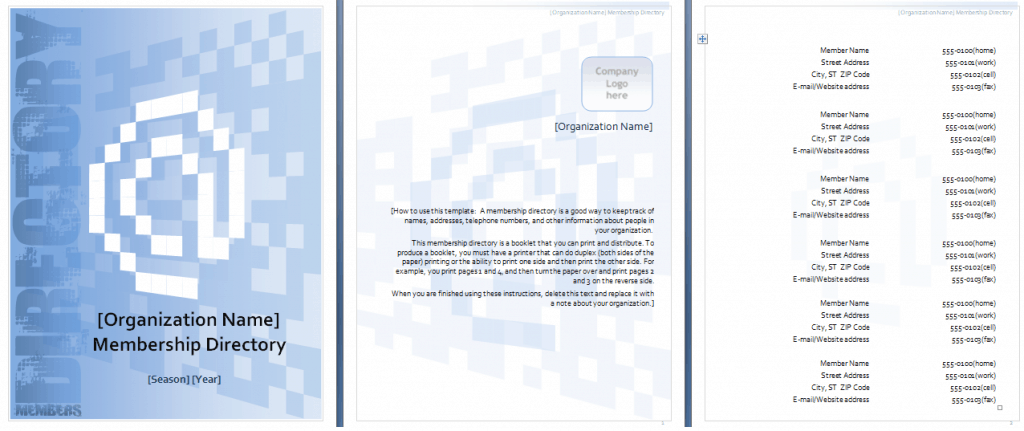
Download Excel Church Directory Templates Here

Frequently Asked Questions
Is this church directory template free to download?
Yes, the church directory template on this page is free to download and use.
Which file format is this template available in?
The template is available in Microsoft Excel format.
Can I reuse this template for multiple directories?
Yes, once downloaded, you can use the template as many times as needed to create updated directories.
Is this template suitable for small churches?
Yes, this template works well for churches of any size, from small congregations to larger ones.
Can I customize the fields on this template?
Yes, since the template is fully editable, you can add or remove fields to match your congregation’s needs.
Can I organize the directory by household or family?
Yes, you can group family members together within the spreadsheet to reflect household relationships.
Should I limit who has access to the completed directory?
Yes, it’s recommended to share the completed directory only with active members to protect personal information.

You must be logged in to post a comment.